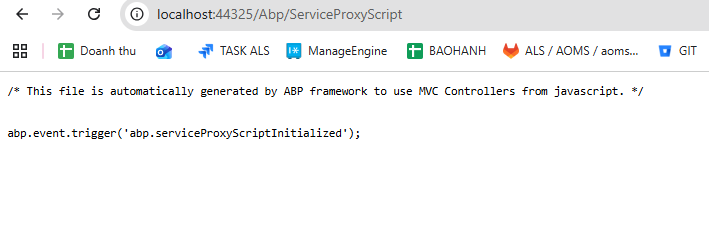
[maliming] said: ok, you can continue to test it.
Thanks.
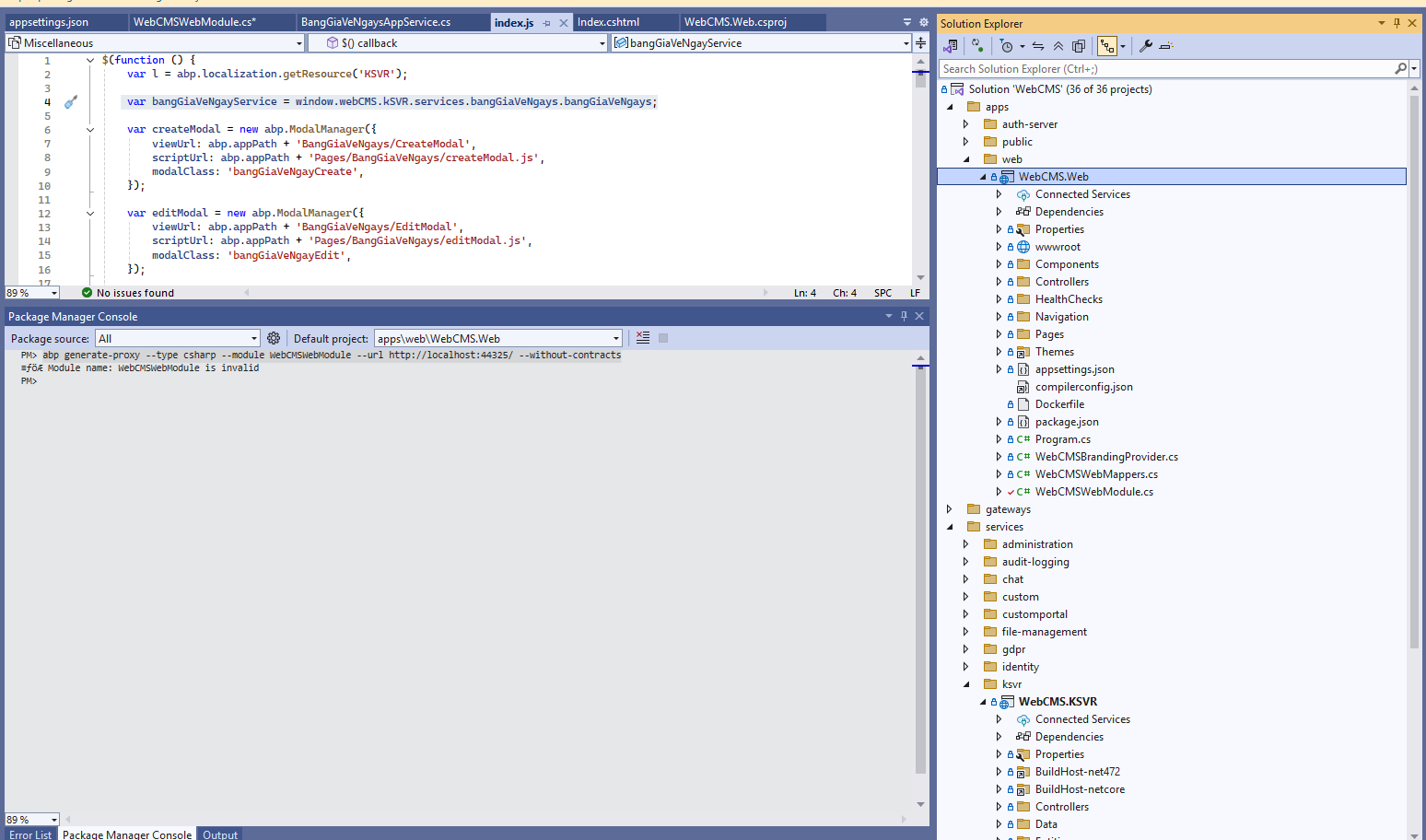
I continued running the application and was able to call
var bangGiaVeNgayService = window.webCMS.kSVR.services.bangGiaVeNgays.bangGiaVeNgays;
but now I’m getting this error. Please help me with this.

[maliming] said: : )
:v I mistakenly thought the Module Name was the name of the .cs file. :((
[maliming] said: hi
abp generate-proxy --type csharp --module ksvr --url http://localhost:44303 --without-contractsAfter that, run the
WebCMS.Web: http://localhost:44325/and checkabp/serviceproxyscriptendpoint
ok nice ! Thank you very much
[maliming] said: hi
: Module name: webCMSwebModule is invalid
You can check all modules at
http://localhost:44303/api/abp/api-definitionThen generate a proxy again
abp generate-proxy --type csharp --module NewModuleName --url http://localhost:44303 --without-contractsThanks
this is data in http://localhost:44303/api/abp/api-definition
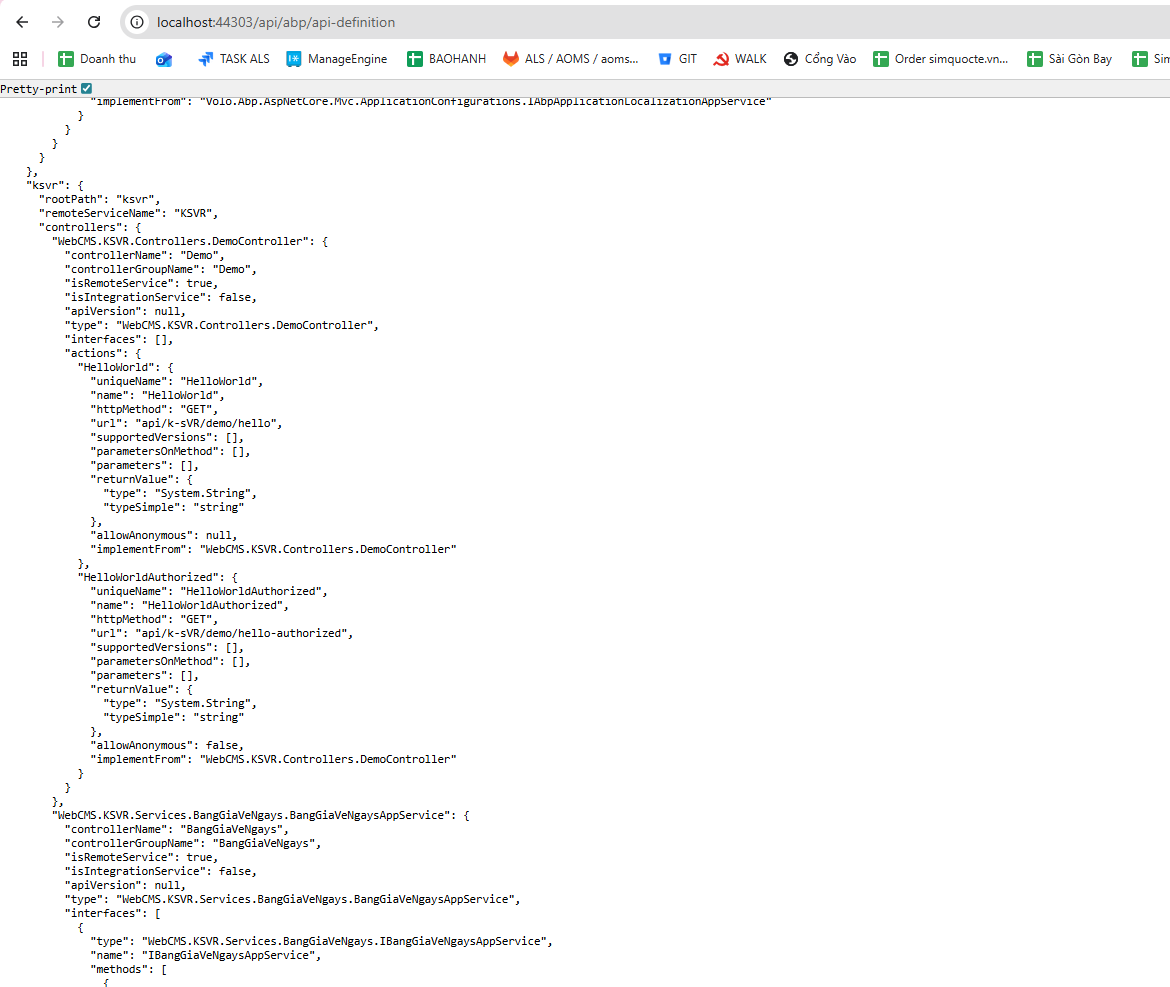
Please help me write the correct command.
[maliming] said: hi
You can run the
abp generate-proxycommand in your web project(localhost:44325)
abp generate-proxy --type csharp --module YourWebCMSKSVRModuleName --url https://YourWebCMSKSVRModuleName-website-url --without-contractsThanks.
help me please!
[maliming] said: hi
You can run the
abp generate-proxycommand in your web project(localhost:44325)
abp generate-proxy --type csharp --module YourWebCMSKSVRModuleName --url https://YourWebCMSKSVRModuleName-website-url --without-contractsThanks.

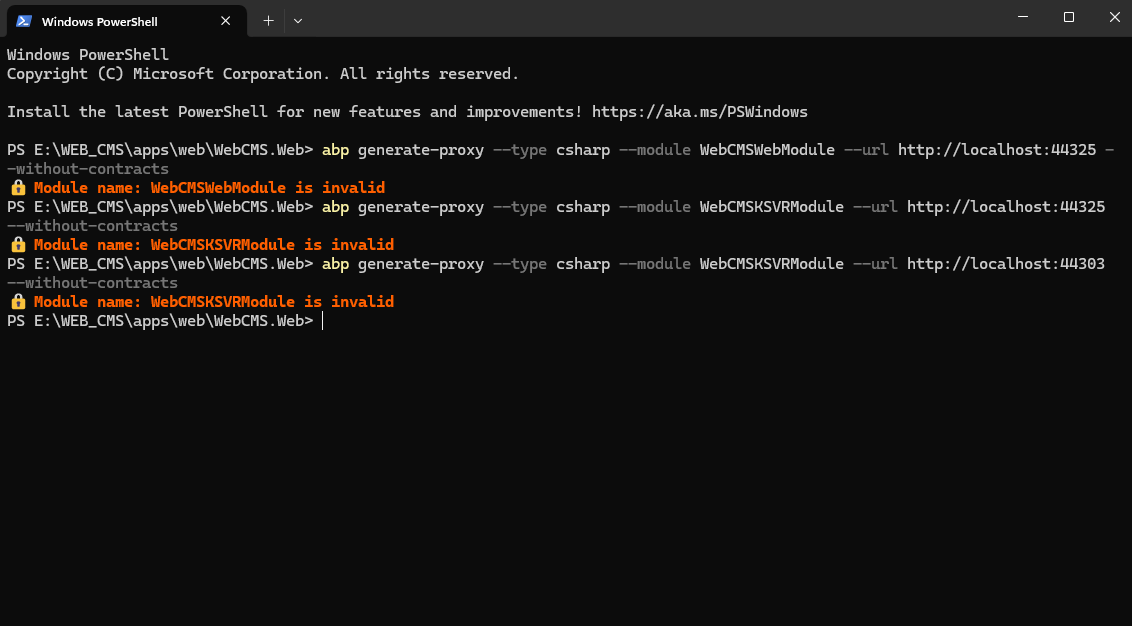 I tried it, but it didn’t work.
Url WebCMS.Web: http://localhost:44325/ Url WebCMS.KSVR (microservice) : http://localhost:44303/
From WebCMS.Web, I’m calling a service in WebCMS.KSVR.
[maliming] said: hi
Have you created the static proxy files?
See https://abp.io/docs/latest/guides/add-module-to-microservice#using-the-static-proxy https://abp.io/docs/latest/framework/api-development/static-csharp-clients#code-generation
I can’t find the HttpApiClientModule.
 My ABP version is the latest one, and its structure does not contain any of the files described in the documentation.
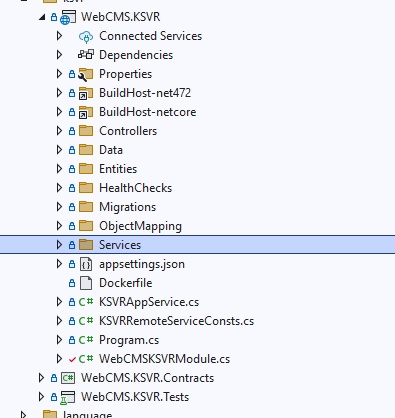
I’m using the latest paid version of ABP to generate a microservice solution with MVC Razor Pages. In my JS file, I use this command to call the service:
var bangGiaVeNgayService = window.webCMS.kSVR.services.bangGiaVeNgays.bangGiaVeNgays;
but it doesn’t work.
With the older version of ABP, it still worked normally. Please help me resolve this issue. Does the latest ABP version still support calling services the old way like before?
[maliming] said: hi
Please generate the static proxy files in your web project.
Then you will see the script in webproject/abp/serviceproxyscript endpoint.
See https://abp.io/docs/latest/guides/add-module-to-microservice#using-the-static-proxy https://abp.io/docs/latest/framework/api-development/static-csharp-clients#code-generation
ok thank, i will try