






I have multiple Kafka topics in my microservice, how to config to create multi kafka topics
9 Answer(s)
-
0
To configure multiple Kafka topics in your ABP microservice, you should define each topic in your configuration and use the distributed event bus system to publish and subscribe to events for different topics. ABP's Kafka integration allows you to specify the topic name per event type using the event bus options.
Here's how you can configure multiple Kafka topics:
- In your
appsettings.json, define the Kafka connection and default topic:
"Kafka": { "Connections": { "Default": { "BootstrapServers": "localhost:9092" } }, "EventBus": { "GroupId": "my-group" } }- In your module's
ConfigureServicesmethod, configure the distributed event bus to map specific event types to specific topics:
Configure<AbpDistributedEventBusOptions>(options => { options.Outboxes.ConfigureKafka(kafka => { kafka.TopicSelector = eventType => { // Map event types to topics if (eventType == typeof(MyFirstEvent)) return "first-topic"; if (eventType == typeof(MySecondEvent)) return "second-topic"; // Default topic return "default-topic"; }; }); });- When you publish an event, ABP will use the topic specified by your selector function.
This approach allows you to handle multiple Kafka topics in a single microservice, with each event type routed to its designated topic.
Sources:
This response was generated by AI. If it didn’t solve your problem, feel free to post a new answer — our support team will jump in to help you soon.
Markdown supported.Copy, paste, or drag & drop images and files (max 100 MB per file, 100 MB total per post) - In your
-
0
I need advanced support of how configure Multiple Kafka Topics
Markdown supported.Copy, paste, or drag & drop images and files (max 100 MB per file, 100 MB total per post) -
0
hi
What is your use case? EventBus?
You can take look at this:https://abp.io/support/questions/3412/Kafka-subscribe-into-multiple-topics#answer-7b978c65-e340-67e9-dcd9-3a0508b832b4
Thanks.
Markdown supported.Copy, paste, or drag & drop images and files (max 100 MB per file, 100 MB total per post) -
0
Ok, I have Microservice need to publish events to topic and consume events from another topic, so I will have multiple topics in the service. so how can configure these topics ?
KafkaDistributedEventBus
Markdown supported.Copy, paste, or drag & drop images and files (max 100 MB per file, 100 MB total per post) -
0
hi
The
KafkaDistributedEventBusonly accepts oneTopicNameBoth eventbus senders and receivers use the same name.
have Microservice need to publish events to topic and consume events from another topic
Why do you need this use case in EventBus?
Thanks.
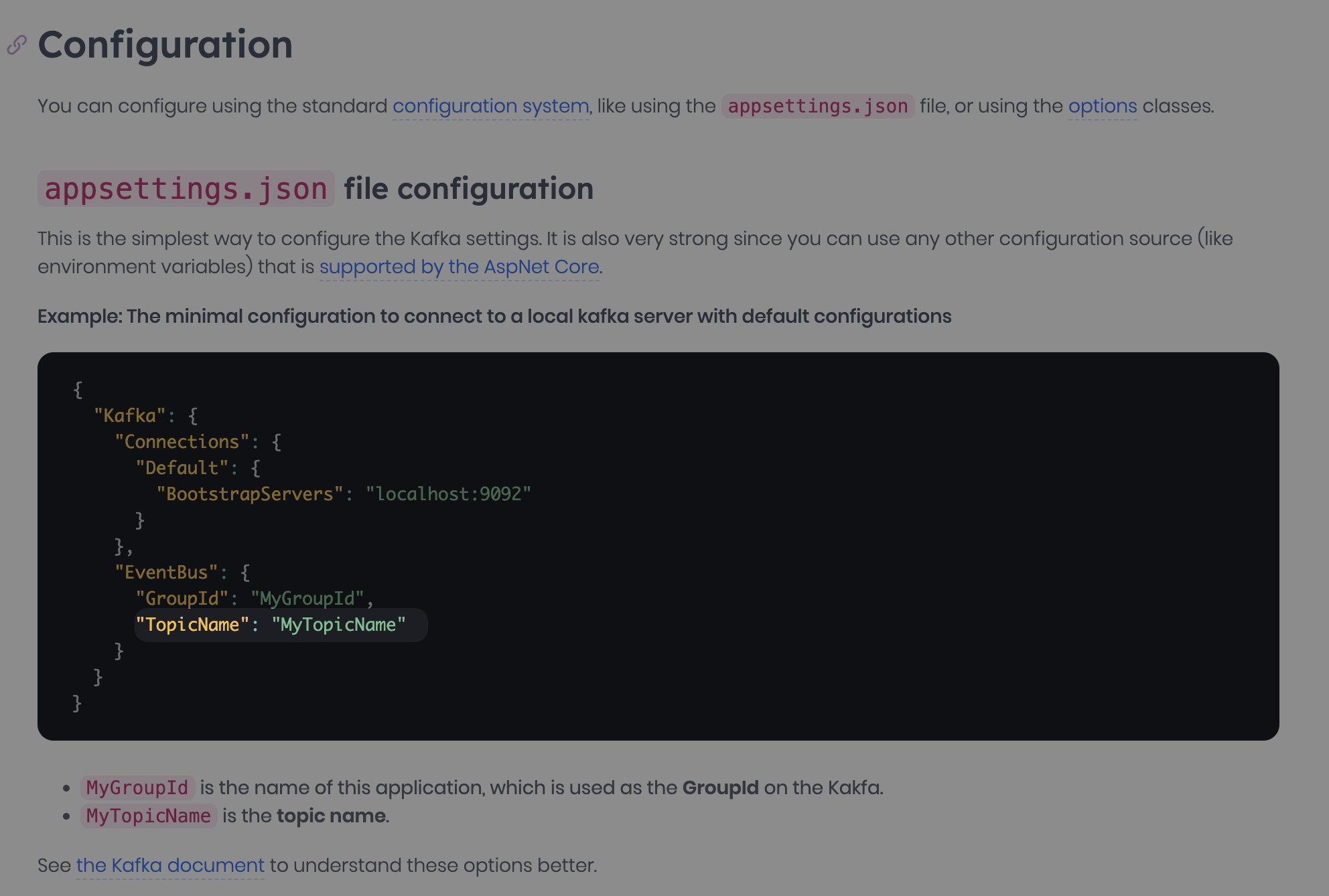 Markdown supported.Copy, paste, or drag & drop images and files (max 100 MB per file, 100 MB total per post)
 -
0
I have use case that will publish event from topic 1 and consume event from external system and different topic so how can configure this case and have multiple topics
Markdown supported.Copy, paste, or drag & drop images and files (max 100 MB per file, 100 MB total per post) -
0
hi
publish event from topic 1 and consume event from external system
Is your external system based on the ABP framework?
You can publish messages without using ABP's
KafkaDistributedEventBusif the consumer is not an ABP application.Just use Kafka code to publish the message to a new topic.
Thanks.
Markdown supported.Copy, paste, or drag & drop images and files (max 100 MB per file, 100 MB total per post) -
0
Yes, the external system based on the ABP framework also
Markdown supported.Copy, paste, or drag & drop images and files (max 100 MB per file, 100 MB total per post)



