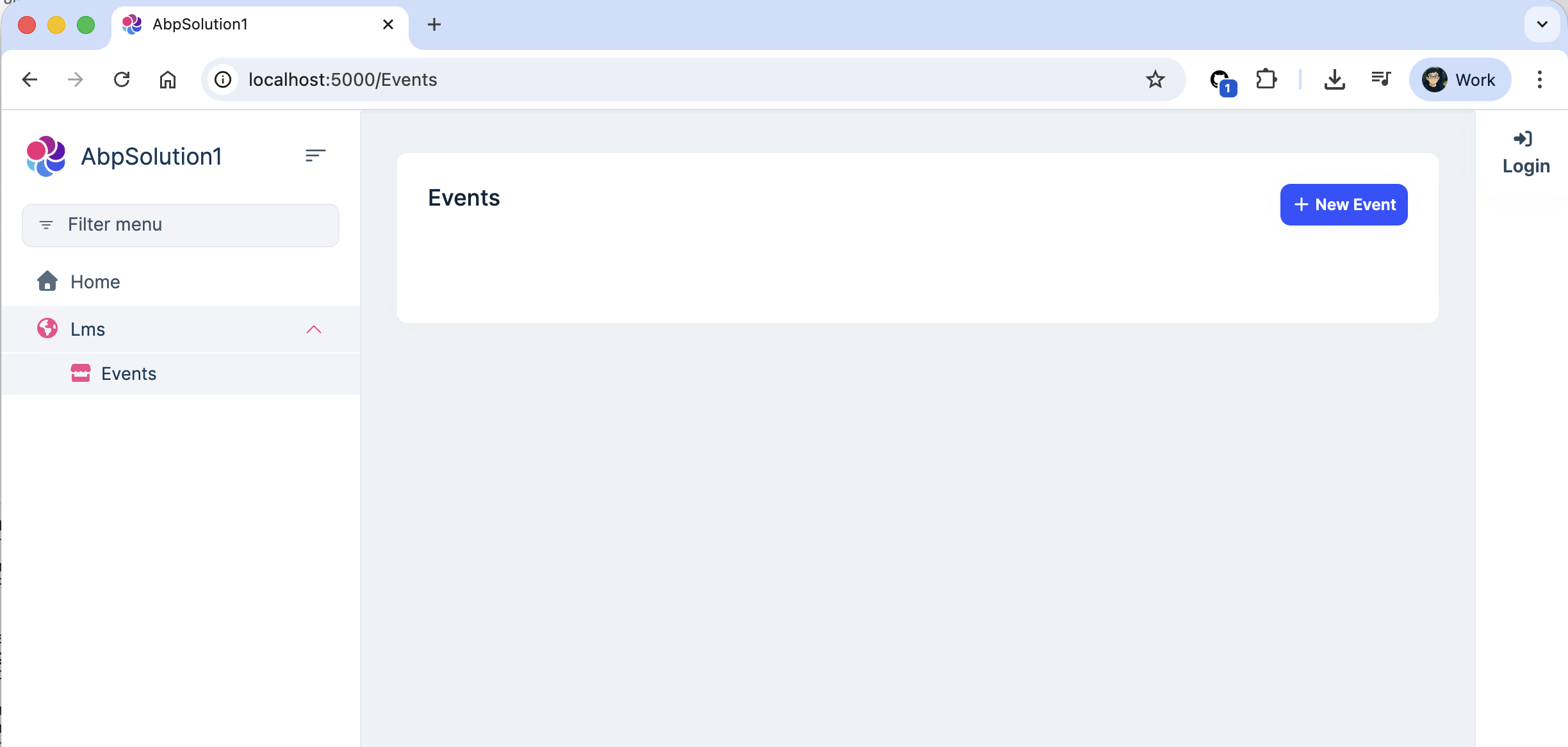
I'm using modular monolith layered app architecture to combine Main with few modules. Modules have razor CSHTML pages which works locally in https://localhost/ i.e. local dev environment. All default page paths are working good. i.e. Via Menu Contributor in Main module, accessing the pages works perfectly. But when deployed to IIS server in Azure VM, via devOps script, same app menu page paths gives 404 error. While diagnosing, have these json responses for the corresponding diagnostic controller method code for your reference. I've also attached the csproj files of the Main module and Lms module. Is there anything I'm setting inadvertently wrong while deploying?
localhost pic: https://prime2dev.blob.core.windows.net/general/host/delete-this-temp/localhost.jpg azure IIS pic: https://prime2dev.blob.core.windows.net/general/host/delete-this-temp/Azure-IIS-Hosted.jpg
if I use this code on server API side to diagnose: [HttpGet("check-razor-pages")] public IActionResult CheckRazorPages() { var pages = _actionDescriptorProvider.ActionDescriptors.Items .OfType<Microsoft.AspNetCore.Mvc.RazorPages.PageActionDescriptor>() .Where(p => p.ViewEnginePath.Contains("Lms") || p.ViewEnginePath.Contains("Events") || p.ViewEnginePath.Contains("Case")) .Select(p => new { ViewEnginePath = p.ViewEnginePath, RelativePath = p.RelativePath, DisplayName = p.DisplayName, RouteTemplate = p.AttributeRouteInfo?.Template, // ← THIS IS CRITICAL RouteValues = p.RouteValues }) .ToList();
	return Ok(new
	{[https://playwarestudios-my.sharepoint.com/:f:/g/personal/pwsadmin_playwarestudios_onmicrosoft_com/EgMOorRpfYhLikQCbbSlcJIBFC01j6KJVpuq7762tz04dA?e=ZyUqtE](here)
		TotalPages = pages.Count,
		Pages = pages,
		NoRouteTemplates = pages.Where(p => string.IsNullOrEmpty(p.RouteTemplate)).ToList()
	});
}
always gives no results.
refer to csproj files and MainWebmodule,cs and LmsWebModule.cs code shared here
- Exception message and full stack trace:
- Steps to reproduce the issue:
14 Answer(s)
-
0
- Solution The 404 on IIS for module Razor Pages typically means the pages are not discovered at runtime on the server. In ABP modular monoliths this happens when the module’s Razor Pages and embedded resources aren’t registered or published correctly, or when middleware order misses virtual files.
Apply the checklist below and republish:
- Ensure each module’s Web module depends on AbpAspNetCoreMvcModule and registers embedded Razor Pages:
[DependsOn( typeof(AbpAspNetCoreMvcModule) // + other dependencies... )] public class LmsWebModule : AbpModule { public override void ConfigureServices(ServiceConfigurationContext context) { // Allow ABP to find embedded Razor pages of this module Configure<AbpVirtualFileSystemOptions>(options => { options.FileSets.AddEmbedded<LmsWebModule>(); }); context.Services .AddRazorPages() .AddApplicationPart(typeof(LmsWebModule).Assembly); } public override void OnApplicationInitialization(ApplicationInitializationContext context) { var app = context.GetApplicationBuilder(); var env = context.GetEnvironment(); if (env.IsDevelopment()) { app.UseDeveloperExceptionPage(); } app.UseStaticFiles(); app.UseRouting(); app.UseAuthentication(); app.UseAuthorization(); // IMPORTANT for ABP virtual/embedded files (including Razor pages/views) app.UseAbp(); // ensures UseAbpVirtualFiles inside the pipeline app.UseConfiguredEndpoints(); // maps Razor Pages } }- In the main web host module, also ensure AddRazorPages().AddApplicationPart(...) for each module that contains pages (or rely on conventional discovery by referencing the module assembly).
- In ConfigureServices of the main web host, if you use Razor Class Libraries, you can also add:
services.AddControllersWithViews() .AddApplicationPart(typeof(LmsWebModule).Assembly) .AddControllersAsServices(); services.AddRazorPages() .AddApplicationPart(typeof(LmsWebModule).Assembly);- Make sure the module assemblies that contain the Razor Pages are referenced by the host web project so they’re copied to publish output. In the host .csproj:
<ItemGroup>
    <ProjectReference Include="..\..\modules\Lms\src\Lms.Web\Lms.Web.csproj" />
    <!-- repeat for other modules that have Razor Pages -->
  </ItemGroup>
If you pack modules as NuGet packages, ensure the package is referenced by the host and contains the compiled Razor views (RCL).
- Verify wwwroot and ABP virtual files are served in IIS:
- In the host’s module initialization:
- app.UseStaticFiles();
- app.MapAbpStaticAssets(); (ABP 9+ web apps) or app.UseAbp() which registers UseAbpVirtualFiles.
- Confirm that the publish includes static content:
- In the host’s module initialization:
<ItemGroup> <Content Include="wwwroot\**\*"> <CopyToPublishDirectory>Always</CopyToPublishDirectory> </Content> </ItemGroup>- Remove IIS WebDAV for non-GET verbs if you also see 405 on POST/PUT/DELETE (commonly blocks form posts or antiforgery flows): Web.config snippet under system.webServer:
<modules> <remove name="WebDAVModule" /> </modules> <handlers> <remove name="WebDAV" /> </handlers>- Publishing notes:
- Use dotnet publish for Release and deploy the publish folder to IIS. Ensure all module assemblies are present in the publish output.
- If you see “multiple publish output files with same relative path” for Razor Pages across modules (e.g., duplicate Pages/_ViewImports.cshtml), either rename conflicting files or set:
<PropertyGroup>
      <ErrorOnDuplicatePublishOutputFiles>false</ErrorOnDuplicatePublishOutputFiles>
    </PropertyGroup>
in the host web project as a workaround.- Middleware order sanity check (host application):
app.UseCorrelationId(); app.UseStaticFiles(); app.UseRouting(); app.UseAuthentication(); app.UseAuthorization(); app.UseAbp(); // registers ABP middleware incl. virtual files and localization, etc. app.UseConfiguredEndpoints(); // ABP maps controllers and Razor Pages- Diagnose on server:
- Hitting your check-razor-pages endpoint returned empty because PageActionDescriptors weren’t discovered. After applying AddRazorPages().AddApplicationPart(moduleAsm) and ensuring assemblies are present, re-check: you should see ViewEnginePath/RelativePath entries and non-empty count. Also verify that AttributeRouteInfo can be null for Razor Pages; rely on ViewEnginePath/RouteValues instead of RouteTemplate.
If these steps are applied, the same module Razor Pages that work locally will be discovered and served on IIS.
- Sources
- https://abp.io/docs/latest/framework/architecture/modularity/basics
- https://abp.io/docs/latest/solution-templates/layered-web-application/deployment/deployment-iis
This response was generated by AI. If it didn’t solve your problem, feel free to post a new answer — our support team will jump in to help you soon.
Markdown supported.Copy, paste, or drag & drop images and files (max 100 MB per file, 100 MB total per post) -
0
Build failed in devOps pipeline, but now publish fails because multiple modules have Pages/_ViewImports.cshtml and they're conflicting during publish.
hence tried this variation:
<ItemGroup>
   <!-- Embed static assets -->
   <EmbeddedResource Include="Pages\**\*.css" />
   <EmbeddedResource Include="Pages\**\*.js" />
   <EmbeddedResource Include="Components\**\*.js" />
   <EmbeddedResource Include="Components\**\*.css" />
   <EmbeddedResource Include="wwwroot\**\*.*" />
   <EmbeddedResource Include="Pages\**\*.cshtml" />
   <!-- Explicitly mark for Razor compilation -->
   <RazorGenerate Include="Pages\**\*.cshtml" />


   <Content Remove="Pages\**\*.css" />
   <Content Remove="Pages\**\*.js" />
   <Content Remove="Components\**\*.js" />
   <Content Remove="Components\**\*.css" />
   <Content Remove="wwwroot\**\*.*" />
 </ItemGroup>
build succeeds and verified the Compiled Razor Views Are in the DLL with findstr /s /i "AspNetCore" Ldr.Prime.Lms.Web.dll
No compiled Razor view classes! I DON'T see any types like: AspNetCoreGeneratedDocument.Pages_Lms_Index Pages_Lms_Index _Views_Pages_Lms_Index
still kind of stuck
Markdown supported.Copy, paste, or drag & drop images and files (max 100 MB per file, 100 MB total per post) -
0
[nachi] said:
Build failed in devOps pipeline, but now publish fails because multiple modules have Pages/_ViewImports.cshtml and they're conflicting during publish.
hence tried this variation:
<ItemGroup>
   <!-- Embed static assets -->
   <EmbeddedResource Include="Pages\**\*.css" />
   <EmbeddedResource Include="Pages\**\*.js" />
   <EmbeddedResource Include="Components\**\*.js" />
   <EmbeddedResource Include="Components\**\*.css" />
   <EmbeddedResource Include="wwwroot\**\*.*" />
   <EmbeddedResource Include="Pages\**\*.cshtml" />
   <!-- Explicitly mark for Razor compilation -->
   <RazorGenerate Include="Pages\**\*.cshtml" />


   <Content Remove="Pages\**\*.css" />
   <Content Remove="Pages\**\*.js" />
   <Content Remove="Components\**\*.js" />
   <Content Remove="Components\**\*.css" />
   <Content Remove="wwwroot\**\*.*" />
 </ItemGroup>
build succeeds and verified the Compiled Razor Views Are in the DLL with
findstr /s /i "AspNetCore" Ldr.Prime.Lms.Web.dllNo compiled Razor view classes! I DON'T see any types like:
AspNetCoreGeneratedDocument.Pages_Lms_Index Pages_Lms_Index _Views_Pages_Lms_Indexstill kind of stuck
Markdown supported.Copy, paste, or drag & drop images and files (max 100 MB per file, 100 MB total per post) -
0
hi
The
source-shared-to-abpcan't build successfully.Can you share the full source code or test your code in a new template project and share it?
source-shared-to-abp/modules/lms/src/Ldr.Prime.Lms.Application/LmsApplicationModule.cs(1,17): error CS0234: The type or namespace name 'Common' does not exist in the namespace 'Ldr.Prime' (are you missing an assembly reference?)
    source-shared-to-abp/modules/lms/src/Ldr.Prime.Lms.Application/LmsApplicationModule.cs(16,12): error CS0246: The type or namespace name 'CommonApplicationModule' could not be found (are you missing a using directive or an assembly reference?)
Thanks.
Markdown supported.Copy, paste, or drag & drop images and files (max 100 MB per file, 100 MB total per post) -
0
hi
I have published your app locally. And use
dotnet Ldr.Prime.Main.Web.dllcommand to run it, and everything works.I also use your module in a new app and publish it. also works
Can you confirm you have removed all
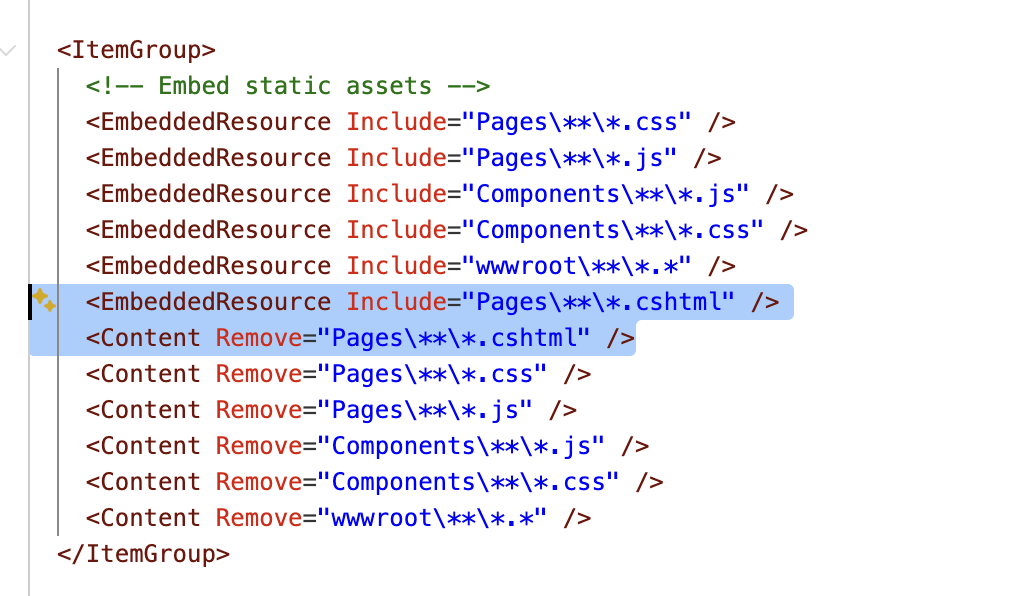
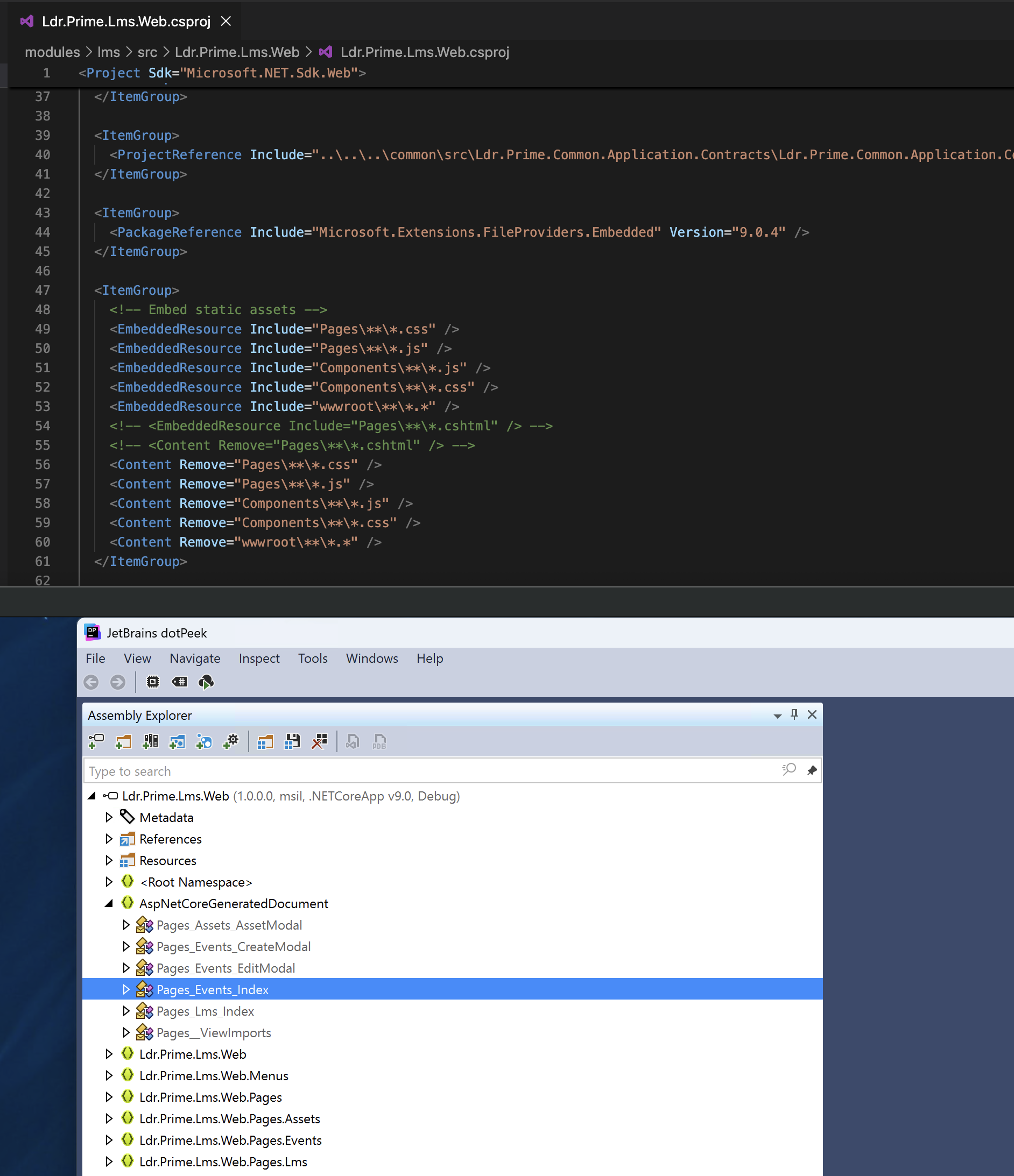
cshtmlfiles from `csproj's EmbeddedResource files? And rebuild it?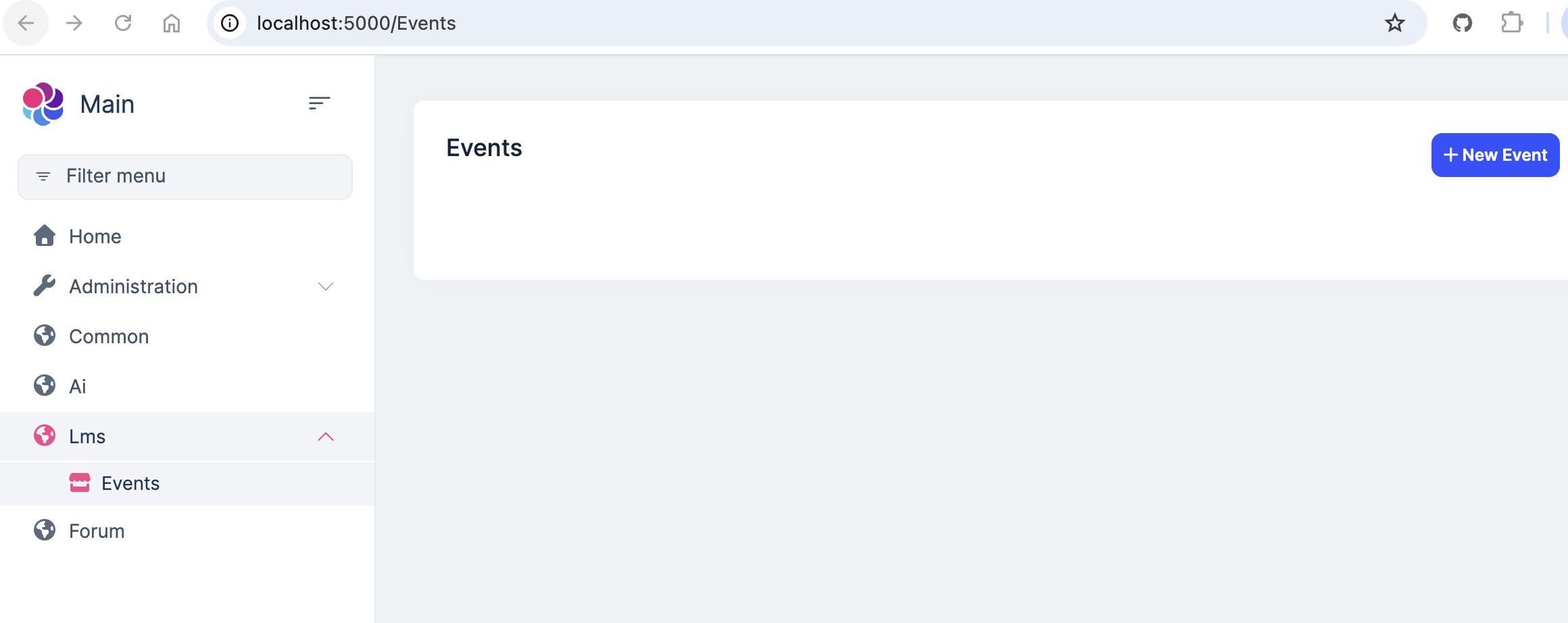
 Markdown supported.Copy, paste, or drag & drop images and files (max 100 MB per file, 100 MB total per post)
 -
0
Understand it builds on your side. Noticed IDE right-click on web csproj publish to folder gives me this error:
16:41:25:514	C:\Program Files\dotnet\sdk\9.0.304\Sdks\Microsoft.NET.Sdk\targets\Microsoft.NET.ConflictResolution.targets(112,5): Error NETSDK1152: Found multiple publish output files with the same relative path: D:\Playware\Projects\SkinGoPrime2\source-final\Ldr.Prime.Main\modules\lms\src\Ldr.Prime.Lms.Web\Pages\_ViewImports.cshtml, D:\Playware\Projects\SkinGoPrime2\source-final\Ldr.Prime.Main\modules\common\src\Ldr.Prime.Common.Web\Pages\_ViewImports.cshtml.
16:41:25:527
Command line publish works fine with this command:
dotnet publish "Ldr.Prime.Main.Web.csproj" --configuration Release --output "D:\..\..\...\Testing\IIS-Server-Folder-Serving-WebApp" --no-restore --self-contained falseLocal m/c level VS2022 F5 to start the web app works perfect.
The problem was on the server IIS-hosted web app:.
Looking into Azure DevOps script, we were checking the build error by building all sub modules first and finally the Main solution that had the web start-up project. When all builds are successful, for publishing, we took pre-built artifacts from bin/ and published with --no-build option which somehow created all embedded & content conflicts, hence when we removed -- no-build and left the publish to properly build and publish together in one-go, problem is solved now:
# Publish main web application only (avoiding module conflicts)
    - task: DotNetCoreCLI@2
      displayName: 'Final Build cum Publish Main Web Application for Deployment'
      inputs:
        command: 'publish'
        projects: 'src/Ldr.Prime.Main.Web/Ldr.Prime.Main.Web.csproj'
        arguments: '--configuration $(buildConfiguration) --output $(Build.ArtifactStagingDirectory)/publish --no-restore --self-contained false'
        zipAfterPublish: true
        modifyOutputPath: false
Now all good.
What's baffling me is IDE publish of web project has issues and when done via command line no issues?
Markdown supported.Copy, paste, or drag & drop images and files (max 100 MB per file, 100 MB total per post) -
0
hi
What's baffling me is IDE publish of web project has issues and when done via command line no issues?
Maybe your IDE uses the outdated files.
so use
dotnet publishcommand will works,Thanks.
Markdown supported.Copy, paste, or drag & drop images and files (max 100 MB per file, 100 MB total per post)