






Context: I am developing a Blazor Web App using the LeptonX theme. Following the ABP documentation, I have successfully overridden the SideMenuLayout by creating a custom layout (CustomSideMenuLayout) as described here.
Issue: Pages coming from the Account.Pro module (e.g., Security Logs, Sessions, External logins etc.) do not use my CustomSideMenuLayout.
Things I have investigated: Those pages call IThemeManager.CurrentTheme.GetApplicationLayout(), which returns the type SideMenuLayout of LeptonX. Instead of asking the service provider to resolve that type and obtain my overriden layout, they use that type.
Expected Behavior: All Blazor pages—including those provided by Account.Pro should use the overridden SideMenuLayout (CustomSideMenuLayout).
10 Answer(s)
-
0
- Solution
Why it happens
- Account.Pro Blazor pages call IThemeManager.CurrentTheme.GetApplicationLayout() and use the returned component type directly. If your override only replaced the SideMenuLayout registration by container replacement but did not change what the theme returns for “application layout”, those pages will still receive LeptonX’s original SideMenuLayout type.
- To make every module (including Account.Pro) use your custom layout, you must replace the LeptonX theme’s application layout type mapping so that the theme manager returns your CustomSideMenuLayout type.
What to do
- Register your custom layout as the theme’s application layout
using Microsoft.Extensions.DependencyInjection; using Volo.Abp.Modularity; using Volo.Abp.AspNetCore.Components.Web.Theming; [DependsOn( typeof(Volo.Abp.LeptonX.Shared.AbpLeptonXSharedModule) // keep your existing deps )] public class YourWebModule : AbpModule { public override void ConfigureServices(ServiceConfigurationContext context) { // Ensure the DI can resolve your custom layout component context.Services.AddTransient<CustomSideMenuLayout>(); // Tell the theme system to use your component as the application layout Configure<AbpThemingOptions>(options => { options.ApplicationLayout = typeof(CustomSideMenuLayout); }); } }- Make sure your CustomSideMenuLayout inherits the original SideMenuLayout or matches its parameters/child content usage so LeptonX components render correctly:
// CustomSideMenuLayout.razor
  @inherits Volo.Abp.LeptonX.Shared.LeptonXTheme.Layouts.SideMenuLayout
  @* your customizations here *@
If you are using multiple LeptonX layout variants (e.g., top, side), and you switch them dynamically, ensure you set ApplicationLayout accordingly (e.g., based on configuration) before first render, typically in ConfigureServices as above.
Clean and rebuild to avoid stale component resolutions:
Stop the app
Delete bin/obj of UI projects
Rebuild and run
Notes
- Overriding by file shadowing (placing a file with the same path/name) applies when a theme loads its components by relative path. In LeptonX Blazor, module pages request the layout via IThemeManager as a component Type, so DI/theming configuration must point to your custom layout type.
- No code changes are required in Account.Pro; once AbpThemingOptions.ApplicationLayout points to your component, Account.Pro pages will render with CustomSideMenuLayout.
- Sources
- Validated:
- https://abp.io/docs/commercial/latest/themes/lepton-x/blazor?UI=BlazorServer
- https://abp.io/docs/latest/framework/architecture/modularity/basics
This response was generated by AI. If it didn’t solve your problem, feel free to post a new answer — our support team will jump in to help you soon.
Markdown supported.Copy, paste, or drag & drop images and files (max 100 MB per file, 100 MB total per post) -
0
I'm not sure the AI answer makes sense.
Markdown supported.Copy, paste, or drag & drop images and files (max 100 MB per file, 100 MB total per post) -
0
hi
Pages coming from the Account.Pro module (e.g., Security Logs, Sessions, External logins etc.) do not use my CustomSideMenuLayout.
Can you share some screenshots?
Thanks.
Markdown supported.Copy, paste, or drag & drop images and files (max 100 MB per file, 100 MB total per post) -
0
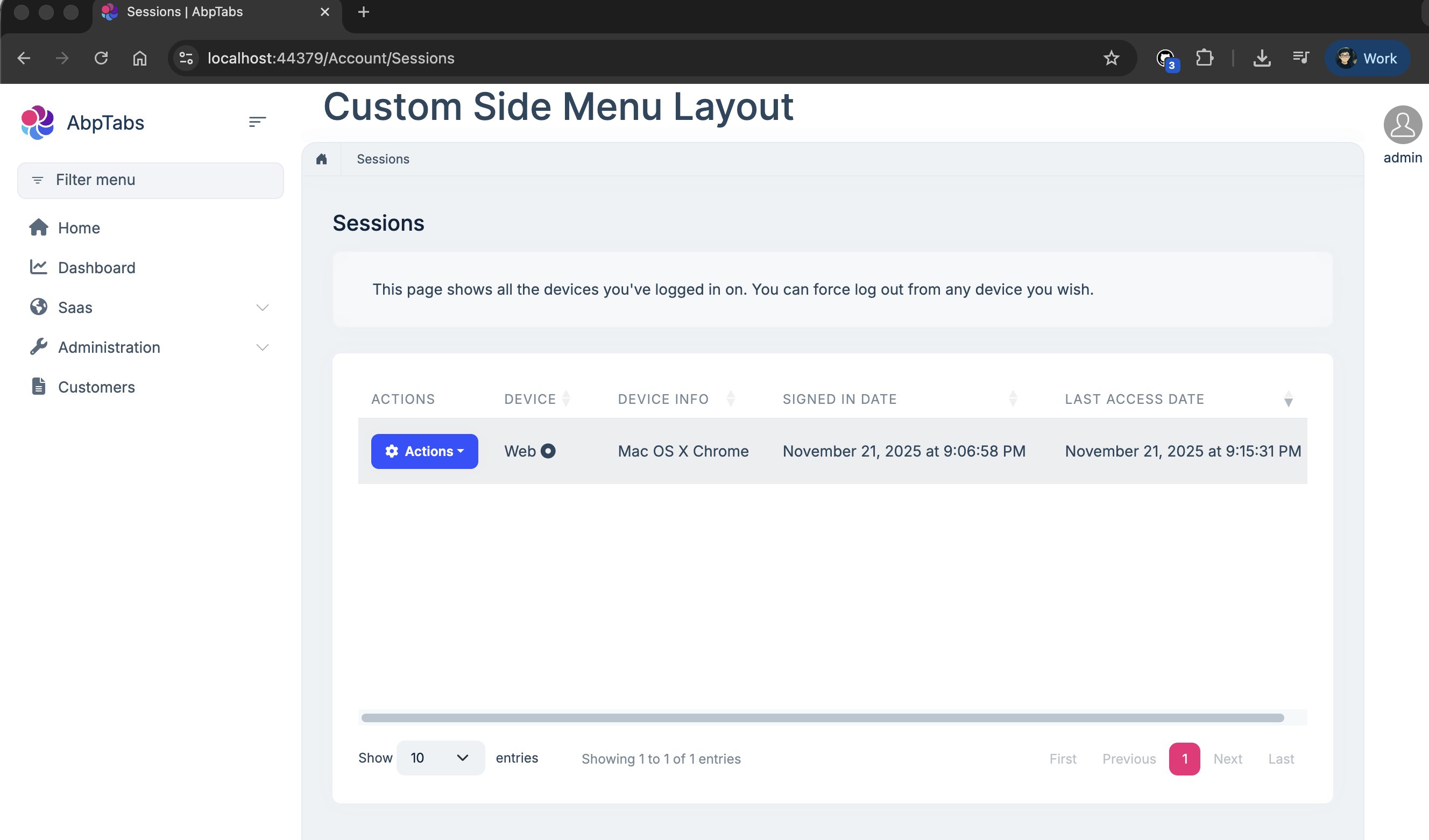
As you can see the page Settings uses my custom layout which has large title on top while the Accoun.Pro External logins page doesn't use the custom layout but instead uses the LeptonX layout. I provided 1 gif and 2 screenshots showing the problem.
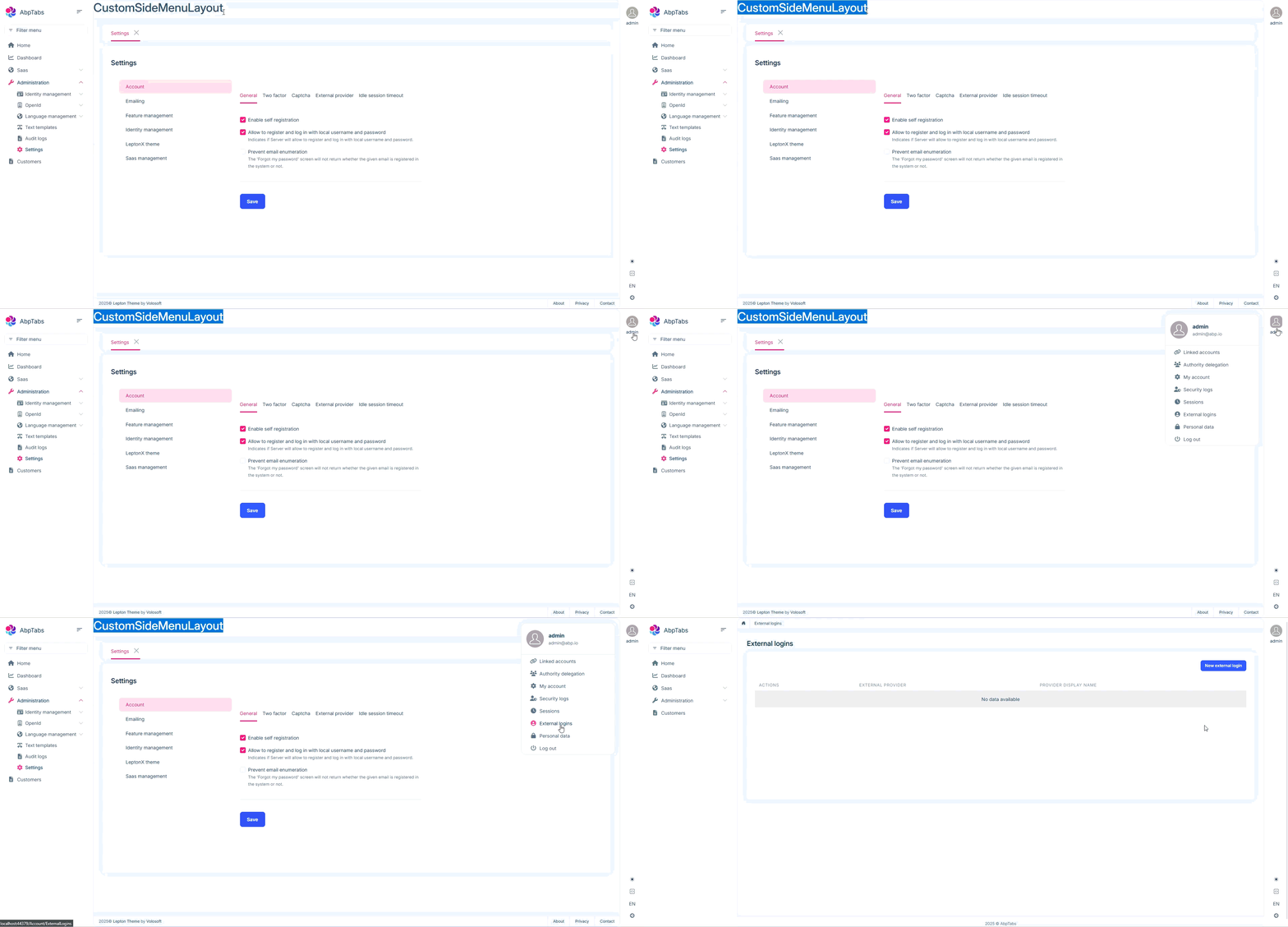
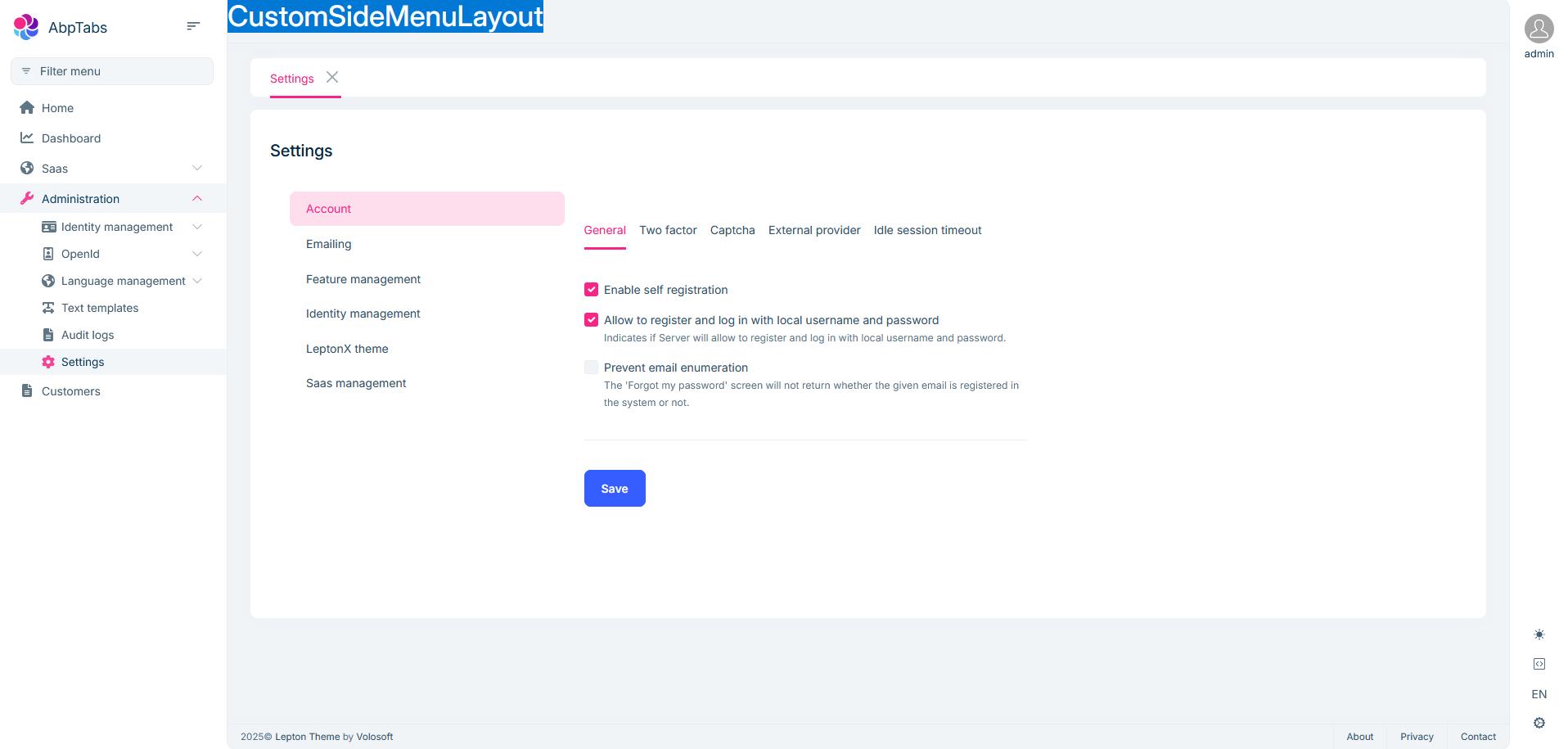
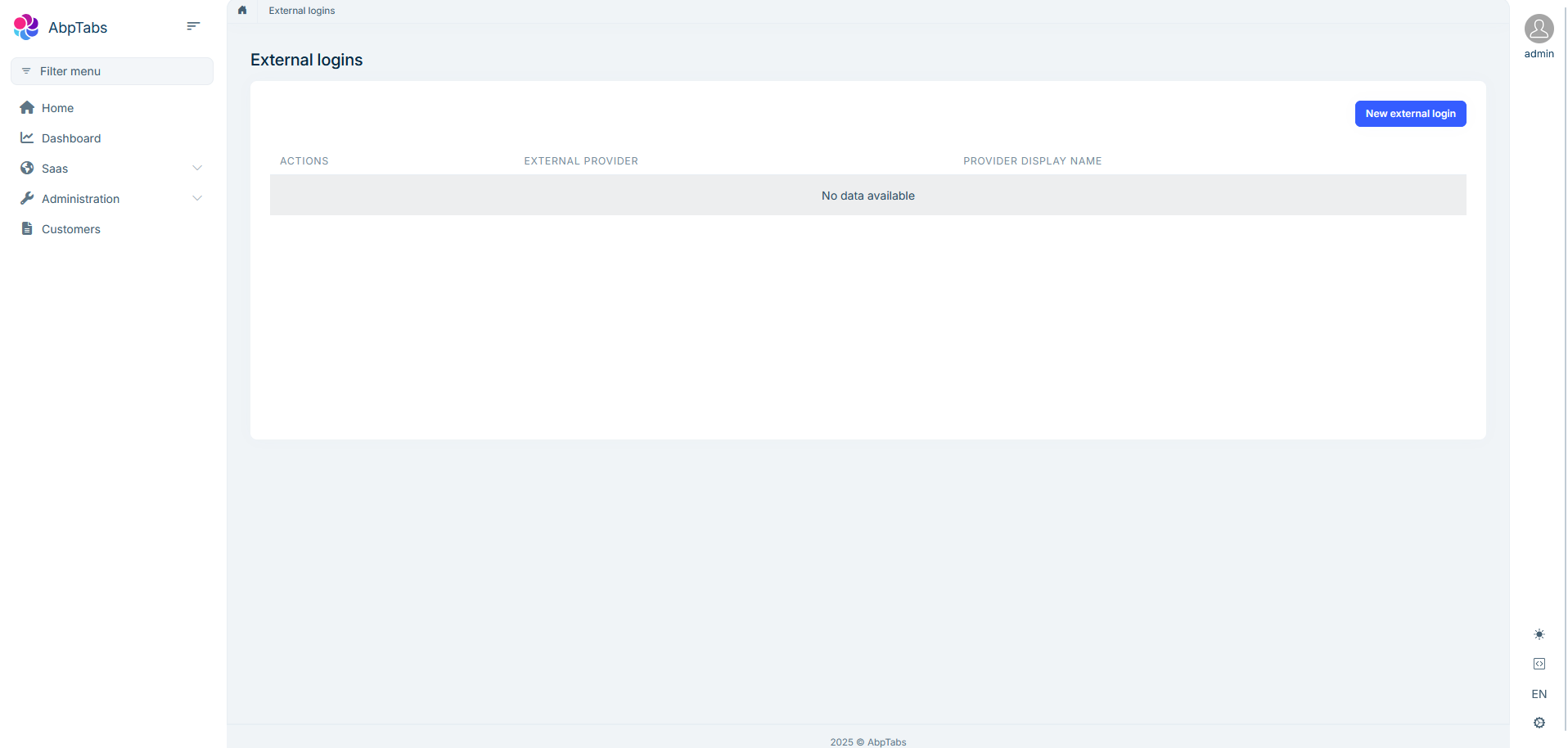 Markdown supported.Copy, paste, or drag & drop images and files (max 100 MB per file, 100 MB total per post)
 -
0
hi
I am developing a Blazor Web App
Blazor WebApp has two modes.
Blazor Server and Blazor WASM. Have you overridden the Side Layout in both Blazor Server and WASM?
Thanks.
Markdown supported.Copy, paste, or drag & drop images and files (max 100 MB per file, 100 MB total per post) -
0
Yes i have overriden the Side Layout in both Blazor Server and WASM but also in App.razor the render mode was always set to InteractiveServer. The issue still persists.
Markdown supported.Copy, paste, or drag & drop images and files (max 100 MB per file, 100 MB total per post) -
0
hi
The
https://localhost:44379/Account/ExternalLoginsandhttps://localhost:44379/Account/Sessionspages are MVC.Can you add the SideLayout of the MVC version to the Blazor project?
src/AbpTabs.Blazor/Themes/LeptonX/Layouts/Application/_Sidebar.cshtmlThanks,.
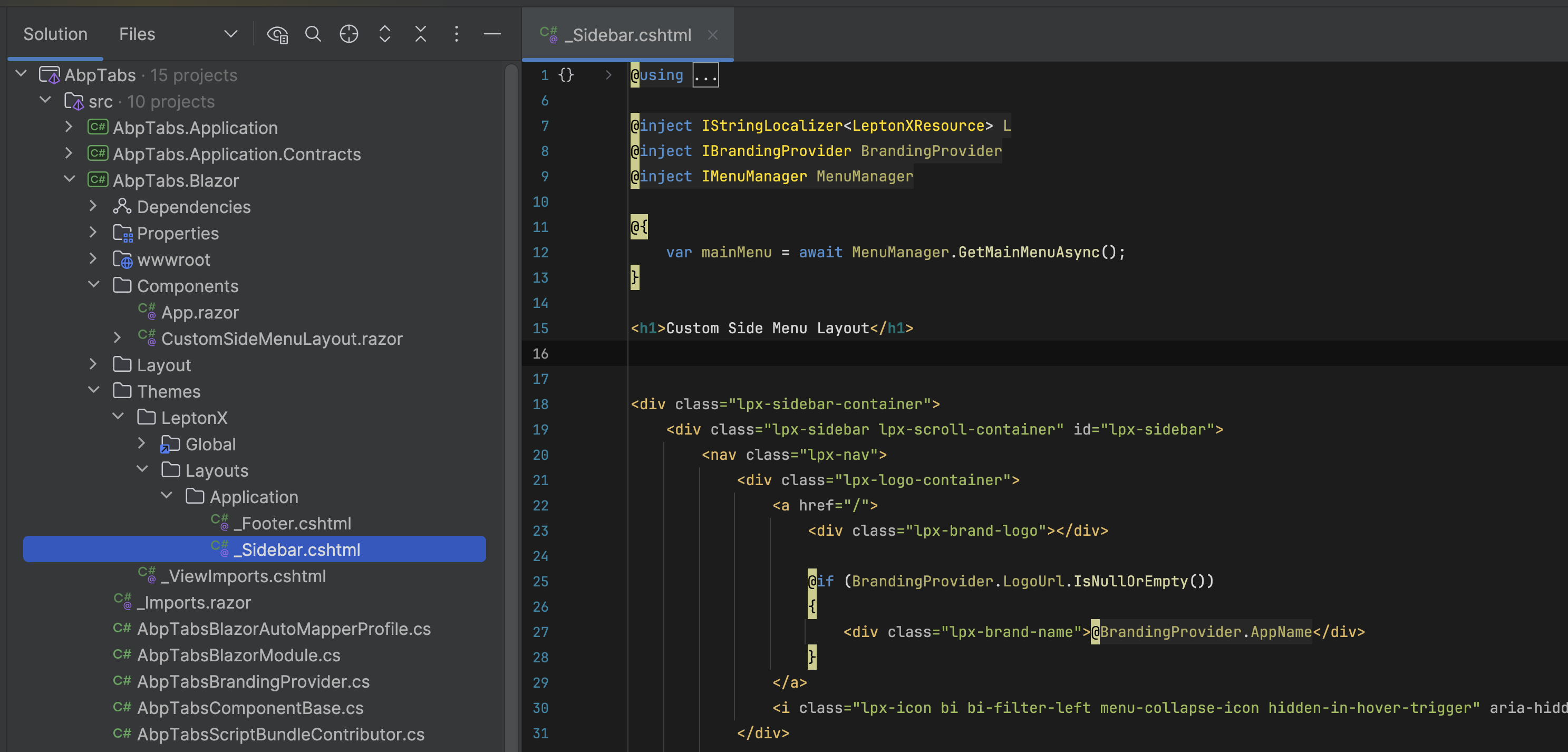
 Markdown supported.Copy, paste, or drag & drop images and files (max 100 MB per file, 100 MB total per post)
 -
0
My purpose is to use the RouterTabs blazor component in every page's layout (so that the pages appear in tabs). As you can see from the sample, what I've done works for all the pages except for the Account ones that are MVC. What do you suggest I do? RouterTabs cannot be used inside the .cshtml layout.
Markdown supported.Copy, paste, or drag & drop images and files (max 100 MB per file, 100 MB total per post) -
0
hi
The Blazor Server project will contain some MVC pages(
eg: Login/Register/MyAccount...).If you changed the layout of Blazor, you have to change the MVC as well.
Thanks.
Markdown supported.Copy, paste, or drag & drop images and files (max 100 MB per file, 100 MB total per post)



