






- Template: microservice
- Created ABP Studio Version: 2.0.2
- Current ABP Studio Version: 2.0.2
- Multi-Tenancy: Yes
- UI Framework: angular
- Theme: leptonx
- Theme Style: system
- Theme Menu Placement: side
- Run Install Libs: Yes
- Database Provider: ef
- Database Management System: sqlserver
- Mobile Framework: react-native
- Public Website: Yes
- Social Login: Yes
- Include Tests: Yes
- Dynamic Localization: Yes
- Kubernetes Configuration: Yes
- Grafana Dashboard: Yes
- Use Local References: No
- Aspire: No
- Optional Modules:
- GDPR
- TextTemplateManagement
- AuditLogging
- OpenIddictAdmin
- Selected Languages: English, VietNam
- Default Language: English
- Create Command: abp new Microservicev10 -t microservice --ui-framework angular --mobile react-native --database-provider ef --database-management-system sqlserver --theme leptonx --skip-migrator --public-website --without-cms-kit --dont-run-bundling -no-file-management -no-language-management
- Exception message and full stack trace:
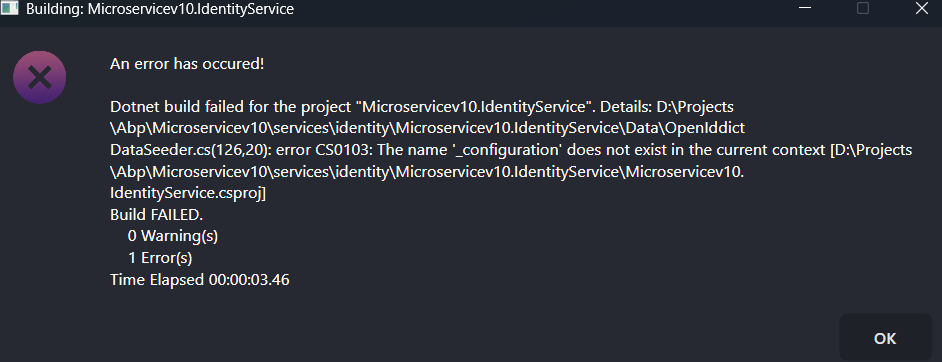
- Steps to reproduce the issue: I created a project using the ABP microservice template with ABP Suite version 2.0.2. After that, I added a new service, but the build fails with the error shown in the attached image. The error occurs in the Microservicev10.IdentityService project, which prevents me from continuing with the next steps.
Please help me fix this issue so that I can continue using ABP Suite for the remaining features.
13 Answer(s)
-
0
- Solution The error comes from the OpenIddict data seeder in Microservicev10.IdentityService: “CS0103: The name ‘_configuration’ does not exist in the current context”. In ABP v10 microservice templates, OpenIddict seeding in the IdentityService HttpApi.Host project reads settings from IConfiguration via DI; if you moved/added a seeder class or created a new service and copied code, you likely lost the injected IConfiguration field.
Fix it by injecting IConfiguration (or using GetRequiredService<IConfiguration> from the service provider) and using it where _configuration is referenced.
Option A: Constructor inject IConfiguration in the seeder
- File: services/identity/Microservicev10.IdentityService/Microservicev10.IdentityService.csproj project, inside Data/OpenIddict/OpenIddictDataSeeder.cs (or DataSeeder.cs where the error points)
- Replace your class header with DI for IConfiguration and assign to a private field.
Example:
using Microsoft.Extensions.Configuration;
using Volo.Abp.DependencyInjection;
using Volo.Abp.Data;

namespace Microservicev10.IdentityService.Data.OpenIddict;

public class OpenIddictDataSeeder : IDataSeedContributor, ITransientDependency
{
    private readonly IConfiguration _configuration;
    // other injections...

    public OpenIddictDataSeeder(
        IConfiguration configuration
        /* other dependencies */
    )
    {
        _configuration = configuration;
        // assign others...
    }

    public async Task SeedAsync(DataSeedContext context)
    {
        // Use _configuration["OpenIddict:Applications:MyClient:RootUrl"] etc.
        // Your existing seeding logic...
    }
}
Option B: Resolve IConfiguration on demand If you already have IServiceProvider injected, resolve configuration when needed:
public async Task SeedAsync(DataSeedContext context)
{
    var configuration = _serviceProvider.GetRequiredService<IConfiguration>();
    var rootUrl = configuration["OpenIddict:Applications:MyClient:RootUrl"];
    // ...
}
Common places that use _configuration in OpenIddict seeders:
- Reading OpenIddict Applications (clients) and Scopes from appsettings.json:
- OpenIddict:Applications:...
- OpenIddict:Scopes:...
- Building redirect/logout URLs with RootUrl values.
Also ensure the seeder runs:
- IdentityService.HttpApi.Host typically triggers OpenIddict seeding in its DbMigrations/OpenIddictDataSeeder during migration or host initialization. If you created a new microservice and added an OpenIddict seeder into the service project (not DbMigrator or IdentityService.HttpApi.Host DbMigrations), make sure it implements IDataSeedContributor and the host calls IDataSeeder.SeedAsync on startup or you run DbMigrator.
- Sources
- https://docs.abp.io/en/abp/latest/Startup-Templates/Microservice/Index
- https://abp.io/docs/latest/framework/architecture/modularity/basics
- https://github.com/abpframework/abp
This response was generated by AI. If it didn’t solve your problem, feel free to post a new answer — our support team will jump in to help you soon.
Markdown supported.Copy, paste, or drag & drop images and files (max 100 MB per file, 100 MB total per post) -
0
[maliming] said: BWT, what is your CLI and Suite version?
dotnet tool list -gI have checked the CLI and Suite versions according to your instructions, and here are the results:
volo.abp.studio.cli 2.0.2 abp volo.abp.suite 10.0.0 abp-suite
Markdown supported.Copy, paste, or drag & drop images and files (max 100 MB per file, 100 MB total per post) -
0
hi
There is no
_configurationin yourOpenIddictDataSeeder.csfileCan you run
dotnet buildcommand and check the output in your IdentityService?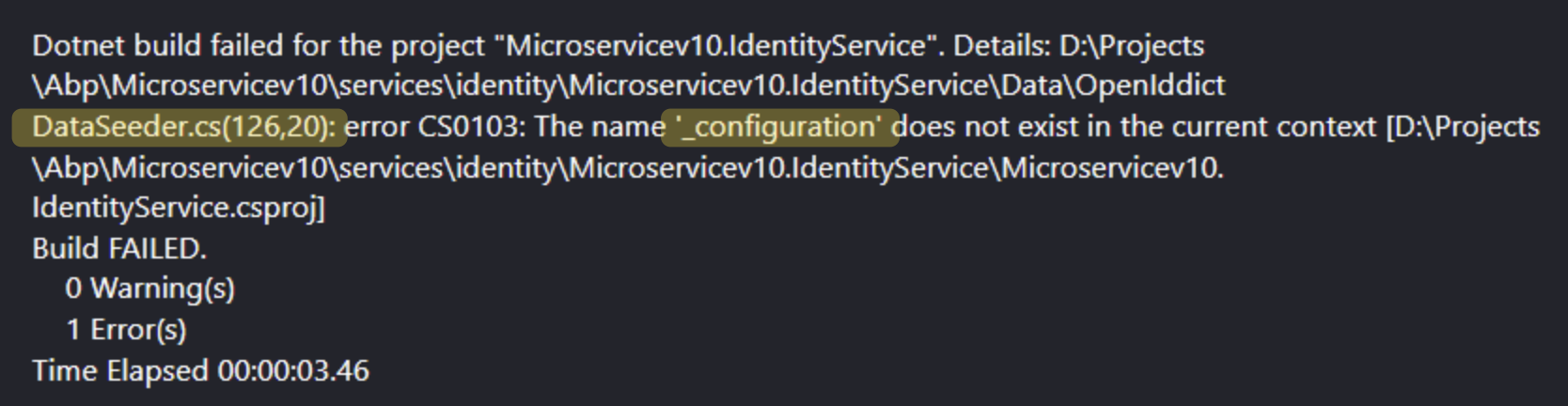
Thanks.
Markdown supported.Copy, paste, or drag & drop images and files (max 100 MB per file, 100 MB total per post) -
0
Sorry, the OpenIddictDataSeeder file I sent in the previous email was one that I had already modified myself, so it didn’t contain _configuration.
I have created a new project and I’m currently experiencing the same error. I will send you the new OpenIddictDataSeeder file from the fresh project. Below is the output I got after running the dotnet build command as you requested.
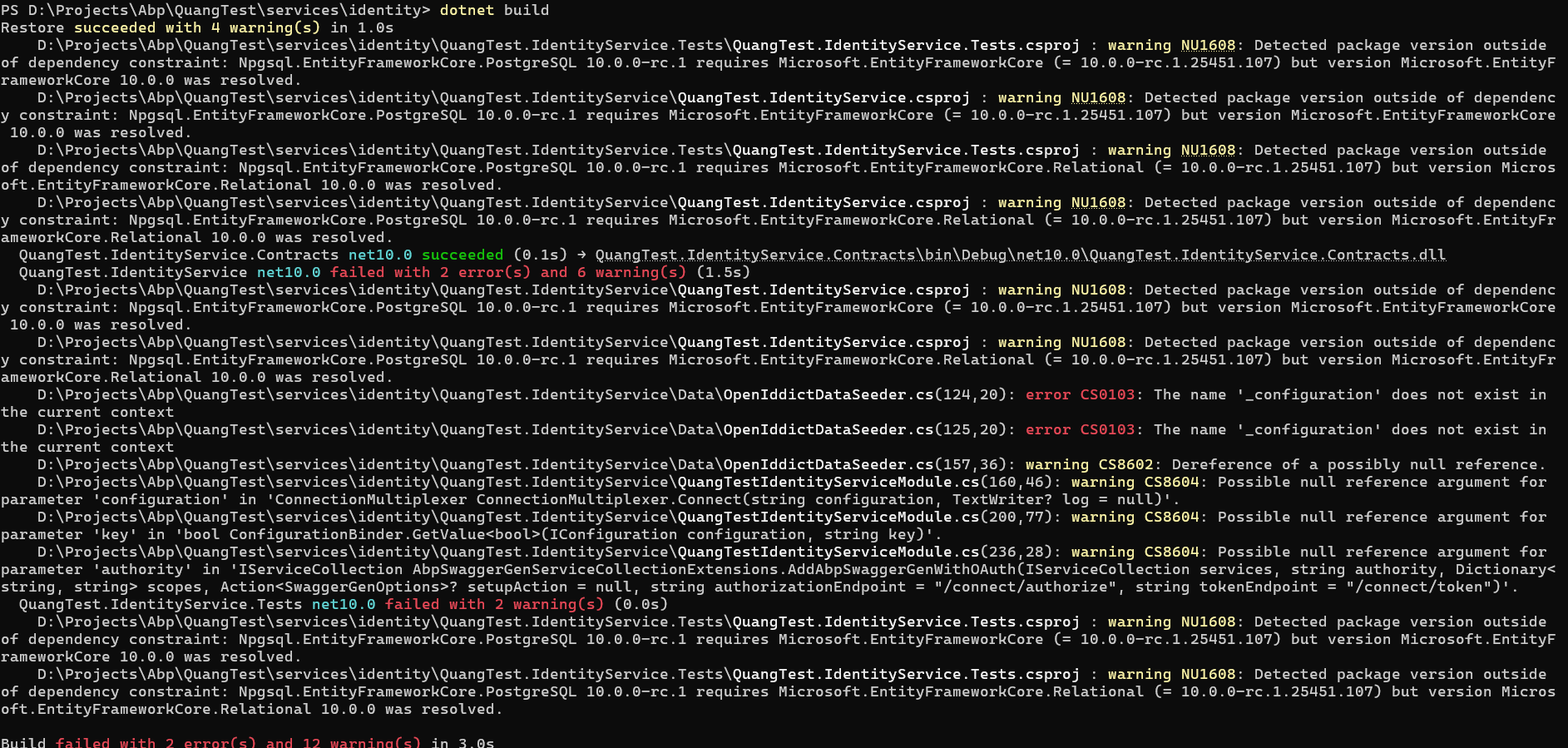 Markdown supported.Copy, paste, or drag & drop images and files (max 100 MB per file, 100 MB total per post)
 -
0
hi
It seems your local template package is outdated.
Can you try to clear your nuget cache and run abp new command again?
dotnet nuget locals -c all

abp new Microservicev101 -t microservice --ui-framework angular --mobile react-native --database-provider ef --database-management-system sqlserver --theme leptonx --skip-migrator --public-website --without-cms-kit --dont-run-bundling -no-file-management -no-language-management
You will see: **Volo.Abp.Studio.Extensions.StandardSolutionTemplates (v: 2.0.2) **
 Volo.Abp.Studio.Extensions.StandardSolutionTemplates (v: 2.0.2) extension trying install from the NuGet
📌 ABP CLI 2.0.2

🕕  Checking extensions...
Thanks.
Markdown supported.Copy, paste, or drag & drop images and files (max 100 MB per file, 100 MB total per post) -
0
[maliming] said: hi
It seems your local template package is outdated.
Can you try to clear your nuget cache and run abp new command again?
dotnet nuget locals -c all

abp new Microservicev101 -t microservice --ui-framework angular --mobile react-native --database-provider ef --database-management-system sqlserver --theme leptonx --skip-migrator --public-website --without-cms-kit --dont-run-bundling -no-file-management -no-language-management
You will see: **Volo.Abp.Studio.Extensions.StandardSolutionTemplates (v: 2.0.2) **
 Volo.Abp.Studio.Extensions.StandardSolutionTemplates (v: 2.0.2) extension trying install from the NuGet
📌 ABP CLI 2.0.2

🕕  Checking extensions...
Thanks.
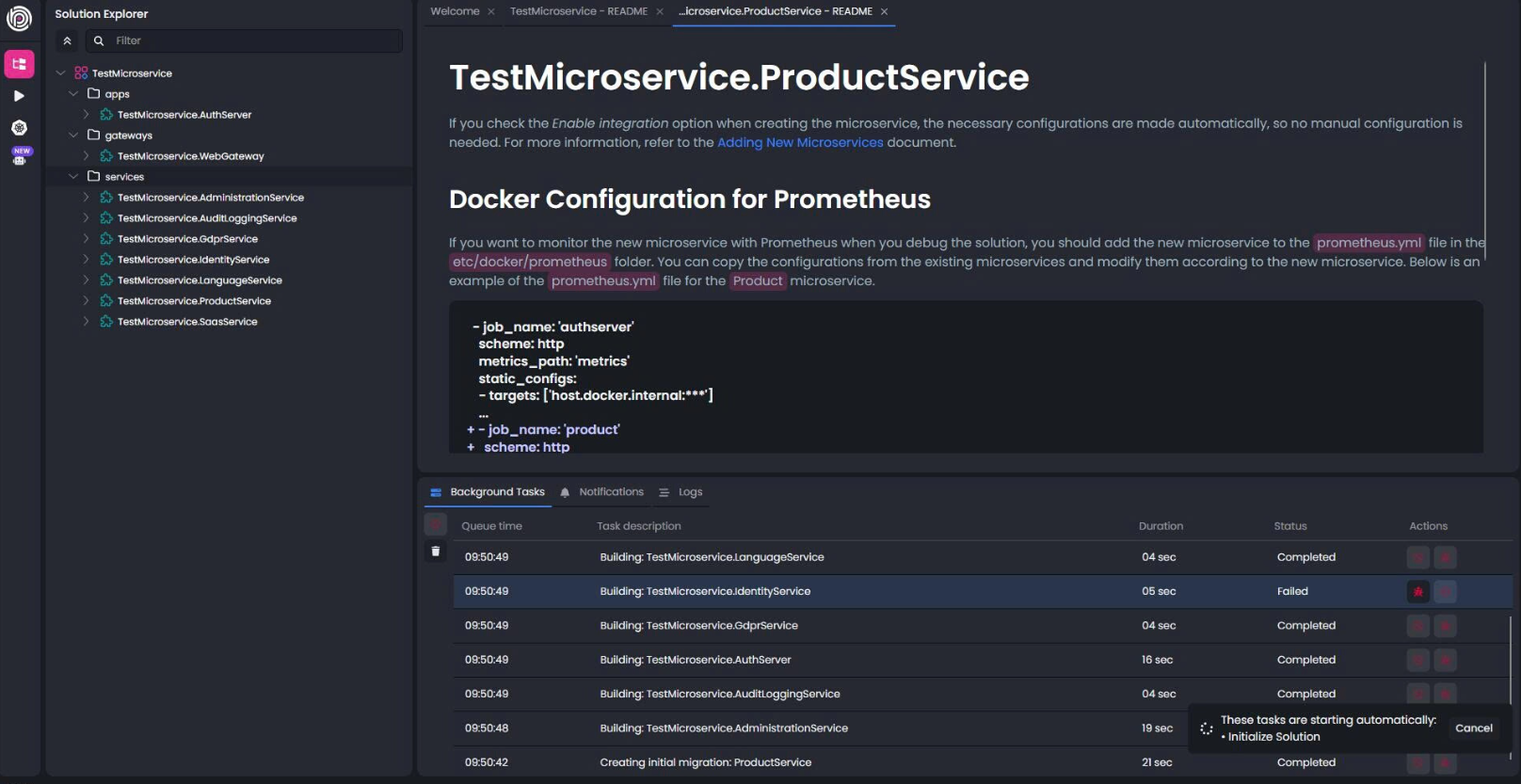
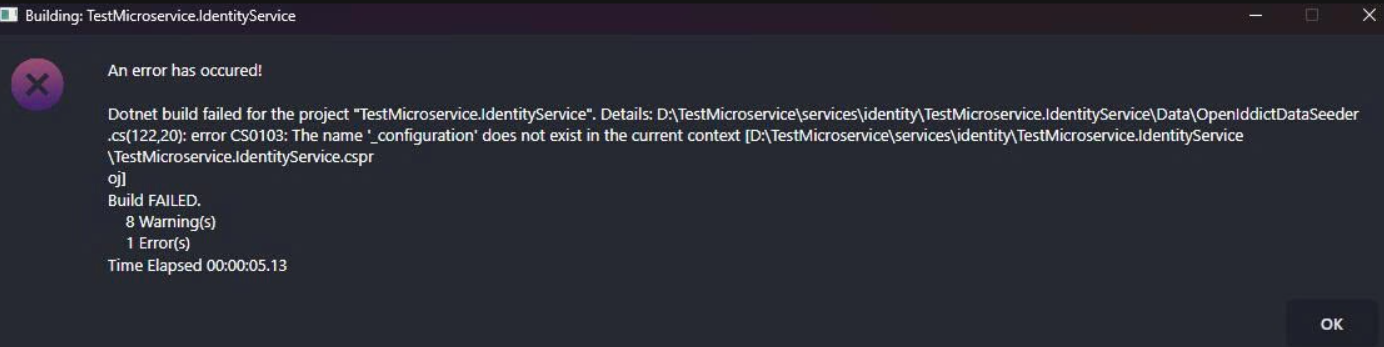
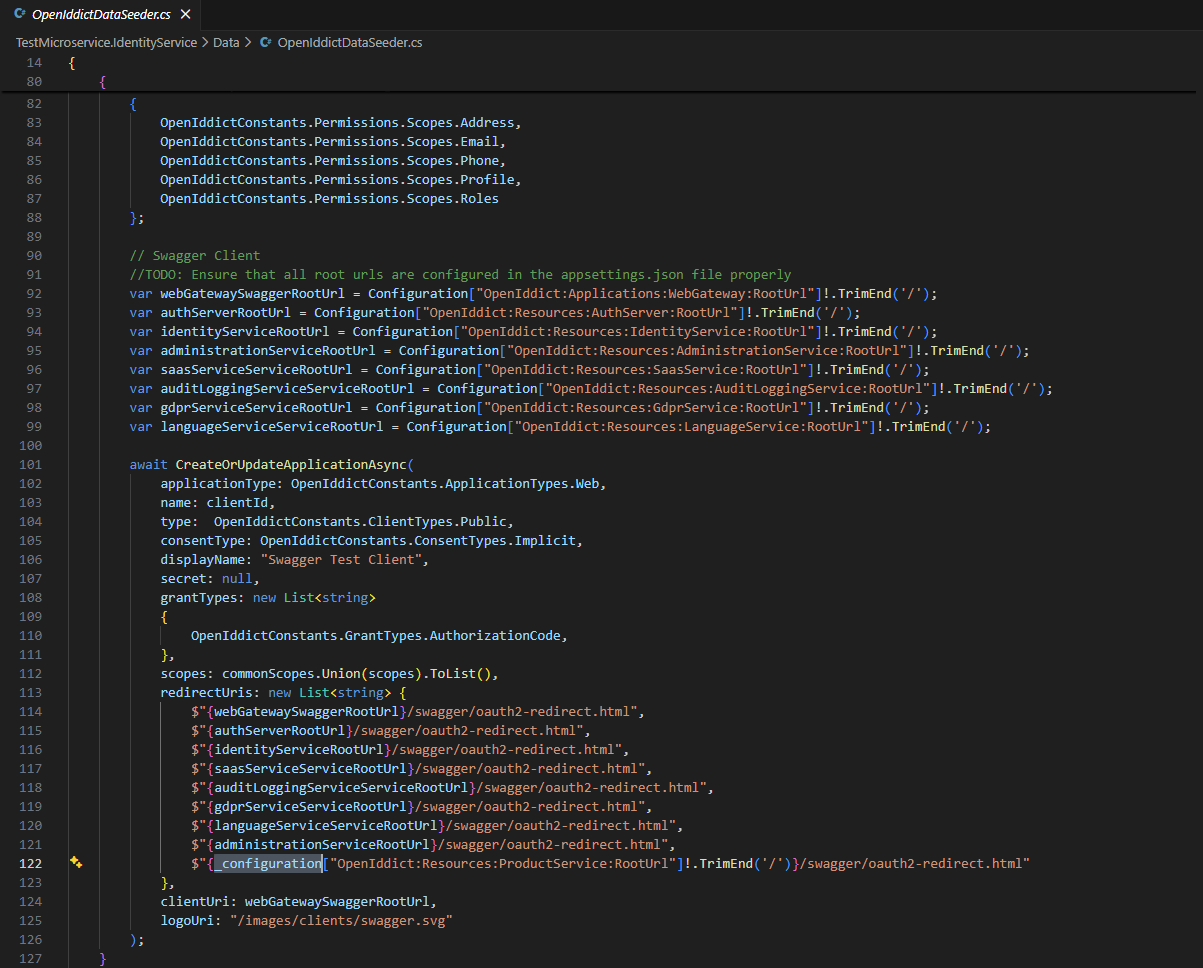
Hello Maliming, I am experiencing the same issue when creating a new Microservice project. I followed the instructions above, but I’m still getting an error related to _configuration in IdentityService. volo.abp.studio.cli 2.0.2 abp volo.abp.suite 10.0.0 abp-suite I hope you can respond soon so I can continue my work. Thank you.

 Markdown supported.Copy, paste, or drag & drop images and files (max 100 MB per file, 100 MB total per post)
 -
0
[maliming] said: hi
I found the problem and it will be fixed in 2.0.3
Thanks.
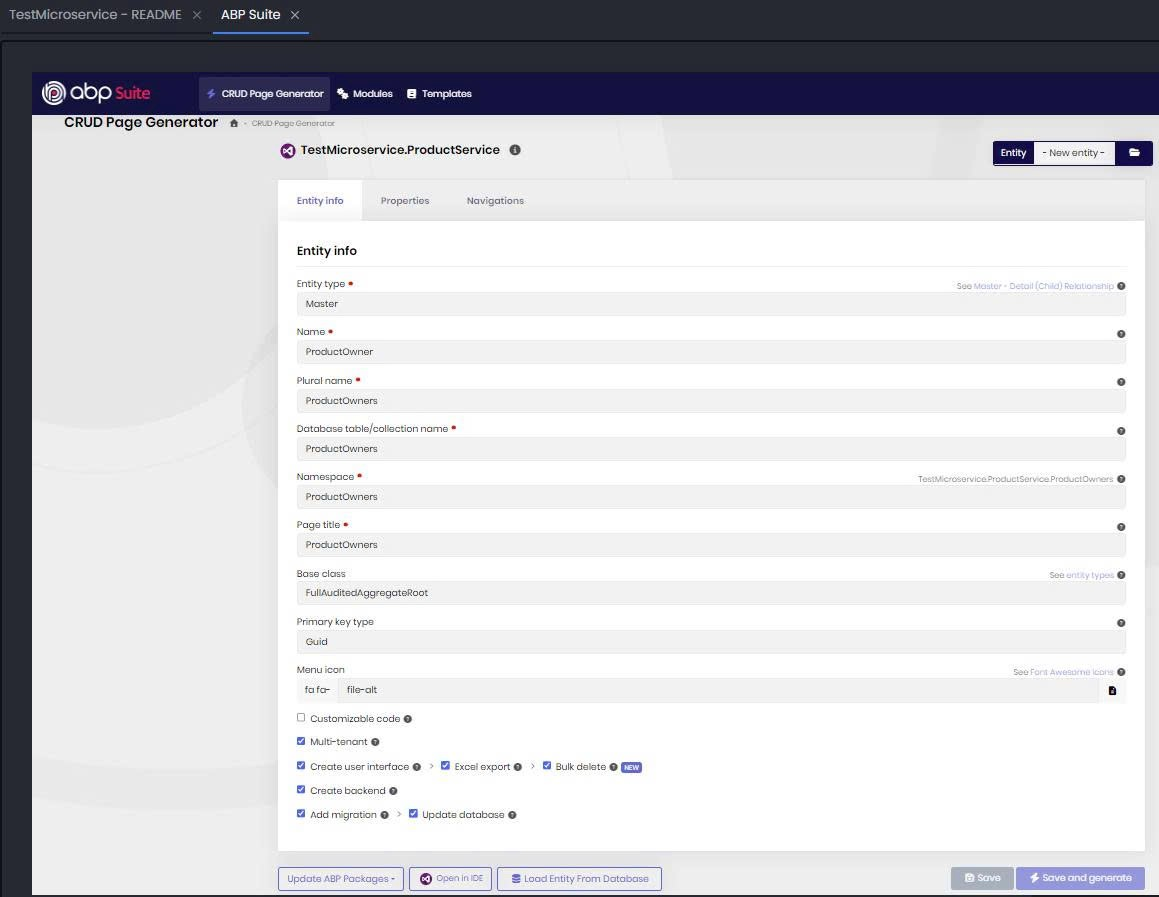
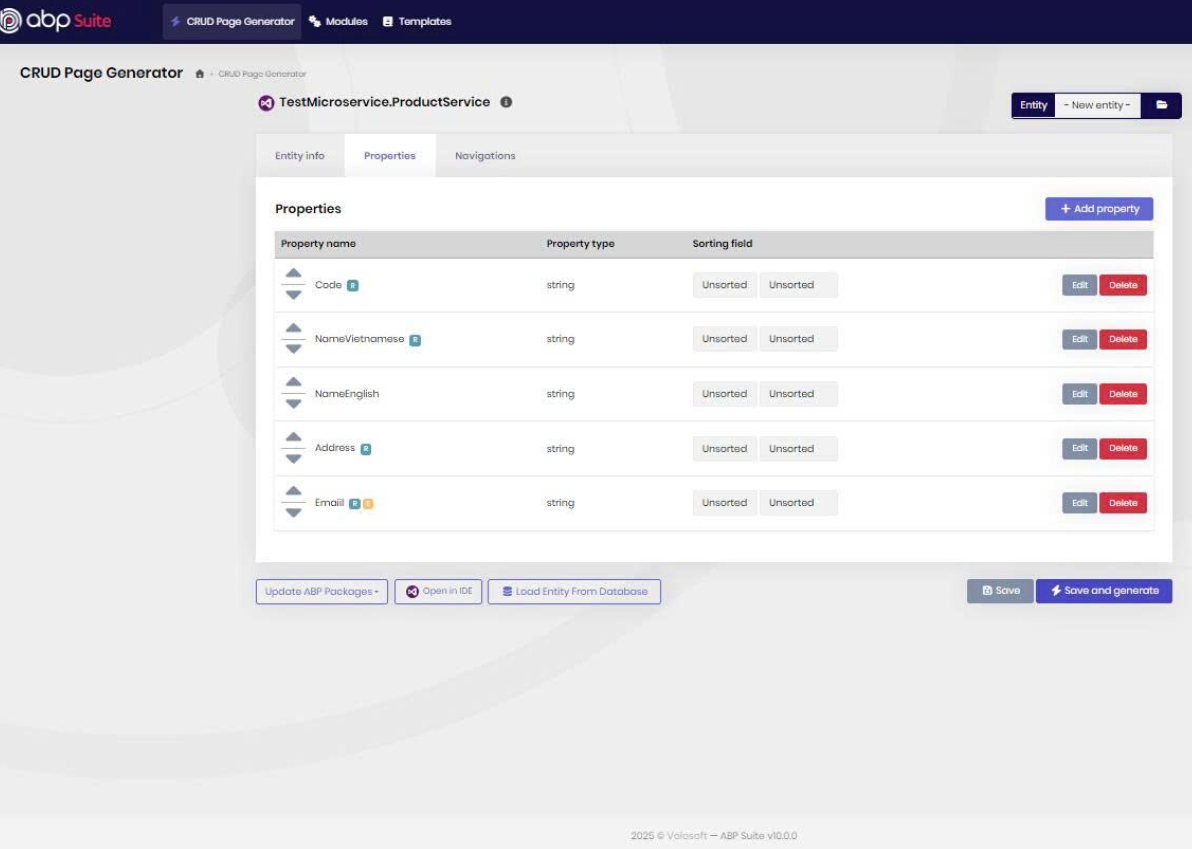
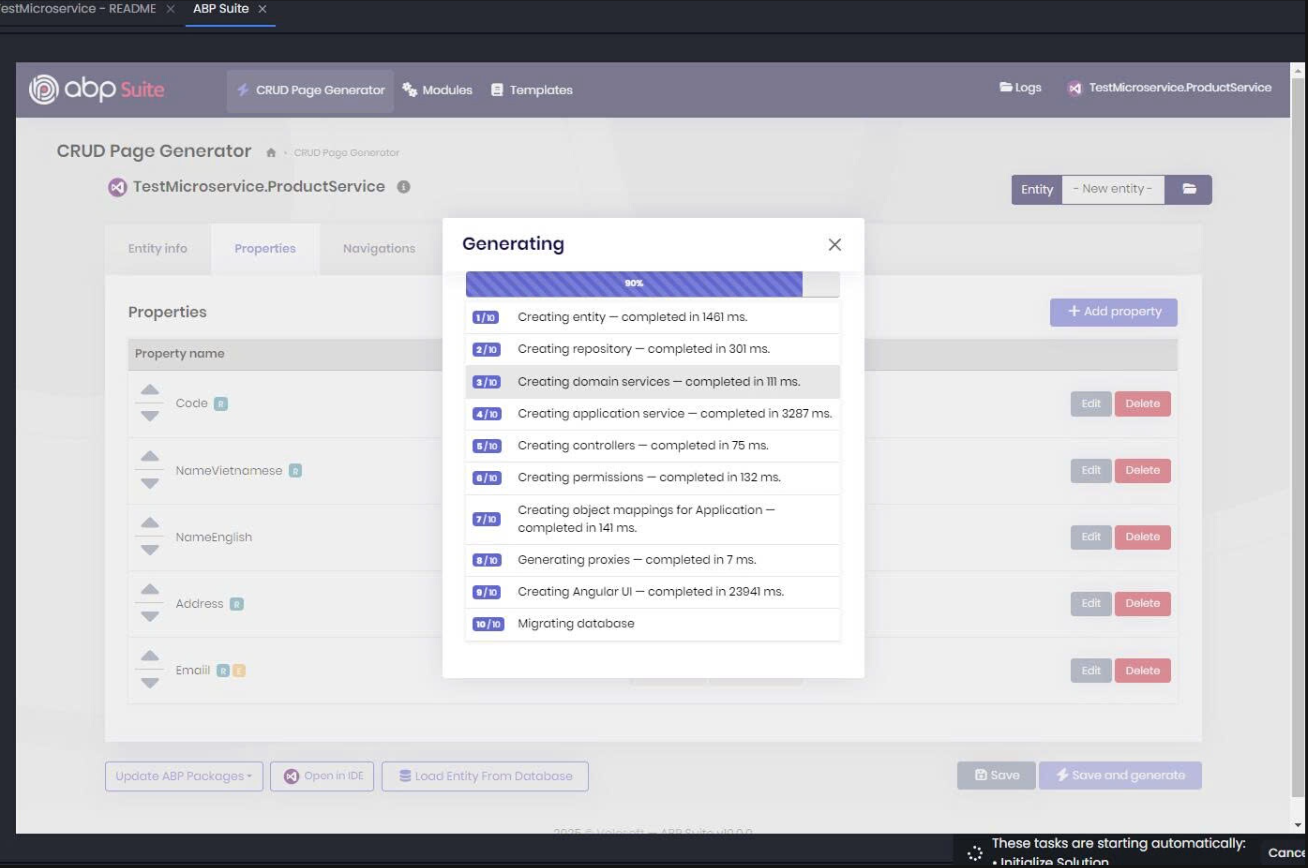
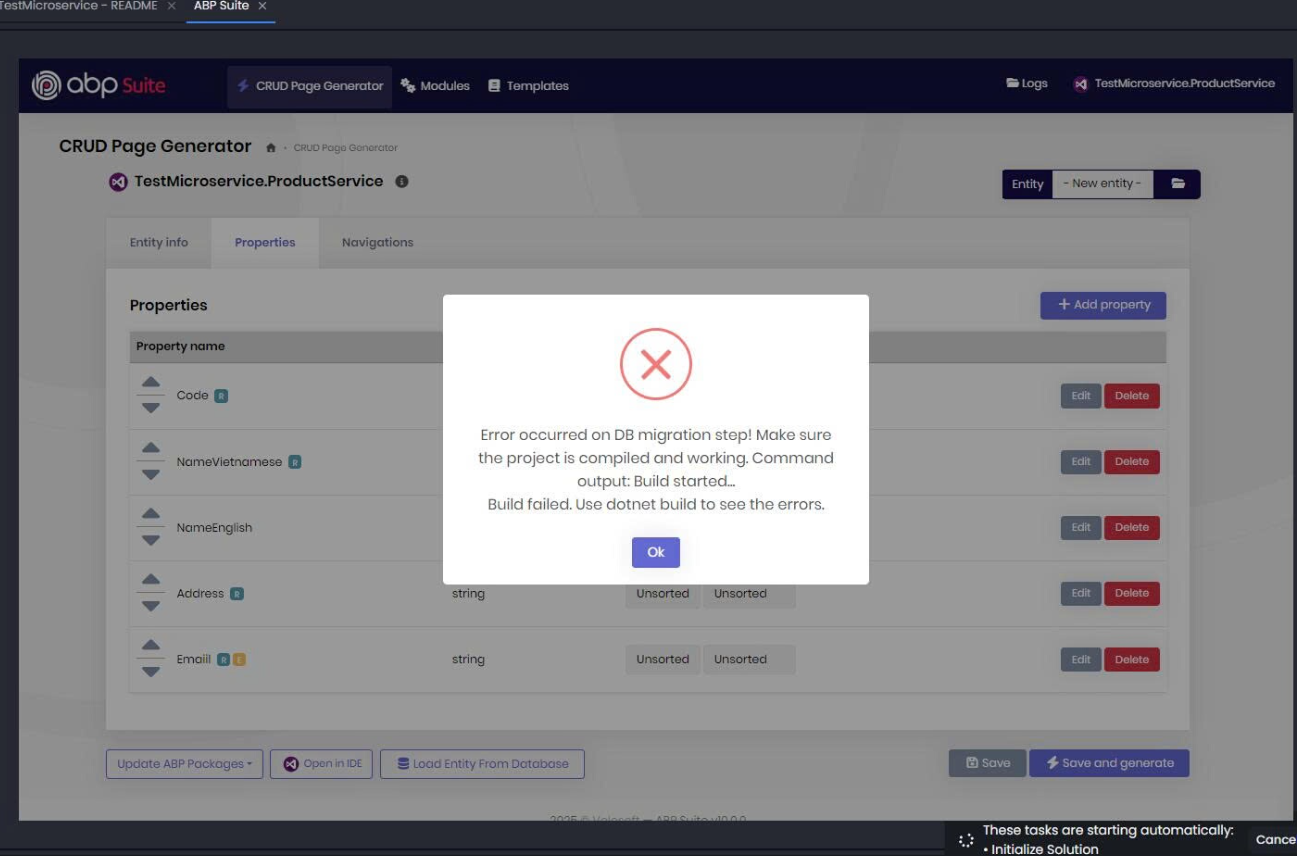
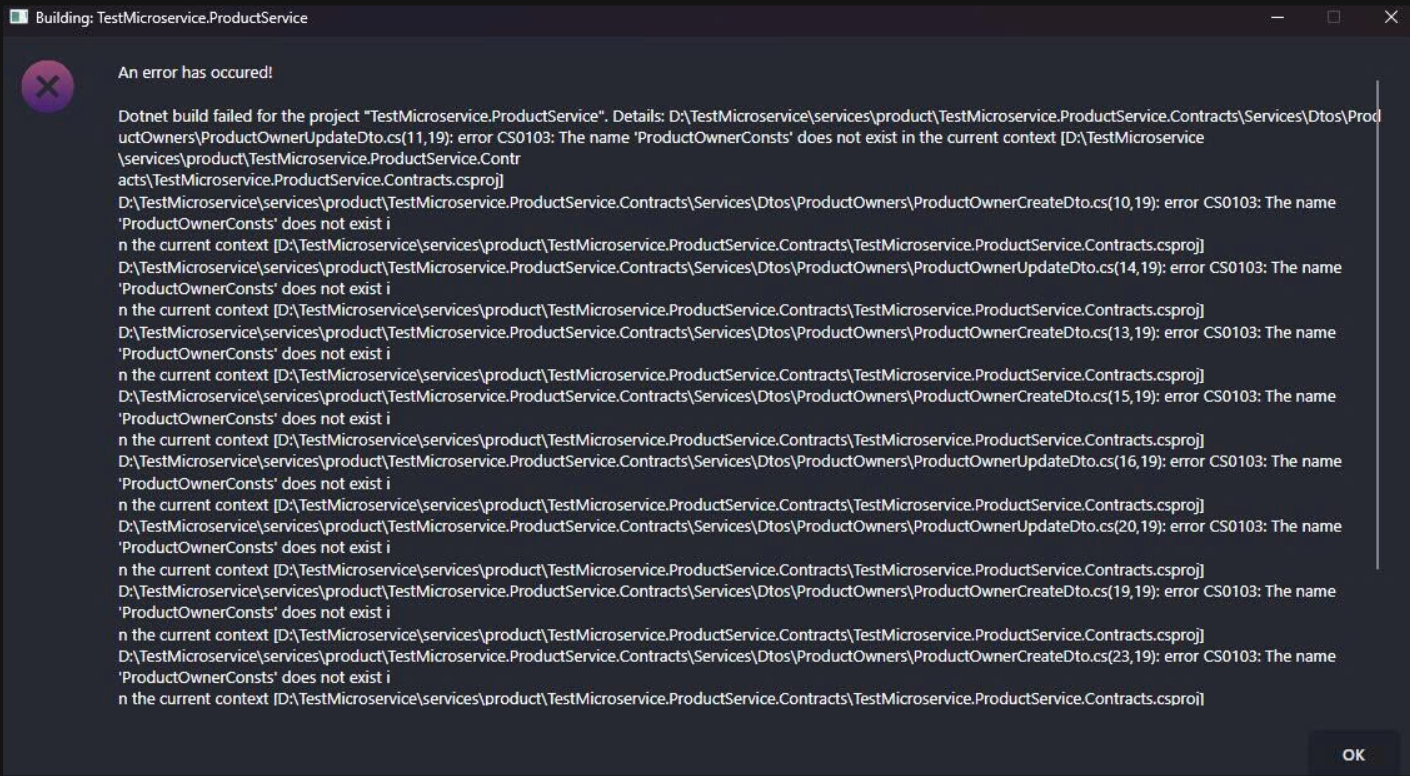
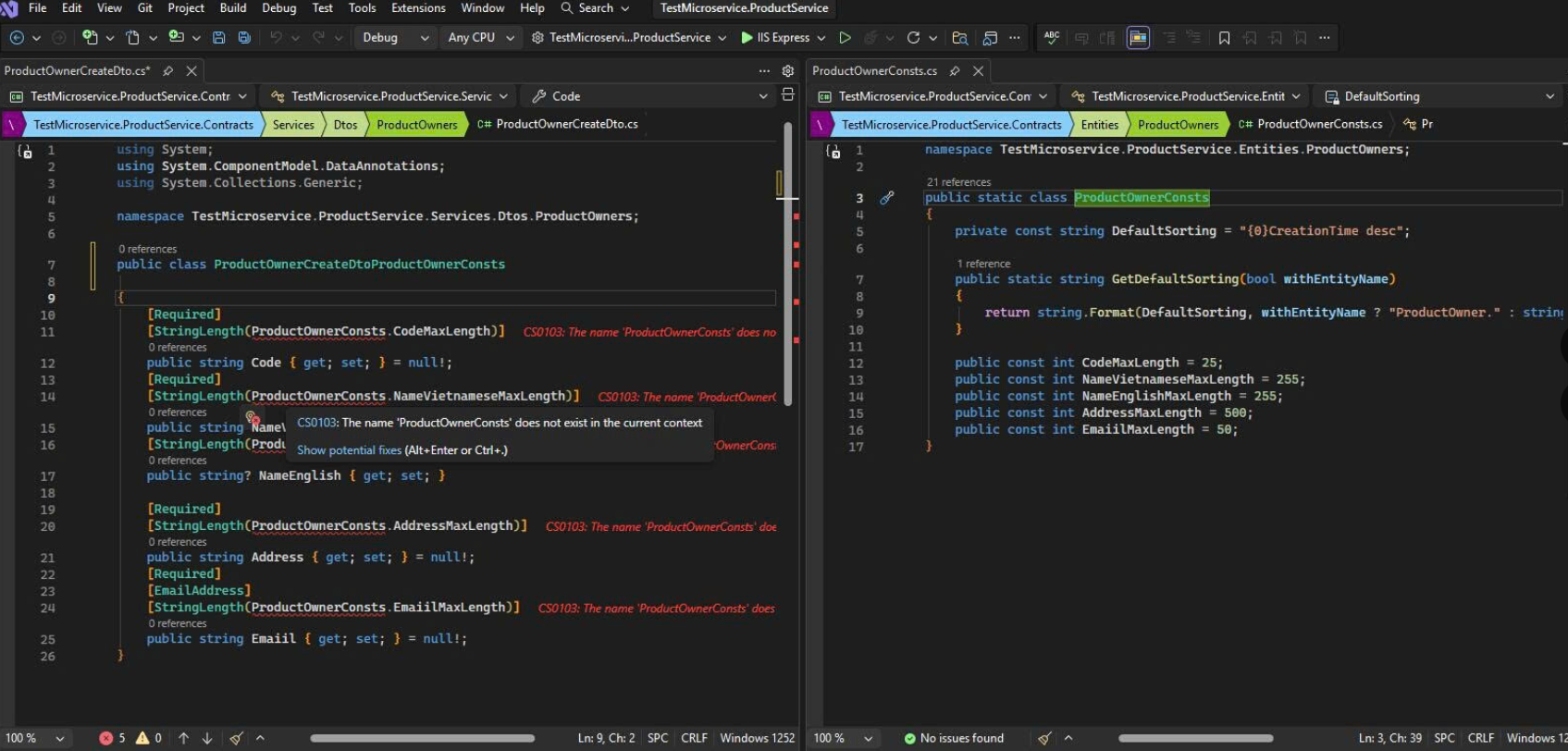
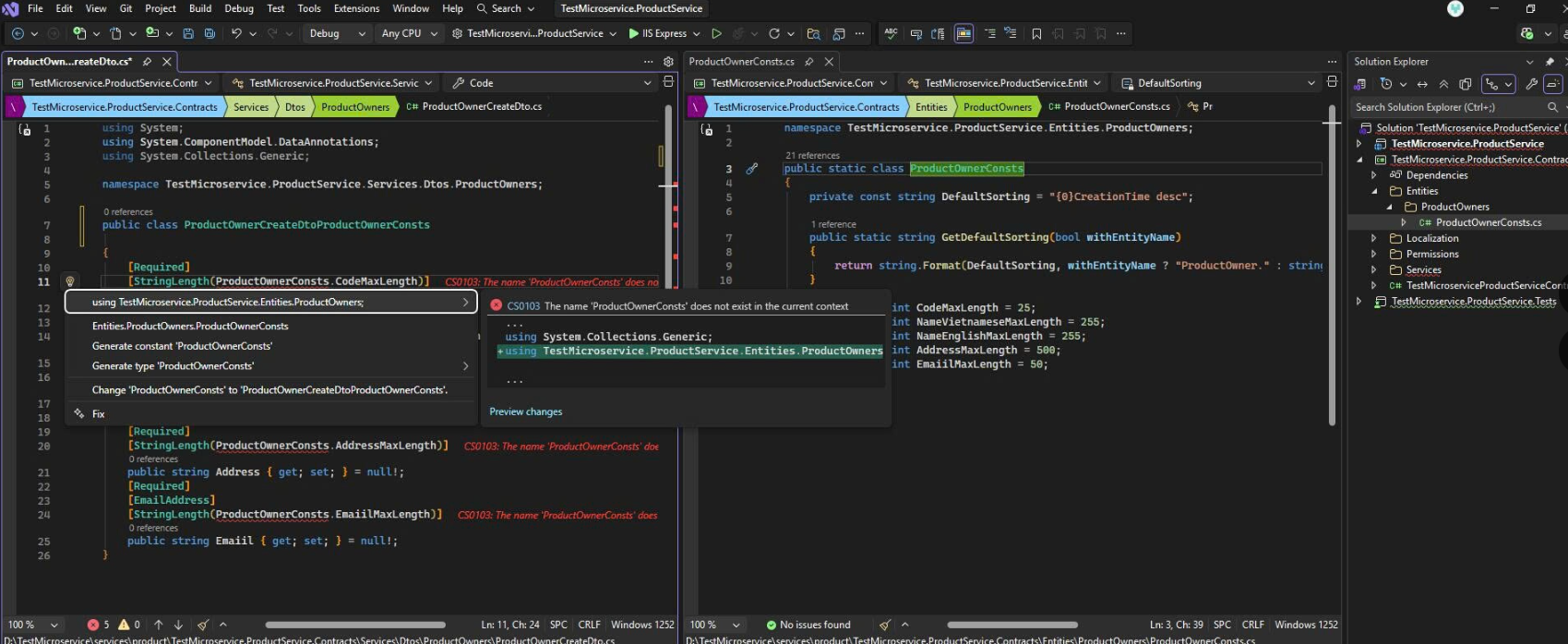
Thank you for your response. We have encountered another issue and hope you can assist us. When using ABP Suite to generate an Entity for a CRUD Page, we are facing a problem related to missing namespace imports. We were able to resolve it manually by adding the appropriate namespace, and then we could continue working. We are reporting this issue to you and hope your team can address and fix it so that generating new Entities can be fully automated without this error. Thank you. Abp version: volo.abp.studio.cli 2.0.2 abp volo.abp.suite 10.0.0 abp-suite
 Markdown supported.Copy, paste, or drag & drop images and files (max 100 MB per file, 100 MB total per post)



