






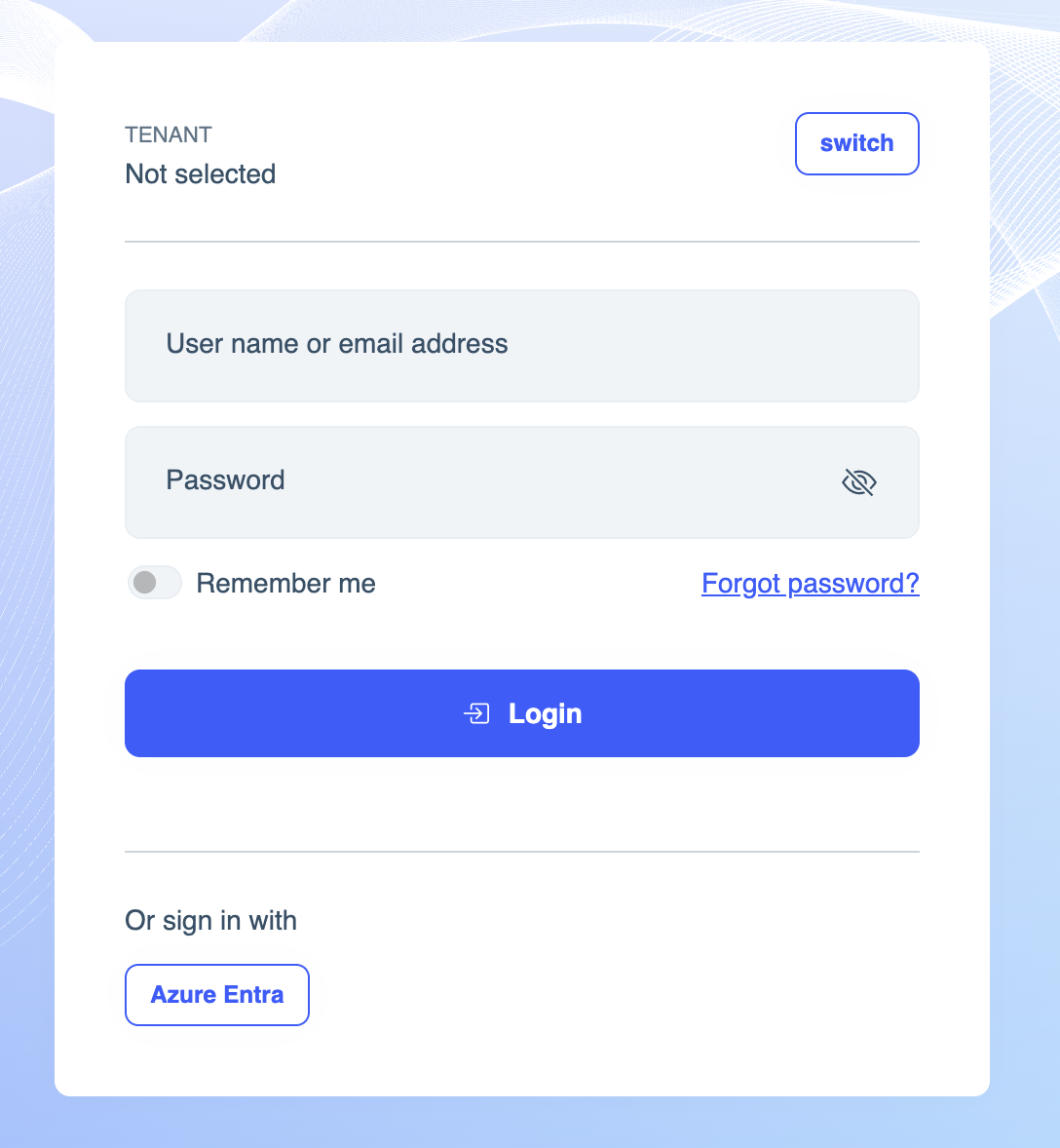
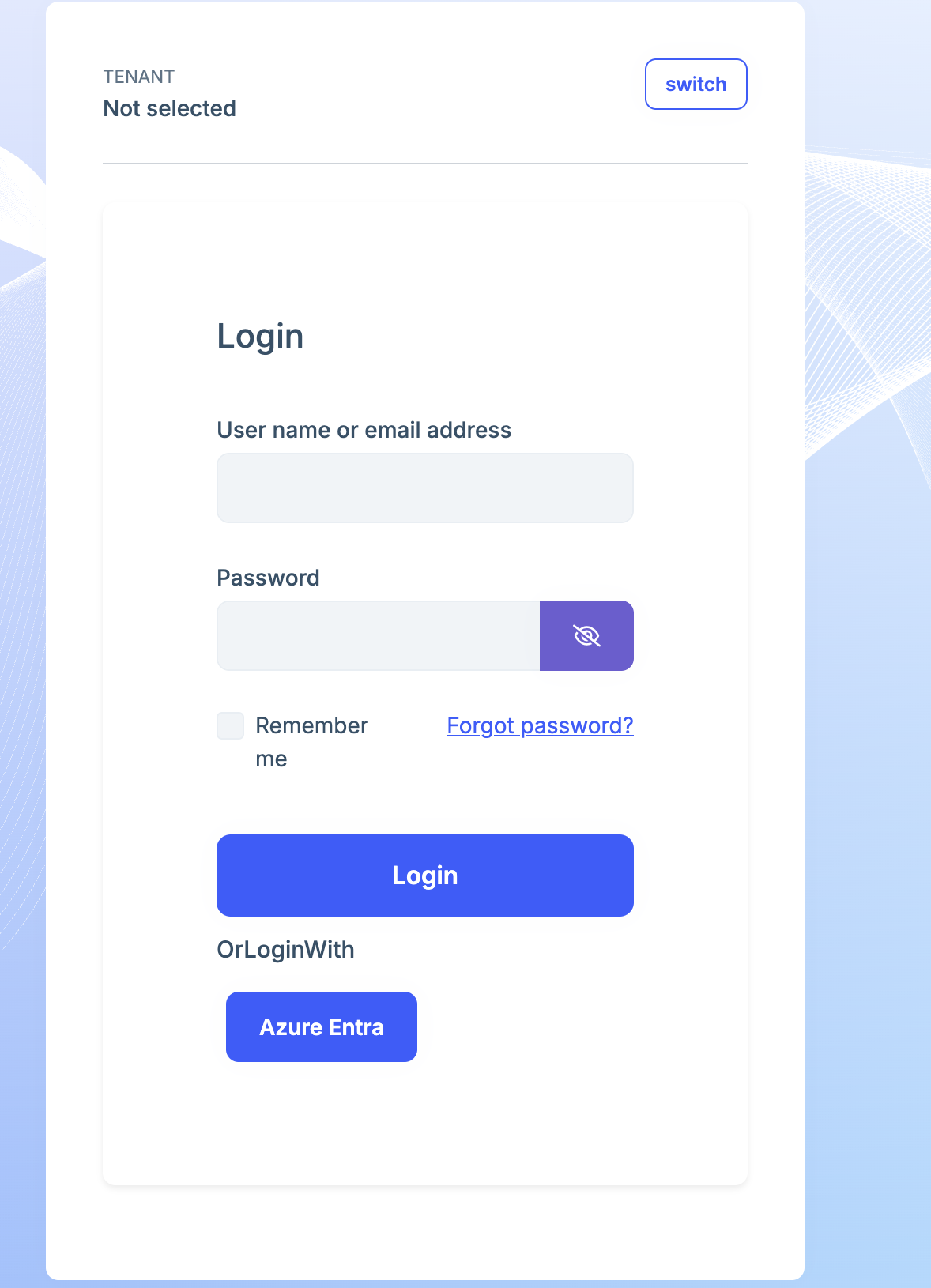
Hello! I am trying to customize the login page for our application, I read the docs and I have created the file /Pages/Account/Login.cshtml in the Auth server application and copy/pasted the cshtml from here: https://github.com/abpframework/abp/blob/dev/modules/account/src/Volo.Abp.Account.Web/Pages/Account/Login.cshtml. This works correctly but it looks very different from the version that ships with account pro module. Is there a way to get the up-to-date cshtml for the login page? We only want to customize the external login section and leave everything else the same. I am attaching some images to showcase the differences. We're using volo.abp.account.pro.public.web 9.0.2 nuget package.
Original
After copy/pasting the cshtml
5 Answer(s)
-
0
- Solution
Why the markup looks different
- You copied the free Account module’s Login.cshtml. However, you are using Account Pro Public Web (Volo.Abp.Account.Pro.Public.Web via the volo.abp.account.pro.public.web 9.0.2 package). The Pro Public Web module has different markup, partials, and styling hooks than the free module, so copying the free module’s page will visually regress the layout.
Get the correct, up-to-date view for Account Pro
- Download the commercial module source code that matches your version, then copy the Login.cshtml from the Pro Public Web module as your starting point. ABP provides the theme/module source to commercial customers; use it to extract the exact Razor page used by your version so styles and structure remain intact.
- Steps:
- Download commercial source packages for your licensed version (Account Pro + LeptonX/LeptonXLite if used).
- Locate the Razor page used by the login in Account Pro Public Web for your version. Path is typically under the module’s Pages/Account/Login.cshtml within Volo.Abp.Account.Pro.Public.Web.
- In your Auth Server project, create the override file at:
- YourAuthServerProject/Pages/Account/Login.cshtml
- Copy the Pro Public Web Login.cshtml into your override.
- Ensure _ViewImports.cshtml includes ABP TagHelpers so the page compiles and renders correctly:
@addTagHelper *, Microsoft.AspNetCore.Mvc.TagHelpers
       @addTagHelper *, Volo.Abp.AspNetCore.Mvc.UI
       @addTagHelper *, Volo.Abp.AspNetCore.Mvc.UI.Bootstrap
       @addTagHelper *, Volo.Abp.AspNetCore.Mvc.UI.Bundling
6) Keep the original model type from the Pro page (don’t switch to the free module’s LoginModel). If you need to extend behavior, subclass the correct Pro LoginModel type and only change the @model accordingly. 7) Now, minimally customize only the external login section: - Find the external login block: - The form with asp-page="./Login" asp-page-handler="ExternalLogin" (or a dedicated partial used for external providers). - Insert your small changes (e.g., button text, icon, order), leaving all other markup intact to preserve styling.If you only want to inject buttons without copying the whole page
- Best practice is still to start from the Pro Login.cshtml (so you are aligned with structure and CSS classes). Keep the file as-is and restrict edits to the external providers area.
- If the Pro module renders external providers via a partial or a section, prefer overriding that partial only. Otherwise, keep the full page and make minimal edits.
LeptonX/LeptonXLite account layout note
- The visual frame of the login typically comes from the theme’s Account layout. If your goal is only the external login area, don’t change the theme Account layout; keep using the Pro login page + your small edits.
- Sources
- Validated: How to customize/override Razor Pages in ABP (explains the override mechanism and TagHelpers requirement):
- https://abp.io/docs/latest/framework/ui/mvc-razor-pages/customization-user-interface
- Validated: Example login page source for the free module (for comparison only; do not copy for Pro):
- https://github.com/abpframework/abp/blob/dev/modules/account/src/Volo.Abp.Account.Web/Pages/Account/Login.cshtml
- Validated: Community thread confirming differences between Free vs Pro namespaces and customization via overriding:
- https://abp.io/support/questions/2587
- Validated: Community guidance on overriding account layouts/pages and ensuring _ViewImports when customizing:
- https://abp.io/support/questions/6571
This response was generated by AI. If it didn’t solve your problem, feel free to post a new answer — our support team will jump in to help you soon.
Markdown supported.Copy, paste, or drag & drop images and files (max 100 MB per file, 100 MB total per post) -
0
I've tried to download the Account Pro + LeptonX source using abp cli but I get an error, is there another way to get this? We really only need the Login.cshtml
Markdown supported.Copy, paste, or drag & drop images and files (max 100 MB per file, 100 MB total per post) -
0
hi
You can download the source code of Account Pro.
abp get-source Volo.Abp.Account.Pro --version 9.0.2The
Loginpage is:Volo.Abp.Account.Pro.Public.Web/Pages/Account/Login.cshtml Volo.Abp.Account.Pro.Public.Web/Pages/Account/Login.cshtml.csThanks.
Markdown supported.Copy, paste, or drag & drop images and files (max 100 MB per file, 100 MB total per post) -
0
Thank you very much @maliming, this worked.
Markdown supported.Copy, paste, or drag & drop images and files (max 100 MB per file, 100 MB total per post)



