Used abp cli to create mvc app including Books sample code.
Expected: book page (for example https://localhost:44392/Books) to have a working "New book" button
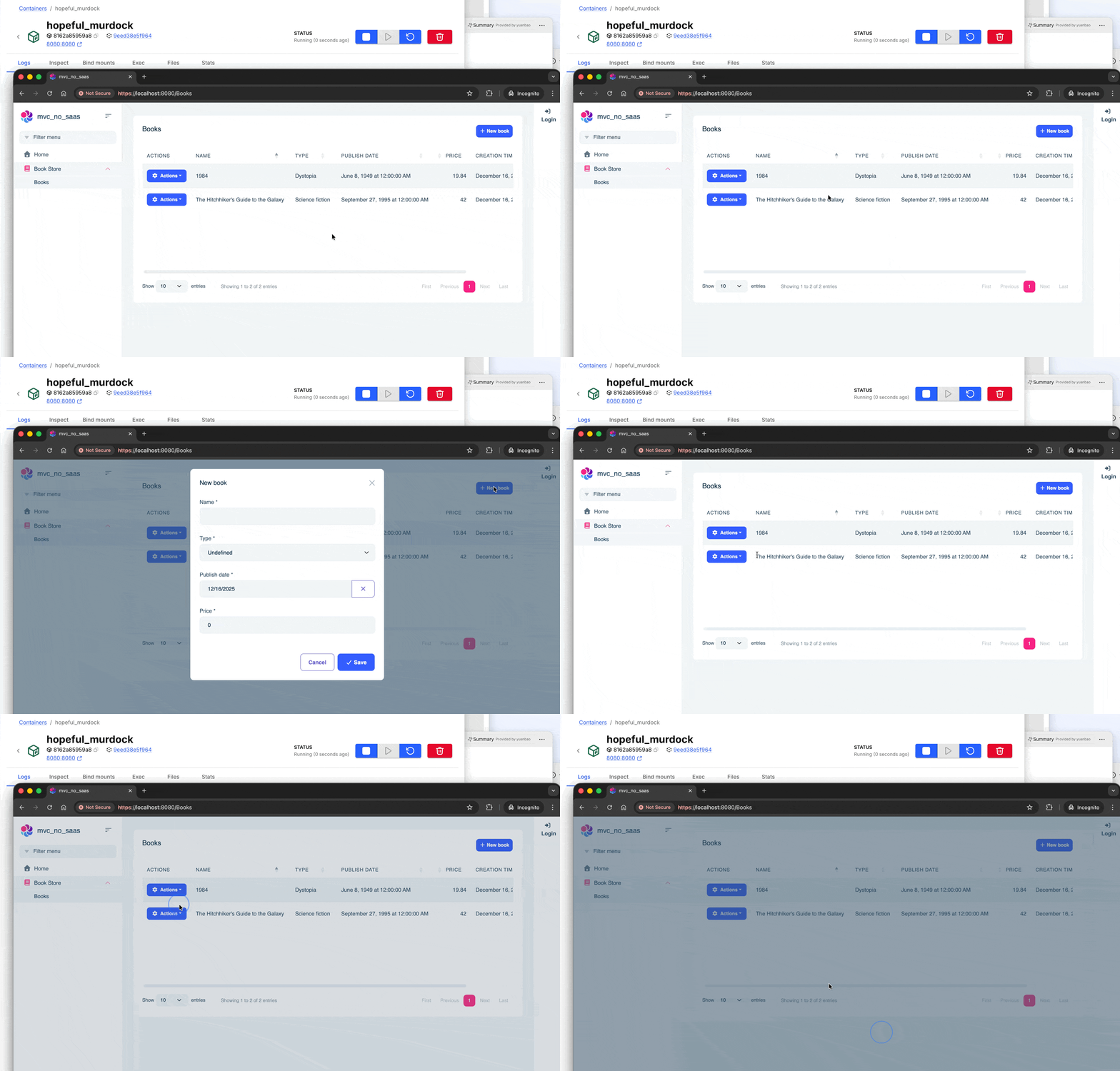
Observed: "New book" button did not work
Note: may work on Windows but not on Linux
To reproduce see:
https://github.com/magentuseu/abp-tests
17 Answer(s)
-
0
- Solution
Root cause: In the MVC Book Store sample, the New Book button uses ABP’s ModalManager and generated JavaScript proxies. If the global proxy namespace isn’t initialized on the page, clicking “New book” won’t do anything. On some setups (often Linux or when script order/bundling differs), the proxy object path can be undefined, so the button appears but the click handler silently fails.
Quick fix in Pages/Books/Index.js:
- Locate the line initializing the service proxy. It typically looks like: var bookService = bookStore.books.book;
- Change it to use the correct global namespace that ABP emits: var bookService = window.myBookStore.books.book;
Ensure the page includes the generated JS proxies before Index.js:
- In Pages/Books/Index.cshtml, verify the scripts section: @section scripts { <abp-script src="/Abp/ApplicationConfigurationScript" /> <abp-script src="/AbpServiceProxies.js" /> <abp-script src="/Pages/Books/Index.js" /> } This guarantees the proxies and application configuration are loaded before your Index.js.
Verify bundling isn’t stripping or reordering required scripts:
- If you customized bundling, ensure Volo.Abp.AspNetCore.Mvc.UI.Bundling includes AbpServiceProxies.js (either via default bundles or your bundle contributors) and that Index.js is loaded after it.
Double-check the selector and click handler wiring:
- The button ID in Index.cshtml must match the code: <abp-button id="NewBookButton" ... />
- In Index.js: $('#NewBookButton').click(function (e) { e.preventDefault(); createModal.open(); });
If the modal still doesn’t open:
- Confirm the modal pages exist and are routable: new abp.ModalManager(abp.appPath + 'Books/CreateModal'); new abp.ModalManager(abp.appPath + 'Books/EditModal'); Ensure Pages/Books/CreateModal.cshtml and EditModal.cshtml are present and the Razor page routes match (no folder/area mismatch).
- Check permissions: the button is often wrapped with permission checks. Make sure the current user has BookStore.Books.Create.
Note on OS differences (Linux vs Windows):
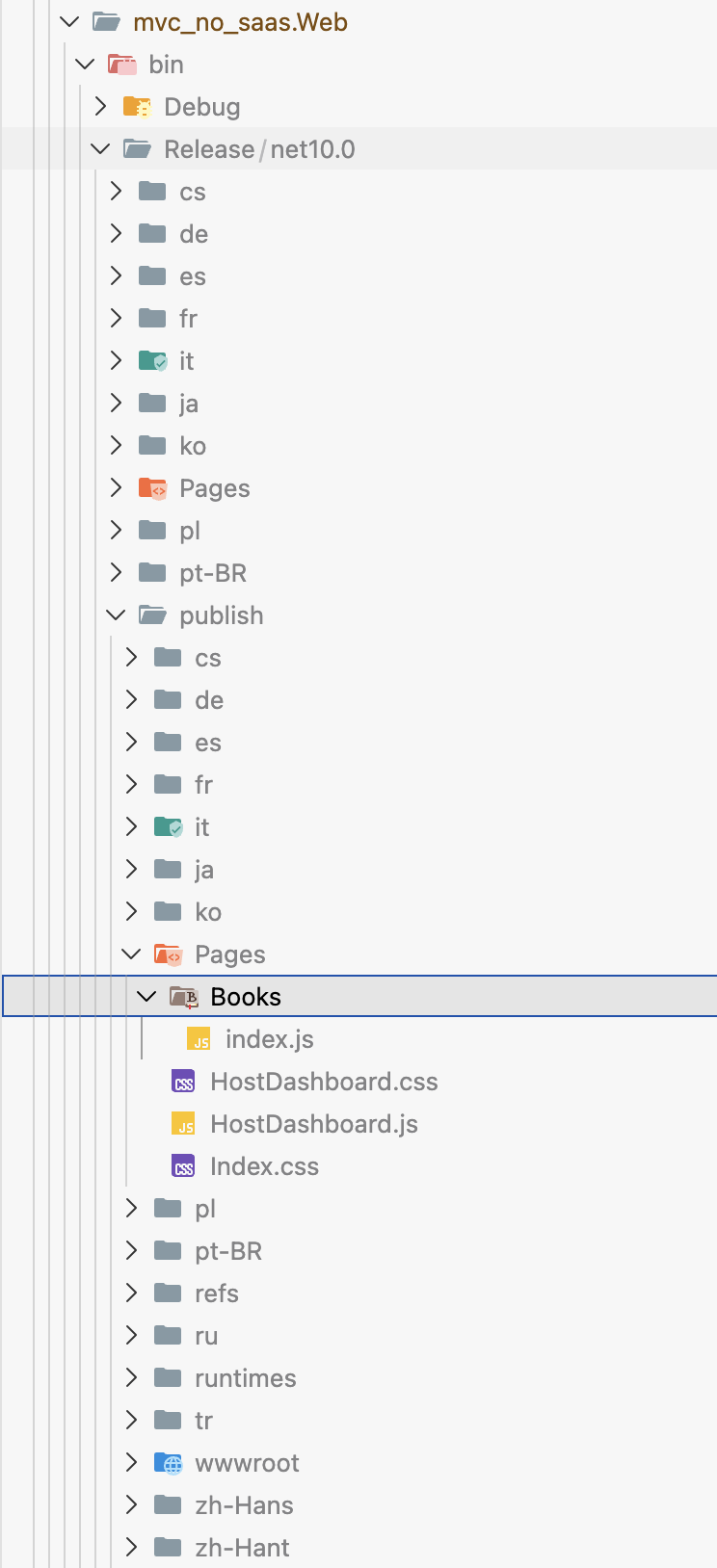
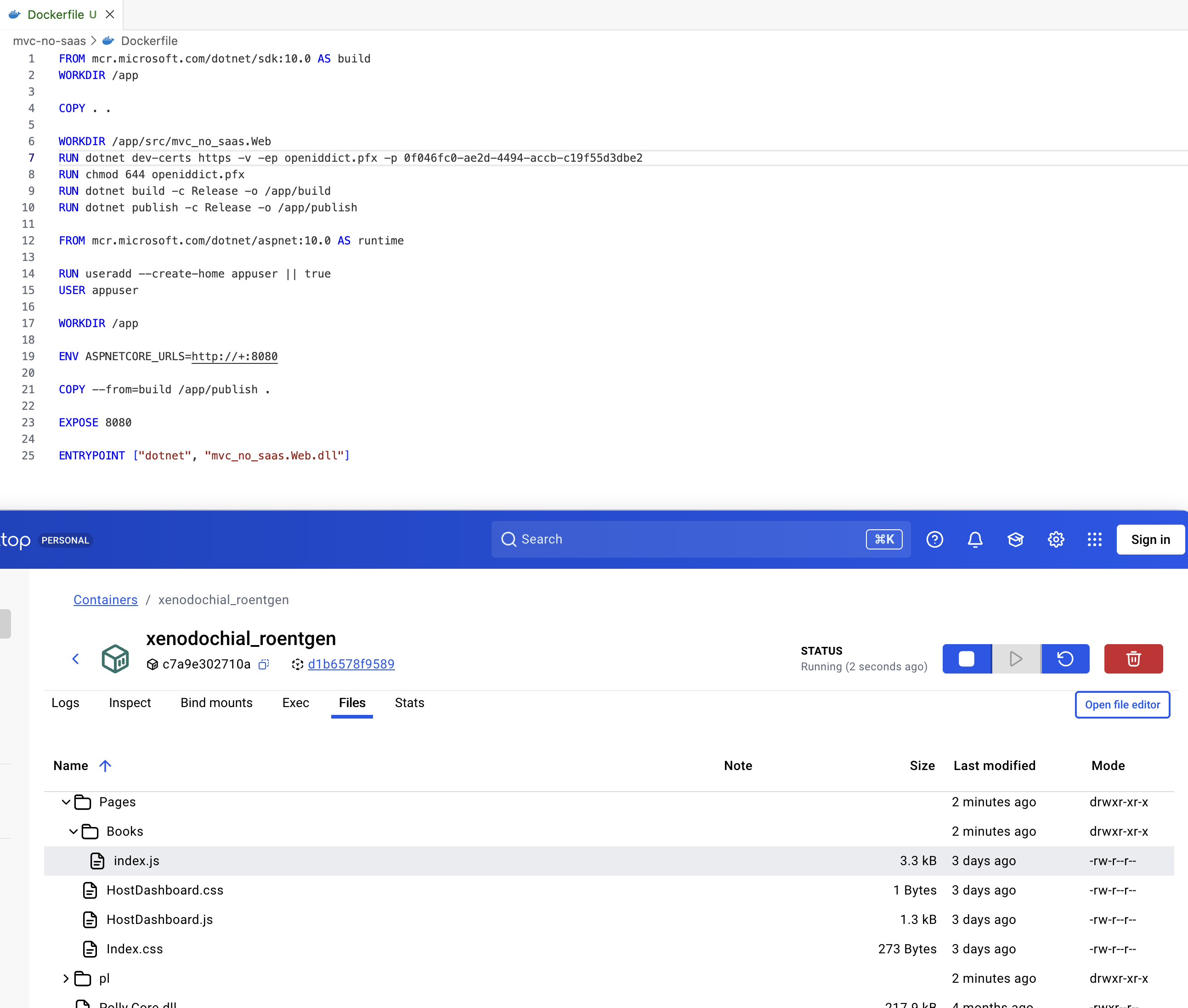
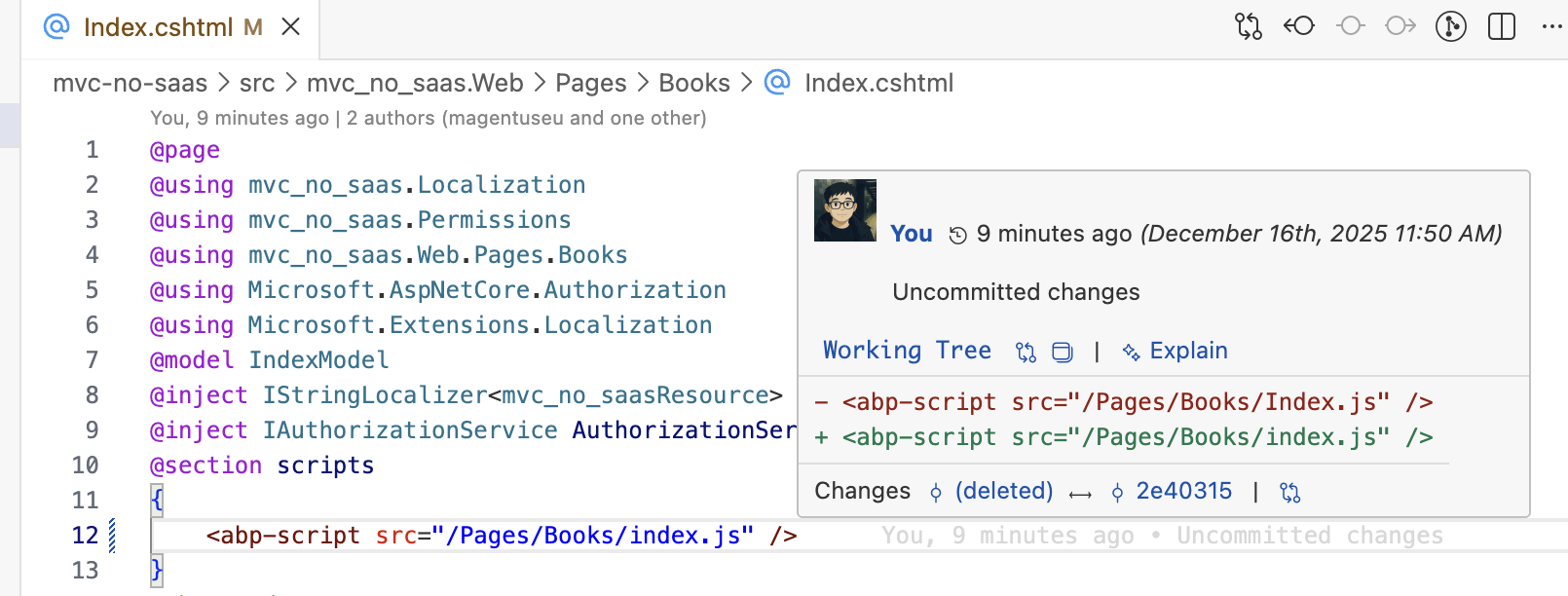
- File name case sensitivity: On Linux, file paths are case-sensitive. Ensure the script and page file names and paths referenced in code exactly match their casing on disk (e.g., Index.js vs index.js; Books/CreateModal vs books/createmodal).
- Sources
- ABP GitHub issue/workaround that matches the undefined proxy namespace problem on generated MVC CRUD (fix by using window.myBookStore.books.book):
- https://github.com/abpframework/abp
- Repro repository you shared:
- https://github.com/magentuseu/abp-tests
This response was generated by AI. If it didn’t solve your problem, feel free to post a new answer — our support team will jump in to help you soon.
Markdown supported.Copy, paste, or drag & drop images and files (max 100 MB per file, 100 MB total per post) -
0
use the mvc_no_saas project to reproduce the problem use the devcontainer as the problem may be related to Linux only
Please also modify gitignore in "abp new" not to publish api key.
Markdown supported.Copy, paste, or drag & drop images and files (max 100 MB per file, 100 MB total per post) -
0
Could not find the bundle file '/Pages/Books/Index.js' for the bundle 'Pages.Books.Index'
Linux 15f581c1ee49 6.12.57+deb13-amd64 #1 SMP PREEMPT_DYNAMIC Debian 6.12.57-1 (2025-11-05) x86_64 GNU/Linux
See the .devcontainer folder in the repo for a safe reproduction of the problem
Markdown supported.Copy, paste, or drag & drop images and files (max 100 MB per file, 100 MB total per post) -
0
I've been also in technical support and of course software development for a while.
I know that reproducing a problem is sometimes not easy. Right for this reason I provided a .devcontainer folder in the github repo.
Have you used it successfully? Did the devcontainer start and reproduce the problem? Have files under Pages/Books show up on your devcontainer?
I feel the devcontainer is a nearly 100% chance to reproduce, after which, the problem might speak for itself. I feel we made our fair share of effort.
If the above devcontainer procedure leads to no result, I am ok to close this ticket.
Markdown supported.Copy, paste, or drag & drop images and files (max 100 MB per file, 100 MB total per post) -
0
Thank you for the information.
The initial report was:
Expected: book page (for example https://localhost:44392/Books) to have a working "New book" button
Observed: "New book" button did not work
Did the button work in your docker Linux environment ?
Markdown supported.Copy, paste, or drag & drop images and files (max 100 MB per file, 100 MB total per post) -
0
Yes, this change makes the code work as expected.
I would kindly recommend implementing and running automates e2e tests of abp cli (and more) to prevent similar problems. It would boost the quality of your product!
Kind regards and thank you.
Markdown supported.Copy, paste, or drag & drop images and files (max 100 MB per file, 100 MB total per post)