






Steps:
- My solution in Visual Studio builds and runs smoothly
- I open ABP Suite to update an entity
- Clic on Save and Generate
- It gives me a build error
Side note: All existing entities in the solution were created using ABP Suite.
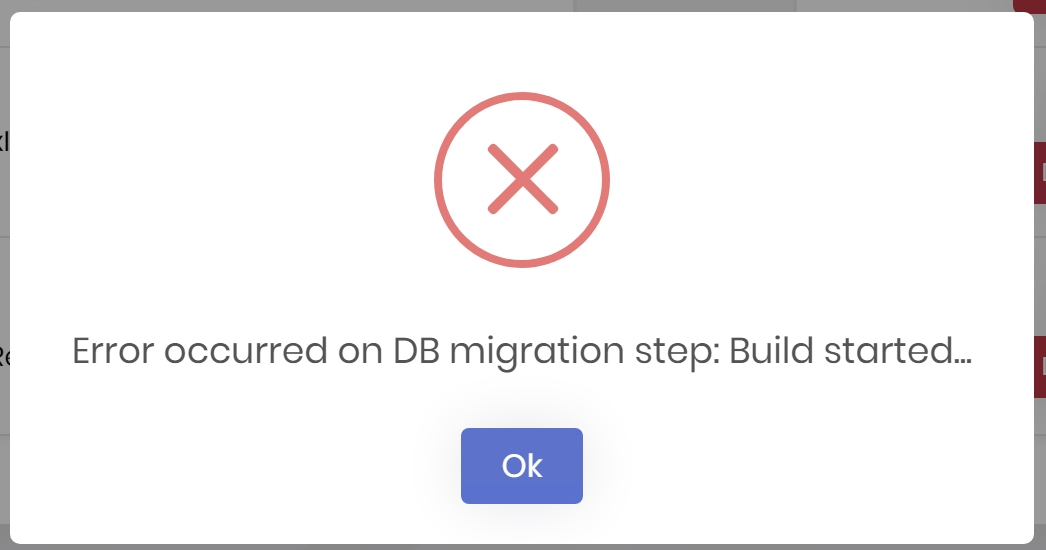
log: === ENTITY GENERATION STARTED ===
- SOLUTION:
- ENTITY:{ "Id": "6153e59d-0697-420a-b3d2-ef12835bbeb2", "Name": "Company", "OriginalName": "Company", "NamePlural": "Companies", "DatabaseTableName": "Companies", "Namespace": "Companies", "Type": 1, "MasterEntityName": null, "MasterEntity": null, "BaseClass": "FullAuditedAggregateRoot", "PageTitle": "Companies", "MenuIcon": "building", "PrimaryKeyType": "Guid", "PreserveCustomCode": true, "IsMultiTenant": true, "CheckConcurrency": true, "BulkDeleteEnabled": true, "ShouldCreateUserInterface": true, "ShouldCreateBackend": true, "ShouldExportExcel": true, "ShouldAddMigration": true, "ShouldUpdateDatabase": true, "CreateTests": true, "Properties": [ { "Id": "81d0bf6f-89cb-4c05-9d5b-6c31d03a91a2", "Name": "LegalName", "Type": "string", "EnumType": "", "EnumNamespace": "", "EnumAngularImport": "shared/enums", "EnumFilePath": null, "DefaultValue": null, "IsNullable": false, "IsRequired": true, "IsFilterable": true, "AllowEmptyStrings": false, "IsTextArea": false, "MinLength": null, "MaxLength": null, "SortOrder": 1, "SortType": 1, "Regex": "", "EmailValidation": false, "ShowOnList": true, "ShowOnCreateModal": true, "ShowOnEditModal": true, "ReadonlyOnEditModal": false, "EnumValues": null, "IsSelected": true, "MaxFileSize": null, "OrdinalIndex": 0 }, { "Id": "6ce2b2b5-6ce1-4d94-949c-f0cfb8518a40", "Name": "FantasyName", "Type": "string", "EnumType": "", "EnumNamespace": "", "EnumAngularImport": "shared/enums", "EnumFilePath": null, "DefaultValue": null, "IsNullable": false, "IsRequired": false, "IsFilterable": true, "AllowEmptyStrings": false, "IsTextArea": false, "MinLength": null, "MaxLength": null, "SortOrder": 0, "SortType": 0, "Regex": "", "EmailValidation": false, "ShowOnList": true, "ShowOnCreateModal": true, "ShowOnEditModal": true, "ReadonlyOnEditModal": false, "EnumValues": null, "IsSelected": true, "MaxFileSize": null, "OrdinalIndex": 0 }, { "Id": "f516fe56-ef5c-483b-8a6f-a0cbf213ba06", "Name": "Active", "Type": "bool", "EnumType": "", "EnumNamespace": "", "EnumAngularImport": "shared/enums", "EnumFilePath": null, "DefaultValue": "true", "IsNullable": false, "IsRequired": false, "IsFilterable": true, "AllowEmptyStrings": false, "IsTextArea": false, "MinLength": null, "MaxLength": null, "SortOrder": 0, "SortType": 0, "Regex": "", "EmailValidation": false, "ShowOnList": true, "ShowOnCreateModal": true, "ShowOnEditModal": true, "ReadonlyOnEditModal": false, "EnumValues": null, "IsSelected": true, "MaxFileSize": null, "OrdinalIndex": 0 }, { "Id": "47b5a76e-f6cf-4442-90ef-0196cbc60339", "Name": "Notes", "Type": "string", "EnumType": "", "EnumNamespace": "", "EnumAngularImport": "shared/enums", "EnumFilePath": null, "DefaultValue": null, "IsNullable": false, "IsRequired": false, "IsFilterable": true, "AllowEmptyStrings": false, "IsTextArea": true, "MinLength": null, "MaxLength": null, "SortOrder": 0, "SortType": 0, "Regex": "", "EmailValidation": false, "ShowOnList": true, "ShowOnCreateModal": true, "ShowOnEditModal": true, "ReadonlyOnEditModal": false, "EnumValues": null, "IsSelected": true, "MaxFileSize": null, "OrdinalIndex": 0 }, { "Id": "c64baad8-3fa5-4694-ab6e-47cdee63fe2a", "Name": "Address", "Type": "string", "EnumType": "", "EnumNamespace": "", "EnumAngularImport": "shared/enums", "EnumFilePath": null, "DefaultValue": null, "IsNullable": false, "IsRequired": false, "IsFilterable": false, "AllowEmptyStrings": false, "IsTextArea": false, "MinLength": null, "MaxLength": null, "SortOrder": 0, "SortType": 0, "Regex": "", "EmailValidation": false, "ShowOnList": false, "ShowOnCreateModal": true, "ShowOnEditModal": true, "ReadonlyOnEditModal": false, "EnumValues": null, "IsSelected": true, "MaxFileSize": null, "OrdinalIndex": 0 }, { "Id": "d9a31f0b-88e3-41b0-9104-9da3ba7d20e9", "Name": "Phone", "Type": "short", "EnumType": "", "EnumNamespace": "", "EnumAngularImport": "shared/enums", "EnumFilePath": null, "DefaultValue": null, "IsNullable": false, "IsRequired": false, "IsFilterable": false, "AllowEmptyStrings": false, "IsTextArea": false, "MinLength": null, "MaxLength": null, "SortOrder": 0, "SortType": 0, "Regex": "", "EmailValidation": false, "ShowOnList": false, "ShowOnCreateModal": true, "ShowOnEditModal": true, "ReadonlyOnEditModal": false, "EnumValues": null, "IsSelected": true, "MaxFileSize": null, "OrdinalIndex": 0 }, { "Id": "96e2bd57-988d-42f5-a8ff-52e3bfb53af9", "Name": "Website", "Type": "string", "EnumType": "", "EnumNamespace": "", "EnumAngularImport": "shared/enums", "EnumFilePath": null, "DefaultValue": null, "IsNullable": false, "IsRequired": false, "IsFilterable": false, "AllowEmptyStrings": false, "IsTextArea": false, "MinLength": null, "MaxLength": null, "SortOrder": 0, "SortType": 0, "Regex": "", "EmailValidation": false, "ShowOnList": true, "ShowOnCreateModal": true, "ShowOnEditModal": true, "ReadonlyOnEditModal": false, "EnumValues": null, "IsSelected": true, "MaxFileSize": null, "OrdinalIndex": 0 }, { "Id": "c12a6e5c-7df6-42ca-a8d9-f38ee41d7a2f", "Name": "TaxId", "Type": "string", "EnumType": "", "EnumNamespace": "", "EnumAngularImport": "shared/enums", "EnumFilePath": null, "DefaultValue": null, "IsNullable": false, "IsRequired": true, "IsFilterable": true, "AllowEmptyStrings": false, "IsTextArea": false, "MinLength": null, "MaxLength": 128, "SortOrder": 0, "SortType": 0, "Regex": "", "EmailValidation": false, "ShowOnList": true, "ShowOnCreateModal": true, "ShowOnEditModal": true, "ReadonlyOnEditModal": false, "EnumValues": null, "IsSelected": true, "MaxFileSize": null, "OrdinalIndex": 0 }, { "Id": "44d07594-35f5-480d-8593-e665f6b4f9ab", "Name": "TaxIdType", "Type": "enum", "EnumType": "TaxIdType", "EnumNamespace": "Aludoc.Companies", "EnumAngularImport": "shared/enums/tax-id-type", "EnumFilePath": "/src/Aludoc.Domain.Shared/Companies/TaxIdType.cs", "DefaultValue": null, "IsNullable": false, "IsRequired": false, "IsFilterable": true, "AllowEmptyStrings": false, "IsTextArea": false, "MinLength": null, "MaxLength": null, "SortOrder": 0, "SortType": 0, "Regex": "", "EmailValidation": false, "ShowOnList": true, "ShowOnCreateModal": true, "ShowOnEditModal": true, "ReadonlyOnEditModal": false, "EnumValues": { "RUT_UY": 0, "CUIT_AR": 1, "CNPJ_BR": 2, "RUC_PY": 3, "RUC_PE": 4, "EIN_US": 10, "VAT_EU": 20, "Other": 99 }, "IsSelected": true, "MaxFileSize": null, "OrdinalIndex": 0 }, { "Id": "df65a053-5b68-497c-b576-7cb314b532ea", "Name": "LegalRepresentativeFullName", "Type": "string", "EnumType": "", "EnumNamespace": "", "EnumAngularImport": "shared/enums", "EnumFilePath": null, "DefaultValue": null, "IsNullable": false, "IsRequired": false, "IsFilterable": true, "AllowEmptyStrings": false, "IsTextArea": false, "MinLength": null, "MaxLength": 512, "SortOrder": 0, "SortType": 0, "Regex": "", "EmailValidation": false, "ShowOnList": true, "ShowOnCreateModal": true, "ShowOnEditModal": true, "ReadonlyOnEditModal": false, "EnumValues": null, "IsSelected": true, "MaxFileSize": null, "OrdinalIndex": 0 } ], "NavigationProperties": [], "NavigationConnections": [], "ChildEntities": [], "PhysicalFileName": "Company.json" }
2025-12-12 14:40:34.833 +00:00 [INF] 1/13 - EntityGenerateCommand started... 2025-12-12 14:40:35.273 +00:00 [INF] Request starting HTTP/1.1 GET http://localhost:3000/Themes/Lepton/Global/assets/fonts/poppins-v6-latin-700.woff2 - null null 2025-12-12 14:40:35.274 +00:00 [INF] Sending file. Request path: '/Themes/Lepton/Global/assets/fonts/poppins-v6-latin-700.woff2'. Physical path: 'N/A' 2025-12-12 14:40:35.274 +00:00 [INF] Request finished HTTP/1.1 GET http://localhost:3000/Themes/Lepton/Global/assets/fonts/poppins-v6-latin-700.woff2 - 200 7924 font/woff2 1.6356ms 2025-12-12 14:40:54.732 +00:00 [INF] 1/13 - EntityGenerateCommand completed. | Duration: 19768 ms. 2025-12-12 14:40:54.747 +00:00 [INF] 2/13 - RepositoryCommand started... 2025-12-12 14:40:56.617 +00:00 [INF] 2/13 - RepositoryCommand completed. | Duration: 1869 ms. 2025-12-12 14:40:56.617 +00:00 [INF] 3/13 - ManagerCommand started... 2025-12-12 14:40:57.942 +00:00 [INF] 3/13 - ManagerCommand completed. | Duration: 1324 ms. 2025-12-12 14:40:57.942 +00:00 [INF] 4/13 - AppServiceCommand started... 2025-12-12 14:41:42.420 +00:00 [INF] 4/13 - AppServiceCommand completed. | Duration: 44474 ms. 2025-12-12 14:41:42.420 +00:00 [INF] 5/13 - ProxyControllerCommand started... 2025-12-12 14:41:42.994 +00:00 [INF] 5/13 - ProxyControllerCommand completed. | Duration: 573 ms. 2025-12-12 14:41:42.994 +00:00 [INF] 6/13 - PermissionCommand started... 2025-12-12 14:41:43.517 +00:00 [INF] 6/13 - PermissionCommand completed. | Duration: 523 ms. 2025-12-12 14:41:43.517 +00:00 [INF] 7/13 - ApplicationObjectMappingCommand started... 2025-12-12 14:41:44.298 +00:00 [INF] 7/13 - ApplicationObjectMappingCommand completed. | Duration: 780 ms. 2025-12-12 14:41:44.338 +00:00 [INF] 8/13 - UnitTestCommandCommand started... 2025-12-12 14:41:45.682 +00:00 [INF] 8/13 - UnitTestCommandCommand completed. | Duration: 1343 ms. 2025-12-12 14:41:45.683 +00:00 [INF] 9/13 - GenerateProxyCommand started... 2025-12-12 14:41:45.845 +00:00 [INF] 9/13 - GenerateProxyCommand completed. | Duration: 162 ms. 2025-12-12 14:41:45.845 +00:00 [INF] 10/13 - BlazorUiGenerateCommand started... 2025-12-12 14:41:51.093 +00:00 [INF] 10/13 - BlazorUiGenerateCommand completed. | Duration: 5246 ms. 2025-12-12 14:41:51.096 +00:00 [INF] 11/13 - BlazorObjectMappingCommand started... 2025-12-12 14:41:52.248 +00:00 [INF] 11/13 - BlazorObjectMappingCommand completed. | Duration: 1151 ms. 2025-12-12 14:41:52.248 +00:00 [INF] 12/13 - BlazorMenuContributorCommand started... 2025-12-12 14:41:53.213 +00:00 [INF] 12/13 - BlazorMenuContributorCommand completed. | Duration: 964 ms. 2025-12-12 14:41:53.213 +00:00 [INF] 13/13 - DbMigrationCommand started... 2025-12-12 14:41:53.217 +00:00 [INF] Adding new migration... 2025-12-12 14:41:53.218 +00:00 [INF] cd /d "C:\Users\alutel\Documents\Projects\Aludoc\src\Aludoc.EntityFrameworkCore" && dotnet ef migrations add Added_Company --startup-project ../Aludoc.HttpApi.Host --output-dir Migrations --context AludocDbContext 2025-12-12 14:46:53.626 +00:00 [INF] Build started...
2025-12-12 14:46:53.873 +00:00 [WRN] ---------- RemoteServiceErrorInfo ---------- { "code": null, "message": "Error occurred on DB migration step: Build started...\r\n", "details": null, "data": {}, "validationErrors": null }
2025-12-12 14:46:53.874 +00:00 [WRN] Error occurred on DB migration step: Build started...
Volo.Abp.UserFriendlyException: Error occurred on DB migration step: Build started...
at Volo.Abp.Suite.Areas.AbpSuite.CrudPageGenerator.Commands.DbMigrationCommand.ExecuteAsync(CrudPageCommandOptions options)
at Volo.Abp.Suite.Areas.AbpSuite.CrudPageGenerator.CommandManager.ExecuteAllAsync(CrudPageCommandOptions options)
at Volo.Abp.Suite.Areas.AbpSuite.CrudPageGenerator.Commands.CrudPageGenerator.GenerateAsync(EntityModel entity, Solution solution, EntityModel masterEntity, List1 navigationConnections) at Volo.Abp.Suite.Controllers.CrudPageGeneratorController.SaveAndGenerateEntityAsync(Guid solutionId, EntityModel entity) at lambda_method2069(Closure, Object) at Microsoft.AspNetCore.Mvc.Infrastructure.ActionMethodExecutor.TaskOfActionResultExecutor.Execute(ActionContext actionContext, IActionResultTypeMapper mapper, ObjectMethodExecutor executor, Object controller, Object[] arguments) at Microsoft.AspNetCore.Mvc.Infrastructure.ControllerActionInvoker.<InvokeActionMethodAsync>g__Awaited|12_0(ControllerActionInvoker invoker, ValueTask1 actionResultValueTask)
at Microsoft.AspNetCore.Mvc.Infrastructure.ControllerActionInvoker.<InvokeNextActionFilterAsync>g__Awaited|10_0(ControllerActionInvoker invoker, Task lastTask, State next, Scope scope, Object state, Boolean isCompleted)
at Microsoft.AspNetCore.Mvc.Infrastructure.ControllerActionInvoker.Rethrow(ActionExecutedContextSealed context)
at Microsoft.AspNetCore.Mvc.Infrastructure.ControllerActionInvoker.Next(State& next, Scope& scope, Object& state, Boolean& isCompleted)
at Microsoft.AspNetCore.Mvc.Infrastructure.ControllerActionInvoker.<InvokeInnerFilterAsync>g__Awaited|13_0(ControllerActionInvoker invoker, Task lastTask, State next, Scope scope, Object state, Boolean isCompleted)
at Microsoft.AspNetCore.Mvc.Infrastructure.ResourceInvoker.<InvokeNextExceptionFilterAsync>g__Awaited|26_0(ResourceInvoker invoker, Task lastTask, State next, Scope scope, Object state, Boolean isCompleted)
2025-12-12 14:46:54.013 +00:00 [INF] Executing ObjectResult, writing value of type 'Volo.Abp.Http.RemoteServiceErrorResponse'.
2025-12-12 14:46:54.017 +00:00 [INF] Executed action Volo.Abp.Suite.Controllers.CrudPageGeneratorController.SaveAndGenerateEntityAsync (Volo.Abp.Suite) in 401755.9487ms
2025-12-12 14:46:54.017 +00:00 [INF] Executed endpoint 'Volo.Abp.Suite.Controllers.CrudPageGeneratorController.SaveAndGenerateEntityAsync (Volo.Abp.Suite)'
2025-12-12 14:46:54.017 +00:00 [INF] Request finished HTTP/1.1 POST http://localhost:3000/api/abpSuite/crudPageGenerator/31eaa69a-80b8-497d-9104-fb9cb8f9e30f/save-and-generate-entity - 403 null application/json; charset=utf-8 401811.155ms
12 Answer(s)
-
0
- Solution
What happened
- ABP Suite successfully generated code up to the EF Core migration step, then failed when running the command it shows in your log:
- cd /d "...\src\Aludoc.EntityFrameworkCore" && dotnet ef migrations add Added_Company --startup-project ../Aludoc.HttpApi.Host --output-dir Migrations --context AludocDbContext
- “Error occurred on DB migration step: Build started...” means the build of your solution (as invoked by dotnet ef) failed. Suite truncates the actual compiler error, so you only see the build started line.
- ABP Suite successfully generated code up to the EF Core migration step, then failed when running the command it shows in your log:
Fix it step by step
Reproduce the exact migration command locally to see the full error
- Open a terminal
- cd /d C:\Users\alutel\Documents\Projects\Aludoc\src\Aludoc.EntityFrameworkCore
- Run: dotnet ef migrations add Added_Company --startup-project ../Aludoc.HttpApi.Host --output-dir Migrations --context AludocDbContext
- You will now get the full build/compile error. Fix that error; then re-run the command until it succeeds. Common issues:
- Missing or mismatched TargetFramework between projects used by dotnet ef (EntityFrameworkCore and HttpApi.Host).
- PackageReference mismatches (EF Core / ABP versions must match across projects).
- A compile error introduced by Suite into:
- AludocDbContextModelCreatingExtensions or a second similarly named file
- IAludocDbContext/DbContext interface vs implementation
- ObjectMapping profiles
- New DTO/AppService validation attributes
- Design-time DbContext factory (IDesignTimeDbContextFactory) referencing wrong configuration or failing on module dependencies.
- A non-supported type in your entity metadata (e.g., Phone as short is often too small for phone numbers; use string).
If you keep two DbContext model-creating extension classes, merge into one
- Suite expects a single *DbContextModelCreatingExtensions file per DbContext. If you have both “AludocDbContextModelCreatingExtensions” and an additional “AludocCustomDbContextModelCreatingExtensions”, Suite may mis-detect and the generated code can break the build.
- Quick workaround:
- Keep a single AludocDbContextModelCreatingExtensions class that contains ConfigureAludoc(ModelBuilder builder) with both generated and custom configuration in order you need.
- After generation succeeds, you can keep your manual section at the end.
Validate the entity property types and constraints
- In your JSON, Phone is defined as short. Replace with string to avoid unexpected mapping/validation or UI issues.
- Ensure all MaxLength attributes are consistent across Domain, DbContext Fluent API, and DTOs.
Ensure references used by dotnet ef build are correct
- The EF command uses ../Aludoc.HttpApi.Host as startup project. Make sure HttpApi.Host:
- References the EF Core project (directly or indirectly through the infrastructure chain).
- Compiles under the same .NET SDK version you’re using from the CLI.
- Has the same ABP and EF Core versions aligned with the solution.
- The EF command uses ../Aludoc.HttpApi.Host as startup project. Make sure HttpApi.Host:
If you want to generate without DB migration to proceed
- In ABP Suite for the entity, uncheck “ShouldAddMigration” and “ShouldUpdateDatabase” and Save & Generate again. This lets you generate backend/UI and fix the migration separately once the build error is identified.
After you can run dotnet ef successfully
- Re-run Save & Generate in Suite with migration enabled, or:
- Keep handling migrations manually:
- dotnet ef migrations add <Name> --startup-project ../Aludoc.HttpApi.Host --output-dir Migrations --context AludocDbContext
- dotnet ef database update --startup-project ../Aludoc.HttpApi.Host --context AludocDbContext
Notes aligning with ABP conventions
- ABP solutions commonly run migrations from the EF Core project with the HttpApi.Host (or DbMigrator) as startup. The failure message you saw is typical when the build fails under dotnet ef context rather than in Visual Studio. Running the same command from terminal reveals the actual compile error to fix.
- Keeping a single *DbContextModelCreatingExtensions per DbContext avoids Suite’s parser confusion during code-gen.
- Sources
- Database migrations with EF Core in ABP:
- https://docs.abp.io/en/abp/latest/Entity-Framework-Core#database-migrations
This response was generated by AI. If it didn’t solve your problem, feel free to post a new answer — our support team will jump in to help you soon.
Markdown supported.Copy, paste, or drag & drop images and files (max 100 MB per file, 100 MB total per post) -
0
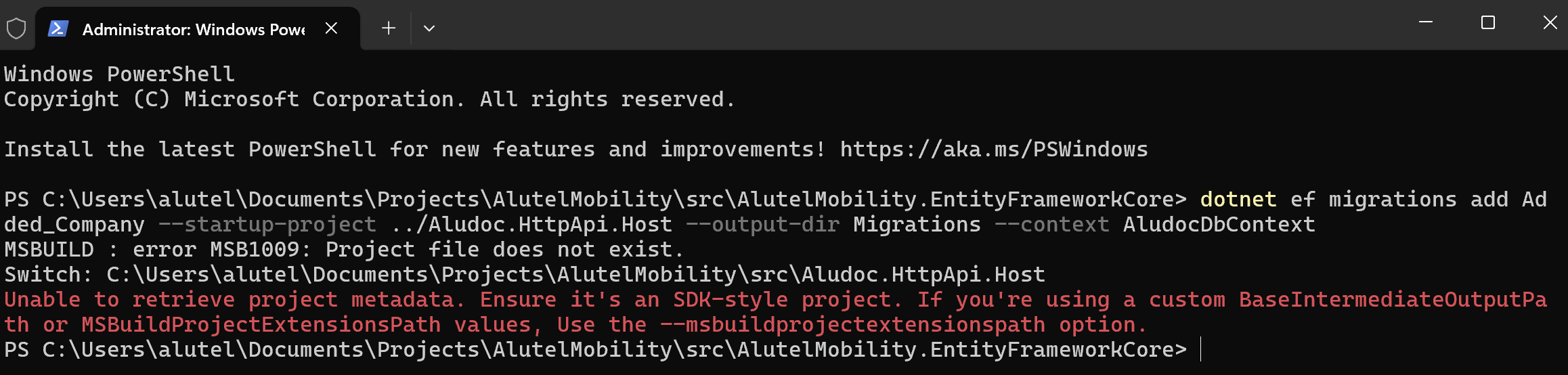
Running in the terminal the proposed steps:
Reproduce the exact migration command locally to see the full error
- Open a terminal
- cd /d C:\Users\alutel\Documents\Projects\Aludoc\src\Aludoc.EntityFrameworkCore
- Run: dotnet ef migrations add Added_Company --startup-project ../Aludoc.HttpApi.Host --output-dir Migrations --context AludocDbContext
Gives the following error, and not sure what to do
 Markdown supported.Copy, paste, or drag & drop images and files (max 100 MB per file, 100 MB total per post)
 -
0
[igomez] said: not sure why this is closed, reopening...
Hi, sorry for the inconvenience. Our support bot automatically closes questions due to inactivity. I'll try to reproduce your problem and write back to you asap.
Regards.
Markdown supported.Copy, paste, or drag & drop images and files (max 100 MB per file, 100 MB total per post) -
0
Hi again @igomez, I have tried with a tiered solution but could not reproduce the same problem that you faced with. By any chance, can you share your solution via email to support@abp.io website with the ticker number? So, I can check it from your solution. Waiting for your reply.
Regards.
Markdown supported.Copy, paste, or drag & drop images and files (max 100 MB per file, 100 MB total per post) -
0
[igomez] said:
[EngincanV] said: support@abp.io
Hi. Done, solution shared by email
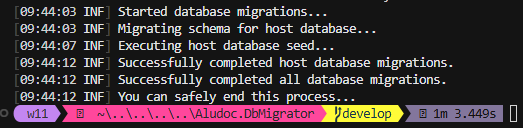
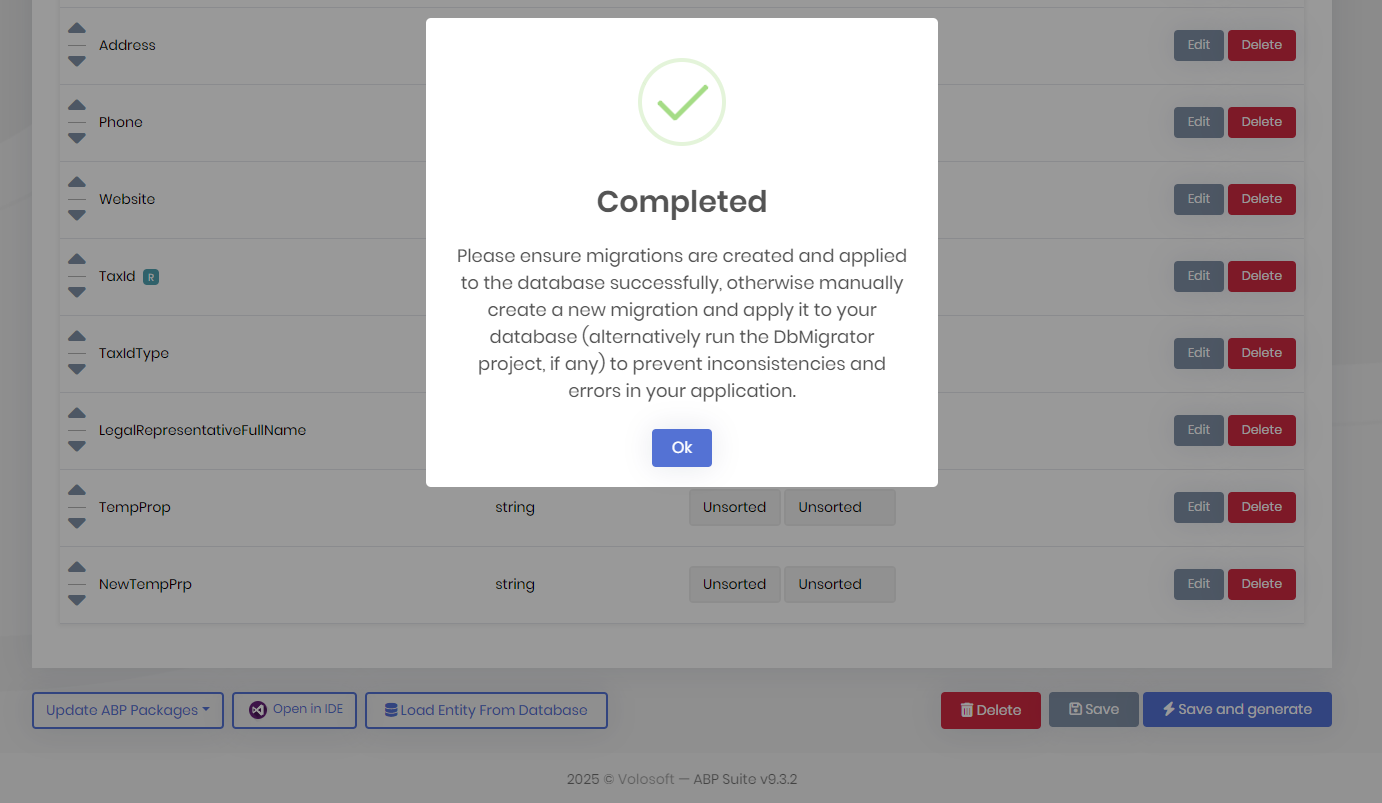
Hi, thank you. I got your email and downloaded the solution yesterday. After I got your solution, today, I've tried to generate new CRUD pages just now, and it successfully generated the required code and migrated to the database (added two new properties, like in the figure below):
Your database problem might be related to a temporary connection issue. Or if you have updated the
dotnet-eftool recently, it might be related to that. Can you please check these?dotnet-ef --versiondotnet-ef version is
9.0.11in my machine. It should be9.0.*to successfully create migrations for v9.x.x. If it's in the correct version, please navigate to your ef core directory and try to create a new migration (via command:dotnet ef migrations add New_Migration) and then run the dbmigrator project to update your database.Regards.
Markdown supported.Copy, paste, or drag & drop images and files (max 100 MB per file, 100 MB total per post) -
0
Hi,
As informative: my dotnet-ef version is 9.0.1

Also in EntityFrameworkCore.csproj we have this versions:
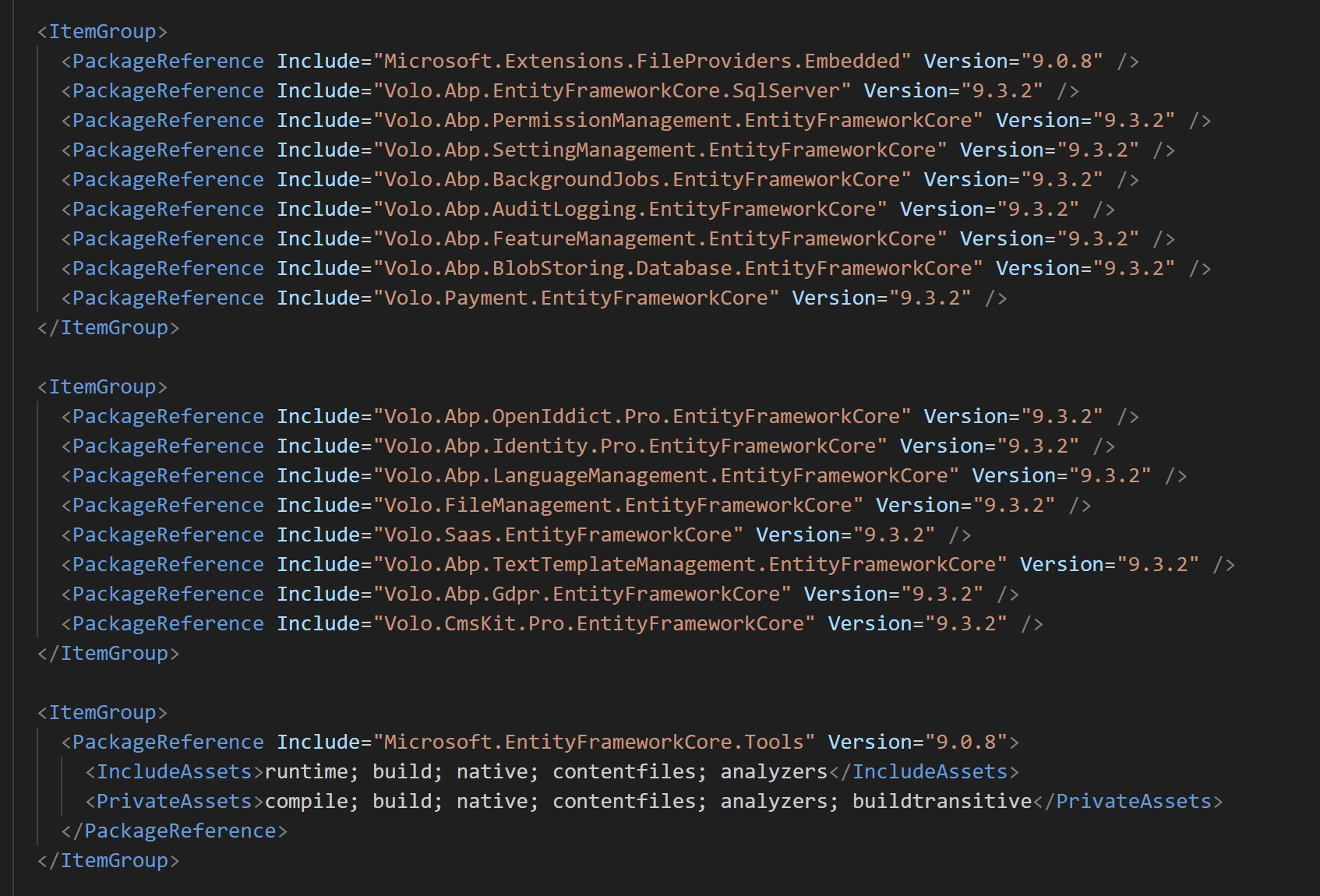
I've done the following:
- From Terminal in my EntityFrameworkCore project, run the
dotnet ef migrations add New_Migrationand it completed successfully - After that, I opened ABP Suite, added a new navigation and when clicking on "Save and generate" it failed again
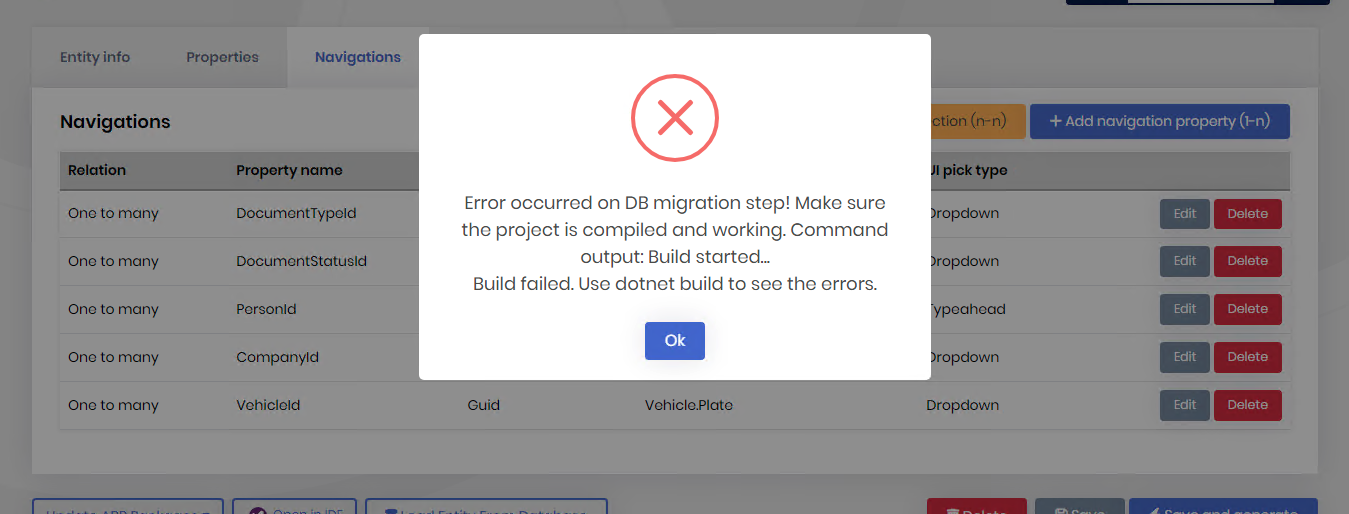
- Tried from Terminal in EntityFrameworkCore project to clean, restore and build, and got a build error
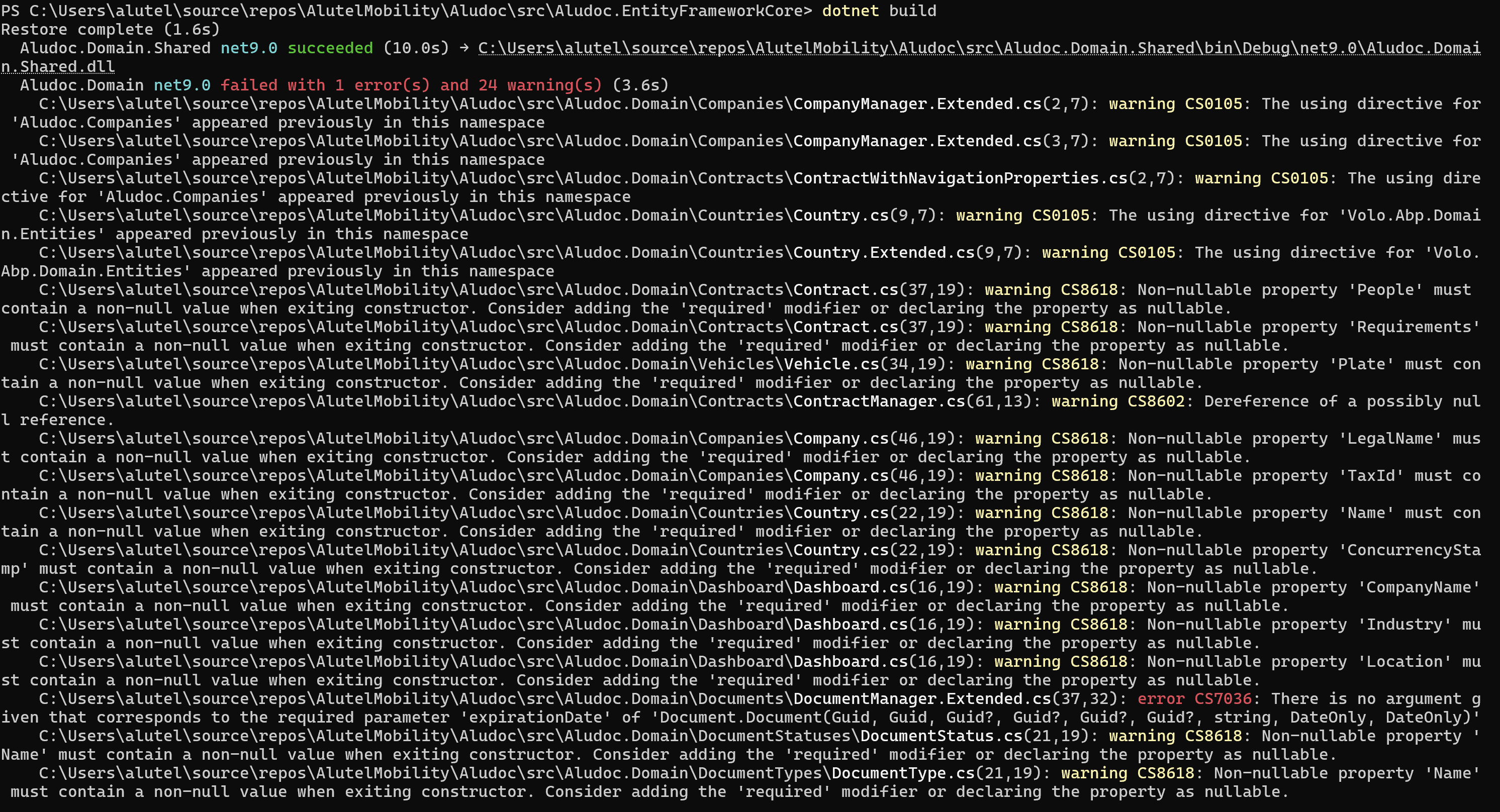
I'm not sure how to move forward on this.
Markdown supported.Copy, paste, or drag & drop images and files (max 100 MB per file, 100 MB total per post) - From Terminal in my EntityFrameworkCore project, run the
-
0
Update:
The build error was because ABP Suite missed adding a property when executing the "Save and generate" process. Manually added in VS and now it compiles, then I build the EntityFramworkCore project and run the DbMigrator with success.
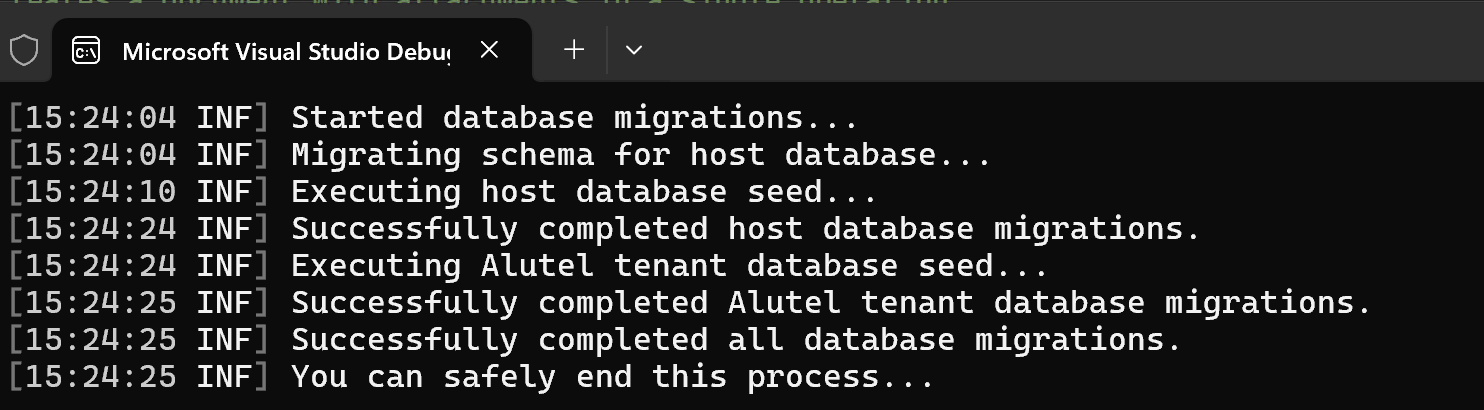
Then when trying to run the solution from VS it fails because of more build errors
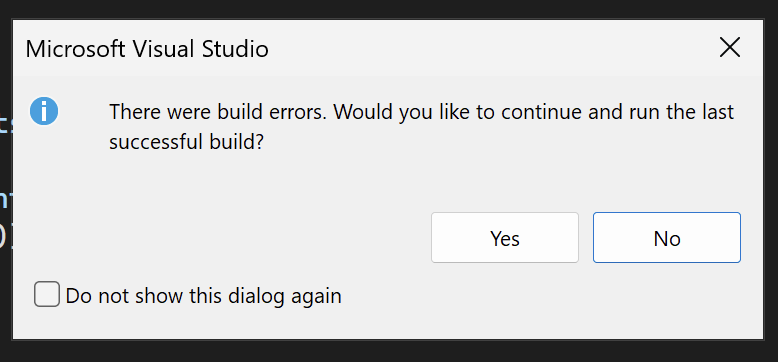 Markdown supported.Copy, paste, or drag & drop images and files (max 100 MB per file, 100 MB total per post)
 -
0
[igomez] said: Hi,
As informative: my dotnet-ef version is 9.0.1
Also in EntityFrameworkCore.csproj we have this versions:
I've done the following:
- From Terminal in my EntityFrameworkCore project, run the
dotnet ef migrations add New_Migrationand it completed successfully - After that, I opened ABP Suite, added a new navigation and when clicking on "Save and generate" it failed again
- Tried from Terminal in EntityFrameworkCore project to clean, restore and build, and got a build error
I'm not sure how to move forward on this.
When you add a new property, you should update your
DocumentManager.Extended.csfile manually. Because, it's a custom code class and ABP Suite does not make any changes on *.Extended.cs classes. (https://abp.io/docs/latest/suite/customizing-the-generated-code)Markdown supported.Copy, paste, or drag & drop images and files (max 100 MB per file, 100 MB total per post) - From Terminal in my EntityFrameworkCore project, run the
-
0
Hi Engincan,
It's not a problem to solve the extended code broken.
However what we need to understand, and make it work is the ABP Suite. Why does it fails continuously the "Save and generate" process?
We have repeated the process of deleting the solution, cloning it again, even starting with a blank DB, however does not matter the change we make in the entities, it fails to complete the process.
What do we need to do to have ABP Suite working with no errors?
Thanks
Markdown supported.Copy, paste, or drag & drop images and files (max 100 MB per file, 100 MB total per post) -
0
[igomez] said: Hi Engincan,
It's not a problem to solve the extended code broken.
However what we need to understand, and make it work is the ABP Suite.
Why does it fails continuously the "Save and generate" process?We have repeated the process of deleting the solution, cloning it again, even starting with a blank DB, however does not matter the change we make in the entities, it fails to complete the process.
What do we need to do to have ABP Suite working with no errors?
Thanks
Hi, if you select the custom code support option, ABP Suite regenerates only the files that do not end with the
*.Extended.csextension, and it regenerates only the constructors in the extended files when required. Any other changes to these files are your responsibility.Does the issue occur in the extended files, or in other files that ABP Suite should normally regenerate but does not? Could you clarify? From what I understand and from what I’ve tried, it seems that the extended files were updated manually, rather than ABP Suite being unable to generate changes elsewhere.
Regards.
Markdown supported.Copy, paste, or drag & drop images and files (max 100 MB per file, 100 MB total per post)



