






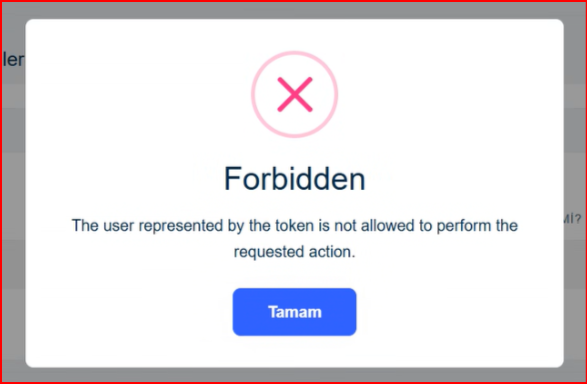
How can we display an error message from the ABP infrastructure in the local language with language support? You can see an example as below.
14 Answer(s)
-
0
- Solution
- ABP localizes exception messages by mapping exception “code namespaces” to a localization resource. Configure this once and all infrastructure errors that have codes (like authorization/validation) will be shown in the current UI culture.
- Add a resource for your app (Domain.Shared) and map the ABP namespaces that you want to localize.
Example: Map authorization/validation/identity namespaces to your resource and provide translations.
csharp // Domain.Shared module [DependsOn( typeof(AbpExceptionHandlingModule), typeof(AbpValidationModule), typeof(AbpAuthorizationModule), typeof(AbpIdentityDomainSharedModule) )] public class MyProjectDomainSharedModule : AbpModule { public override void ConfigureServices(ServiceConfigurationContext context) { Configure<AbpLocalizationOptions>(options => { options.Resources .Add<MyProjectResource>("en") .AddVirtualJson("/Localization/MyProject"); });
    Configure<AbpExceptionLocalizationOptions>(options =>
    {
        // Map exception code namespaces to your resource
        options.MapCodeNamespace("Volo.Abp.Authorization", typeof(MyProjectResource));
        options.MapCodeNamespace("Volo.Abp.Validation", typeof(MyProjectResource));
        options.MapCodeNamespace("Volo.Abp.Identity", typeof(MyProjectResource));
        // add more if needed
    });
}
}
- Create localization JSON files that contain the exception texts for the mapped namespaces.
- Place under MyProject.Domain.Shared/Localization/MyProject/
- Example en.json and tr.json (Turkish). Include keys used by ABP’s infrastructure. For “Forbidden” (authorization), ABP uses well-known codes and messages; provide localized texts.
en.json { "culture": "en", "texts": { "Volo.Abp.Authorization:DefaultErrorMessage": "The user represented by the token is not allowed to perform the requested action.", "Volo.Abp.Authorization:Forbidden": "Forbidden" } }
tr.json { "culture": "tr", "texts": { "Volo.Abp.Authorization:DefaultErrorMessage": "Belirteçle temsil edilen kullanıcı bu işlemi yapmaya yetkili değil.", "Volo.Abp.Authorization:Forbidden": "Yasak" } }
Notes:
- The exact keys used by ABP for authorization exceptions are tied to the exception code namespace Volo.Abp.Authorization. After mapping, any ABP-generated authorization error (like forbidden) is localized via your resource. If a specific key is missing, ABP falls back to the default message; add keys you need.
- Ensure your MVC UI sets and switches CurrentUICulture (ABP does this via the language selector/cookie). Then the modal error message will automatically be shown in the current language.
Optional: Customize the displayed title/text shape for MVC UI
- ABP MVC shows RemoteServiceErrorInfo (ProblemDetails) in a modal. To override formatting, implement IExceptionToErrorInfoConverter or subscribe to AbpExceptionEvent to adjust message keys, but in most cases mapping and providing translations is sufficient.
- Sources
- https://abp.io/docs/latest/framework/fundamentals/exception-handling
- https://github.com/abpframework/abp/blob/dev/framework/src/Volo.Abp.Authorization/Volo/Abp/Authorization/AbpAuthorizationErrorCodes.cs
This response was generated by AI. If it didn’t solve your problem, feel free to post a new answer — our support team will jump in to help you soon.
Markdown supported.Copy, paste, or drag & drop images and files (max 100 MB per file, 100 MB total per post) -
0
hi
It appears when unauthorized access is made to a page.
Markdown supported.Copy, paste, or drag & drop images and files (max 100 MB per file, 100 MB total per post) -
0
hi
This error message is coming from the OpenIddict/OAuth2 server.
You can't localize it. But you can check it in your app and show an ABP localization message.
Can you share the logs of this error request?
Thanks.
Markdown supported.Copy, paste, or drag & drop images and files (max 100 MB per file, 100 MB total per post) -
0
Hi
You can see error log and message as below

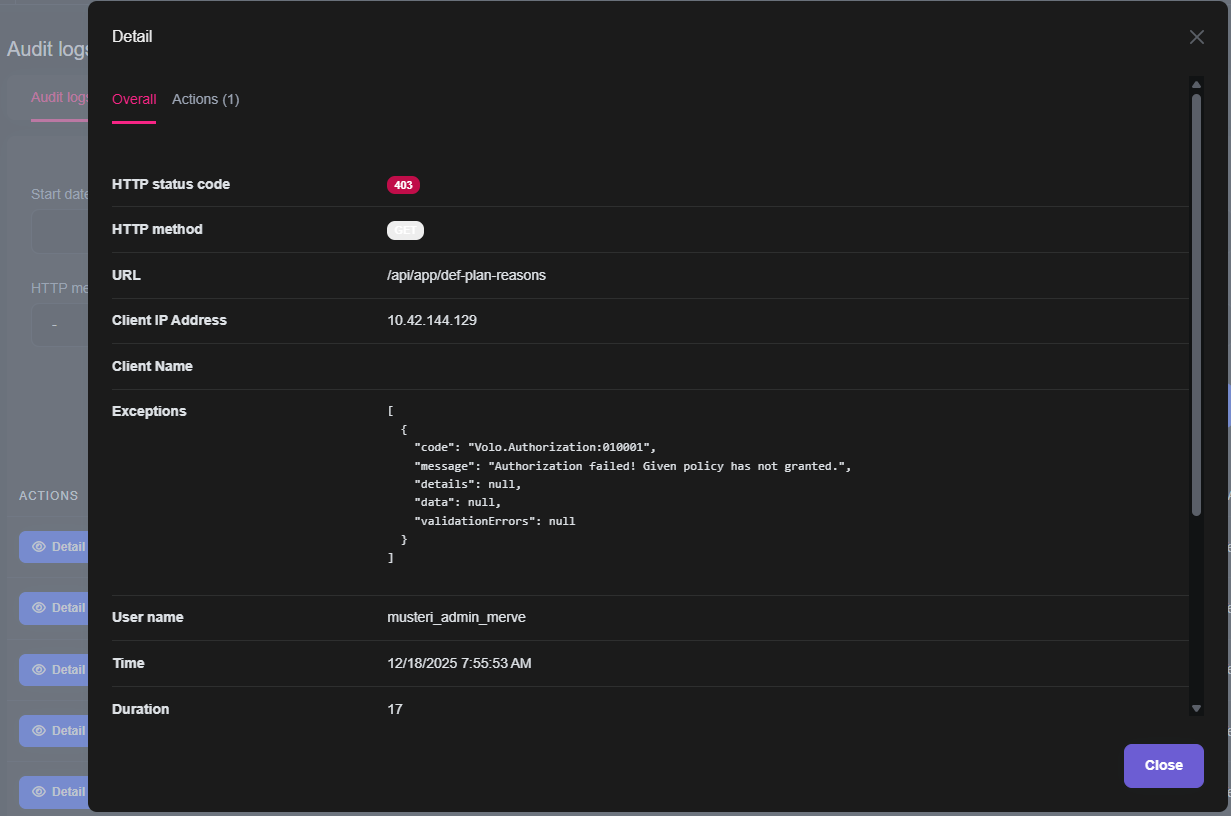
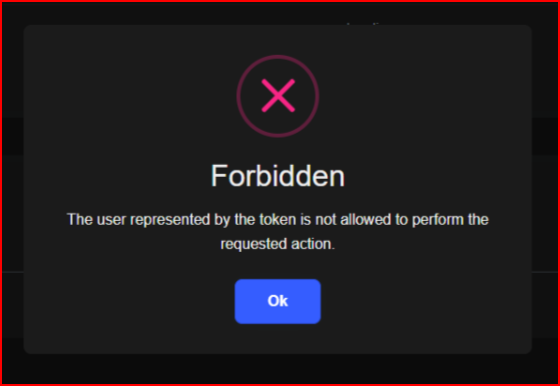 Markdown supported.Copy, paste, or drag & drop images and files (max 100 MB per file, 100 MB total per post)
 -
0
Hello
I emailed you the log.txt file.
Markdown supported.Copy, paste, or drag & drop images and files (max 100 MB per file, 100 MB total per post) -
0
hi
I have reproduced the 403 error, but the response doesn't contain the error message (
The user represented by the token is not allowed to perform the requested action.")Can you share a test project? liming.ma@volosoft.com
Thanks.
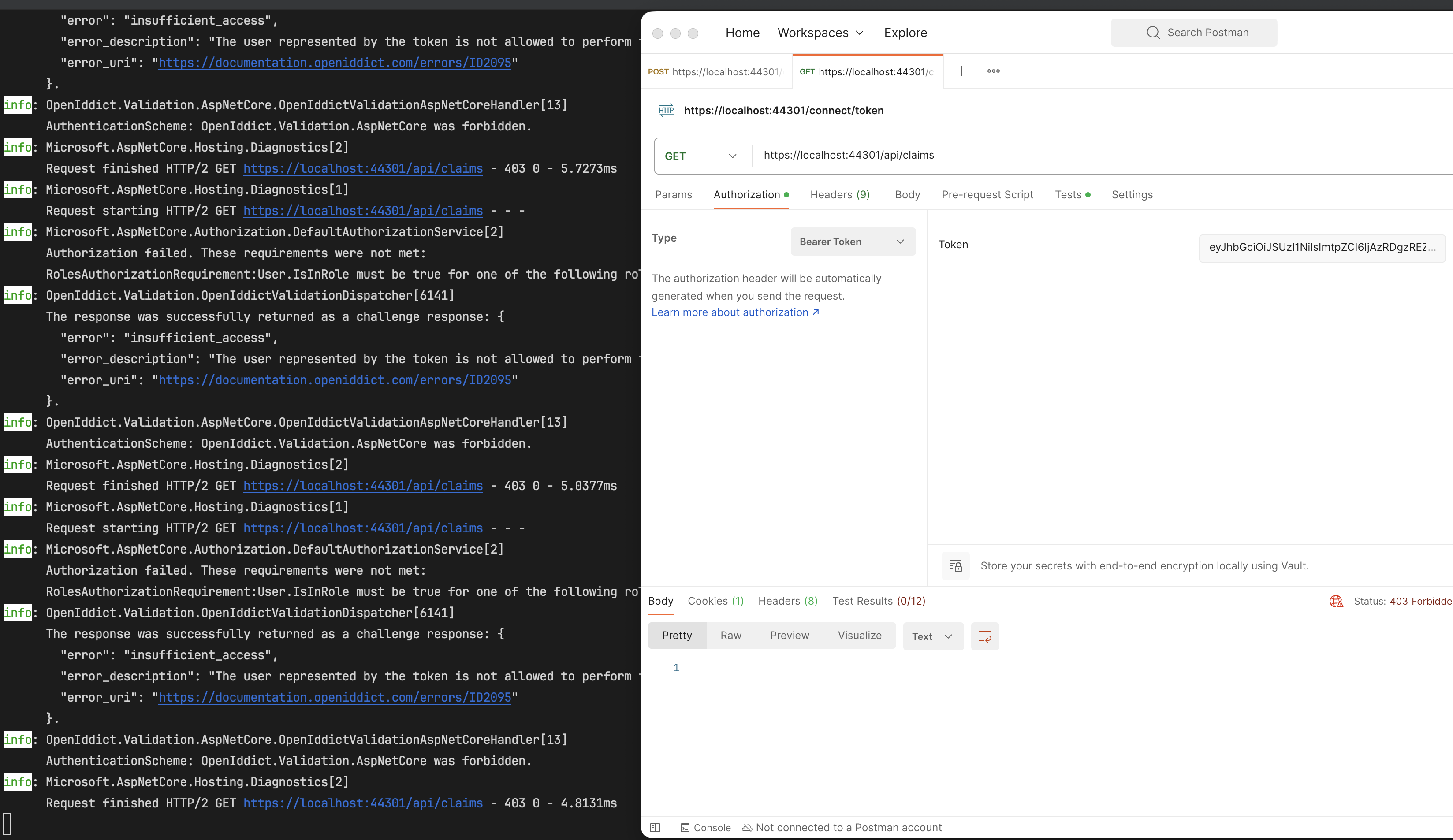 Markdown supported.Copy, paste, or drag & drop images and files (max 100 MB per file, 100 MB total per post)
 -
0
Hi,
Actually, you can reproduce this error yourself. Open a page within an ABP application using two different browsers. Log in as admin on one browser and as user on the other. Open the page related to the user and leave it open. From the other browser, remove the permission for the relevant page from the user's role using the admin. Make a list request on the user's open page so you can see the error. How can we localize this error?
Markdown supported.Copy, paste, or drag & drop images and files (max 100 MB per file, 100 MB total per post) -
0
hi
Can you share the project info?
App or Tiered and UI type? I will try to reproduce it.
I will provide a solution to localize the error message once it is reproduced.
Thanks.
Markdown supported.Copy, paste, or drag & drop images and files (max 100 MB per file, 100 MB total per post) -
0
hi
Tiered - MVC project
Markdown supported.Copy, paste, or drag & drop images and files (max 100 MB per file, 100 MB total per post) -
0
hi
Your logs come from the AuthServer project. Do you also have an API website that uses JWT Bearer authentication?
Can you share the API and web projects logs?
Thanks.
Markdown supported.Copy, paste, or drag & drop images and files (max 100 MB per file, 100 MB total per post) -
0
hi
You can try adding this class to your Web project. Then you can custom the messages.
namespace MyCompanyName.MyProjectName.Web;

[Dependency(ReplaceServices = true)]
[ExposeServices(typeof(DefaultExceptionToErrorInfoConverter), typeof(IExceptionToErrorInfoConverter))]
public class MyDefaultExceptionToErrorInfoConverter : DefaultExceptionToErrorInfoConverter
{
    public MyDefaultExceptionToErrorInfoConverter(
        IOptions<AbpExceptionLocalizationOptions> localizationOptions,
        IStringLocalizerFactory stringLocalizerFactory,
        IStringLocalizer<AbpExceptionHandlingResource> stringLocalizer,
        IServiceProvider serviceProvider)
        : base(localizationOptions, stringLocalizerFactory, stringLocalizer, serviceProvider)
    {
    }

    protected override RemoteServiceErrorInfo CreateErrorInfoWithoutCode(Exception exception, AbpExceptionHandlingOptions options)
    {
        var errorInfo = base.CreateErrorInfoWithoutCode(exception, options);

        if (errorInfo.Code == "Forbidden" &&
            errorInfo.Message == "Forbidden" &&
            errorInfo.Details == "The user represented by the token is not allowed to perform the requested action.")
        {
            errorInfo.Code = "Your New Code Here";
            errorInfo.Message = "Your New Message Here";
            errorInfo.Details = "Your New Details Here";
        }

        return errorInfo;
    }
}
Markdown supported.Copy, paste, or drag & drop images and files (max 100 MB per file, 100 MB total per post)



