






- Template: microservice
- Created ABP Studio Version: 1.3.3
- Current ABP Studio Version: 2.1.3
- Multi-Tenancy: Yes
- UI Framework: blazor-server
- Theme: leptonx
- Theme Style: system
- Theme Menu Placement: side
- Run Install Libs: Yes
- Database Provider: ef
- Database Management System: sqlserver
- Mobile Framework: none
- Public Website: No
- Social Login: Yes
- Include Tests: Yes
- Dynamic Localization: Yes
- Kubernetes Configuration: Yes
- Grafana Dashboard: Yes
- Use Local References: No
- Aspire: No
- Optional Modules:
- GDPR
- FileManagement
- TextTemplateManagement
- AuditLogging
- Chat
- OpenIddictAdmin
- Selected Languages: Vietnamese, English
- Default Language: Vietnamese
- Create Command: abp new demoKCB -t microservice --ui-framework blazor-server --database-provider ef --database-management-system sqlserver --theme leptonx --skip-migrator --without-cms-kit --dont-run-bundling -no-language-management -chat -file-management
I am deploying an ABP microservice–based project using Docker Compose, and the application encounters an error when running the AuthServer. The application returns an HTTP 500 (Internal Server Error) from the server side. After checking the logs, I found the following error:
- Exception message and full stack trace:
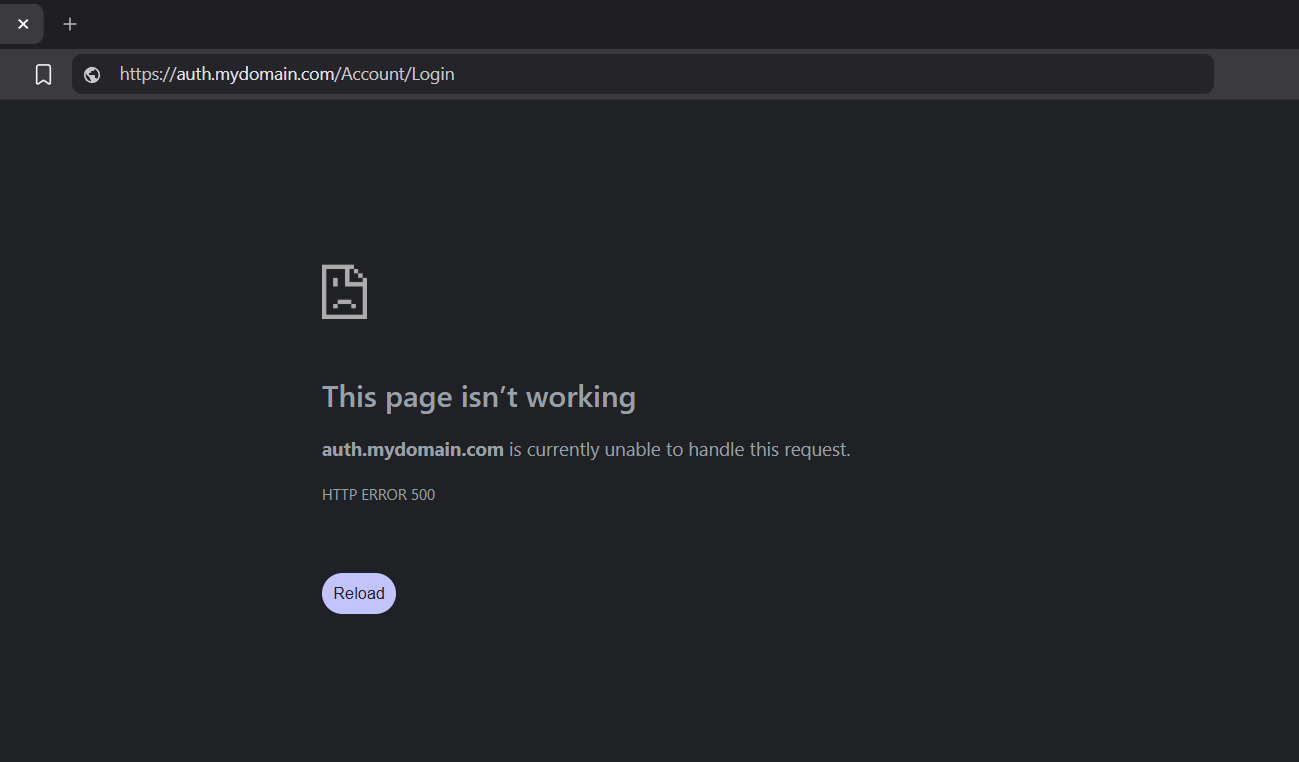
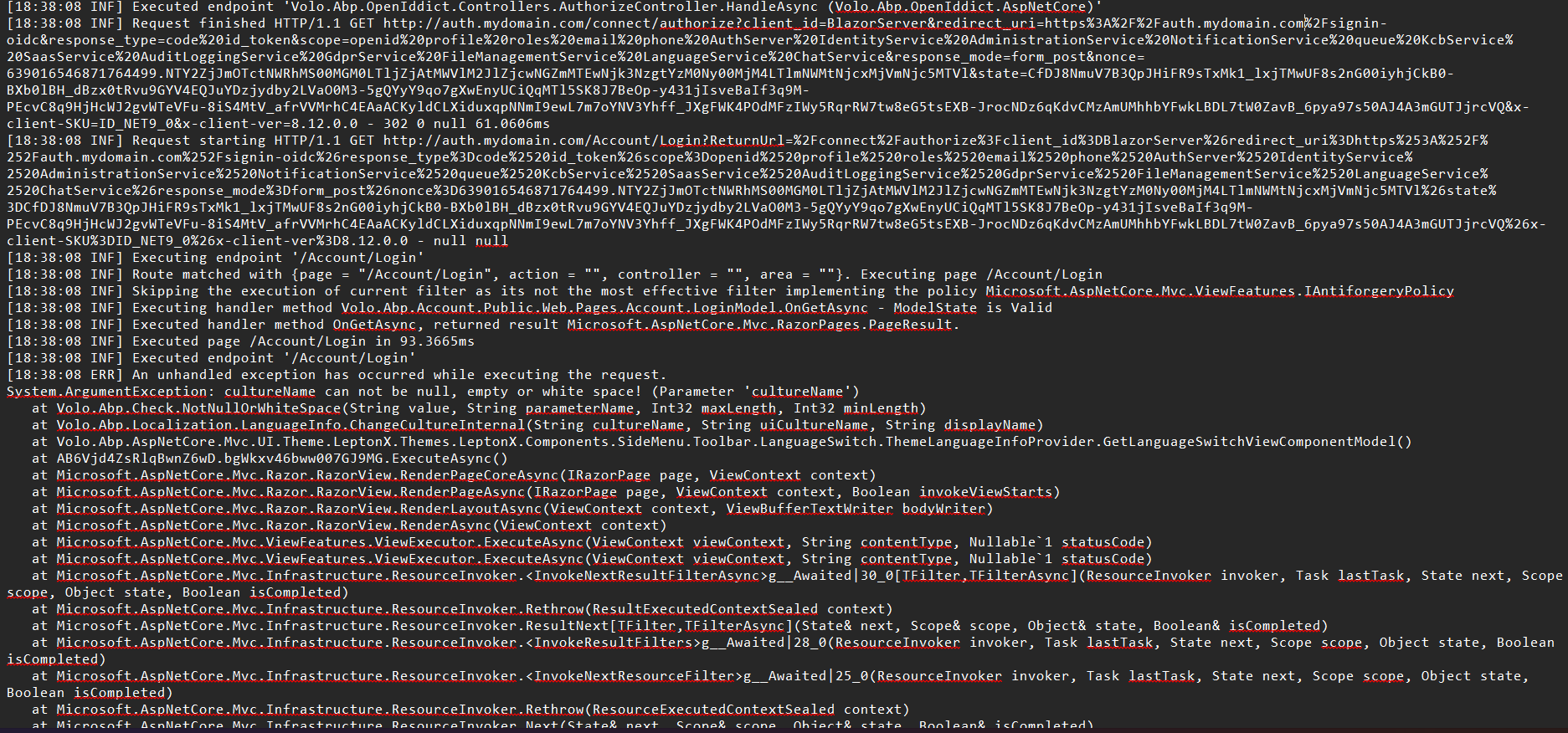
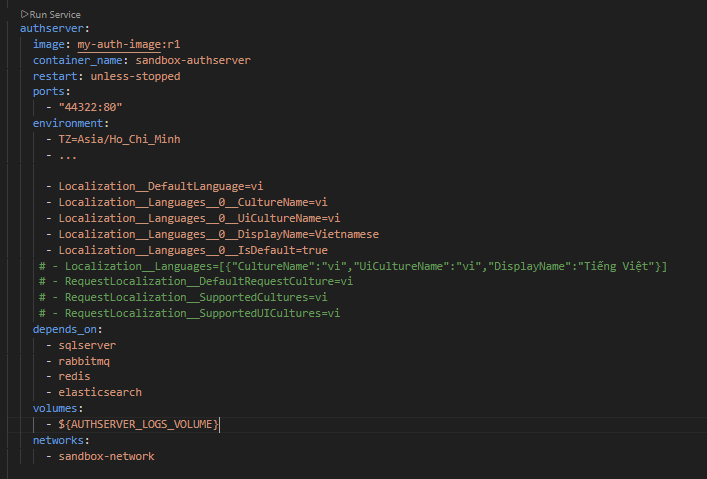
I have checked the language-related tables in the database, with the following results.
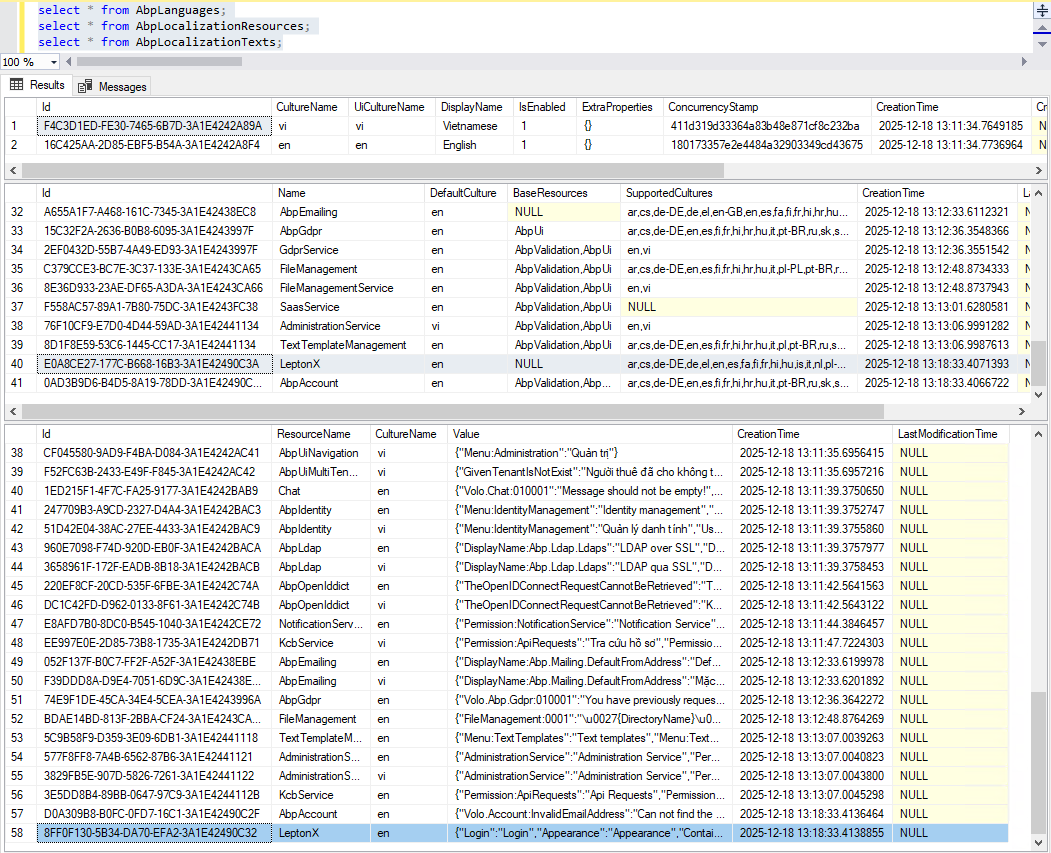 I would appreciate any assistance to help resolve this issue so the project can continue as soon as possible
2 Answer(s)
-
0
- Solution Based on your stack trace, the failure happens while rendering the LeptonX theme’s language switch on the AuthServer login page: Volo.Abp.Localization.LanguageInfo.ChangeCultureInternal(String cultureName, String uiCultureName, String displayName) LeptonX.Components.SideMenu.Toolbar.LanguageSwitch.ThemeLanguageInfoProvider.GetLanguageSwitchViewComponentModel()
This means the configured languages contain an invalid LanguageInfo (missing CultureName/UiCultureName/DisplayName) at runtime. In containers, this typically happens because environment variables are not bound correctly to options (wrong keys, wrong indices, or YAML parsing removing quotes).
Do the following:
Ensure RequestLocalization is consistent
- Add both cultures your app uses:
- vi (default)
- en
- Example (appsettings of AuthServer): { "Localization": { "DefaultLanguage": "vi", "Languages": [ { "CultureName": "vi", "UiCultureName": "vi", "DisplayName": "Vietnamese", "IsDefault": true }, { "CultureName": "en", "UiCultureName": "en", "DisplayName": "English" } ] } } { "RequestLocalization": { "DefaultRequestCulture": "vi", "SupportedCultures": [ "vi", "en" ], "SupportedUICultures": [ "vi", "en" ] } }
- Add both cultures your app uses:
Map environment variables correctly in docker-compose
- For hierarchical keys, use double underscores __ and integer indices, and keep values quoted in YAML.
- Example for your authserver service (environment section):
- Localization__DefaultLanguage="vi"
- Localization__Languages__0__CultureName="vi"
- Localization__Languages__0__UiCultureName="vi"
- Localization__Languages__0__DisplayName="Vietnamese"
- Localization__Languages__0__IsDefault="true"
- Localization__Languages__1__CultureName="en"
- Localization__Languages__1__UiCultureName="en"
- Localization__Languages__1__DisplayName="English"
- RequestLocalization__DefaultRequestCulture="vi"
- RequestLocalization__SupportedCultures="vi,en"
- RequestLocalization__SupportedUICultures="vi,en"
- Important:
- Keep the indices continuous (0, 1, 2, …).
- Quote all values so YAML doesn’t treat vi,en as a sequence or strip values.
- Do NOT try to pass a JSON array to a single env var (e.g., Localization__Languages=[{...}]); that won’t bind to the options object.
Remove or fix commented examples in docker-compose
- Commented lines do nothing; but ensure you’re not mixing the single-value shortcuts. Prefer the explicit per-language indexing shown above.
Verify runtime configuration
- Inside the running container, dump effective configuration at startup to confirm binding: public override void OnApplicationInitialization(...) { var opts = context.ServiceProvider.GetRequiredService<IOptions<AbpLocalizationOptions>>().Value; var req = context.ServiceProvider.GetRequiredService<IOptions<RequestLocalizationOptions>>().Value; // log opts.Languages and req.SupportedCultures for inspection }
- Alternatively, add a quick health endpoint that returns AbpLocalizationOptions.Languages to ensure CultureName/UiCultureName/DisplayName are non-empty.
Seed Language Management (if Dynamic Localization enabled)
- Since you enabled Dynamic Localization, ABP reads languages/resources from DB too. Ensure AbpLanguages table has at least vi and en with CultureName and UiCultureName set, and that nothing writes an empty language row.
- If any row has null/empty CultureName or UiCultureName, delete/fix it.
Clear caches and restart containers
- Stop containers, clear volumes if you changed env var names, and start again to ensure fresh options binding.
Why this fixes the error LanguageInfo.ChangeCultureInternal throws when any LanguageInfo has null/empty CultureName. In your log, the crash happens while building the language switch model. When configuration binding yields a LanguageInfo with missing CultureName (often due to malformed environment variable keys or YAML parsing), the theme tries to use it and the exception is thrown, returning HTTP 500 on /Account/Login.
- Sources
- ABP Module System:
- https://abp.io/docs/latest/framework/architecture/modularity/basics
- Application Localization API (shows required cultureName and how localization is driven by culture names):
- https://abp.io/docs/latest/framework/api-development/standard-apis/localization
This response was generated by AI. If it didn’t solve your problem, feel free to post a new answer — our support team will jump in to help you soon.
Markdown supported.Copy, paste, or drag & drop images and files (max 100 MB per file, 100 MB total per post) -
0
hi
What is the purpose of this code?
Have you changed the
RequestLocalizationOptions's DefaultRequestCulture?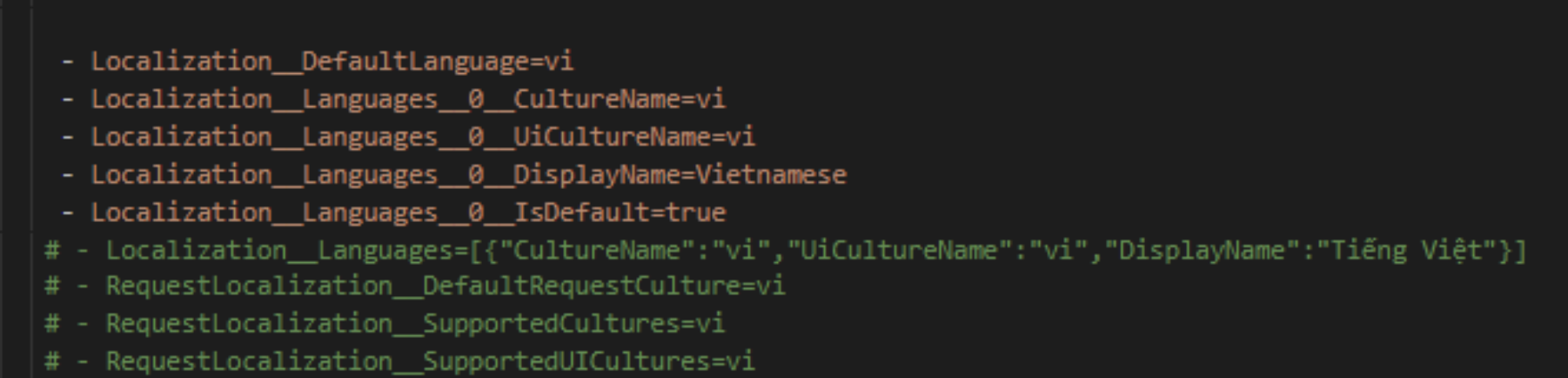
This error occurs because the
DefaultRequestCulture.Culture.Nameisnull.Can you share more info?
Thanks
Markdown supported.Copy, paste, or drag & drop images and files (max 100 MB per file, 100 MB total per post)



