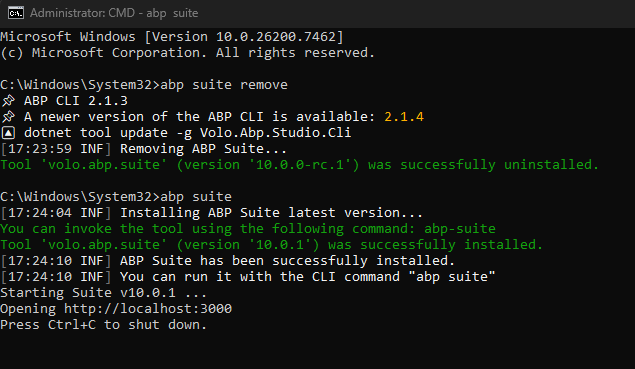
Hello,
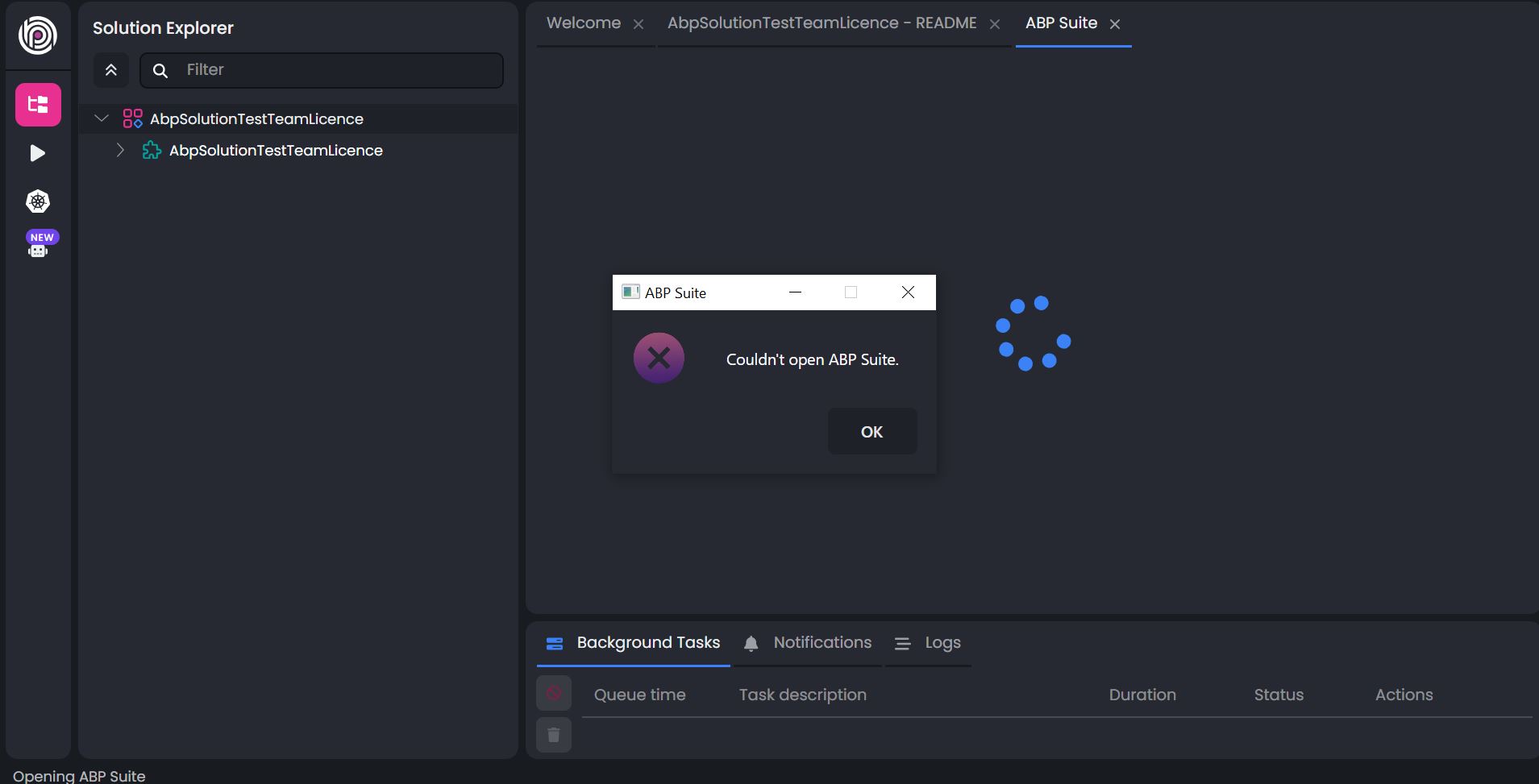
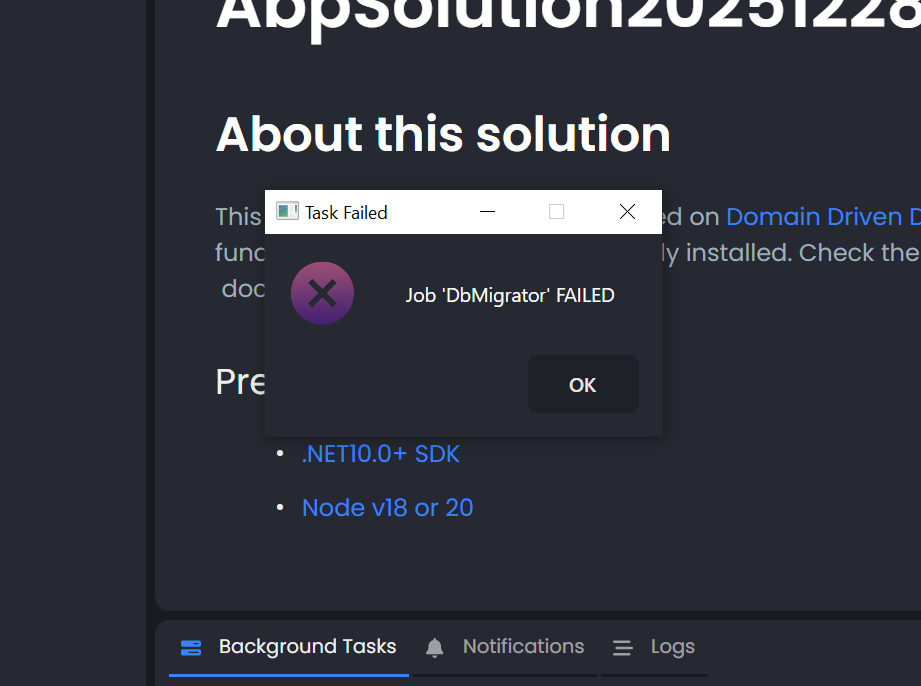
I received an update for Abp.io, but after that update, many of its functions stopped working. When I create a new project, I get a 'Dbmigrator' error. Abp Studio won't open. Can you help me with this? Thank you.
5 Answer(s)
-
0
- Solution
From your screenshots and description, there are two separate but related problems after the ABP Studio update:
- ABP Studio cannot open ABP Suite.
- The background task
DbMigratorfails when creating a new solution.
A very similar case was reported and solved; the root cause was a broken/global NuGet configuration on the machine, not ABP Studio itself.
ABP Studio (and its internal tools like
Volo.Abp.Studio.Cli, DbMigrator, ABP Suite) are installed and restored via dotnet / NuGet. If your globalNuGet.configpoints to an unreachable or invalid feed, these tools can’t be installed/restored, and you see generic “Couldn’t open ABP Suite” / “Job 'DbMigrator' FAILED” messages.Follow these steps:
1. Check and fix your global NuGet configuration
Locate your global
NuGet.configas explained in the official NuGet docs (usually under:- Windows:
%AppData%\NuGet\NuGet.config - macOS/Linux:
~/.config/NuGet/NuGet.configor~/.nuget/NuGet/NuGet.Config)
- Windows:
Open the file and look for
<packageSources>section.
If you see company‑internal or unreachable feeds (for example a URL that’s only valid on VPN or no longer exists), either:- Remove that
<add key="..." value="https://your-company-feed/..."/>line, or - Set
protocolVersion="3"and ensure the URL is correct and reachable, or - Temporarily disable it by setting
enabled="false"(on recent NuGet versions).
- Remove that
Ensure that at least
https://api.nuget.org/v3/index.jsonexists and is enabled as a source.Save the file.
This is exactly what solved the referenced case: removing a stale company NuGet source from
NuGet.configallowed ABP Studio to install its CLI/tools again.
2. Verify
Volo.Abp.Studio.Clican be installedOpen a terminal/command prompt and run:
dotnet tool install -g Volo.Abp.Studio.Clior, if it’s already installed:
dotnet tool update -g Volo.Abp.Studio.CliThese commands must complete successfully and download from
nuget.org.
If they still fail, the error message will usually point again to a NuGet feed issue; correct it as in step 1.
3. Restart ABP Studio and re-create a solution
- Close all running instances of ABP Studio.
- Start ABP Studio again.
- Create a new solution from the wizard.
- Watch the Background Tasks panel:
Checking pre-requirementsInstalling/using ABP Studio CLIJob 'DbMigrator'Opening ABP Suite
If your NuGet configuration is healthy, DbMigrator should complete and ABP Suite should open in a tab without the “Couldn’t open ABP Suite” dialog.
4. If problems persist – check the logs
If after fixing NuGet you still get failures:
Open the folder:
- Windows:
C:\Users\<YourUser>\.abp\studio\ui\logs - macOS/Linux:
/home/<user>/.abp/studio/ui/logs(or similar~/.abp/studio/ui/logs)
- Windows:
Open the latest log file and search for:
DbMigratorABP Suite.NET tool Volo.Abp.Studio.Cli installation failed
If you see errors referring to a specific NuGet source or network issue, you still have a NuGet configuration problem; correct the URLs or remove those sources and retry.
If the log shows a different error unrelated to NuGet (e.g., missing SDK, permission issue), address that message accordingly (install the referenced .NET SDK, fix permissions, etc.).
- Sources
- Similar resolved support case (NuGet feed in
NuGet.configbreaking ABP Studio CLI / DbMigrator):
https://abp.io/support/questions/8950
This response was generated by AI. If it didn’t solve your problem, feel free to post a new answer — our support team will jump in to help you soon.
-
0
- I change NuGet.config
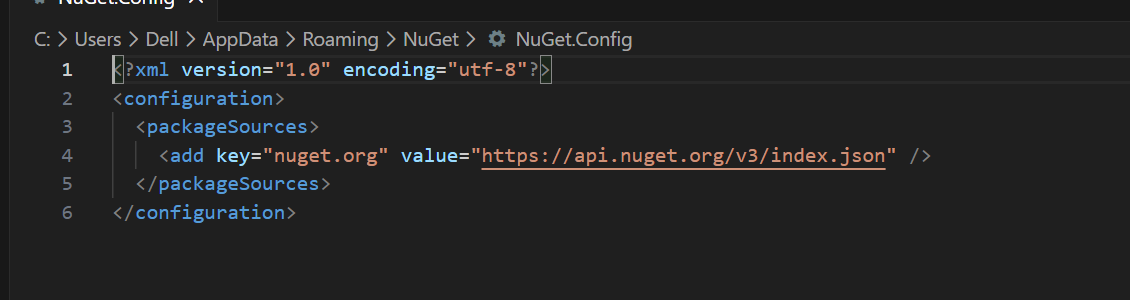
I ran the command dotnet tool update -g Volo.Abp.Studio.Cli, but nothing changed.
Then I removed ABP Studio from Windows Settings and reinstalled it, but the issue still remains.
- these are some logs
Working directory: C:\Users\Dell\AppData\Local\abp-studio\current {"ExitCode":0,"IsSuccess":true,"StartTime":"2025-12-30T14:47:26.2823645+03:00","ExitTime":"2025-12-30T14:47:27.6298504+03:00","RunTime":"00:00:01.3474859","$type":"CommandResult"} 2025-12-30 14:47:29.313 +03:00 [INF] Completed task execution: Checking pre-requirements 2025-12-30 14:47:29.313 +03:00 [INF] Starting task execution: Loading extensions 2025-12-30 14:47:29.333 +03:00 [INF] Completed task execution: Loading extensions 2025-12-30 14:47:29.333 +03:00 [INF] Starting task execution: Running task: Initialize Solution 2025-12-30 14:47:29.342 +03:00 [INF] Starting to execute task: Initialize Solution (Installs required UI libraries, creates required certificates and seeds the database.) 2025-12-30 14:47:31.804 +03:00 [INF] CLI command executed. Command: dotnet dev-certs https --check Working directory: C:\Users\Dell\AppData\Local\abp-studio\current {"ExitCode":0,"IsSuccess":true,"StartTime":"2025-12-30T14:47:30.9252513+03:00","ExitTime":"2025-12-30T14:47:31.7932269+03:00","RunTime":"00:00:00.8679756","$type":"CommandResult"} 2025-12-30 14:47:46.792 +03:00 [ERR] Initial task 'Initialize Solution' failed with exit code 1. Error: Job 'DbMigrator' FAILED
2025-12-30 14:47:46.795 +03:00 [INF] Failed task execution: Running task: Initialize Solution 2025-12-30 14:47:46.795 +03:00 [INF] ERROR: An error has occured! 2025-12-30 14:47:46.795 +03:00 [INF] ERROR DETAILS: Task failed! Error: Job 'DbMigrator' FAILED 2025-12-30 14:47:46.795 +03:00 [INF] Exception of type 'Volo.Abp.Studio.AbpStudioException' was thrown. Volo.Abp.Studio.AbpStudioException: Exception of type 'Volo.Abp.Studio.AbpStudioException' was thrown. at Volo.Abp.Studio.Running.InitialTaskRunner.<>c__DisplayClass11_0.PfUUTZxLLpc3OY5c3jh.MoveNext() --- End of stack trace from previous location --- at Volo.Abp.Studio.UI.Services.UiAsyncTaskService.<>c__DisplayClass3_0.CksirVFJqNx53B4BwRH.MoveNext() --- End of stack trace from previous location --- at Volo.Abp.Studio.UI.BackgroundTasks.BackgroundTaskManager.UZyFQsluON(BackgroundTaskUIModel , CancellationToken ) 2025-12-30 14:47:46.796 +03:00 [INF] Code:AbpStudio:InitialTaskFailed 2025-12-30 14:47:46.796 +03:00 [INF] ---------- Exception Data ---------- Error = Job 'DbMigrator' FAILED
2025-12-30 14:49:03.903 +03:00 [ERR] An error occurred while getting ABP version from C:\Users\Dell\Documents\Projects\AbpSolution20251230_1\src\AbpSolution20251230_1.Application\AbpSolution20251230_1.Application.csproj System.Exception: Failed to restore project: Geri yüklenecek projeler belirleniyor... 'Volo.Abp.Gdpr.Application.Contracts.10.0.1' paketi 'https://nuget.abp.io/9957efc1-cc85-4e01-8e37-90e8bd11acdf/v3/package/volo.abp.gdpr.application.contracts/10.0.1/volo.abp.gdpr.application.contracts.10.0.1.nupkg' kaynağından indirilemedi. Response status code does not indicate success: 403 (Forbidden). 'Volo.Abp.OpenIddict.Pro.Domain.10.0.1' paketi 'https://nuget.abp.io/9957efc1-cc85-4e01-8e37-90e8bd11acdf/v3/package/volo.abp.openiddict.pro.domain/10.0.1/volo.abp.openiddict.pro.domain.10.0.1.nupkg' kaynağından indirilemedi. Response status code does not indicate success: 403 (Forbidden). 'Volo.Saas.Domain.Shared.10.0.1' paketi 'https://nuget.abp.io/9957efc1-cc85-4e01-8e37-90e8bd11acdf/v3/package/volo.saas.domain.shared/10.0.1/volo.saas.domain.shared.10.0.1.nupkg' kaynağından indirilemedi. Response status code does not indicate success: 403 (Forbidden). 'Volo.Abp.Identity.Pro.Domain.10.0.1' paketi 'https://nuget.abp.io/9957efc1-cc85-4e01-8e37-90e8bd11acdf/v3/package/volo.abp.identity.pro.domain/10.0.1/volo.abp.identity.pro.domain.10.0.1.nupkg' kaynağından indirilemedi. Response status code does not indicate success: 403 (Forbidden). 'Volo.Abp.OpenIddict.Pro.Domain.Shared.10.0.1' paketi 'https://nuget.abp.io/9957efc1-cc85-4e01-8e37-90e8bd11acdf/v3/package/volo.abp.openiddict.pro.domain.shared/10.0.1/volo.abp.openiddict.pro.domain.shared.10.0.1.nupkg' kaynağından indirilemedi. Response status code does not indicate success: 403 (Forbidden). 'Volo.Saas.Domain.10.0.1' paketi 'https://nuget.abp.io/9957efc1-cc85-4e01-8e37-90e8bd11acdf/v3/package/volo.saas.domain/10.0.1/volo.saas.domain.10.0.1.nupkg' kaynağından indirilemedi. Response status code does not indicate success: 403 (Forbidden). 'Volo.Abp.TextTemplateManagement.Domain.Shared.10.0.1' paketi 'https://nuget.abp.io/9957efc1-cc85-4e01-8e37-90e8bd11acdf/v3/package/volo.abp.texttemplatemanagement.domain.shared/10.0.1/volo.abp.texttemplatemanagement.domain.shared.10.0.1.nupkg' kaynağından indirilemedi. Response status code does not indicate success: 403 (Forbidden). 'Volo.Abp.Identity.Pro.Domain.Shared.10.0.1' paketi 'https://nuget.abp.io/9957efc1-cc85-4e01-8e37-90e8bd11acdf/v3/package/volo.abp.identity.pro.domain.shared/10.0.1/volo.abp.identity.pro.domain.shared.10.0.1.nupkg' kaynağından indirilemedi. Response status code does not indicate success: 403 (Forbidden). 'Volo.Abp.AuditLogging.Application.Contracts.10.0.1' paketi 'https://nuget.abp.io/9957efc1-cc85-4e01-8e37-90e8bd11acdf/v3/package/volo.abp.auditlogging.application.contracts/10.0.1/volo.abp.auditlogging.application.contracts.10.0.1.nupkg' kaynağından indirilemedi. Response status code does not indicate success: 403 (Forbidden). 'Volo.Abp.Account.Pro.Admin.Application.Contracts.10.0.1' paketi 'https://nuget.abp.io/9957efc1-cc85-4e01-8e37-90e8bd11acdf/v3/package/volo.abp.account.pro.admin.application.contracts/10.0.1/volo.abp.account.pro.admin.application.contracts.10.0.1.nupkg' kaynağından indirilemedi. Response status code does not indicate success: 403 (Forbidden). 'Volo.Abp.LanguageManagement.Domain.10.0.1' paketi 'https://nuget.abp.io/9957efc1-cc85-4e01-8e37-90e8bd11acdf/v3/package/volo.abp.languagemanagement.domain/10.0.1/volo.abp.languagemanagement.domain.10.0.1.nupkg' kaynağından indirilemedi. Response status code does not indicate success: 403 (Forbidden).
- I change NuGet.config
-
0
When I create a new project, I get a 'Dbmigrator' error.
What happens when you run
*.DbMigratorproject manually? (if it is a non-layered template, you have to run the main project with--migrate-databasearg.)Abp Suite won't open.
Could you manually run it on console? Using the following command:
abp suite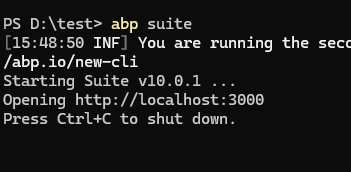
-
0
screen shot

-
0
I just tested now. There's no downloading problem happened on my side. A VPN connection or an anti-virus app can cause this. You can also log out from CLI and login again.