






- Template: microservice
- Created ABP Studio Version: 1.3.3
- Current ABP Studio Version: 1.4.2
- Multi-Tenancy: Yes
- UI Framework: angular
- Theme: leptonx
- Theme Style: system
- Theme Menu Placement: side
- Run Install Libs: Yes
- Database Provider: ef
- Database Management System: postgresql
- Mobile Framework: react-native
- Public Website: Yes
- Social Login: Yes
- Include Tests: Yes
- Dynamic Localization: Yes
- Kubernetes Configuration: Yes
- Grafana Dashboard: Yes
- Use Local References: No
- Aspire: Yes
- Optional Modules:
- GDPR
- FileManagement
- TextTemplateManagement
- AuditLogging
- OpenIddictAdmin
- Selected Languages: English, Turkish
- Default Language: English
- Create Command: abp new CarbonAI -t microservice --ui-framework angular --mobile react-native --database-provider ef --database-management-system postgresql --theme leptonx --skip-migrator --public-website --without-cms-kit --aspire --dont-run-bundling -no-language-management -file-management
Pakages: 9.3.5
Hello In our project, we want to make adjustments to our public site using the CmsKit module. We want to create new menus, adjust menu content, visual positioning, and card designs for the pricing page. As a result, it was said that the CmsKit module could provide this, but when we reviewed the documentation and wanted to add it to our project, we encountered problems. When we added the CmsKit.Pro module, we were told that the CmsKit module could also be used, but when we added the CmsKit.Pro module, we encountered issues with missing menus and navigation, and we couldn't see the tables and menus within CmsKit. Additionally, when we imported CmsKit.Pro from the Nuget menu via Abp Studio, we noticed that the required packages were missing or not present at all. When we tried without adding a different package, it didn't work either. I'm sharing an example below.
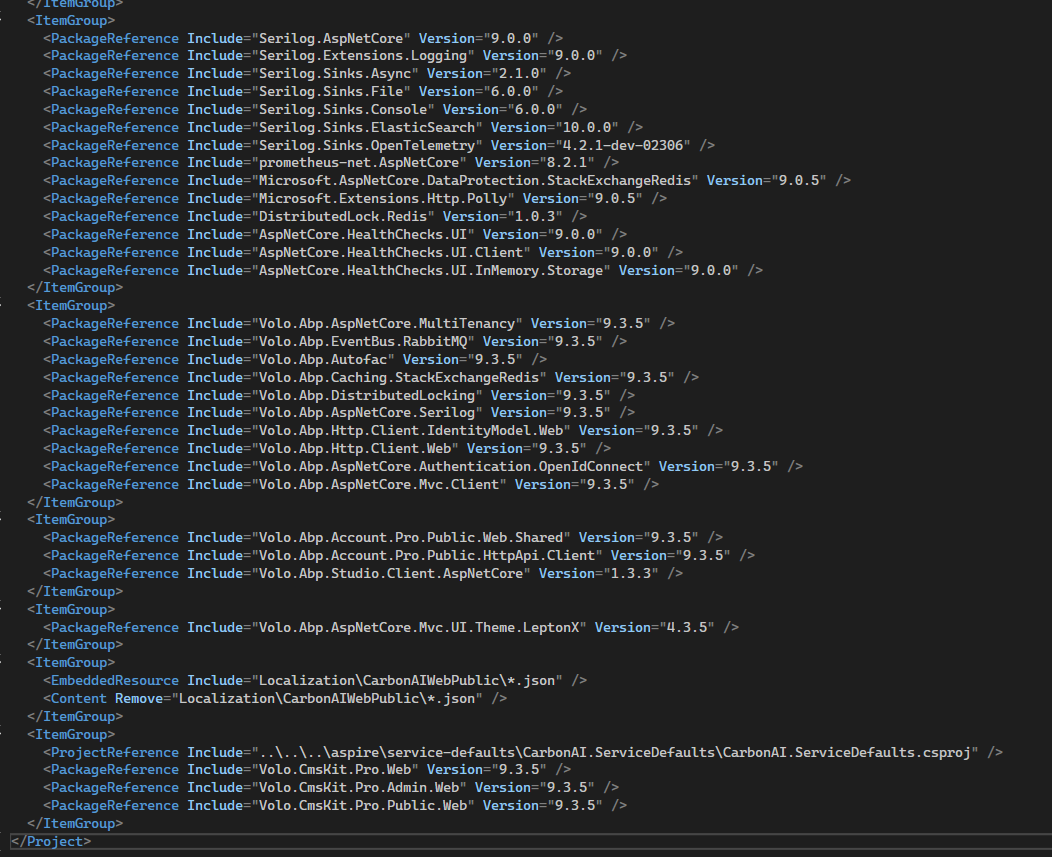
When we add Volo.CmsKit.Pro to the Web.Public service (via AbpStudio Nuget)
Volo.CmsKit.Pro.Admin.Web Volo.CmsKit.Pro.Public.Web Volo.CmsKit.Pro.Web
The packages were included by default, but they were not added to the project.
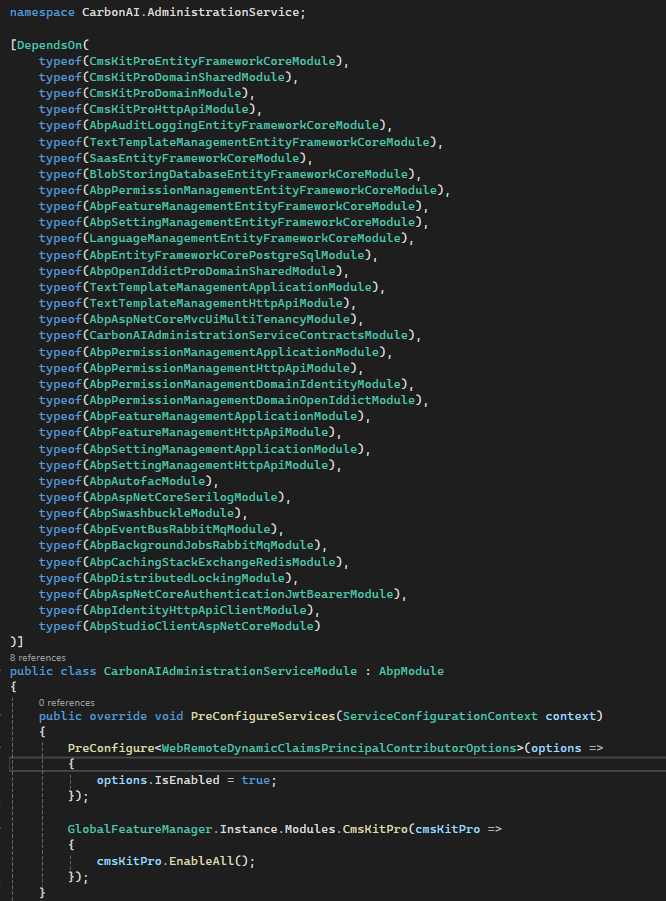
In AdministrationService, however,
Volo.CmsKit.Pro.Admin.Application.Contracts Volo.CmsKit.Pro.Public.Application.Contracts
They were selected by default, but they weren't loaded in the same way.
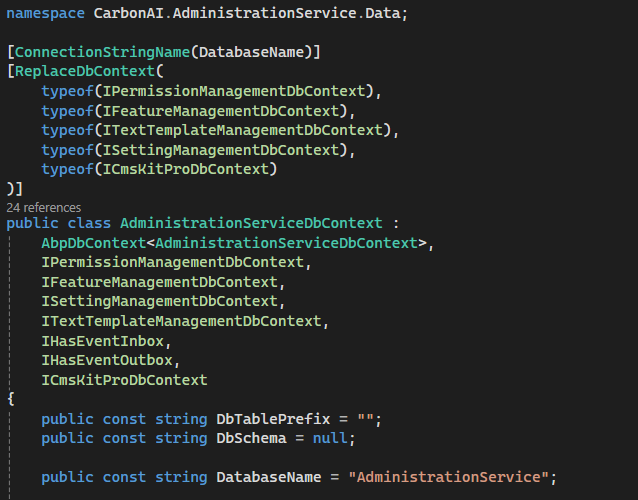
What we added manually to AdministrationService
Volo.CmsKit.Pro.Domain Volo.CmsKit.Pro.Domain.Shared Volo.CmsKit.Pro.EntityFrameworkCore Volo.CmsKit.Pro.HttpApi
We added the packages.
After setting up this structure, when we performed the migration, we saw that we could only access CmsKit.Pro's tables, but we noticed that the tables related to CmsKit were not included. There were explanations stating that CmsKit could be used within the scope of CmsKit.Pro's usage.
AdministrationService

Web.Public
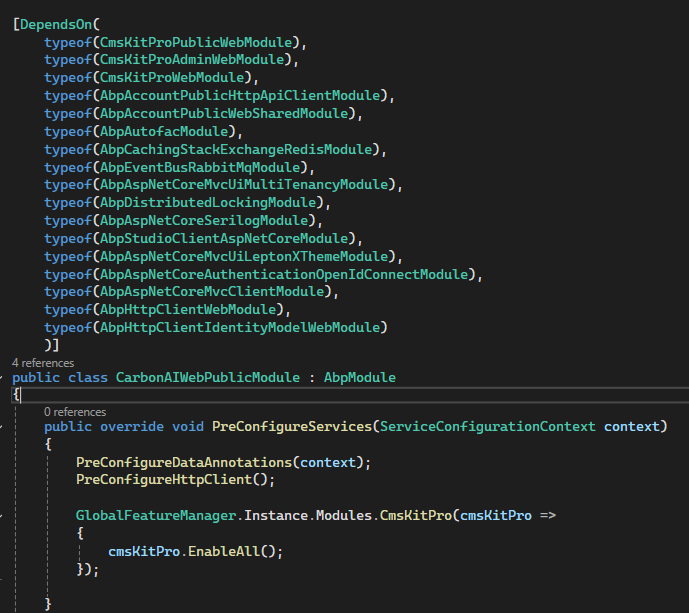
Here
GlobalFeatureManager.Instance.Modules.CmsKit(cmsKit =>
{
    cmsKit.EnableAll();
});
We get an error when we try to add it.
The menus that appear when we add CmsKit.Pro (Administration and CMS)
 )
)


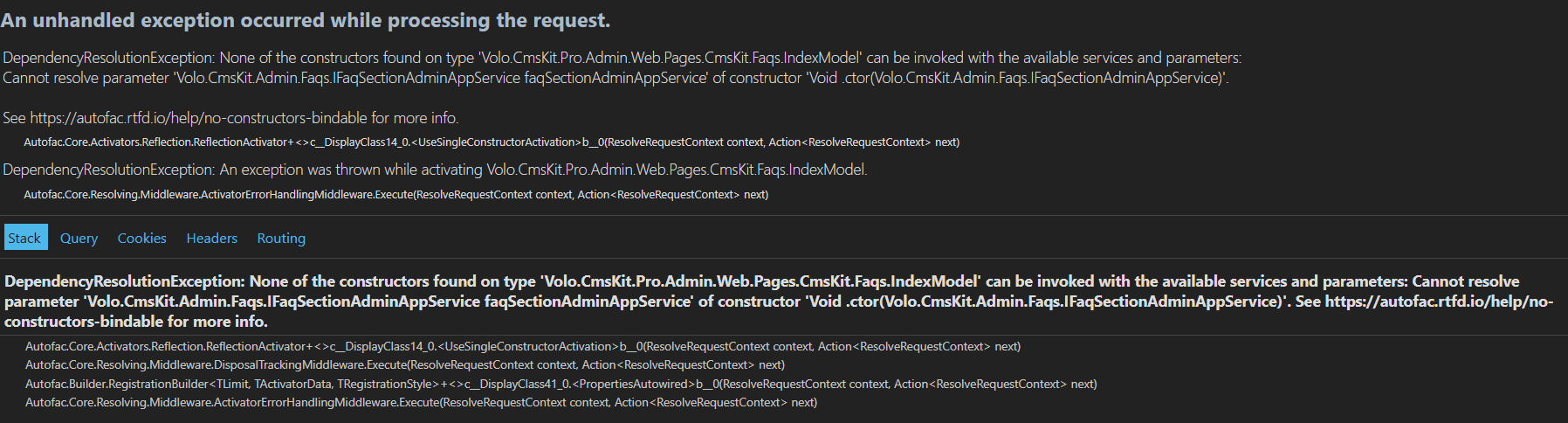
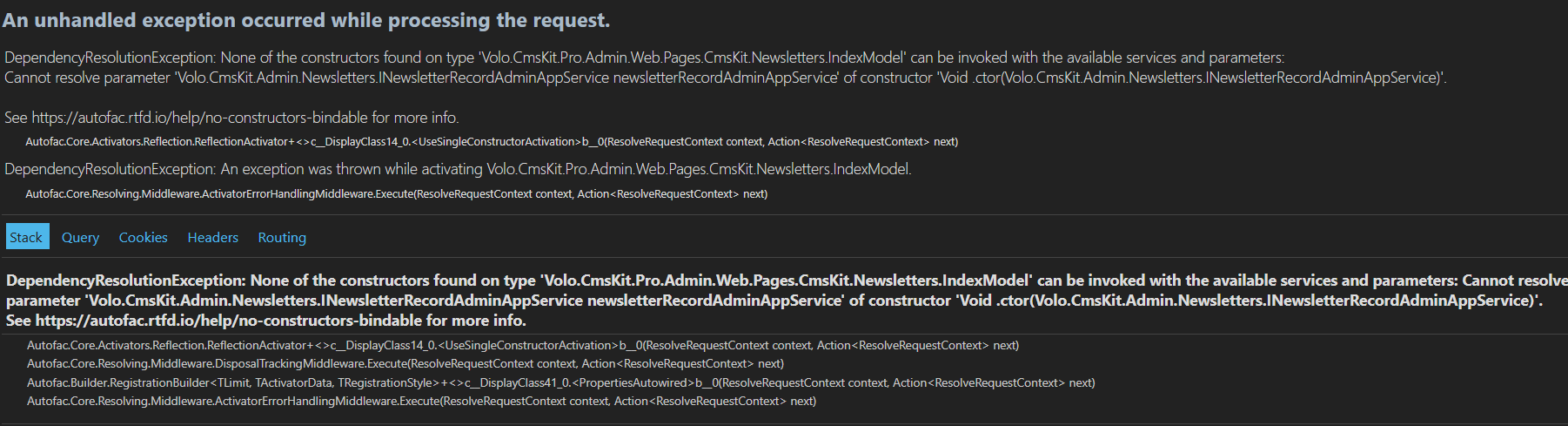
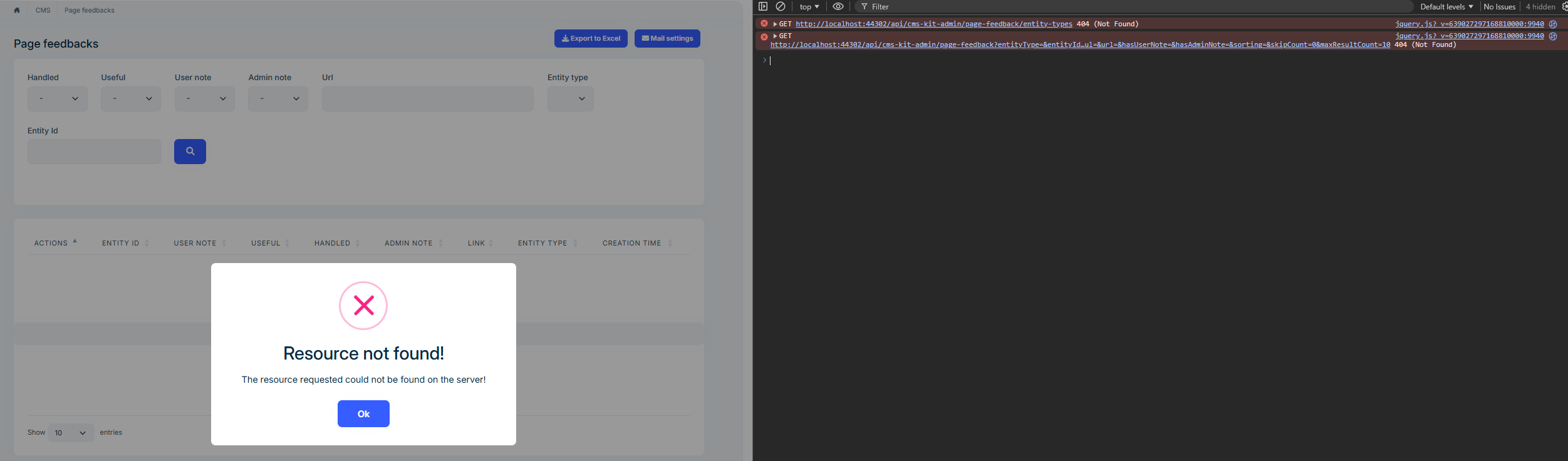
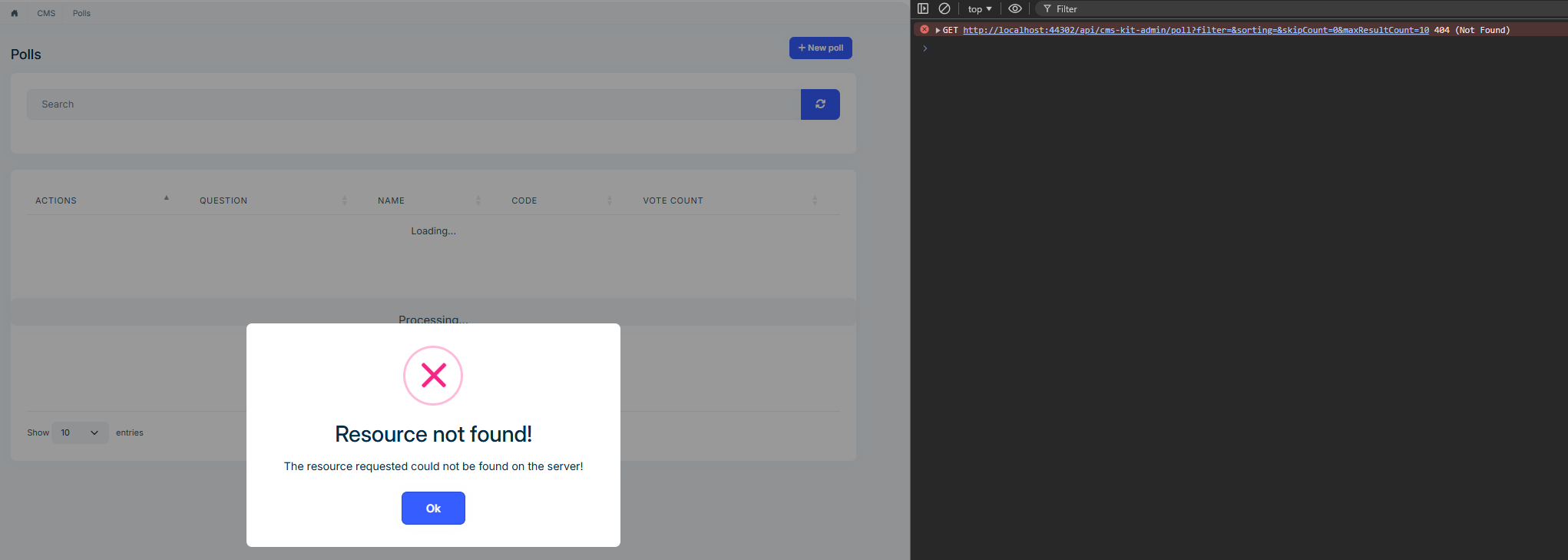
Errors we receive when trying to access menus and URL information
http://localhost:44302/Cms/Faqs
http://localhost:44302/CmsKit/Newsletters
http://localhost:44302/Cms/PageFeedbacks
http://localhost:44302/Cms/Polls
http://localhost:44302/Cms/UrlShorting
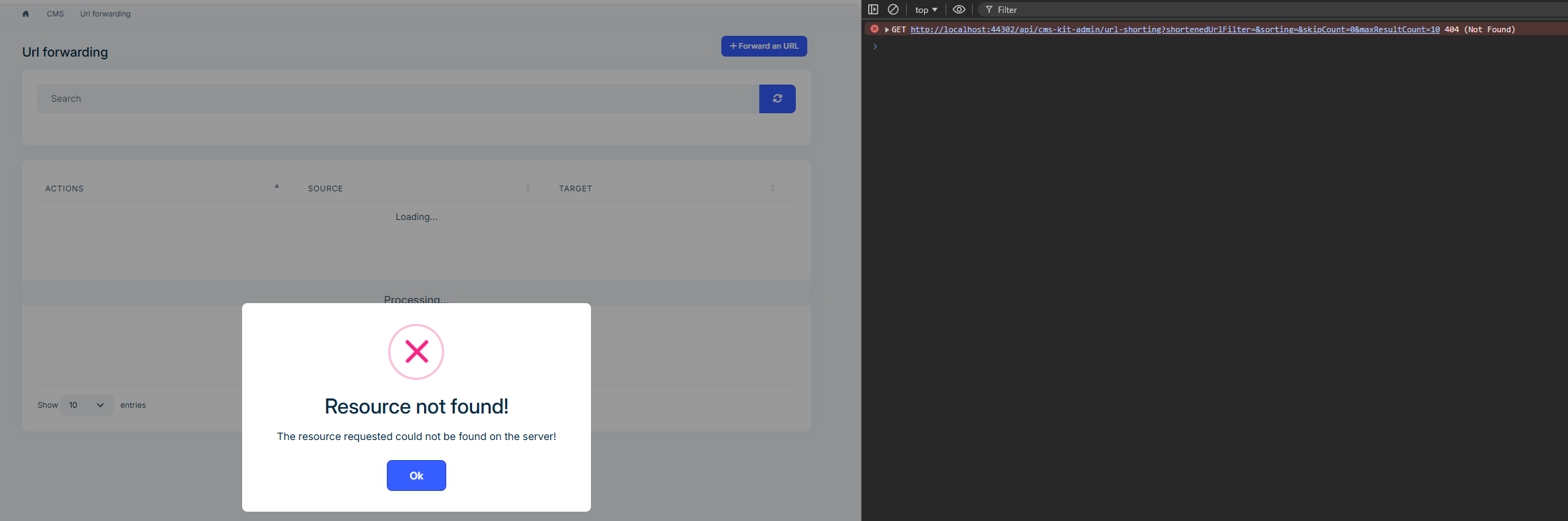
http://localhost:44302/SettingManagement

How can we resolve the issue we are experiencing here? Where should we add which package or module? In terms of routing, where should we configure it and how? Unfortunately, the current documentation is insufficient for us. Our priority right now is to resolve this issue.
Additionally, we are currently performing our operations through AdministrationService and Web.Public, but in the future, we will be running CmsKit.Pro control with a separate service, such as CmsKitService and Web.Public. In this case, when we add the CmsKit.Pro module to the new service we have opened, we would appreciate it if you could provide us with detailed configuration settings on which packages and modules need to be loaded to avoid any problems.
Thanks.
4 Answer(s)
-
0
We are waiting for your response so we can move forward with our project. Do you have an answer?
-
0
It seems you added following packages to your backend application:
Volo.CmsKit.Pro.Domain
Volo.CmsKit.Pro.Domain.Shared
Volo.CmsKit.Pro.EntityFrameworkCore
Volo.CmsKit.Pro.HttpApi
But Application layer is missing, this is where AppServices are located. Canyou add
Volo.CmsKit.Pro.Applicatonpackage to your project and try again? -
0
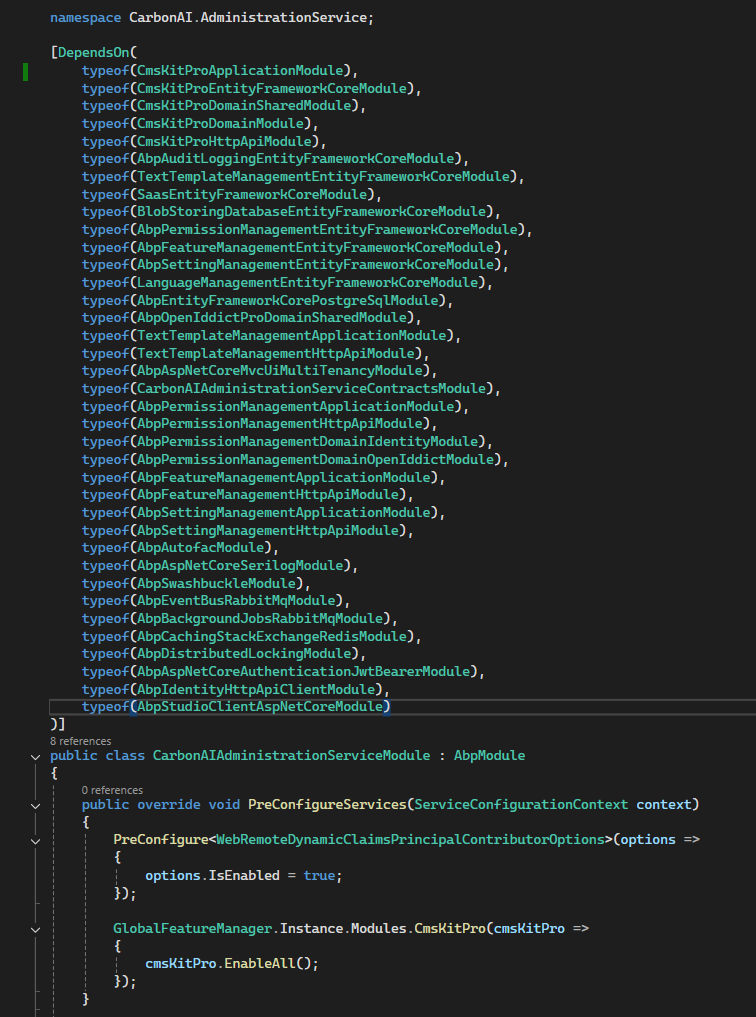
As you said, I added the Volo.CmsKit.Pro.Application package, but there was no change in the menus or redirects; the same errors persist.
-
0
Hi there,
As I see you're having trouble getting CmsKit Pro working in your microservice template. Let me help you fix this.
The Problem
When you add CmsKit Pro to your project, you're only getting the Pro features but missing the base CmsKit (open-source) tables. That's because CmsKit Pro doesn't include the base CmsKit - they're two separate modules that need to be installed together.
What You Need to Do
Step 1: Add Both Packages
In your EntityFrameworkCore project (AdministrationService), make sure you have:
<!-- Base CmsKit (required!) -->
<PackageReference Include="Volo.CmsKit.EntityFrameworkCore" />
<PackageReference Include="Volo.CmsKit.Domain" />

<!-- CmsKit Pro -->
<PackageReference Include="Volo.CmsKit.Pro.EntityFrameworkCore" />
<PackageReference Include="Volo.CmsKit.Pro.Domain" />
The same applies to your Web.Public project.
Step 2: Update Module Dependencies
In your EntityFrameworkCore module, add the base CmsKit module:
[DependsOn(
    typeof(CmsKitProEntityFrameworkCoreModule),
    typeof(CmsKitEntityFrameworkCoreModule)  //👈 Add this!
)]
public class YourServiceEntityFrameworkCoreModule : AbpModule
{
}
Step 3: Enable Both Global Features
In your
GlobalFeatureConfigurator(or create a FeatureConfigurer class), enable both:GlobalFeatureManager.Instance.Modules.CmsKit(cmsKit => { cmsKit.EnableAll(); }); GlobalFeatureManager.Instance.Modules.CmsKitPro(cmsKitPro => { cmsKitPro.EnableAll(); });Step 4: Run Migration Again
After making these changes:
- Rebuild your solution
- Add a new migration:
dotnet ef migrations add CmsKit_Complete - Update your database
Now you should see both CmsKit tables (CmsUsers, BlogPosts, Pages, Tags, Comments, etc.) and CmsKitPro tables (NewsletterRecords, Polls, Faqs, PageFeedbacks, etc.) in your database.
The CmsKit Pro module adds extra features (Newsletter, Polls, FAQ, Page Feedback, etc.) but it doesn't include the base CMS features (Pages, Blogs, Comments, Ratings, etc.). They're designed to work together but remain separate packages.
Future: Creating a Separate CmsService
If you want to create a dedicated CmsService in the future, just follow the same pattern - add both base CmsKit and CmsKit Pro packages to that service's EF Core project.
Let me know if you run into any other issues!


