






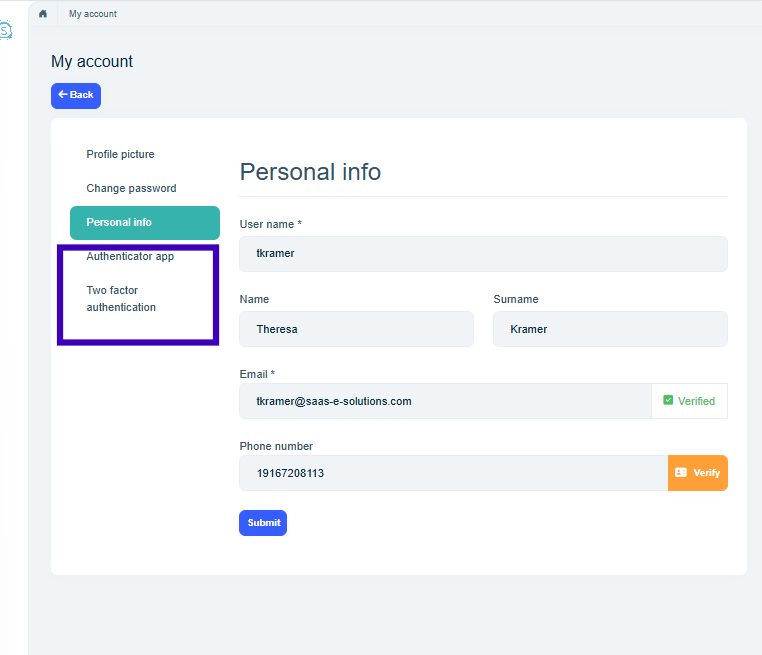
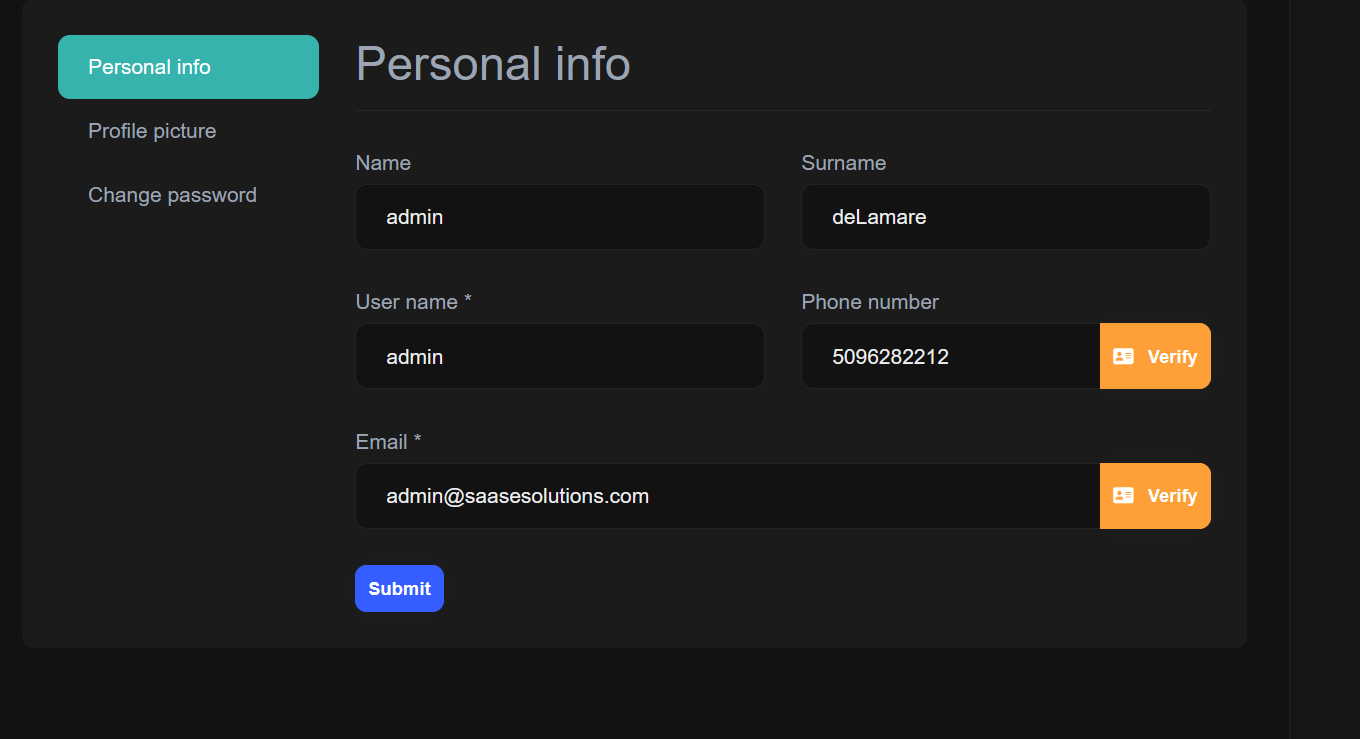
We are in the process of migrating version 8.0 to version 10.0 and are migrating from WASM to Web App. The account page, which lives in the API, so should be unaffected by the front end migration is now missing the two factor options on the user account page. The configuration has not changed, but the tabs are not visible.
3 Answer(s)
-
0
- Check the new 2FA behavior settings (v10 change)
In ABP 10.0, the Identity 2FA behavior directly controls whether the user‑side 2FA UI (including the “Two Factor” tab on the account/manage page) is shown. If 2FA is Forced or Disabled, or users are not allowed to change it, the 2FA options are hidden everywhere.
Do this for both Host and the relevant tenant:
a) Host‑level SettingManagement
Login as a host admin.
Navigate to:
https://<host>/SettingManagementGo to the Account tab.
Find the Two factor authentication section and make sure:
- Behavior is set to Optional
(NOT “Forced” and NOT “Disabled”) - Allow users to change their Two Factor is checked.
Per docs, if you set behavior to Forced or Disabled,
2FA UI elements are hidden from users:“if we set the two-factor authentication behavior to force or disable, this feature will be hidden from users wherever the 2FA setting is shown.”
- Behavior is set to Optional
Save the settings.
b) Tenant‑level features / settings
The same behavior can also be overridden per tenant:
As host admin, go to:
https://<host>/Saas/Host/TenantsFor the tenant you’re testing:
- Click Actions → Features.
- In the feature modal, ensure the 2FA behavior for that tenant is also Optional (or at least not forcing it off/on in a way that hides the UI).
Then, login as a tenant admin and verify under:
https://<tenant-host-or-path>/SettingManagement→ Account tabthat tenant‑side Two factor authentication is also Optional and Allow users to change their Two Factor is enabled.
Verify user‑side prerequisites
Even when the tab is present, a user can only use 2FA if:
- 2FA is enabled for the user, and
- they have at least one confirmed provider (confirmed email / confirmed phone / authenticator app).
But for your symptom (“the two factor options on the user account page” not visible at all), the usual cause after upgrade is the host/tenant behavior being set to Forced/Disabled, which hides the tab.
- Why this appeared after 8.0 → 10.0
The underlying account page is still MVC/Account.Pro (so your WASM → Web App change is not the root cause). ABP 10 tightened the visibility logic so that:
- When 2FA setting is Forced or Disabled, the user‑level 2FA UI (tabs/sections on
/Account/Manage) is hidden. - Only in Optional mode, and when “Allow users to change their Two Factor” is true, the user gets the 2FA tab.
So the fix is to set behavior back to Optional and allow users to change it, at host and tenant level.
Sources
- Two Factor Authentication behavior and visibility rules (ABP 10.0):
https://abp.io/docs/10.0/modules/identity/two-factor-authentication - Manage Profile Tabs (TwoFactor tab is one of the standard tabs):
https://github.com/abpframework/abp/blob/HEAD/docs/en/framework/ui/angular/manage-profile-page-tabs.md
This response was generated by AI. If it didn’t solve your problem, feel free to post a new answer — our support team will jump in to help you soon.
-
0
The configuration is exactly correct per the documentation you mentioned.
-
0
hi
Can you add at least one 2fa provider? eg: confirm your email or phone number?
Thanks.



