






I use your ABP studio and it should work at for the solutions you offer there
The module is not loading
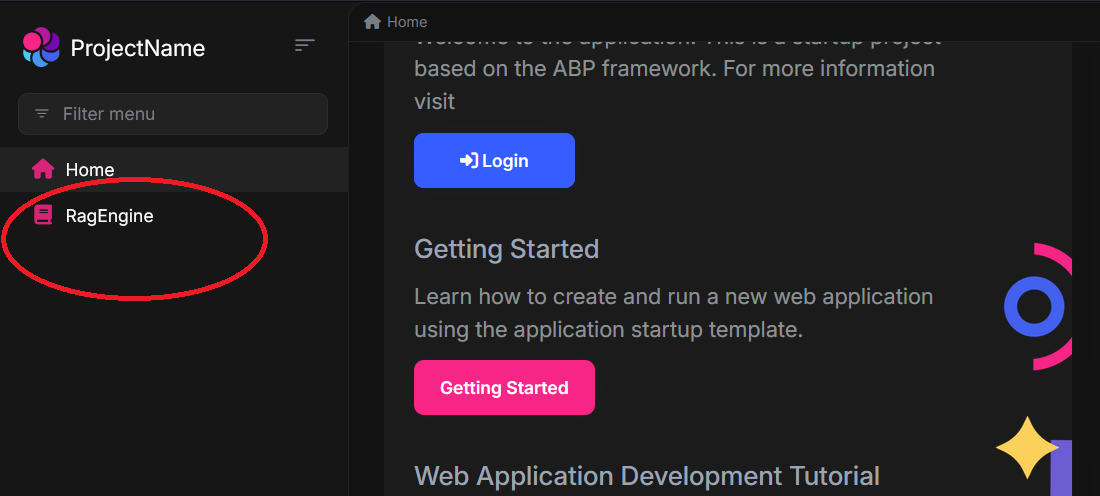
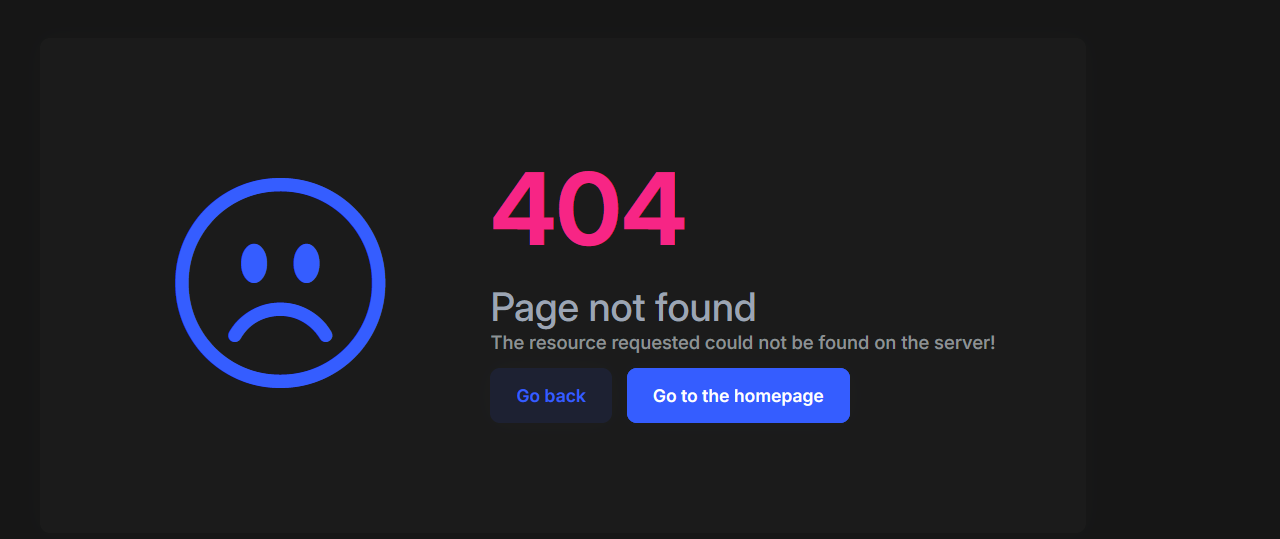
I had this issue a year ago already, adding another module in ABP (Anguluar) (still!) doesn't work
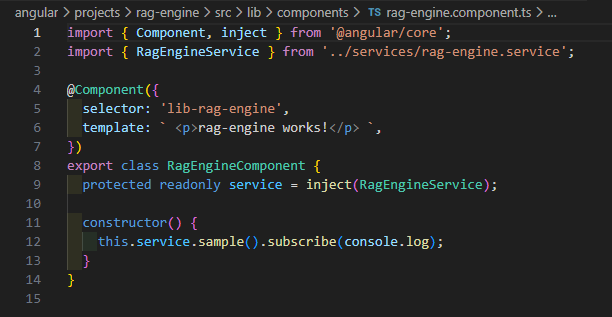
I give you (engin.veske, support@abp.ioSümeyye Kurtuluş, liming ma) tempory access as a contributor https://dev.azure.com/btasteAi/_git/RAG ,check in the things which are neccessary
Please be precise, your AI answer doesn't help here
- Template: app
- Created ABP Studio Version: 2.1.4
- Current ABP Studio Version: 2.1.4
- Tiered: No
- Multi-Tenancy: Yes
- UI Framework: angular
- Theme: leptonx
- Theme Style: system
- Theme Menu Placement: side
- Progressive Web App: No
- Run Progressive Web App Support: No
- Database Provider: ef
- Database Management System: sqlserver
- Separate Tenant Schema: No
- Mobile Framework: none
- Public Website: No
- Social Login: Yes
- Include Tests: Yes
- Kubernetes Configuration: Yes
- Distributed Event Bus: none
- Use Local References: No
- Optional Modules:
- GDPR
- LanguageManagement
- AuditLogging
- OpenIddictAdmin
- Selected Languages: German (Germany), English
- Default Language: German (Germany)
- Create Command: abp new KnowledgeCore -t app --ui-framework angular --database-provider ef --database-management-system sqlserver --theme leptonx --skip-migration --skip-migrator --without-cms-kit --dont-run-install-libs --dont-run-bundling -no-file-management -no-text-template-management
8 Answer(s)
-
0
- Solution
The problem is purely on the Angular side:
you have a menu item pointing to/rag-engine, but there is no Angular route that matches this path, so the app falls back to the built‑in 404 page.You already have
RagEngineComponentin a separate Angular library (projects/rag-engine/...). Now you must expose it via routing and connect that route to your main app.Below are two concrete ways, depending on whether your app uses standalone routing (
app.routes.ts) or module routing (app-routing.module.ts).
A. If your app uses standalone routing (
app.routes.ts)- Create a route file for RagEngine
In
angular/src/app/rag-engine/rag-engine.routes.ts:import { Routes } from '@angular/router'; import { authGuard, permissionGuard } from '@abp/ng.core'; export const RAG_ENGINE_ROUTES: Routes = [ { path: '', loadComponent: () => import('../../projects/rag-engine/src/lib/components/rag-engine.component') .then(c => c.RagEngineComponent), canActivate: [authGuard, permissionGuard], // optional, if you want permission: // data: { requiredPolicy: 'RagEngine.RagEngine' }, }, ];- Register it in
app.routes.ts
In
angular/src/app/app.routes.ts:import { Routes } from '@angular/router'; import { RAG_ENGINE_ROUTES } from './rag-engine/rag-engine.routes'; export const APP_ROUTES: Routes = [ { path: '', pathMatch: 'full', loadComponent: () => import('./home/home.component').then(m => m.HomeComponent), }, // ... other routes ... // >>> Add this block <<< { path: 'rag-engine', children: RAG_ENGINE_ROUTES, }, ];- Make sure the menu path matches
Where you added the menu item (usually
route.provider.tsor wherever you create the main menu entry), ensure the path is exactly/rag-engine:{ path: '/rag-engine', name: '::Menu:RagEngine', iconClass: 'fa fa-database', layout: eLayoutType.application, // requiredPolicy: 'RagEngine.RagEngine', // if you added a policy }Now clicking RagEngine should route to
RagEngineComponentinstead of the 404 page.
B. If your app uses module-based routing (
app-routing.module.ts)If your Angular app still has
AppModuleandapp-routing.module.ts:- Add routing to the RagEngine library
Inside
projects/rag-engine/src/lib/rag-engine-routing.module.ts:import { NgModule } from '@angular/core'; import { RouterModule, Routes } from '@angular/router'; import { RagEngineComponent } from './components/rag-engine.component'; import { AuthGuard, PermissionGuard } from '@abp/ng.core'; const routes: Routes = [ { path: '', component: RagEngineComponent, canActivate: [AuthGuard, PermissionGuard], // data: { requiredPolicy: 'RagEngine.RagEngine' }, }, ]; @NgModule({ imports: [RouterModule.forChild(routes)], exports: [RouterModule], }) export class RagEngineRoutingModule {}And in
projects/rag-engine/src/lib/rag-engine.module.ts(if not already):import { NgModule } from '@angular/core'; import { CommonModule } from '@angular/common'; import { RagEngineComponent } from './components/rag-engine.component'; import { RagEngineRoutingModule } from './rag-engine-routing.module'; @NgModule({ declarations: [RagEngineComponent], imports: [ CommonModule, RagEngineRoutingModule, ], }) export class RagEngineModule {}- Lazy‑load the module from the main app
In
angular/src/app/app-routing.module.ts:const routes: Routes = [ { path: '', pathMatch: 'full', loadChildren: () => import('./home/home.module').then(m => m.HomeModule), }, // ... other routes ... // >>> Add this block <<< { path: 'rag-engine', loadChildren: () => import('rag-engine').then(m => m.RagEngineModule), // or, if you created it under src/app/rag-engine: // loadChildren: () => // import('./rag-engine/rag-engine.module').then(m => m.RagEngineModule), }, ];- Keep the menu path as
/rag-engine, same as in section A.
C. Quick checklist to verify
- [ ]
RagEngineComponentbuilds without errors. - [ ]
APP_ROUTESorroutesarray has an entry for path'rag-engine'. - [ ] Your menu item uses
path: '/rag-engine'. - [ ] If you use permissions, the current user has the required policy (or remove
requiredPolicywhile testing).
After these changes, run from the
angularfolder:yarn # or npm install yarn start # or npm startThen click the RagEngine menu item; it should load your component instead of 404.
- Sources
ABP Angular quick start and routing patterns
https://docs.abp.io/en/abp/latest/UI/Angular/Quick-StartCommunity article showing adding a lazily loaded Angular module and registering route in
app-routing.module.ts
https://abp.io/community/articles/Using-DevExtremeAngularComponents-With-The-ABP-FrameworkStandalone routing patterns used in latest ABP Angular templates
https://abp.io/community/articles/zzi2rr2z
https://abp.io/community/articles/7qu1m67s
This response was generated by AI. If it didn’t solve your problem, feel free to post a new answer — our support team will jump in to help you soon.
-
0
Please be precise, your AI answer doesn't help here
-
0
Hello,
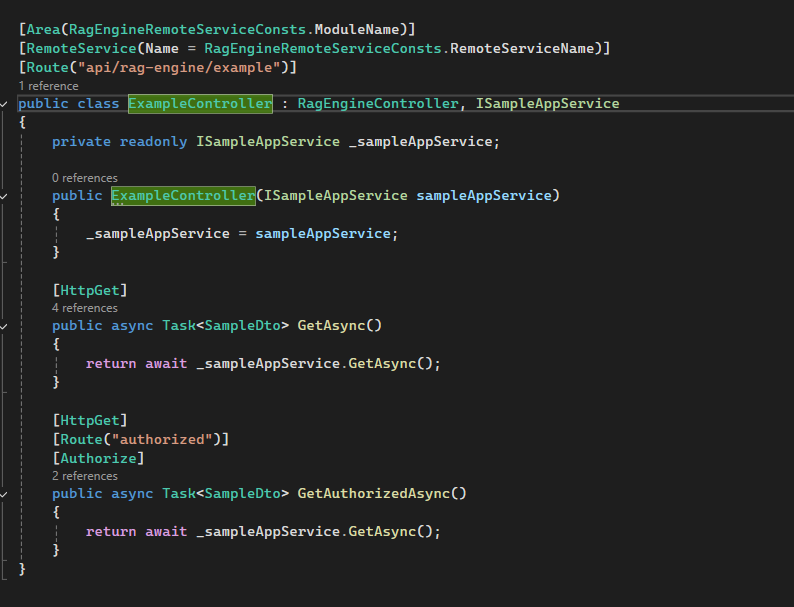
Thank you for giving details about this problem. The issue occurs since this endpoint expects authorization
//modules/ragengine/src/RagEngine.HttpApi/Samples/ExampleController.cs
[Area(RagEngineRemoteServiceConsts.ModuleName)]
[RemoteService(Name = RagEngineRemoteServiceConsts.RemoteServiceName)]
[Route("api/rag-engine/example")]
public class ExampleController : RagEngineController, ISampleAppService
{
[HttpGet]
    [Route("authorized")]
    [Authorize]
    public async Task<SampleDto> GetAuthorizedAsync()
    {
        return await _sampleAppService.GetAsync();
    }
}
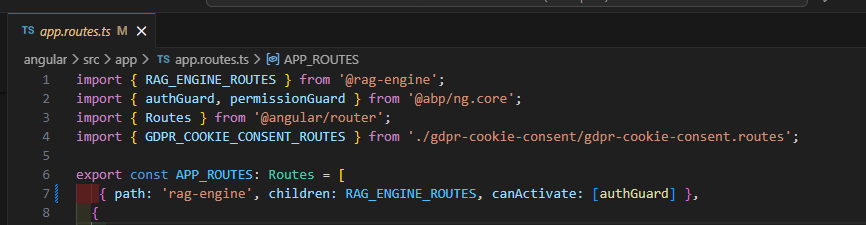
We will be making the necessary adjustments. Until we release the fix, you can solve this by adding a guard for the route like this:
//app.routes.ts
import { authGuard } from '@abp/ng.core';

export const APP_ROUTES: Routes = [
 { path: 'rag-engine', children: RAG_ENGINE_ROUTES, canActivate: [authGuard] },
];
You can let us know if you need further assistance. Thank you for your cooperation.
-
0
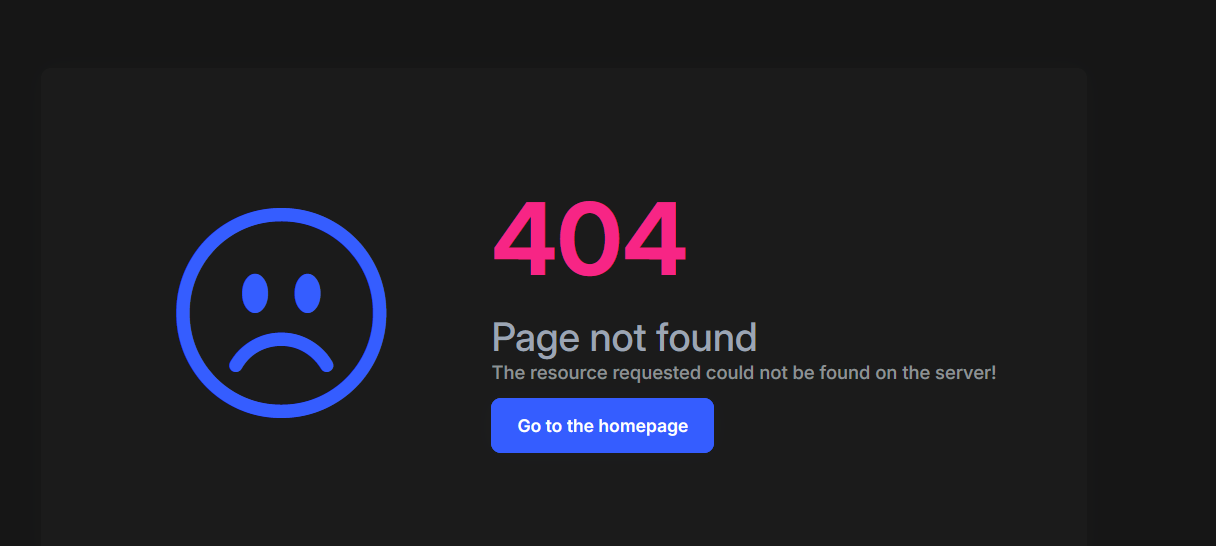
Please check in your answer, it still doesnt work
-
0
Can you try changing the request url in
RagEngineServicesince backend expects this url/api/rag-engine/exampleinstead of this/api/rag-engine/sample?//modules/ragengine/src/RagEngine.HttpApi/Samples/ExampleController.cs [Route("api/rag-engine/example")] public class ExampleController : RagEngineController, ISampleAppService { [HttpGet] [Route("authorized")] [Authorize] public async Task GetAuthorizedAsync() { return await _sampleAppService.GetAsync(); } } -
0
You should try it out by your self, it s not working
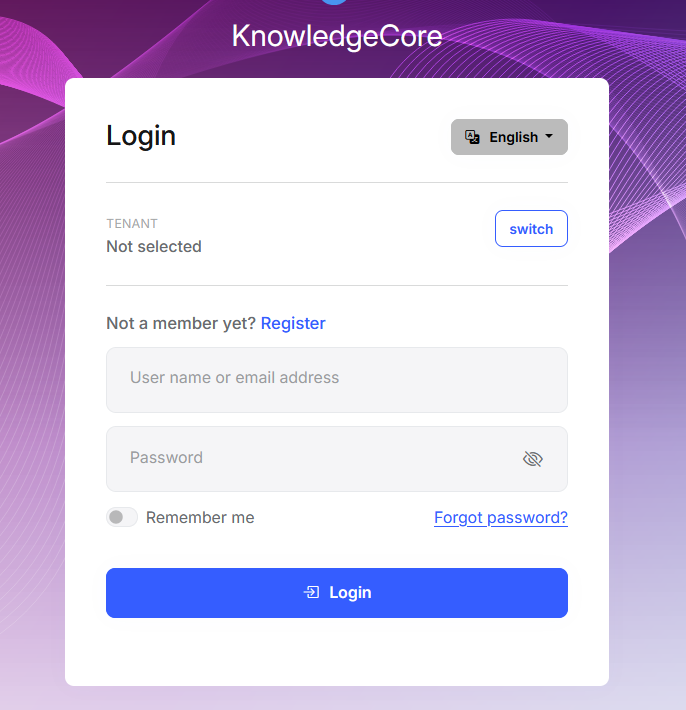
After clicking I need to log in

-
0
Hello again,
I am sharing the project via this link https://drive.google.com/file/d/16OROyNT2T3lwIOakvXAu0x4SGnopYpv6/view?usp=sharing I have only updated these two files and it should work as expected.
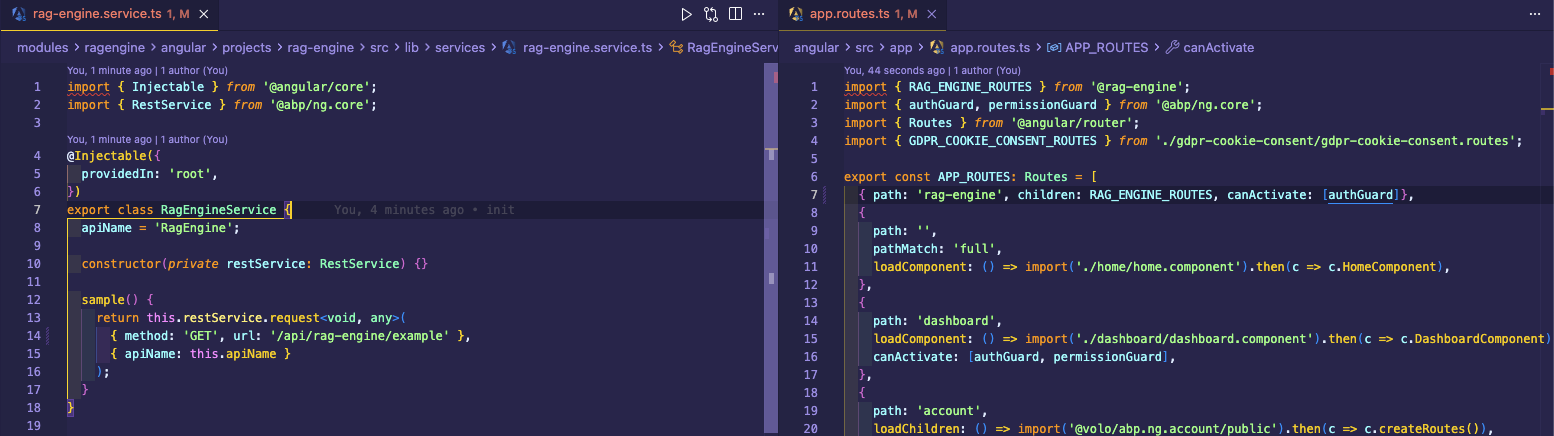
Thank you for your cooperation.
-
0
I need access why dont you just check in (using the repo)



