I use your ABP studio and it should work at for the solutions you offer there
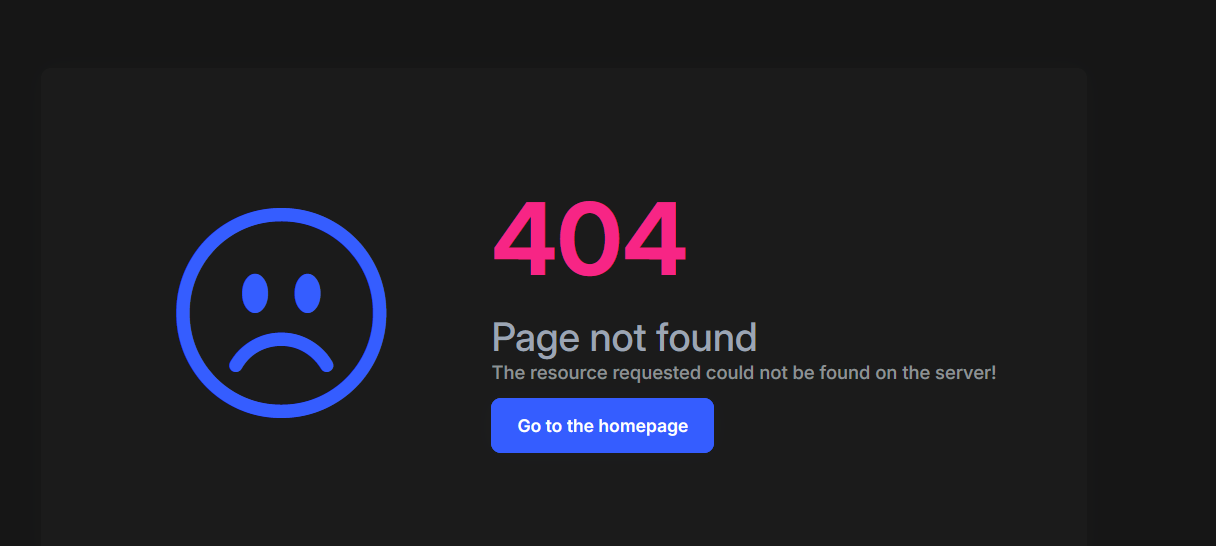
The module is not loading
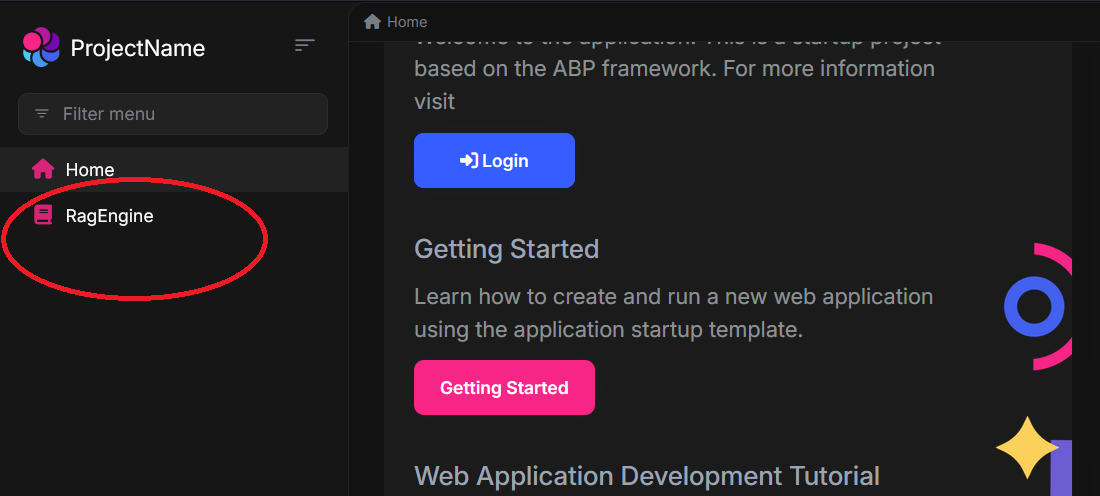
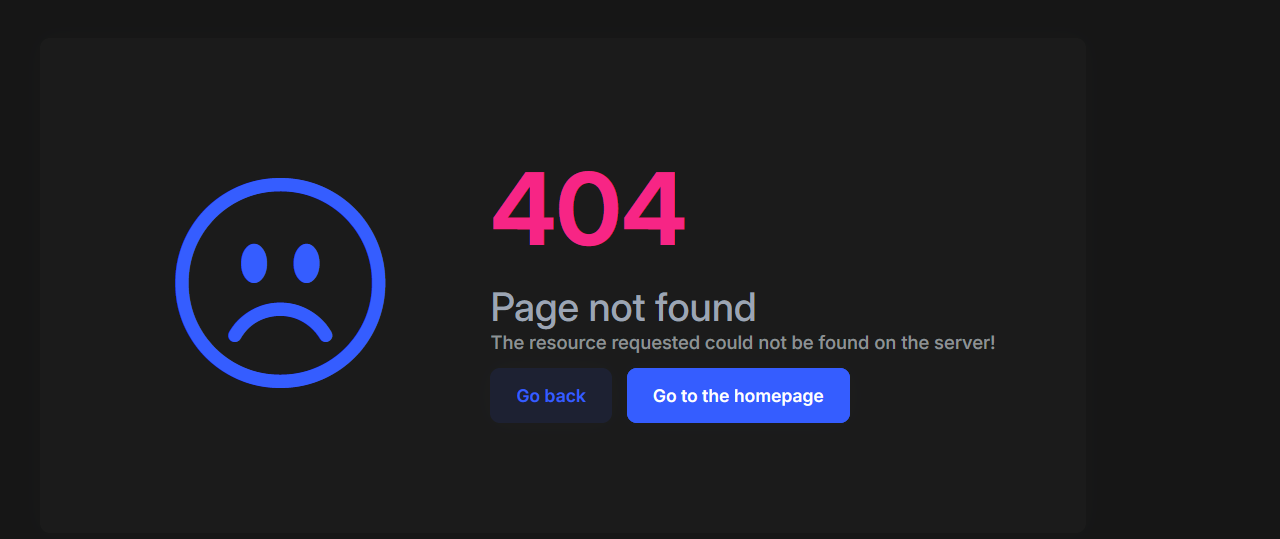
I had this issue a year ago already, adding another module in ABP (Anguluar) (still!) doesn't work
I give you (engin.veske, support@abp.ioSümeyye Kurtuluş, liming ma) tempory access as a contributor https://dev.azure.com/btasteAi/_git/RAG ,check in the things which are neccessary
Please be precise, your AI answer doesn't help here
- Template: app
- Created ABP Studio Version: 2.1.4
- Current ABP Studio Version: 2.1.4
- Tiered: No
- Multi-Tenancy: Yes
- UI Framework: angular
- Theme: leptonx
- Theme Style: system
- Theme Menu Placement: side
- Progressive Web App: No
- Run Progressive Web App Support: No
- Database Provider: ef
- Database Management System: sqlserver
- Separate Tenant Schema: No
- Mobile Framework: none
- Public Website: No
- Social Login: Yes
- Include Tests: Yes
- Kubernetes Configuration: Yes
- Distributed Event Bus: none
- Use Local References: No
- Optional Modules:
- GDPR
- LanguageManagement
- AuditLogging
- OpenIddictAdmin
- Selected Languages: German (Germany), English
- Default Language: German (Germany)
- Create Command: abp new KnowledgeCore -t app --ui-framework angular --database-provider ef --database-management-system sqlserver --theme leptonx --skip-migration --skip-migrator --without-cms-kit --dont-run-install-libs --dont-run-bundling -no-file-management -no-text-template-management
9 Answer(s)
-
0
- Solution
The problem is purely on the Angular side:
you have a menu item pointing to/rag-engine, but there is no Angular route that matches this path, so the app falls back to the built‑in 404 page.You already have
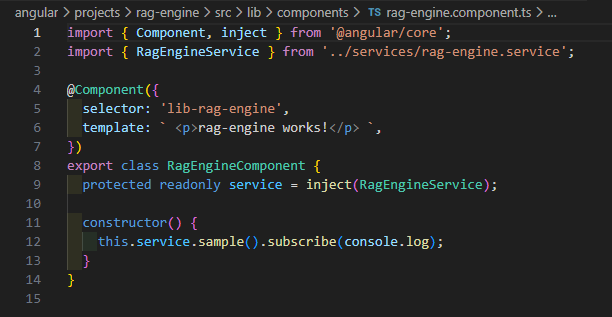
RagEngineComponentin a separate Angular library (projects/rag-engine/...). Now you must expose it via routing and connect that route to your main app.Below are two concrete ways, depending on whether your app uses standalone routing (
app.routes.ts) or module routing (app-routing.module.ts).
A. If your app uses standalone routing (
app.routes.ts)- Create a route file for RagEngine
In
angular/src/app/rag-engine/rag-engine.routes.ts:import { Routes } from '@angular/router'; import { authGuard, permissionGuard } from '@abp/ng.core'; export const RAG_ENGINE_ROUTES: Routes = [ { path: '', loadComponent: () => import('../../projects/rag-engine/src/lib/components/rag-engine.component') .then(c => c.RagEngineComponent), canActivate: [authGuard, permissionGuard], // optional, if you want permission: // data: { requiredPolicy: 'RagEngine.RagEngine' }, }, ];- Register it in
app.routes.ts
In
angular/src/app/app.routes.ts:import { Routes } from '@angular/router'; import { RAG_ENGINE_ROUTES } from './rag-engine/rag-engine.routes'; export const APP_ROUTES: Routes = [ { path: '', pathMatch: 'full', loadComponent: () => import('./home/home.component').then(m => m.HomeComponent), }, // ... other routes ... // >>> Add this block <<< { path: 'rag-engine', children: RAG_ENGINE_ROUTES, }, ];- Make sure the menu path matches
Where you added the menu item (usually
route.provider.tsor wherever you create the main menu entry), ensure the path is exactly/rag-engine:{ path: '/rag-engine', name: '::Menu:RagEngine', iconClass: 'fa fa-database', layout: eLayoutType.application, // requiredPolicy: 'RagEngine.RagEngine', // if you added a policy }Now clicking RagEngine should route to
RagEngineComponentinstead of the 404 page.
B. If your app uses module-based routing (
app-routing.module.ts)If your Angular app still has
AppModuleandapp-routing.module.ts:- Add routing to the RagEngine library
Inside
projects/rag-engine/src/lib/rag-engine-routing.module.ts:import { NgModule } from '@angular/core'; import { RouterModule, Routes } from '@angular/router'; import { RagEngineComponent } from './components/rag-engine.component'; import { AuthGuard, PermissionGuard } from '@abp/ng.core'; const routes: Routes = [ { path: '', component: RagEngineComponent, canActivate: [AuthGuard, PermissionGuard], // data: { requiredPolicy: 'RagEngine.RagEngine' }, }, ]; @NgModule({ imports: [RouterModule.forChild(routes)], exports: [RouterModule], }) export class RagEngineRoutingModule {}And in
projects/rag-engine/src/lib/rag-engine.module.ts(if not already):import { NgModule } from '@angular/core'; import { CommonModule } from '@angular/common'; import { RagEngineComponent } from './components/rag-engine.component'; import { RagEngineRoutingModule } from './rag-engine-routing.module'; @NgModule({ declarations: [RagEngineComponent], imports: [ CommonModule, RagEngineRoutingModule, ], }) export class RagEngineModule {}- Lazy‑load the module from the main app
In
angular/src/app/app-routing.module.ts:const routes: Routes = [ { path: '', pathMatch: 'full', loadChildren: () => import('./home/home.module').then(m => m.HomeModule), }, // ... other routes ... // >>> Add this block <<< { path: 'rag-engine', loadChildren: () => import('rag-engine').then(m => m.RagEngineModule), // or, if you created it under src/app/rag-engine: // loadChildren: () => // import('./rag-engine/rag-engine.module').then(m => m.RagEngineModule), }, ];- Keep the menu path as
/rag-engine, same as in section A.
C. Quick checklist to verify
- [ ]
RagEngineComponentbuilds without errors. - [ ]
APP_ROUTESorroutesarray has an entry for path'rag-engine'. - [ ] Your menu item uses
path: '/rag-engine'. - [ ] If you use permissions, the current user has the required policy (or remove
requiredPolicywhile testing).
After these changes, run from the
angularfolder:yarn # or npm install yarn start # or npm startThen click the RagEngine menu item; it should load your component instead of 404.
- Sources
ABP Angular quick start and routing patterns
https://docs.abp.io/en/abp/latest/UI/Angular/Quick-StartCommunity article showing adding a lazily loaded Angular module and registering route in
app-routing.module.ts
https://abp.io/community/articles/Using-DevExtremeAngularComponents-With-The-ABP-FrameworkStandalone routing patterns used in latest ABP Angular templates
https://abp.io/community/articles/zzi2rr2z
https://abp.io/community/articles/7qu1m67s
This response was generated by AI. If it didn’t solve your problem, feel free to post a new answer — our support team will jump in to help you soon.
Markdown supported.Copy, paste, or drag & drop images and files (max 100 MB per file, 100 MB total per post) -
0
Hello,
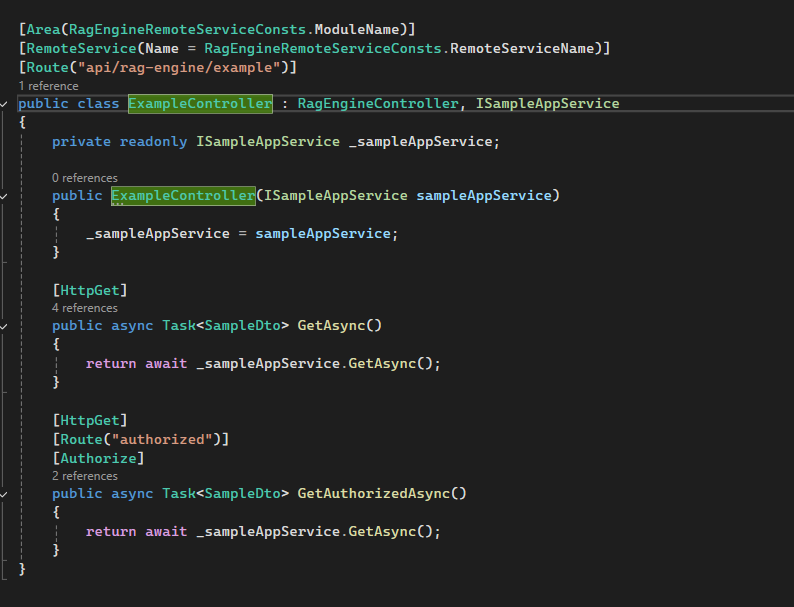
Thank you for giving details about this problem. The issue occurs since this endpoint expects authorization
//modules/ragengine/src/RagEngine.HttpApi/Samples/ExampleController.cs
[Area(RagEngineRemoteServiceConsts.ModuleName)]
[RemoteService(Name = RagEngineRemoteServiceConsts.RemoteServiceName)]
[Route("api/rag-engine/example")]
public class ExampleController : RagEngineController, ISampleAppService
{
[HttpGet]
    [Route("authorized")]
    [Authorize]
    public async Task<SampleDto> GetAuthorizedAsync()
    {
        return await _sampleAppService.GetAsync();
    }
}
We will be making the necessary adjustments. Until we release the fix, you can solve this by adding a guard for the route like this:
//app.routes.ts
import { authGuard } from '@abp/ng.core';

export const APP_ROUTES: Routes = [
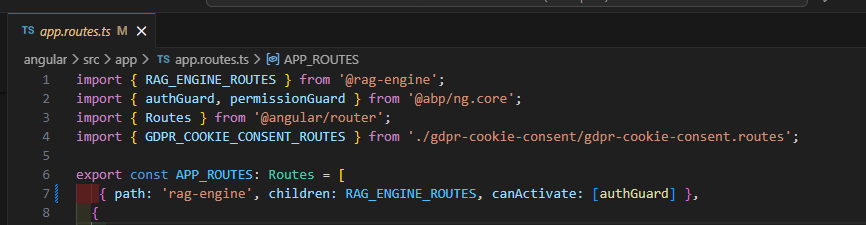
 { path: 'rag-engine', children: RAG_ENGINE_ROUTES, canActivate: [authGuard] },
];
You can let us know if you need further assistance. Thank you for your cooperation.
Markdown supported.Copy, paste, or drag & drop images and files (max 100 MB per file, 100 MB total per post) -
0
Can you try changing the request url in
RagEngineServicesince backend expects this url/api/rag-engine/exampleinstead of this/api/rag-engine/sample?//modules/ragengine/src/RagEngine.HttpApi/Samples/ExampleController.cs [Route("api/rag-engine/example")] public class ExampleController : RagEngineController, ISampleAppService { [HttpGet] [Route("authorized")] [Authorize] public async Task GetAuthorizedAsync() { return await _sampleAppService.GetAsync(); } }Markdown supported.Copy, paste, or drag & drop images and files (max 100 MB per file, 100 MB total per post) -
0
Hello again,
I am sharing the project via this link https://drive.google.com/file/d/16OROyNT2T3lwIOakvXAu0x4SGnopYpv6/view?usp=sharing I have only updated these two files and it should work as expected.
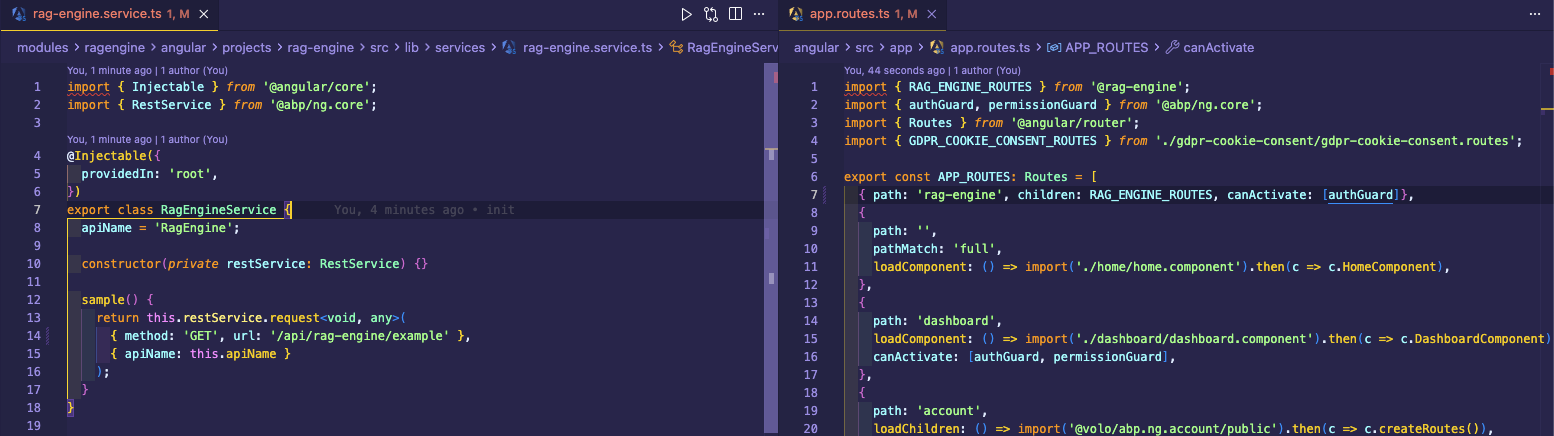
Thank you for your cooperation.
Markdown supported.Copy, paste, or drag & drop images and files (max 100 MB per file, 100 MB total per post) -
0
Hi,
Thanks for the detailed screenshots.
This does not look like a normal usage mistake on your side. For the Angular module installation generated with ABP Studio 2.1.4, there was a template issue in the generated Angular integration.
From your screenshots, we can see that:
- the
RagEnginemenu item is created, - the route is added in
app.routes.ts, - the generated component calls
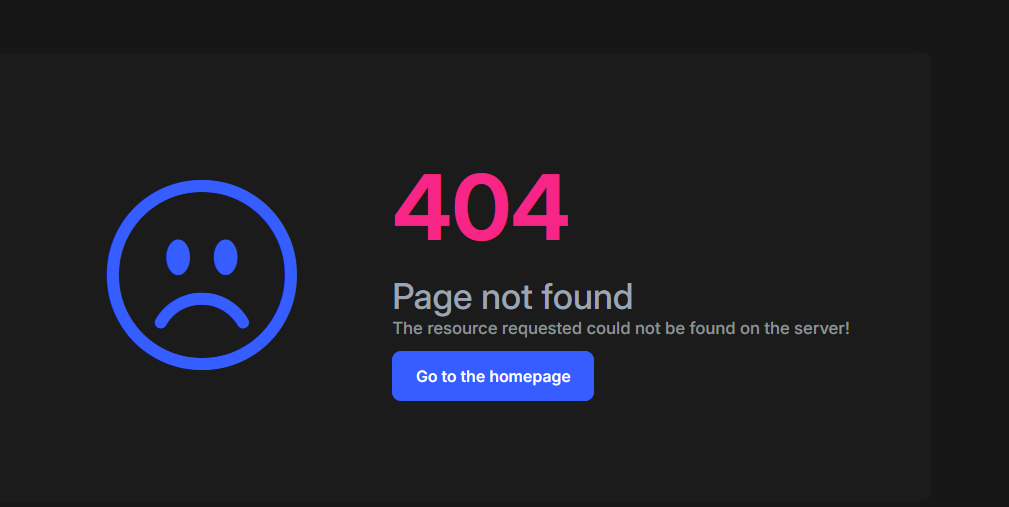
RagEngineService.sample()when the page opens, - after login, the page ends with a
404.
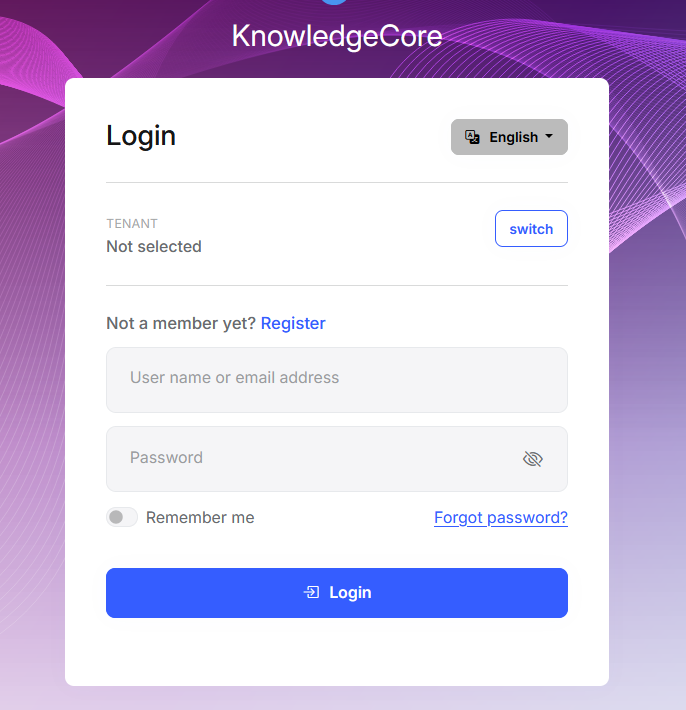
The important point is that the login redirect itself is expected when the route is protected. The actual problem is the
404that happens after that.For this template, the Angular side should use these values:
- The
rag-engineroute should includecanActivate: [authGuard]. - The generated Angular service should call
/api/rag-engine/exampleinstead of/api/rag-engine/sample.
This issue has already been fixed in newer ABP Studio templates, starting from 2.1.5.
So, for your existing solution, please do one of these:
- update ABP Studio to
2.1.5or later and regenerate/reinstall the module, - or apply the same corrections manually in the existing project.
Also, please make sure the Angular library import used in
app.routes.tsis still resolvable fromangular/tsconfig.json, and that the module's config provider is still registered inapp.config.ts. Those entries are normally added automatically during installation.If it still does not work after that, please share these 3 items and we can check the remaining difference directly:
- the
rag-engineroute entry fromangular/src/app/app.routes.ts, - the
sample()method frommodules/ragengine/angular/projects/rag-engine/src/lib/services/rag-engine.service.ts, - the exact failing request URL and status from the browser Network tab.
Best regards,
ABP Support Team
Markdown supported.Copy, paste, or drag & drop images and files (max 100 MB per file, 100 MB total per post) - the