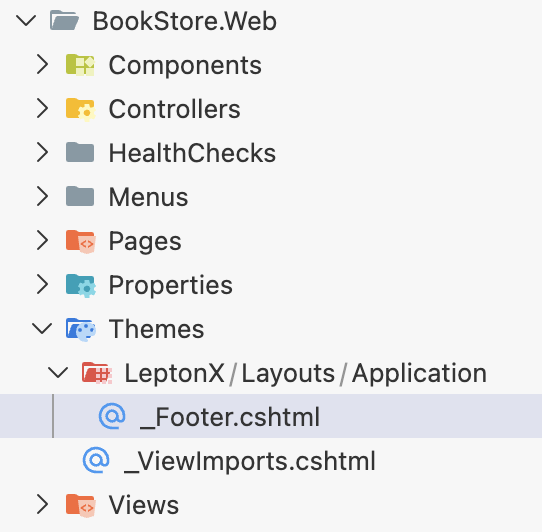
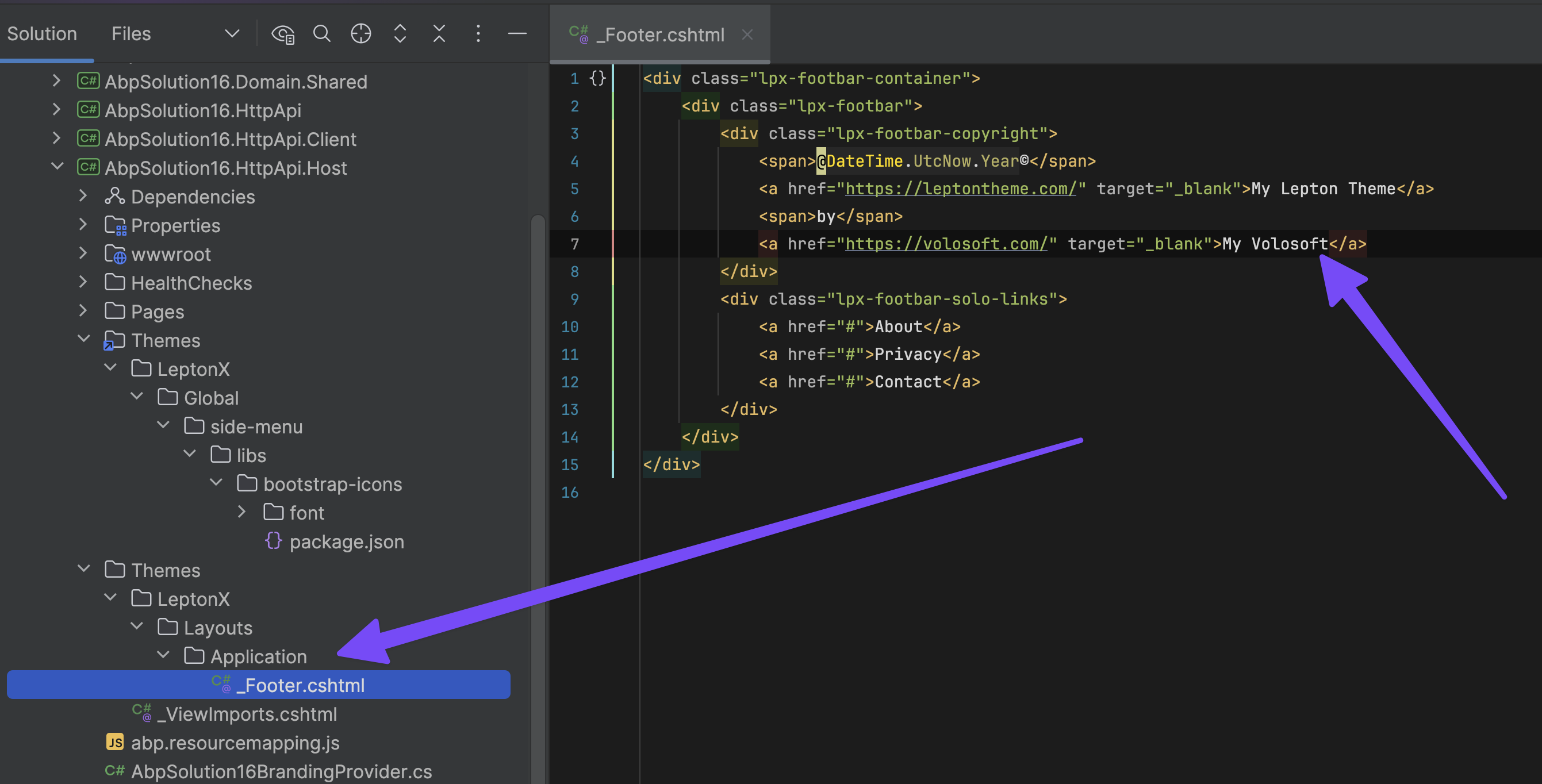
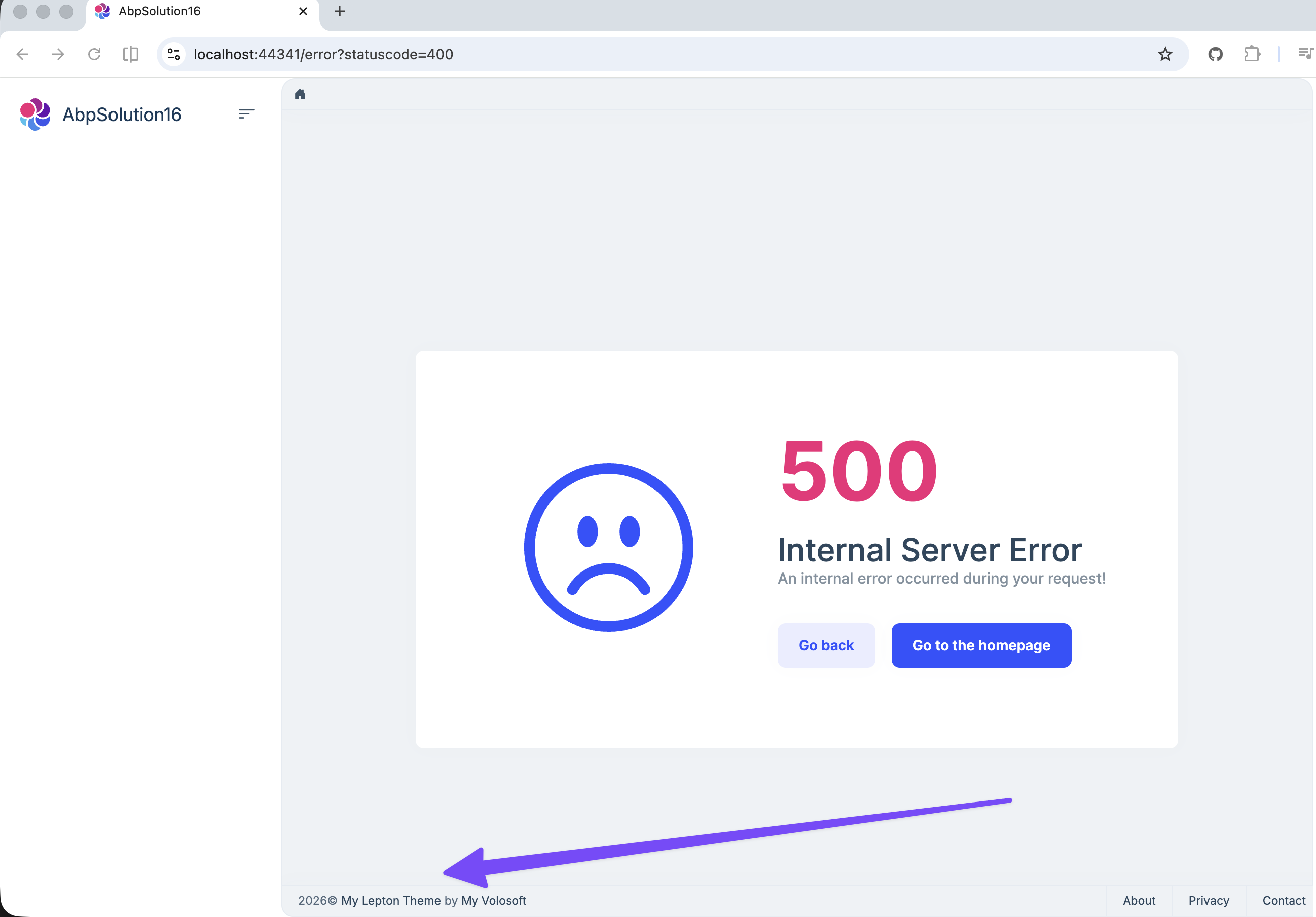
I can't believe this is still a problem in 2026 despite numerous requests for it over the years, but how can you change or hide the footer in the LeptonX theme?

Even having to do this in a commercial product intended to build things for other clients that are not Volosoft is crazy in itself, even more so that AFAIK, you are still required to actually modify code to do so? Or is there now a better way so we can at least hide the footer with simple CSS change? What is the recommended way to get rid of this?
What is the state of the promised fix / new / updated theme so that this won't be a problem and that you can just change the footer settings?
Please just remove this and let anyone who actually actually have a copyright footer implement it themselves.
Thanks.
45 Answer(s)
-
0
It is there if you create a MVC project but that isn't any help if you don't use MVC but Angular or similar.
Please fix this so that we don't have to deal with this in a commercial product at all in the future and also please let us know how we can fix it ourselves in our current project.
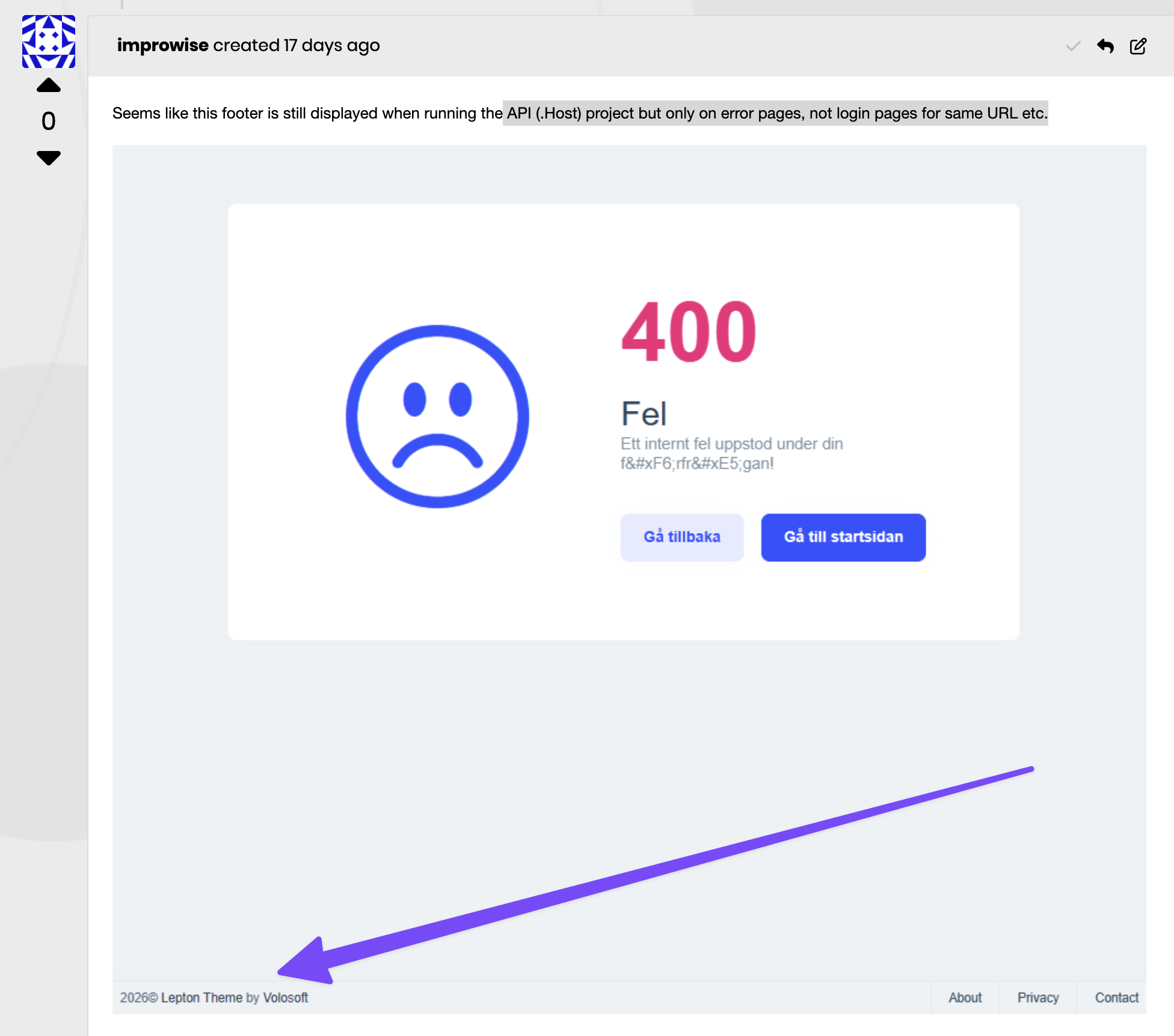
Please also note that this Copyright Volosoft only seem to be shown on errorpage when trying to do authentication, like when you config isn't setup correctly and you get 4XX errors etc.
Thank you.
Markdown supported.Copy, paste, or drag & drop images and files (max 100 MB per file, 100 MB total per post) -
0
hi
This is IDE behavior. You can try to add code below to your solution's
common.propsfile<ItemGroup> <None Remove="**\*.abppkg" /> <None Remove="**\*.abppkg.analyze.json" /> <Content Remove="$(UserProfile)\.nuget\packages\*\*\contentFiles\any\*\*.abppkg*" /> </ItemGroup>Thanks.
Markdown supported.Copy, paste, or drag & drop images and files (max 100 MB per file, 100 MB total per post) -
0
[maliming] said: hi
This is IDE behavior. You can try to add code below to your solution's
common.propsfile<ItemGroup> <None Remove="**\*.abppkg" /> <None Remove="**\*.abppkg.analyze.json" /> <Content Remove="$(UserProfile)\.nuget\packages\*\*\contentFiles\any\*\*.abppkg*" /> </ItemGroup>Thanks.
That is already in there as default it seems but not sure how that would affect this?
There are no such files/folders as there isn't even a .Web project
Markdown supported.Copy, paste, or drag & drop images and files (max 100 MB per file, 100 MB total per post) -
0
[maliming] said: hi
I will remove these files from the IDE file views in the next LeptonX version. You can ignore it now.
Thanks.
Not exactly sure how that affects things but it seems you are on top of that.
We still (if I have not misunderstood something here), no solution to the fact that our clients app display @Copyright Volosoft in parts of the backend and we don't know how to remove it?
Markdown supported.Copy, paste, or drag & drop images and files (max 100 MB per file, 100 MB total per post) -
0
hi
our clients app display @Copyright Volosoft in parts of the backend and we don't know how to remove it?
Can you share a screenshot? What is the UI type of this copyright component?
Thanks.
Markdown supported.Copy, paste, or drag & drop images and files (max 100 MB per file, 100 MB total per post) -
0
[maliming] said: hi
our clients app display @Copyright Volosoft in parts of the backend and we don't know how to remove it?
Can you share a screenshot? What is the UI type of this copyright component?
Thanks.
This is already mentioned in the thread including a screen shot :)
Markdown supported.Copy, paste, or drag & drop images and files (max 100 MB per file, 100 MB total per post) -
0
hi
Have you tried copying the
_Footer.cshtmlto your api project'sThemes/LeptonX/ Layouts/Applicationfolder?You can create a new mvc template project and copy the
_Footer.cshtmlto your project with the same folder structure and customize it.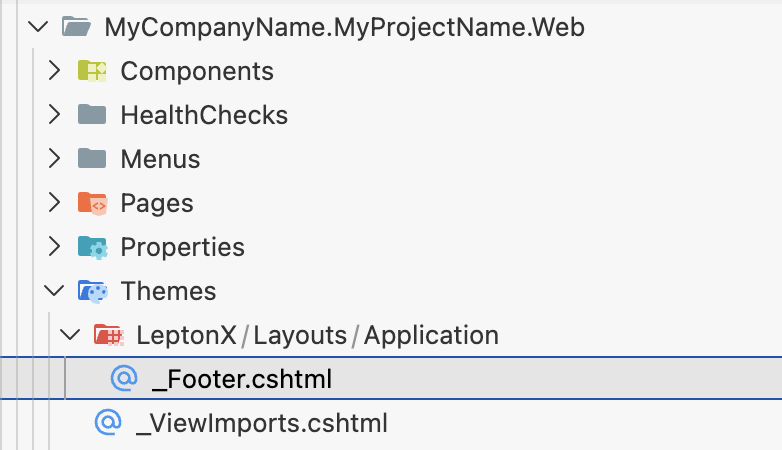
Thanks
Markdown supported.Copy, paste, or drag & drop images and files (max 100 MB per file, 100 MB total per post) -
0
I believe we actually already did that with the same intention but then we run out of time as you need to force an error to see this (for some strange reason, the footer does not seem to show on login screen, only when error occurs). We will give it a try as soon as possible and report back.
But it seems like you have already done this so most likely it works.
Markdown supported.Copy, paste, or drag & drop images and files (max 100 MB per file, 100 MB total per post) -
0
Thanks. This seem to work and we can now control the content of the footer.
This said, I really think you should look into this being the default with both an empty footer and the necessary files already in place (for all UI versions). If someone wants to have a Copyright Volosoft in their custom made commercial applications, let them do a change for it rather than all of us not wanting it.
Thanks.
Markdown supported.Copy, paste, or drag & drop images and files (max 100 MB per file, 100 MB total per post) -
1
hi
Every template project will include a footer component in next version. So developers can easily to customize it.
_ViewImports.cshtml is useful if you need use more razor features in this folder.
https://learn.microsoft.com/en-us/aspnet/core/mvc/views/layout?view=aspnetcore-10.0#importing-shared-directives
Thanks.
Markdown supported.Copy, paste, or drag & drop images and files (max 100 MB per file, 100 MB total per post) -
0
[maliming] said: hi
Every template project will include a footer component in next version. So developers can easily to customize it.
_ViewImports.cshtml is useful if you need use more razor features in this folder.
https://learn.microsoft.com/en-us/aspnet/core/mvc/views/layout?view=aspnetcore-10.0#importing-shared-directives
Thanks.
Thank you, that seems like a good solution/workaround.
Please consider refunding this ticket as it seems it was warranted and resulted in a change ABP side.
Thanks.
Markdown supported.Copy, paste, or drag & drop images and files (max 100 MB per file, 100 MB total per post)