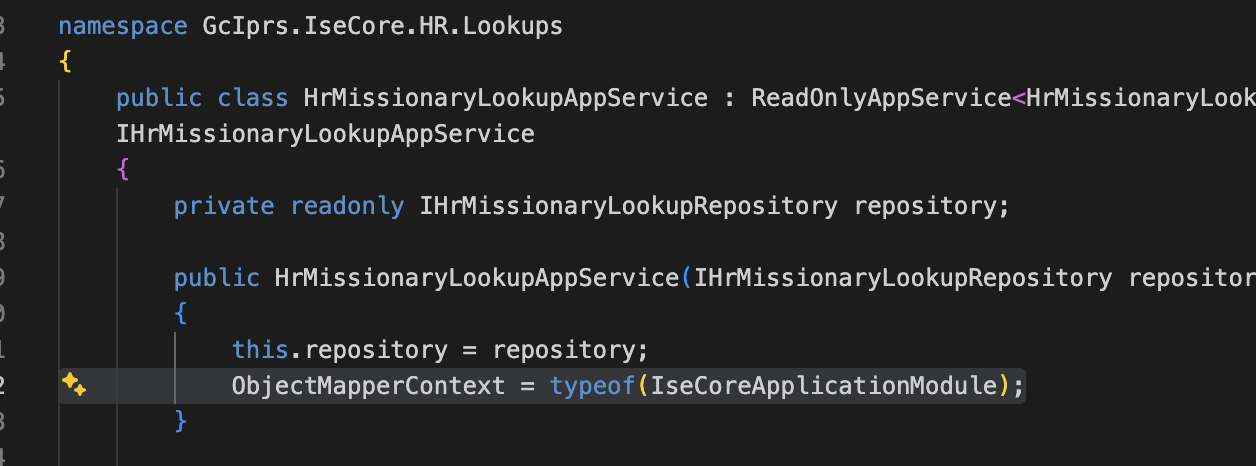
Issue: AutoMapperMappingException after migrating from AutoMapper to Mapperly in ABP (.NET 9 → .NET 10)
Exception message and stack trace
AutoMapper.AutoMapperMappingException
HResult=0x80131500
Message=Missing type map configuration or unsupported mapping.
Source=AutoMapper
StackTrace: <Cannot evaluate the exception stack trace>
Steps to reproduce
- I upgraded an existing ABP.io project from .NET 9 to .NET 10.
- As part of the upgrade, ABP is moving from AutoMapper to Mapperly.
- I followed the official migration documentation:
- I converted all AutoMapper profiles to Mapperly mappers as per the documentation.
Observed behavior
- When I use
ObjectMapper.Map<TSource, TDestination>(), I get theAutoMapperMappingExceptionshown above. - However, when I inject the generated Mapperly mapper directly into the consuming class and use it, the mapping works correctly.
Expected behavior
- I would like to continue using
ObjectMapper.Map(ABP’s abstraction) instead of injecting individual Mapperly mapper classes everywhere.
Question
- How can I correctly configure or register Mapperly mappers so that
ObjectMapper.Mapworks as expected in ABP? - Is there any additional setup required to make
ObjectMapperresolve Mapperly-based mappers instead of falling back to AutoMapper?
12 Answer(s)
-
0
- Why you still see
AutoMapperMappingException
- The exception is thrown by AutoMapper, which means that in your app the ABP
ObjectMapperis still using AutoMapper as theIAutoObjectMappingProvider. - After you converted your profiles to Mapperly mappers, AutoMapper no longer has maps for those types, so calls like
ObjectMapper.Map<TSource, TDestination>()fail with:
AutoMapper.AutoMapperMappingException Message=Missing type map configuration or unsupported mapping.- When you inject and use the Mapperly mapper class directly, it works because that bypasses ABP’s
ObjectMapperabstraction entirely.
To fix this, you must explicitly configure ABP to use Mapperly as the default object mapper.
1. Solution
Follow these concrete steps (for ABP 10.0.2):
A. Switch modules from AutoMapper to Mapperly
In all projects where you had AutoMapper integration:
csproj references
- Replace:
<PackageReference Include="Volo.Abp.AutoMapper" Version="..." />with:
<PackageReference Include="Volo.Abp.Mapperly" Version="..." />Module dependencies and usings
In each module (e.g.
YourProjectDomainModule,YourProjectApplicationModule,YourProjectBlazorModule,YourProjectHttpApiHostModule, etc.):- Replace:
using Volo.Abp.AutoMapper;

   [DependsOn(
       typeof(AbpAutoMapperModule),
       // ...
   )]
   public class YourProjectXXXModule : AbpModule
   {
       public override void ConfigureServices(ServiceConfigurationContext context)
       {
           context.Services.AddAutoMapperObjectMapper<YourProjectXXXModule>();

           Configure<AbpAutoMapperOptions>(options =>
           {
               options.AddMaps<YourProjectXXXModule>(validate: true);
           });
       }
   }
with:
using Volo.Abp.Mapperly;

   [DependsOn(
       typeof(AbpMapperlyModule),
       // ...
   )]
   public class YourProjectXXXModule : AbpModule
   {
       public override void ConfigureServices(ServiceConfigurationContext context)
       {
           // Register Mapperly object mapper for this module
           context.Services.AddMapperlyObjectMapper<YourProjectXXXModule>();
       }
   }
Notes:
- Remove all
Configure<AbpAutoMapperOptions>(...)blocks. - Remove
AbpAutoMapperModulefrom all[DependsOn]attributes. - Keep only
AbpMapperlyModule(plus your other existing module dependencies).
B. Set Mapperly as the default object mapper for
ObjectMapper.MapIn at least one root module that is loaded in every app (e.g. your main host / UI / application module), explicitly register the non-generic
AddMapperlyObjectMapperso ABP’s defaultIObjectMapperuses Mapperly:using Volo.Abp.Mapperly; [DependsOn(typeof(AbpMapperlyModule))] public class YourProjectHttpApiHostModule : AbpModule { public override void ConfigureServices(ServiceConfigurationContext context) { // Make Mapperly the default IAutoObjectMappingProvider used by ObjectMapper.Map<,>() context.Services.AddMapperlyObjectMapper(); } }This is the key step that makes:
ObjectMapper.Map<TSource, TDestination>(source);go through Mapperly, not AutoMapper.
(From the migration guide: “If your application uses Mapperly:context.Services.AddMapperlyObjectMapper();”)C. Ensure your Mapperly mappers are properly defined
Mapperly mappers should look like:
using Riok.Mapperly.Abstractions;
using Volo.Abp.Mapperly;

[Mapper] // RequiredMappingStrategy = Target is default in ABP integration
public partial class MyEntityToMyDtoMapper : MapperBase<MyEntity, MyDto>
{
    public override partial MyDto Map(MyEntity source);
    public override partial void Map(MyEntity source, MyDto destination);
}
ABP’s Mapperly integration automatically:
- Registers all
[Mapper]classes in DI. - Connects them to
ObjectMapperbased on<TSource, TDestination>.
You don’t need to manually wire each mapper to
ObjectMapper.D. If you use contextual mappers (
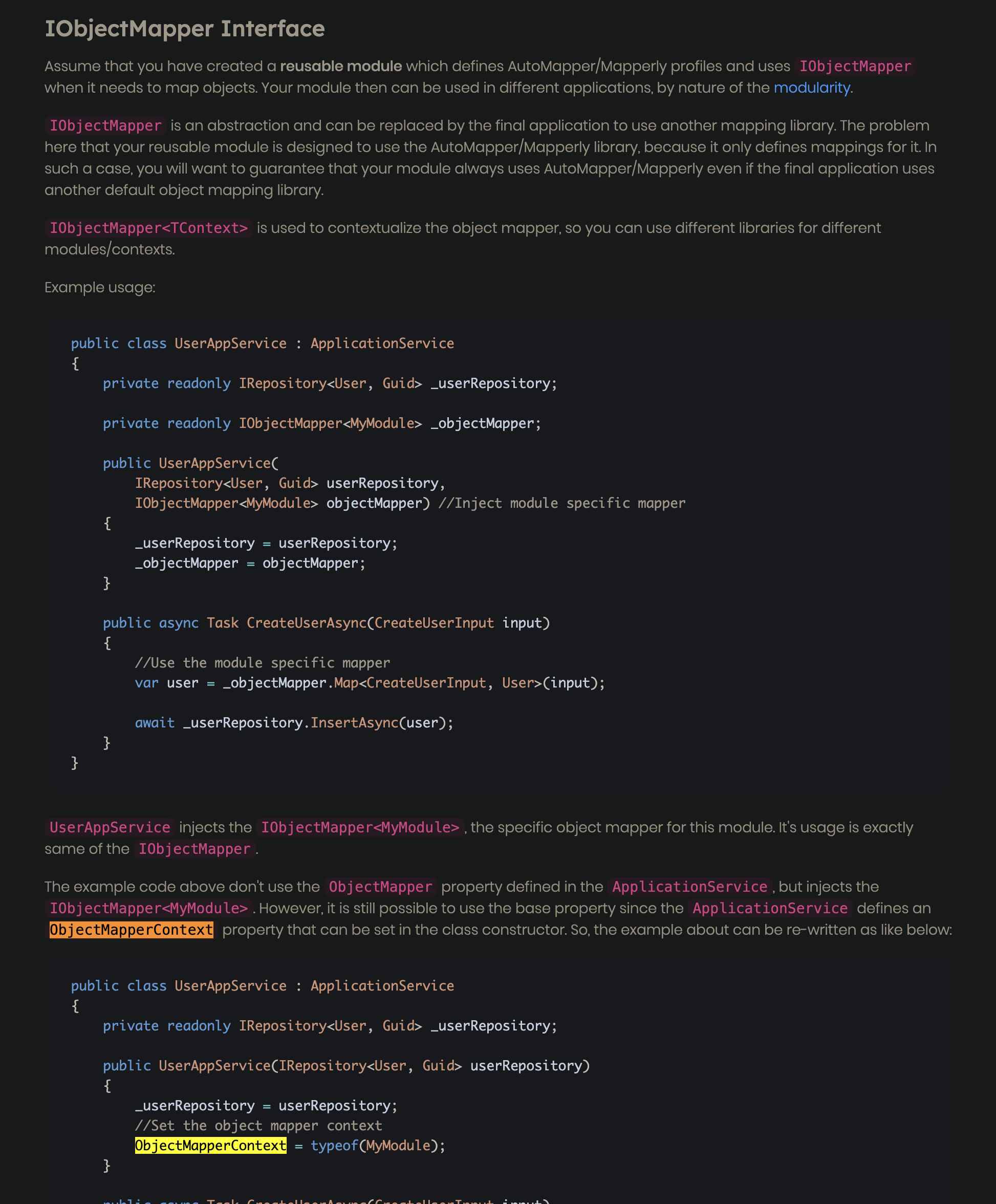
IObjectMapper<TContext>)If somewhere you use a contextual mapper (or
ObjectMapperContext), keep the generic registration:context.Services.AddMapperlyObjectMapper<MyProjectApplicationModule>();and in the consumer (e.g.,
ApplicationService, Blazor page):public class MyAppService : ApplicationService { public MyAppService() { ObjectMapperContext = typeof(MyProjectApplicationModule); } public Task<MyDto> GetAsync() { // This now uses Mapperly, via the module-specific object mapper return Task.FromResult(ObjectMapper.Map<MyEntity, MyDto>(entity)); } }This pattern is the same as with AutoMapper, just using Mapperly registration.
2. Sources
Migration guide – “Migrating from AutoMapper to Mapperly”
(sections Migration Steps and Set Default Mapping Provider –AddMapperlyObjectMapper)
https://abp.io/docs/10.0/release-info/migration-guides/AutoMapper-To-MapperlyObject-to-object mapping – Mapperly integration & registration (
AbpMapperlyModule,AddMapperlyObjectMapper,MapperBase,TwoWayMapperBase)
https://abp.io/docs/latest/framework/infrastructure/object-to-object-mapping
This response was generated by AI. If it didn’t solve your problem, feel free to post a new answer — our support team will jump in to help you soon.
Markdown supported.Copy, paste, or drag & drop images and files (max 100 MB per file, 100 MB total per post) - Why you still see
-
0
hi
Which DTOs are you trying to map?
Can you call the
AddMapperlyObjectMapperin your module?public override void ConfigureServices(ServiceConfigurationContext context) { context.Services.AddMapperlyObjectMapper(); }Thanks.
Markdown supported.Copy, paste, or drag & drop images and files (max 100 MB per file, 100 MB total per post) -
0
Yes, it's already configured
[DependsOn(
    typeof(IseCoreDomainModule),
    typeof(IseCoreApplicationContractsModule),
    typeof(AbpDddApplicationModule),
    typeof(AbpMapperlyModule)
    )]
public class IseCoreApplicationModule : AbpModule
{
    public override void ConfigureServices(ServiceConfigurationContext context)
    {
        context.Services.AddMapperlyObjectMapper<IseCoreApplicationModule>();
    }
}
Trying to do:
var filter = ObjectMapper.Map<HrMissionaryLookupRequestDto, HrMissionaryLookupFilter>(input);but getting error.Here is the configuration for mapperly in file
IseCoreApplicationMappers.cs[Mapper] public partial class HrMissionaryLookupRequestDtoToHrMissionaryLookupFilterMapper : MapperBase<HrMissionaryLookupRequestDto, HrMissionaryLookupFilter> { public override partial HrMissionaryLookupFilter Map(HrMissionaryLookupRequestDto source); public override partial void Map( HrMissionaryLookupRequestDto source, HrMissionaryLookupFilter destination ); }Markdown supported.Copy, paste, or drag & drop images and files (max 100 MB per file, 100 MB total per post) -
0
I can give you the remote access of my system, let me know when you're comfortable to connect Thanks!
Markdown supported.Copy, paste, or drag & drop images and files (max 100 MB per file, 100 MB total per post) -
0
Hi, I've shared the application code for one of the module with you. Please have a look. It's a production app, not a test app, so I cannot share the whole source code with you. Thanks!
Markdown supported.Copy, paste, or drag & drop images and files (max 100 MB per file, 100 MB total per post) -
0
It worked, thanks!
Markdown supported.Copy, paste, or drag & drop images and files (max 100 MB per file, 100 MB total per post) -
0
I didn't find this fix in the ABP documentation anywhere. Could you please share the documentation here so that I can have a look. Thanks!
Markdown supported.Copy, paste, or drag & drop images and files (max 100 MB per file, 100 MB total per post)