






Hi ABP,
We use the EasyCRM sample as a foundation for a project. We'd like to change the title of the angular frontend as now it shows MyProjectName and cannot be overridden or found anywhere - see the attached screenshot. Could you point us to the right approach?
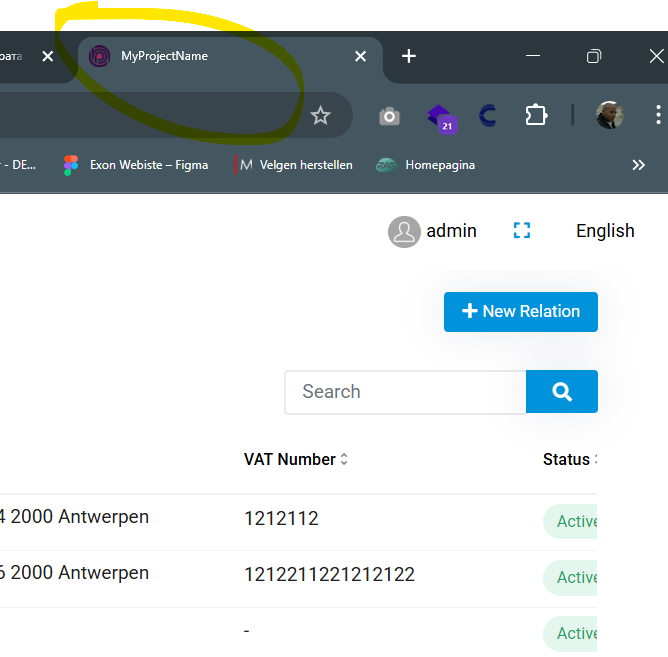
Thanks in advance!
6 Answer(s)
-
0
- Solution
In the EasyCRM Angular app the text shown in the browser tab is the HTML
<title>tag of the Angular app, not an ABP setting.Change it in
angular/src/index.html:<!doctype html> <html lang="en"> <head> <meta charset="utf-8" /> <!-- CHANGE THIS LINE --> <title>My New CRM Title</title> <base href="/" /> <meta name="viewport" content="width=device-width, initial-scale=1" /> <link rel="icon" type="image/x-icon" href="favicon.ico" /> </head> <body> <app-root></app-root> </body> </html>- Save the file.
- Rebuild / restart the Angular app (
yarn startornpm start). - Refresh the browser (hard refresh / clear cache if needed).
If you later want localized, per‑page titles, you can additionally use a custom
TitleStrategy(as shown in the second source below), but for simply replacing “MyProjectName” theindex.html<title>tag is the place to change.- Sources
- Angular localization in ABP UI (general background):
https://docs.abp.io/en/abp/latest/UI/Angular/Localization - Native Angular router title handling (for more advanced, per‑route titles):
https://dev.to/brandontroberts/setting-page-titles-natively-with-the-angular-router-393j
This response was generated by AI. If it didn’t solve your problem, feel free to post a new answer — our support team will jump in to help you soon.
-
0
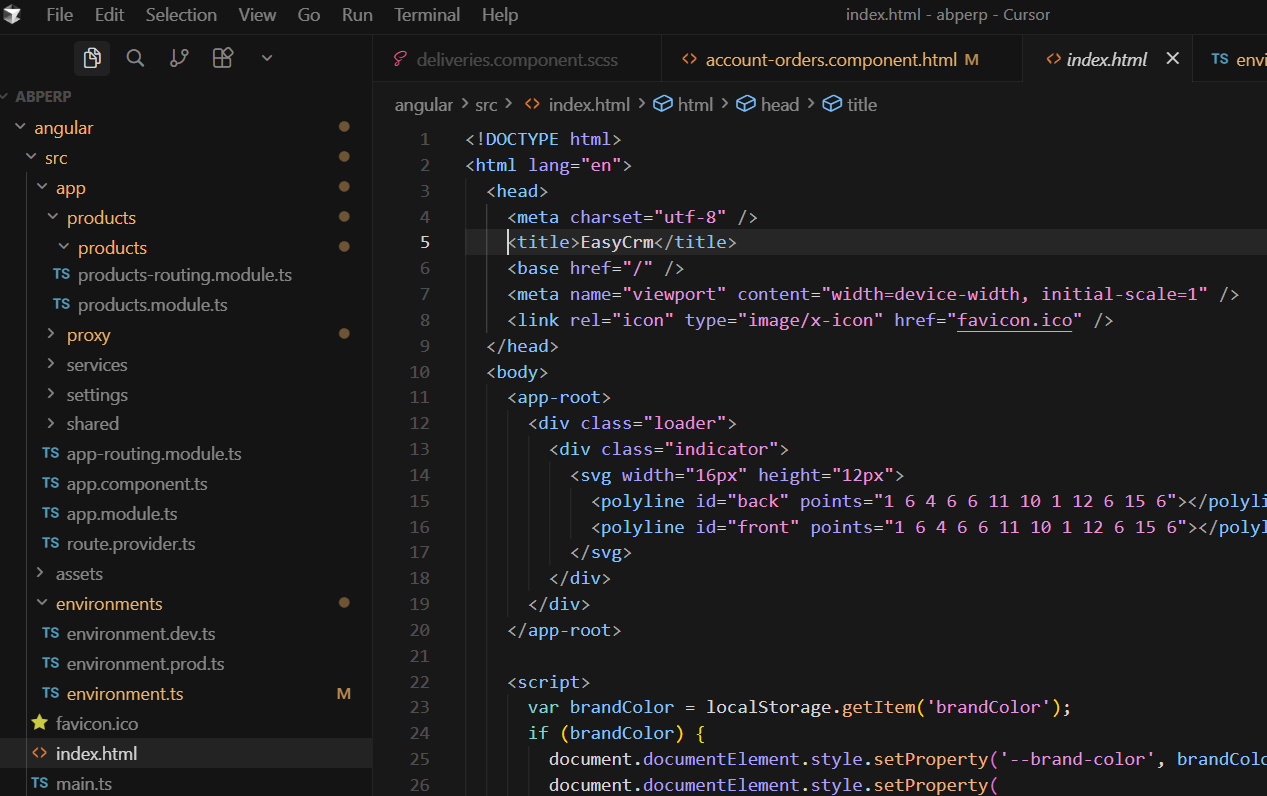
This answer is not correct. The <title> tag in index.html says EasyCrm (see the screenshot). However it shows the correct title only for a second and changes automatically to MyProjectName.
-
0
Hello,
Thank you for explaining the problem. You may need to override the title strategy depending on you requirement. Here is an example:
import { Injectable, inject, effect } from '@angular/core';
import { toSignal } from '@angular/core/rxjs-interop';
import { RouterStateSnapshot, TitleStrategy } from '@angular/router';
import { Title } from '@angular/platform-browser';
import { LocalizationService } from '@abp/ng.core';

@Injectable({
  providedIn: 'root',
})
export class CustomTitleStrategy extends TitleStrategy {
  protected readonly title = inject(Title);
  protected readonly localizationService = inject(LocalizationService);
  protected routerState: RouterStateSnapshot;

  langugageChange = toSignal(this.localizationService.languageChange$);

  constructor() {
    super();
    effect(() => {
      if (this.langugageChange()) {
        this.updateTitle(this.routerState);
      }
    });
  }

  override updateTitle(routerState: RouterStateSnapshot) {
    this.routerState = routerState;
    const title = this.buildTitle(routerState);

    const projectName = 'My Project Name';

    if (!title) {
      return this.title.setTitle(projectName);
    }

    const localizedText =
      this.localizationService.instant({ key: title, defaultValue: title }) + ` | ${projectName}`;

    this.title.setTitle(localizedText);
  }
}
Then, you need to add this to the providers of your application
  providers: [
  //...
	{
		 provide: TitleStrategy,
		 useExisting: CustomTitleStrategy,
	}
  ]
You can let us know if you need further assistance. Thank you for your cooperation.
-
0
Hello,
I've tried your suggestion with the CustomTitleStrategy, but unfortunatelly nothing changes. From where is this MyProjectName set - I cannot find this string anywhere. How it should be changed?
-
0
This title strategy is configured inside the core package, specifically here
So, the default is
MyProjectNamehttps://github.com/abpframework/abp/blob/d619ff84e3432912a6008300abcd6addb5681489/npm/ng-packs/packages/core/src/lib/services/title-strategy.service.ts#L32For this reason, you will need to put this provider object after the core module call in the providers array just to override the default one.
-
0
Thank you, rearranging the providers helped!



