






Hi ABP,
We use the EasyCRM sample as a foundation for a project. We'd like to change the title of the angular frontend as now it shows MyProjectName and cannot be overridden or found anywhere - see the attached screenshot. Could you point us to the right approach?
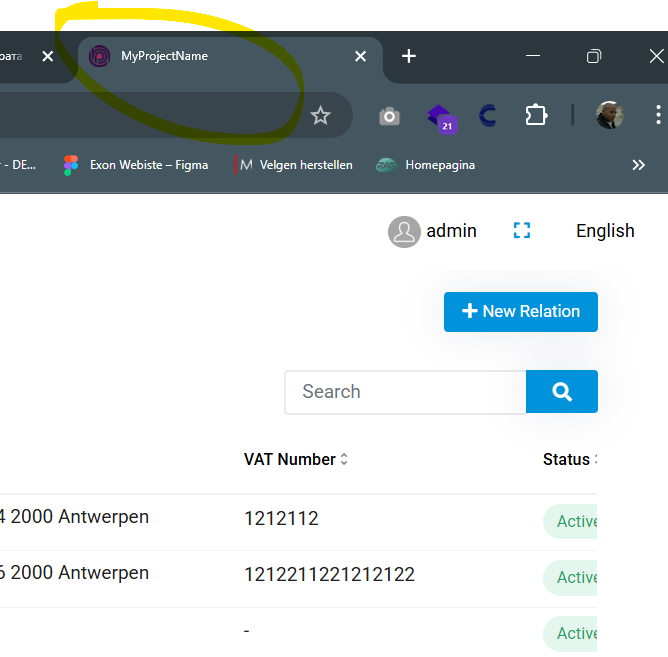
Thanks in advance!
6 Answer(s)
-
0
- Solution
In the EasyCRM Angular app the text shown in the browser tab is the HTML
<title>tag of the Angular app, not an ABP setting.Change it in
angular/src/index.html:<!doctype html> <html lang="en"> <head> <meta charset="utf-8" /> <!-- CHANGE THIS LINE --> <title>My New CRM Title</title> <base href="/" /> <meta name="viewport" content="width=device-width, initial-scale=1" /> <link rel="icon" type="image/x-icon" href="favicon.ico" /> </head> <body> <app-root></app-root> </body> </html>- Save the file.
- Rebuild / restart the Angular app (
yarn startornpm start). - Refresh the browser (hard refresh / clear cache if needed).
If you later want localized, per‑page titles, you can additionally use a custom
TitleStrategy(as shown in the second source below), but for simply replacing “MyProjectName” theindex.html<title>tag is the place to change.- Sources
- Angular localization in ABP UI (general background):
https://docs.abp.io/en/abp/latest/UI/Angular/Localization - Native Angular router title handling (for more advanced, per‑route titles):
https://dev.to/brandontroberts/setting-page-titles-natively-with-the-angular-router-393j
This response was generated by AI. If it didn’t solve your problem, feel free to post a new answer — our support team will jump in to help you soon.
Markdown supported.Copy, paste, or drag & drop images and files (max 100 MB per file, 100 MB total per post) -
0
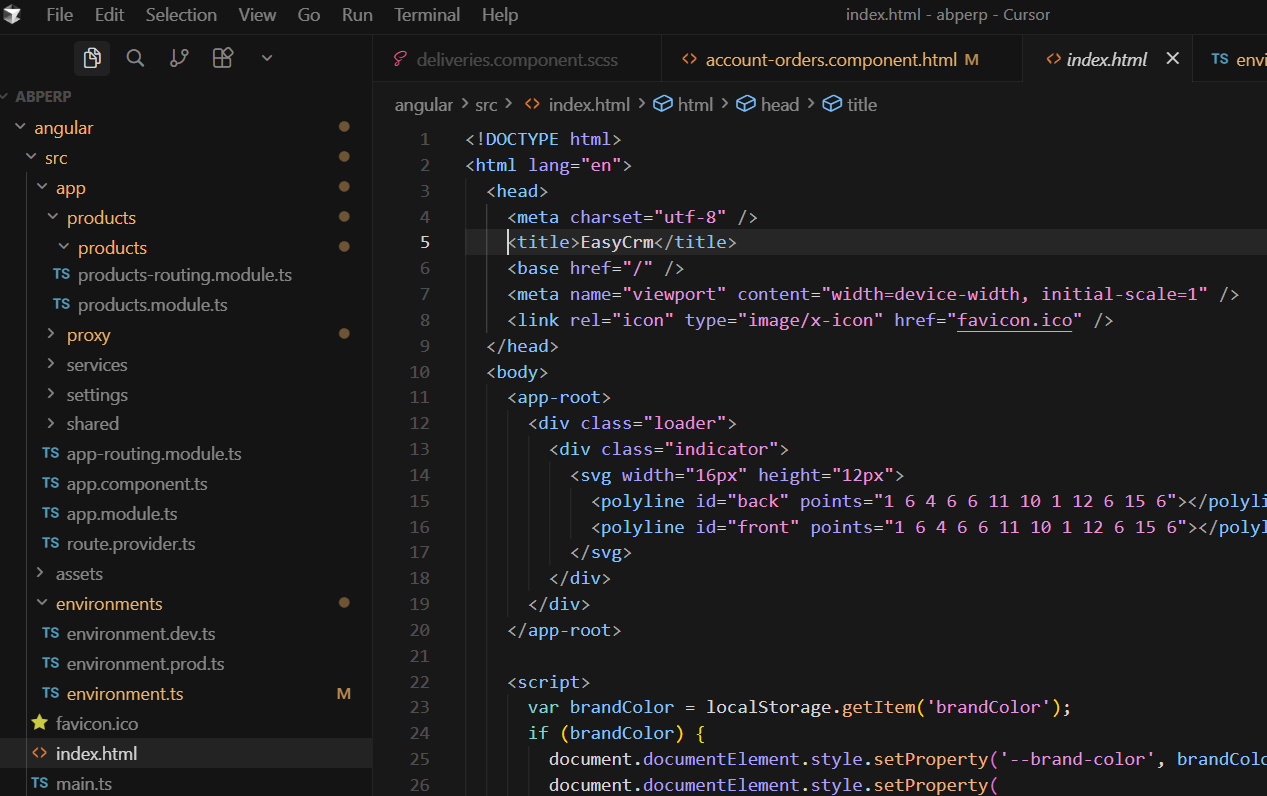
This answer is not correct. The <title> tag in index.html says EasyCrm (see the screenshot). However it shows the correct title only for a second and changes automatically to MyProjectName.
 Markdown supported.Copy, paste, or drag & drop images and files (max 100 MB per file, 100 MB total per post)
 -
0
Hello,
Thank you for explaining the problem. You may need to override the title strategy depending on you requirement. Here is an example:
import { Injectable, inject, effect } from '@angular/core';
import { toSignal } from '@angular/core/rxjs-interop';
import { RouterStateSnapshot, TitleStrategy } from '@angular/router';
import { Title } from '@angular/platform-browser';
import { LocalizationService } from '@abp/ng.core';

@Injectable({
  providedIn: 'root',
})
export class CustomTitleStrategy extends TitleStrategy {
  protected readonly title = inject(Title);
  protected readonly localizationService = inject(LocalizationService);
  protected routerState: RouterStateSnapshot;

  langugageChange = toSignal(this.localizationService.languageChange$);

  constructor() {
    super();
    effect(() => {
      if (this.langugageChange()) {
        this.updateTitle(this.routerState);
      }
    });
  }

  override updateTitle(routerState: RouterStateSnapshot) {
    this.routerState = routerState;
    const title = this.buildTitle(routerState);

    const projectName = 'My Project Name';

    if (!title) {
      return this.title.setTitle(projectName);
    }

    const localizedText =
      this.localizationService.instant({ key: title, defaultValue: title }) + ` | ${projectName}`;

    this.title.setTitle(localizedText);
  }
}
Then, you need to add this to the providers of your application
  providers: [
  //...
	{
		 provide: TitleStrategy,
		 useExisting: CustomTitleStrategy,
	}
  ]
You can let us know if you need further assistance. Thank you for your cooperation.
Markdown supported.Copy, paste, or drag & drop images and files (max 100 MB per file, 100 MB total per post) -
0
Hello,
I've tried your suggestion with the CustomTitleStrategy, but unfortunatelly nothing changes. From where is this MyProjectName set - I cannot find this string anywhere. How it should be changed?
Markdown supported.Copy, paste, or drag & drop images and files (max 100 MB per file, 100 MB total per post) -
0
This title strategy is configured inside the core package, specifically here
So, the default is
MyProjectNamehttps://github.com/abpframework/abp/blob/d619ff84e3432912a6008300abcd6addb5681489/npm/ng-packs/packages/core/src/lib/services/title-strategy.service.ts#L32For this reason, you will need to put this provider object after the core module call in the providers array just to override the default one.
Markdown supported.Copy, paste, or drag & drop images and files (max 100 MB per file, 100 MB total per post)



