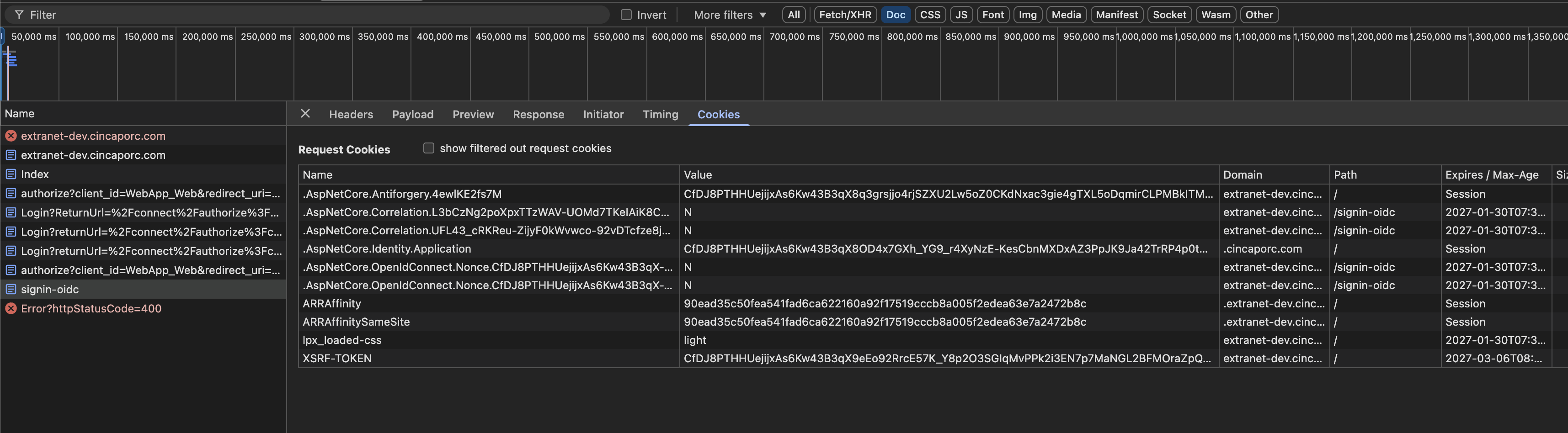
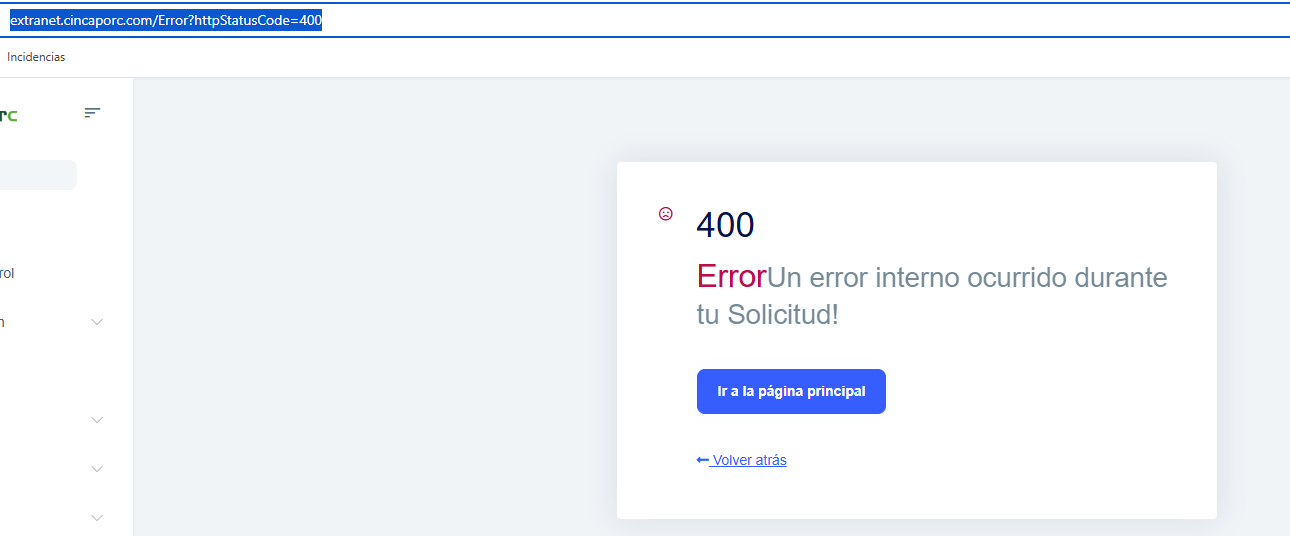
Hi, we’re finding that users often get a 400 error message when they try to authenticate.
I’ve checked the logs and this is what I see:
2026-01-27 12:51:57.800 +01:00 [ERR] [] [] An unhandled exception has occurred while executing the request. System.Exception: An error was encountered while handling the remote login. ---> System.Exception: Unable to unprotect the message.State. --- End of inner exception stack trace --- at Microsoft.AspNetCore.Authentication.RemoteAuthenticationHandler`1.HandleRequestAsync() at Microsoft.AspNetCore.Authentication.AuthenticationMiddleware.Invoke(HttpContext context) at Volo.Abp.AspNetCore.Security.AbpSecurityHeadersMiddleware.InvokeAsync(HttpContext context, RequestDelegate next) at Microsoft.AspNetCore.Builder.UseMiddlewareExtensions.<>c__DisplayClass6_1.<
What solution would you suggest in this case? Best regards
60 Answer(s)
-
0
Hi Were you able to find the issue?
Markdown supported.Copy, paste, or drag & drop images and files (max 100 MB per file, 100 MB total per post) -
0
I’ve already sent you the logs in the email.
Markdown supported.Copy, paste, or drag & drop images and files (max 100 MB per file, 100 MB total per post) -
0
hi
Try to and
options.ProtocolValidator.NonceLifetime = cookieLifetime;try again.var cookieLifetime = TimeSpan.FromMinutes(60); options.RemoteAuthenticationTimeout = cookieLifetime; options.CorrelationCookie.Expiration = cookieLifetime; options.NonceCookie.Expiration = cookieLifetime; options.ProtocolValidator.NonceLifetime = cookieLifetime;Thanks
Markdown supported.Copy, paste, or drag & drop images and files (max 100 MB per file, 100 MB total per post) -
0
Hi I’m going to add that code and see if it works.
Markdown supported.Copy, paste, or drag & drop images and files (max 100 MB per file, 100 MB total per post) -
0
I’ve tested it and it worked without errors on web, but not on web public. I’m going to test it again.
Markdown supported.Copy, paste, or drag & drop images and files (max 100 MB per file, 100 MB total per post) -
0
hi
Make sure the fix code exists in your web public website.
var cookieLifetime = TimeSpan.FromMinutes(60); options.RemoteAuthenticationTimeout = cookieLifetime; options.CorrelationCookie.Expiration = cookieLifetime; options.NonceCookie.Expiration = cookieLifetime; options.ProtocolValidator.NonceLifetime = cookieLifetime;Thanks.
Markdown supported.Copy, paste, or drag & drop images and files (max 100 MB per file, 100 MB total per post) -
0
Hi, I’ve been checking, and I left both web and web.public on the login page for 1 hour. Regardless of which one I access first, if after one hour I log in to web.public, it works fine, but immediately after that, when I try to log in to web, it fails with a 400 error — and vice versa
Markdown supported.Copy, paste, or drag & drop images and files (max 100 MB per file, 100 MB total per post) -
0
I’ve already sent you the logs in the email.
Markdown supported.Copy, paste, or drag & drop images and files (max 100 MB per file, 100 MB total per post) -
0
Hi, I’ve run it again. On one it works fine, but the other gives me a 400 error. I’ve checked, and there’s no useful information in the logs.
Markdown supported.Copy, paste, or drag & drop images and files (max 100 MB per file, 100 MB total per post) -
0
hi
If you see a 400 error on the website. The error will be written to the logs.txt
Have you set the log level?
MinimumLevel.Debug()var loggerConfiguration = new LoggerConfiguration() .MinimumLevel.Debug() .MinimumLevel.Override("Microsoft.EntityFrameworkCore", LogEventLevel.Warning) .Enrich.FromLogContext() .WriteTo.Async(c => c.File("Logs/logs.txt"))Can you clear logs.txt and reproduce the 400 error again?
Thanks.
Markdown supported.Copy, paste, or drag & drop images and files (max 100 MB per file, 100 MB total per post) -
0
Hi, I’ve looked at the code and I have it like this.
public static async Task<int> Main(string[] args)
{
    Log.Logger = new LoggerConfiguration()
#if DEBUG
        .MinimumLevel.Debug()
#else
        .MinimumLevel.Debug()
#endif
        .Enrich.FromLogContext()
        .WriteTo.Async(c => c.File(
            "Logs/logs.txt",
            outputTemplate:
            "{Timestamp:yyyy-MM-dd HH:mm:ss.fff zzz} [{Level:u3}] [{UserId}] [{UserName}] {Message:lj}{NewLine}{Exception}",
            rollingInterval: RollingInterval.Day,
            retainedFileCountLimit: 30,
            rollOnFileSizeLimit: true,
            fileSizeLimitBytes: 52428800))
#if DEBUG
        .WriteTo.Async(c => c.Console())
#endif
        .CreateLogger();
Markdown supported.Copy, paste, or drag & drop images and files (max 100 MB per file, 100 MB total per post) -
0
hi
Can you copy the code that I shared?
Search for the
LoggerConfigurationkeyword in your entire solution, and make sure all places are changed.var loggerConfiguration = new LoggerConfiguration() .MinimumLevel.Debug() .MinimumLevel.Override("Microsoft.EntityFrameworkCore", LogEventLevel.Warning) .Enrich.FromLogContext() .WriteTo.Async(c => c.File("Logs/logs.txt"))Thanks
Markdown supported.Copy, paste, or drag & drop images and files (max 100 MB per file, 100 MB total per post) -
0
I’ve already sent you the email, but it only includes logs from web, because there was nothing from web public.
Markdown supported.Copy, paste, or drag & drop images and files (max 100 MB per file, 100 MB total per post) -
0
The logs show the login succeeded, no 400 error
2026-02-05 14:43:25.337 +01:00 [INF] [] [] Request starting HTTP/1.1 POST https://extranet-dev.cincaporc.com/signin-oidc application/x-www-form-urlencoded 1937
2026-02-05 14:43:25.337 +01:00 [DBG] [] [] POST requests are not supported
2026-02-05 14:43:25.337 +01:00 [DBG] [] [] No candidates found for the request path '/signin-oidc'
2026-02-05 14:43:25.338 +01:00 [DBG] [] [] Request did not match any endpoints
2026-02-05 14:43:25.377 +01:00 [DBG] [] [] Updating configuration
2026-02-05 14:43:25.380 +01:00 [DBG] [] [] Received 'id_token'
2026-02-05 14:43:25.463 +01:00 [DBG] [] [] Redeeming code for tokens.
2026-02-05 14:43:25.875 +01:00 [INF] [] [] AuthenticationScheme: Cookies signed in.
2026-02-05 14:43:25.876 +01:00 [INF] [] [] Request finished HTTP/1.1 POST https://extranet-dev.cincaporc.com/signin-oidc application/x-www-form-urlencoded 1937 - 302 - - 538.8779ms
2026-02-05 14:43:25.978 +01:00 [INF] [] [] Request starting HTTP/1.1 GET https://extranet-dev.cincaporc.com/Mains/Index - -
2026-02-05 14:43:25.978 +01:00 [DBG] [] [] The request path /Mains/Index does not match a supported file type
2026-02-05 14:43:25.979 +01:00 [DBG] [] [] 1 candidate(s) found for the request path '/Mains/Index'
2026-02-05 14:43:25.979 +01:00 [DBG] [] [] Endpoint '/Mains/Index' with route pattern 'Mains/Index' is valid for the request path '/Mains/Index'
2026-02-05 14:43:25.979 +01:00 [DBG] [] [] Request matched endpoint '/Mains/Index'
2026-02-05 14:43:26.043 +01:00 [DBG] [] [] AuthenticationScheme: Cookies was successfully authenticated.
Markdown supported.Copy, paste, or drag & drop images and files (max 100 MB per file, 100 MB total per post) -
0
Web: https://extranet-dev.cincaporc.com/ Public.Web: https://integradosapp-dev.cincaporc.com/
Markdown supported.Copy, paste, or drag & drop images and files (max 100 MB per file, 100 MB total per post) -
0
You need to have both URLs open in your browser, https://extranet-dev.cincaporc.com/ and https://integradosapp-dev.cincaporc.com/ , and stay on the login page for about 30–40 minutes to be sure. After that, log in to either one — it will work fine. Then log in to the other one, and the 400 error will appear. Do you have any questions?
Markdown supported.Copy, paste, or drag & drop images and files (max 100 MB per file, 100 MB total per post)