- goal is Auth goes to https://localhost:44318/auth Host API server goes to https://localhost:44392/portal/api Web server goes to https://localhost:44374/portal
7 Answer(s)
-
0
What you want is PathBase / virtual directory hosting for each app in a tiered MVC solution:
- AuthServer:
https://localhost:44318/auth - HttpApi.Host:
https://localhost:44392/portal/api - Web (MVC UI):
https://localhost:44374/portal
- AuthServer:
In ABP (including v9.3.6), the reliable way to do this is:
- Set PathBase (ASP.NET Core
UsePathBase) for each application. - Ensure ABP-generated URLs are correct by setting SelfUrl (and the relevant remote service base URLs) to include the same base path.
- Update OpenIddict client redirect/logout URLs (seed data / DbMigrator / appsettings) to include
/portal/...and/auth/.... - Make sure cookies work with these base paths (cookie path considerations).
- Set PathBase (ASP.NET Core
1) AuthServer at
/authIn AuthServer (
YourProject.AuthServer) add PathBase early in the pipeline:// in OnApplicationInitialization / Program.cs pipeline app.UsePathBase("/auth");Then set AuthServer self URL accordingly in
appsettings.json:"App": { "SelfUrl": "https://localhost:44318/auth" }Also ensure the OIDC issuer/authority used by clients points to:
https://localhost:44318/auth
2) HttpApi.Host at
/portal/apiIn HttpApi.Host add:
app.UsePathBase("/portal/api");Set:
"App": {
  "SelfUrl": "https://localhost:44392/portal/api"
}
If your MVC UI calls this API via remote services, set the remote service base URL (commonly in Web project) to include
/portal/api.3) MVC Web at
/portalIn Web (MVC UI) add:
app.UsePathBase("/portal");Set:
"App": {
  "SelfUrl": "https://localhost:44374/portal"
}
And update the AuthServer authority used by Web:
"AuthServer": {
  "Authority": "https://localhost:44318/auth",
  "RequireHttpsMetadata": "false"
}
4) Update OpenIddict client redirect URIs (critical)
Because you changed the base paths, the redirect endpoints change too:
- Web redirect URI becomes:
https://localhost:44374/portal/signin-oidc
- Web post logout redirect becomes:
https://localhost:44374/portal/signout-callback-oidc
- Swagger redirect (if used on API) becomes:
https://localhost:44392/portal/api/swagger/oauth2-redirect.html
So you must update your OpenIddict application/client configuration in the database (or via ABP data seeding / DbMigrator configuration) to use the new URLs.
5) Notes about “meeting”
For non-technical requests like arranging a meeting, please contact us at:
- https://abp.io/contact
(sources)
- https://abp.io/docs/latest/solution-templates/layered-web-application/solution-structure
- https://abp.io/support/questions/1048
- https://abp.io/contact
This response was generated by AI. If it didn’t solve your problem, feel free to post a new answer — our support team will jump in to help you soon.
Markdown supported.Copy, paste, or drag & drop images and files (max 100 MB per file, 100 MB total per post) -
0
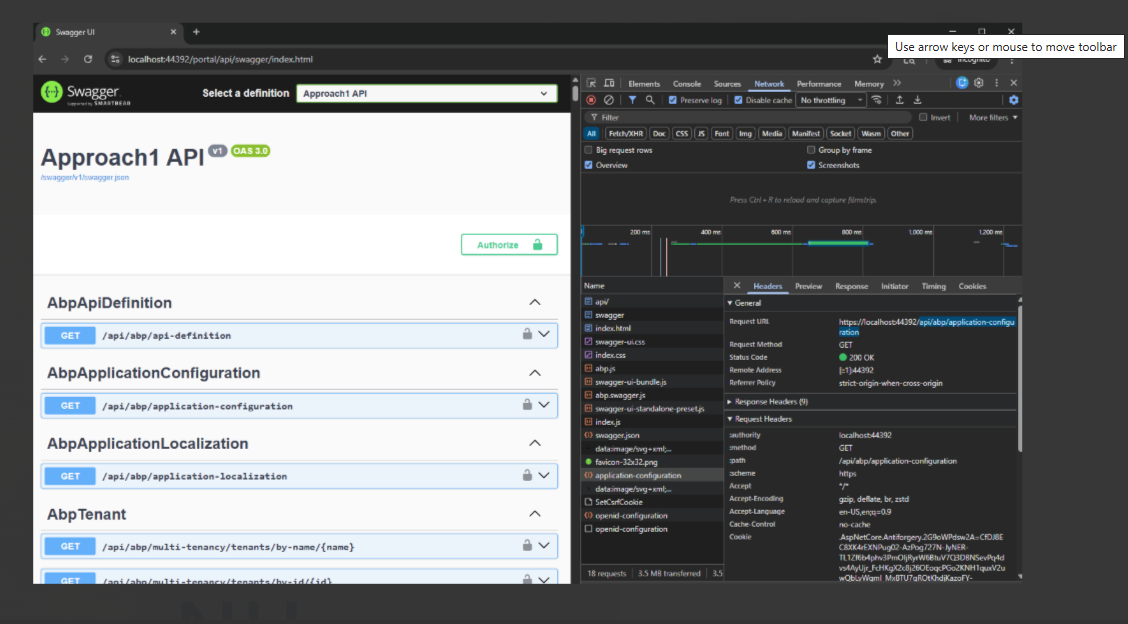
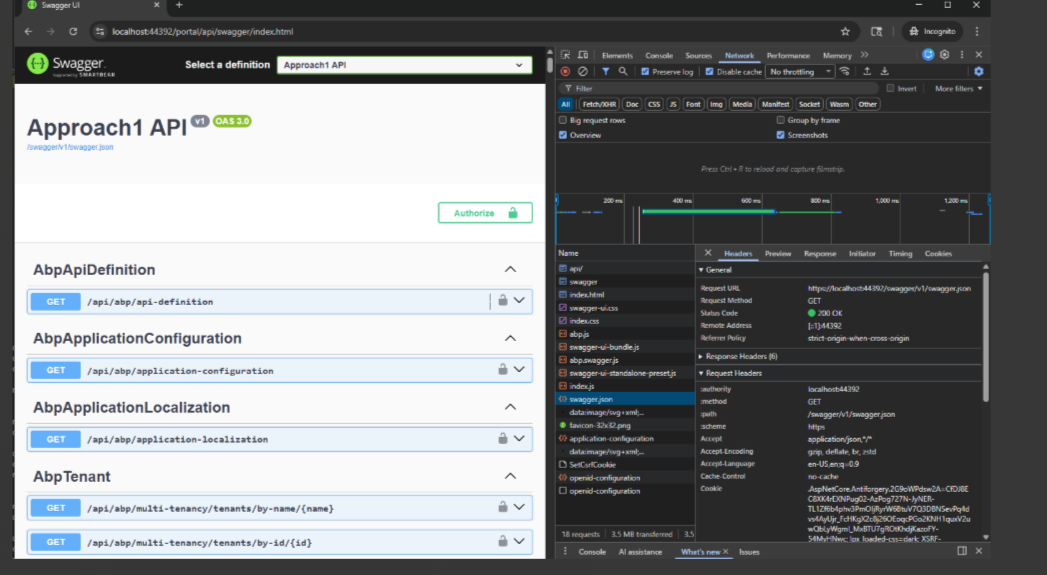
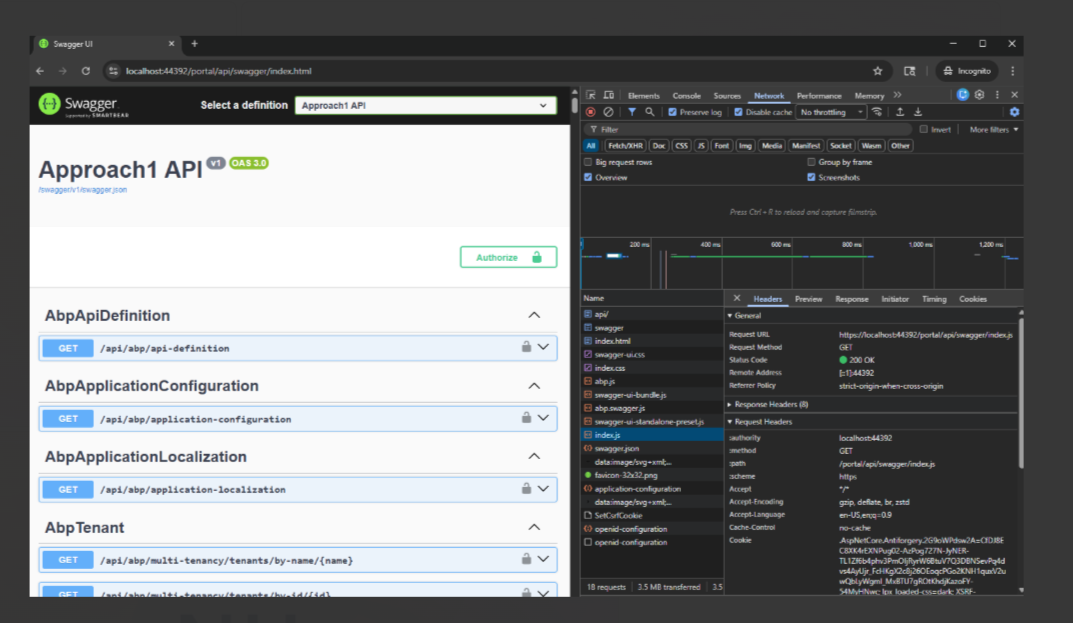
the swagger.json file path is incorrect from https://localhost:44392/portal/api => opens https://localhost:44392/swagger/v1/swagger.json
swagger.json and application-configuration are not using the correct paths, they should be prefixed with /portal/api/
<br>
Markdown supported.Copy, paste, or drag & drop images and files (max 100 MB per file, 100 MB total per post) -
1
hi
Can you try to set the
abp.appPath?Please relace
myscriptwithscriptapp.UseAbpSwaggerUI(options => { options.SwaggerEndpoint("/mytest/swagger/v1/swagger.json", "Test MyProjectName API"); var builder = new StringBuilder(options.HeadContent); builder.AppendLine($"<myscript>abp.appPath = '/mytest/';</myscript>"); options.HeadContent = builder.ToString(); });Thanks.
Markdown supported.Copy, paste, or drag & drop images and files (max 100 MB per file, 100 MB total per post) -
0
[maliming] said: hi
Can you try to set the
abp.appPath?Please relace
myscriptwithscriptapp.UseAbpSwaggerUI(options => { options.SwaggerEndpoint("/mytest/swagger/v1/swagger.json", "Test MyProjectName API"); var builder = new StringBuilder(options.HeadContent); builder.AppendLine($"<myscript>abp.appPath = '/mytest/';</myscript>"); options.HeadContent = builder.ToString(); });Thanks.
Thank you, Can you pls send me sample script ?
Here is our code now
app.UseSwagger();
 app.UseAbpSwaggerUI(options =>
 {
     options.SwaggerEndpoint("/swagger/v1/swagger.json", "Approach API");

     var configuration = context.GetConfiguration();
     options.OAuthClientId(configuration["AuthServer:SwaggerClientId"]);
 });
We use app.UsePathBase("/portal/api"); in the program.cs
Markdown supported.Copy, paste, or drag & drop images and files (max 100 MB per file, 100 MB total per post) -
0
hi
You can try code below:
app.UseSwagger();
app.UseAbpSwaggerUI(options =>
{
    options.SwaggerEndpoint("/portal/api/swagger/v1/swagger.json", "Approach API");

    var builder = new StringBuilder(options.HeadContent);
    builder.AppendLine($"<myscript>abp.appPath = '/portal/api/';</myscript>");
    options.HeadContent = builder.ToString();

    var configuration = context.GetConfiguration();
    options.OAuthClientId(configuration["AuthServer:SwaggerClientId"]);
});
Thanks.
Markdown supported.Copy, paste, or drag & drop images and files (max 100 MB per file, 100 MB total per post) -
0
[maliming] said: hi
You can try code below:
app.UseSwagger();
app.UseAbpSwaggerUI(options =>
{
    options.SwaggerEndpoint("/portal/api/swagger/v1/swagger.json", "Approach API");

    var builder = new StringBuilder(options.HeadContent);
    builder.AppendLine($"<myscript>abp.appPath = '/portal/api/';</myscript>");
    options.HeadContent = builder.ToString();

    var configuration = context.GetConfiguration();
    options.OAuthClientId(configuration["AuthServer:SwaggerClientId"]);
});
Thanks.
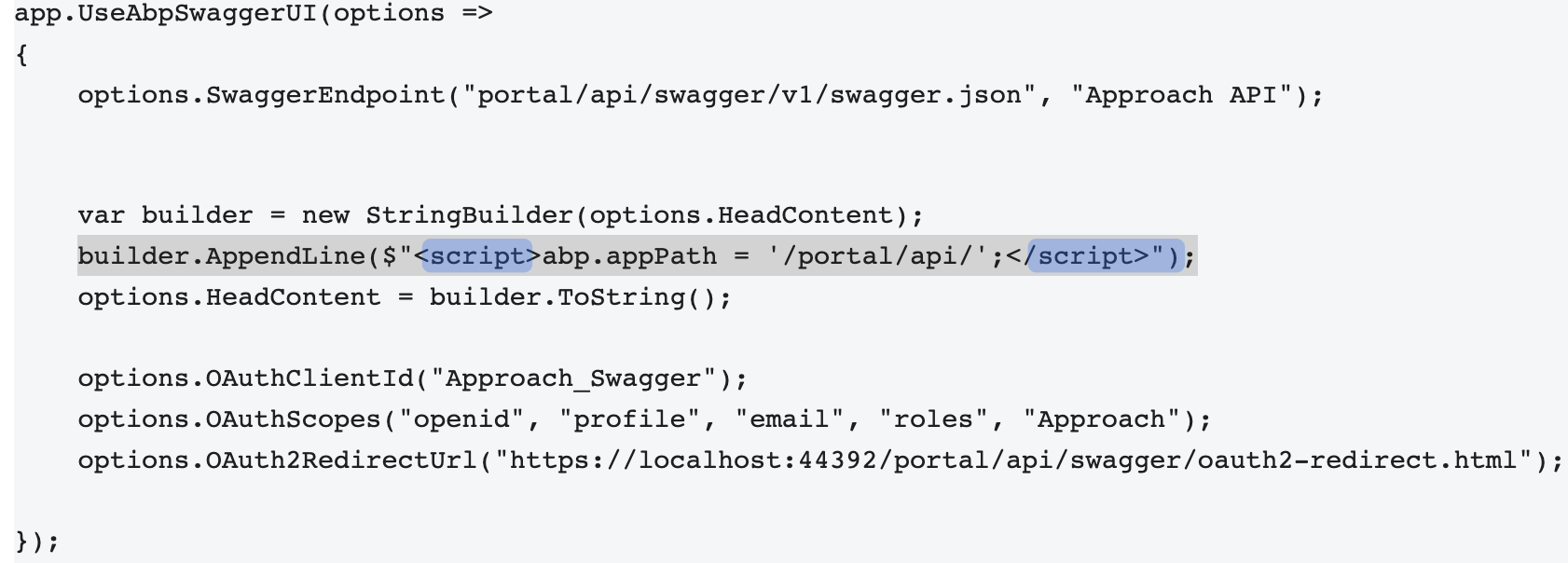
Testing with `app.UseAbpSwaggerUI(options => { options.SwaggerEndpoint("portal/api/swagger/v1/swagger.json", "Approach API");
var builder = new StringBuilder(options.HeadContent);
builder.AppendLine($"<myscript>abp.appPath = '/portal/api/';</myscript>");
options.HeadContent = builder.ToString();

options.OAuthClientId("Approach_Swagger");
options.OAuthScopes("openid", "profile", "email", "roles", "Approach");
options.OAuth2RedirectUrl("https://localhost:44392/portal/api/swagger/oauth2-redirect.html");
});` will send you update soon
Markdown supported.Copy, paste, or drag & drop images and files (max 100 MB per file, 100 MB total per post)