






This is the code i have added module file
// Configure password requirements Configure<IdentityOptions>(options => { options.Password.RequiredLength = 8; });
15 Answer(s)
-
0
In ABP,
IdentityOptionscan be configured in your module, but password rules can also be overridden at runtime by ABP’s Setting System. So if yourConfigure<IdentityOptions>(...)change “doesn’t work”, it’s typically because the effective password policy is coming from Identity settings (possibly tenant-specific), not from your hardcoded options.Do this to make it work definitively:
- Keep your code-based configuration (in the module’s
ConfigureServices):
using Microsoft.AspNetCore.Identity; using Volo.Abp.Modularity; public override void ConfigureServices(ServiceConfigurationContext context) { Configure<IdentityOptions>(options => { options.Password.RequiredLength = 8; }); }- If you are using ABP’s Identity settings, update the setting value instead (this will override the code-based value):
using Volo.Abp.DependencyInjection;
   using Volo.Abp.Identity.Settings;
   using Volo.Abp.Settings;

   public class PasswordPolicyChanger : ITransientDependency
   {
       private readonly ISettingManager _settingManager;

       public PasswordPolicyChanger(ISettingManager settingManager)
       {
           _settingManager = settingManager;
       }

       public async Task SetMinLengthForCurrentTenantAsync()
       {
           await _settingManager.SetForCurrentTenantAsync(
               IdentitySettingNames.Password.RequiredLength,
               "8"
           );
       }
   }
If you want it globally (host side) use:
SetGlobalAsync(...)instead ofSetForCurrentTenantAsync(...).- If you test from the UI (Create User / Register / Change Password), ensure you are testing in the same tenant context where the setting is applied. Otherwise you may be seeing host (or another tenant’s) password rules.
Result: once you set
IdentitySettingNames.Password.RequiredLengthto8for the relevant scope (tenant/global/user), password validation will enforce length 8 even if your module option is different—because settings take precedence.https://abp.io/docs/latest/modules/identity
This response was generated by AI. If it didn’t solve your problem, feel free to post a new answer — our support team will jump in to help you soon.
-
0
hi
These options will be replaced with the Identity setting system. Please change it in setting page.
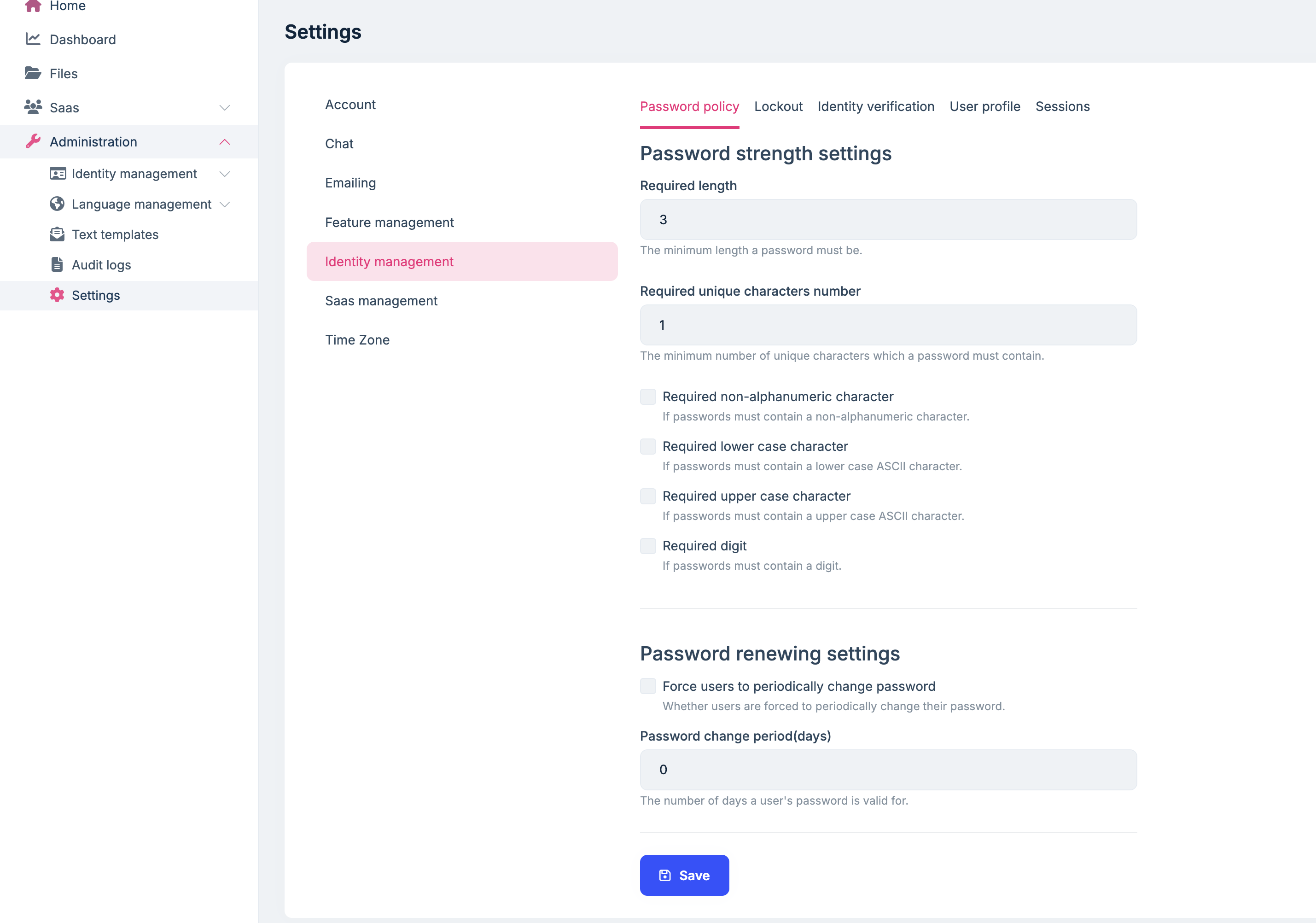
Thanks.
-
0
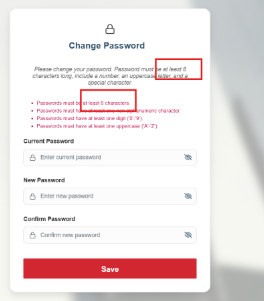
I have changed the identity setting as well for 6-digit min password to 8 the model error is still not updating
-
0
What you’re seeing (UI still saying “at least 6 characters” after you set Required length = 8 in the Identity Settings page) is almost always client-side validation text being cached / hardcoded in the UI, while the server-side rule is already updated (or will be updated after cache refresh).
Fix it definitively with these steps (do all):
Hard refresh / clear browser storage
- Clear Local Storage and Session Storage for your app domain.
- Then do a hard reload (Ctrl+F5).
- If you use a PWA/service worker, unregister it (otherwise it can keep old UI assets).
Restart the app and clear distributed cache (if enabled)
- If your app uses Redis / distributed cache, the application configuration/settings can be cached.
- Restarting alone may not be enough if a shared cache is used; clear the cache so the UI re-fetches the latest settings.
Confirm the server-side password rule is really 8
- Try changing the password to a 7-char password.
- If the backend rejects it with an error about minimum length, then the backend is correct and only the UI hint/validation message is stale.
- If the backend still accepts 6/7, then your change is not being applied in the effective scope.
Check setting scope (Host vs Tenant)
- In ABP, Identity password settings can be tenant-specific.
- Make sure you changed the setting in the same context you are logged into:
- If you are logged into a tenant, change it in that tenant’s settings.
- If you changed it on the host side only, it may still show the tenant value (or default) when you are inside a tenant.
If it’s Angular UI: update the Identity config package
- There is a known class of issues where Angular identity/account UI doesn’t immediately reflect updated password policy unless packages/assets are updated and the page is refreshed.
- Run:
yarn upgrade @volo/abp.ng.identity.config- (then reinstall node_modules if needed, rebuild and redeploy)
- This is consistent with an older ABP support case where Identity password settings in Angular UI did not update correctly until the related package was upgraded.
Sources (verified):
- https://abp.io/docs/latest/modules/identity
- https://abp.io/support/questions/166
This response was generated by AI. If it didn’t solve your problem, feel free to post a new answer — our support team will jump in to help you soon.
-
0
hi
Can you share a high-quality screenshot?
What is your ABP version and UI page?
Thanks.
-
0
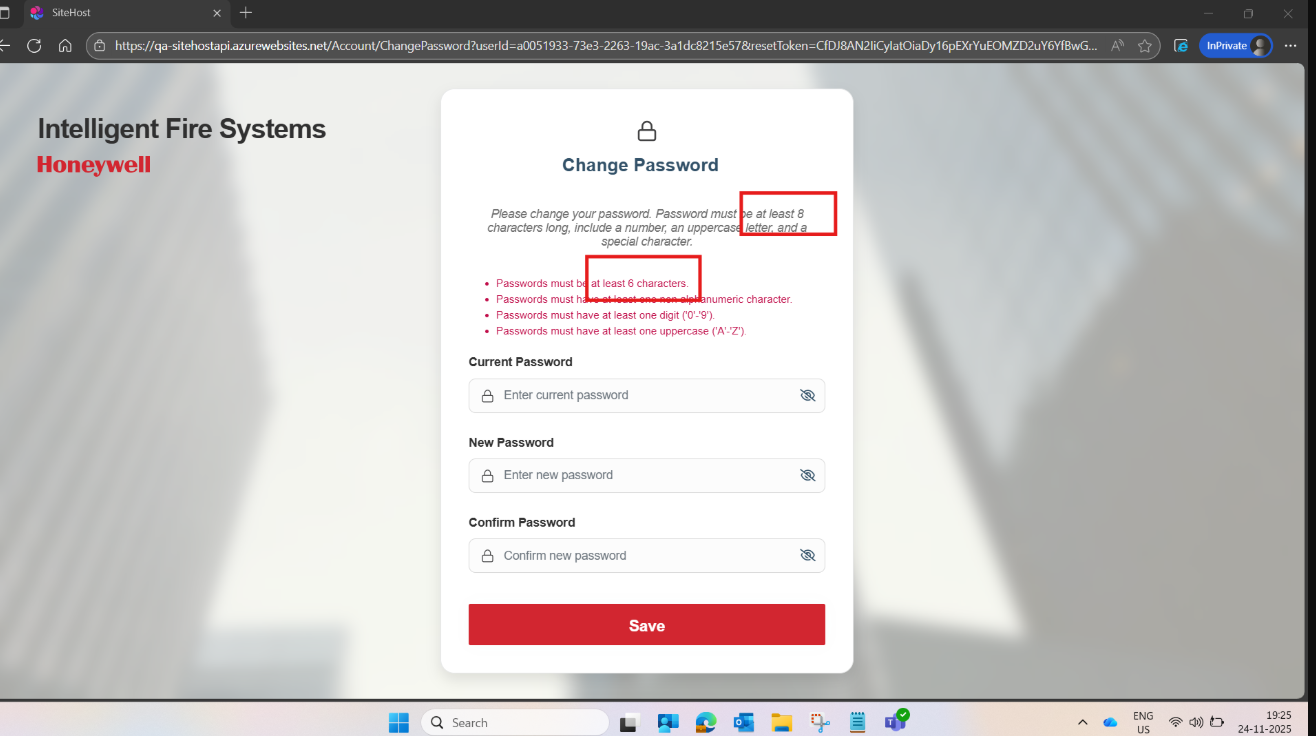 Abp version 10.0.2, UI Page Change Password
 -
0
hi
Do you have multiple tenants?
Please share the setting values in
AbpSettingstables.Thanks.
-
0
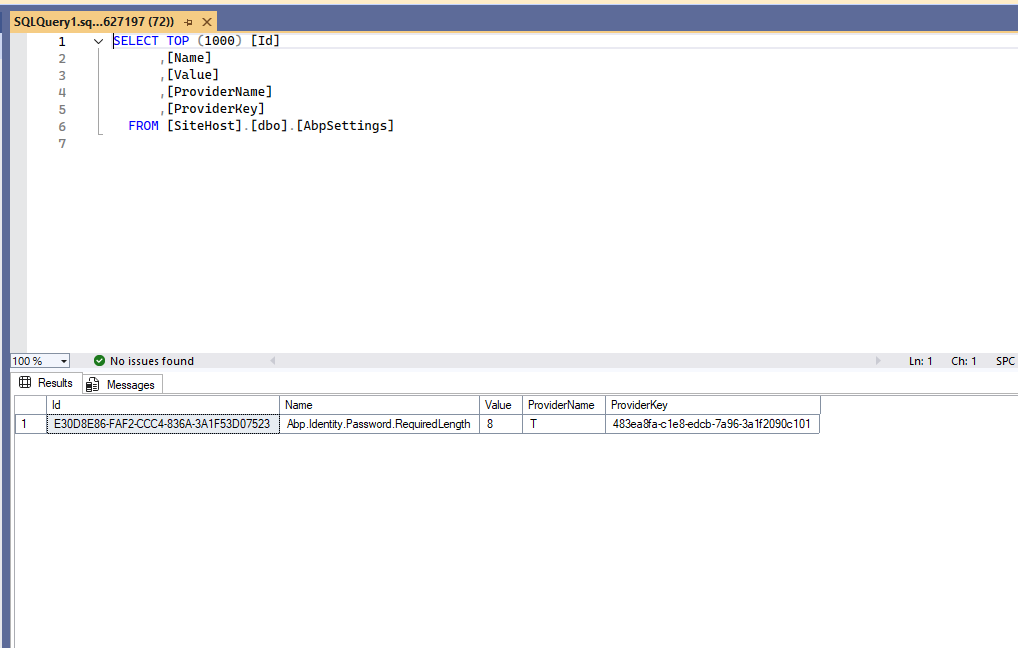 Yes we have Multiple tenants
 -
0
hi
Your password length setting is applied to
Tenant(T), not the host.The
ChangePasswordpage isHost. Can you also set the value on theHostside?
Thanks.
-
0
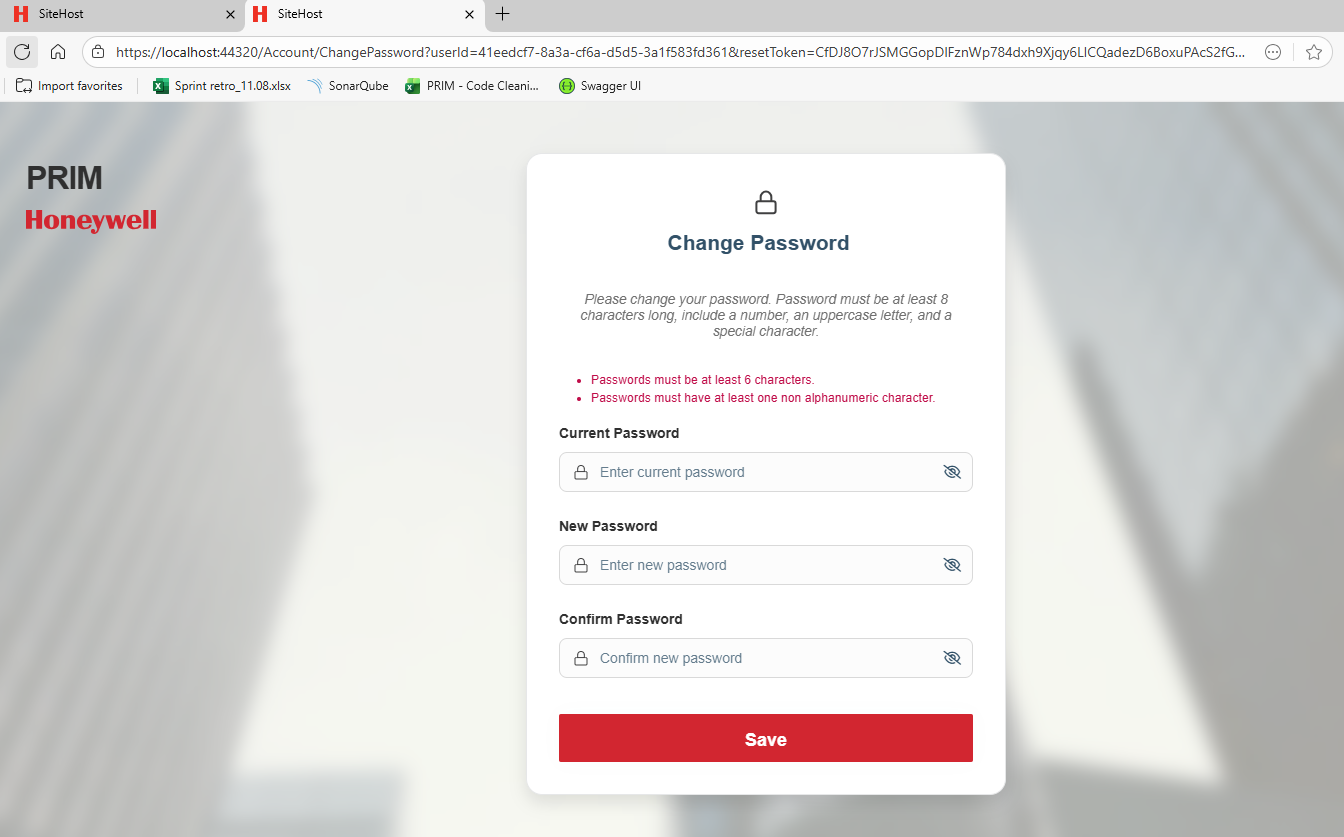
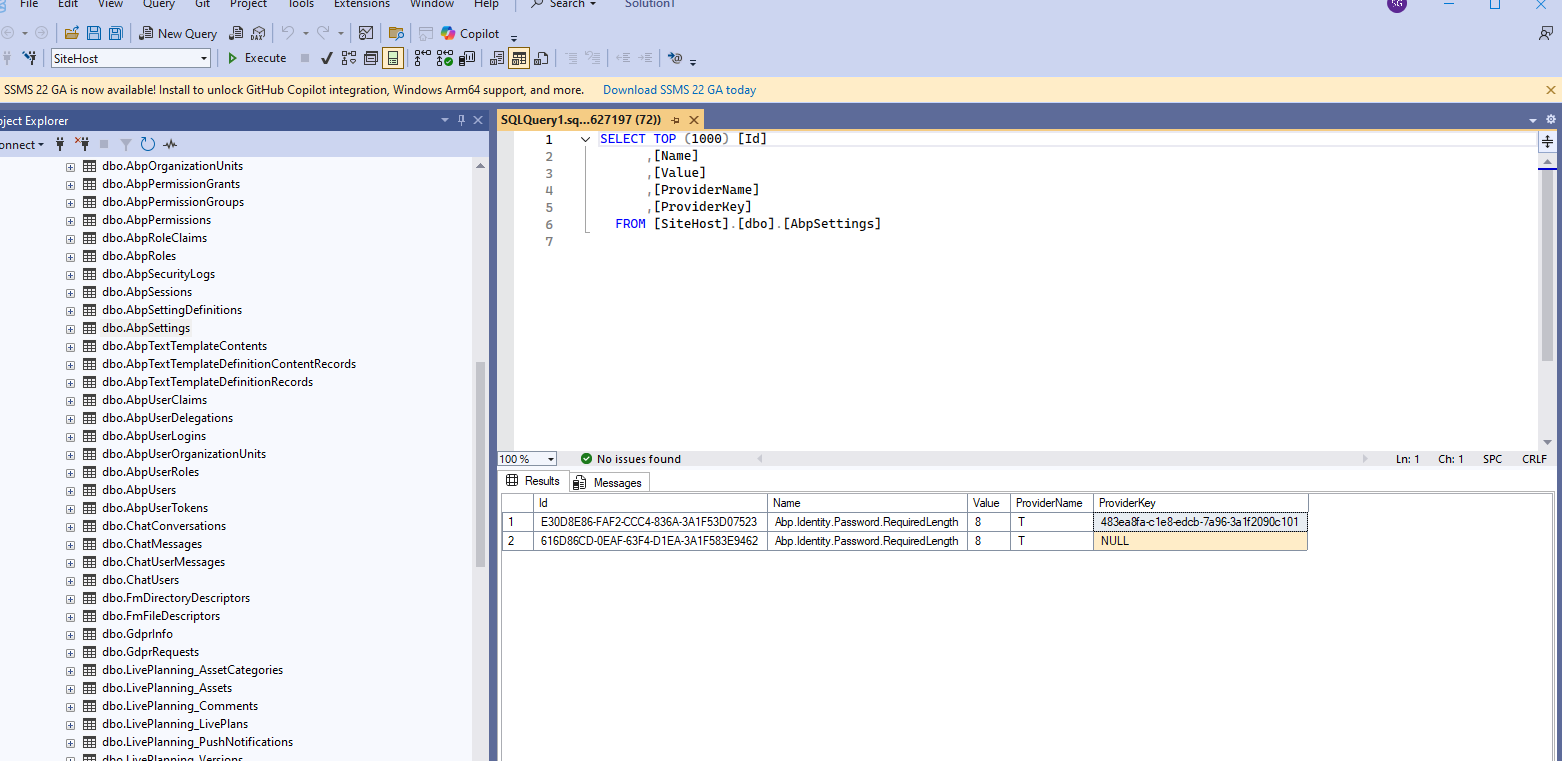 I have made the changes both tenant and Host but it still appearing as 6 digit is minimum
 -
0
hi
Try to change second
TtoG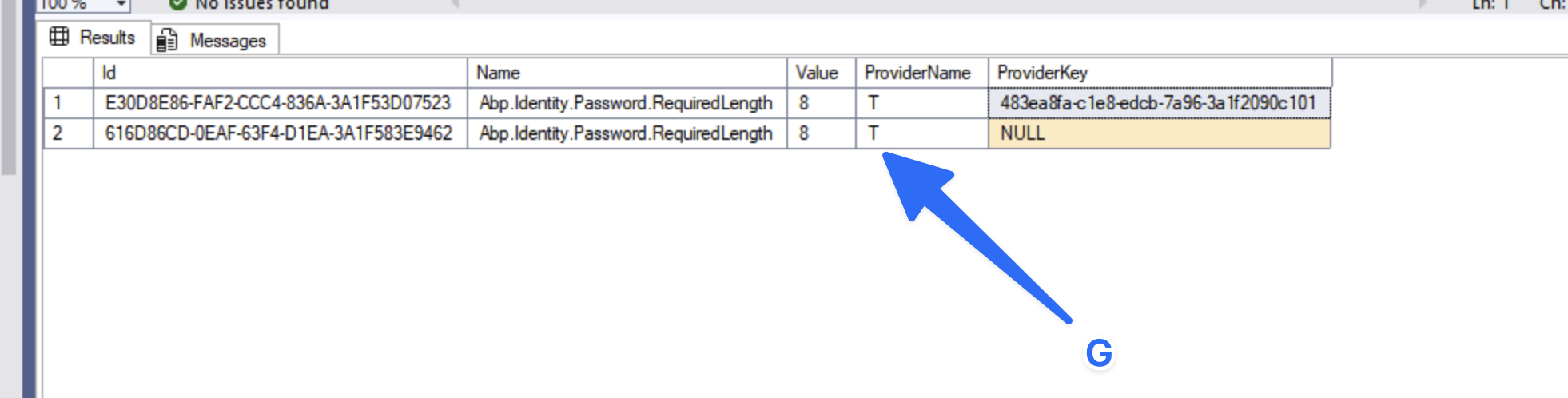
-
0
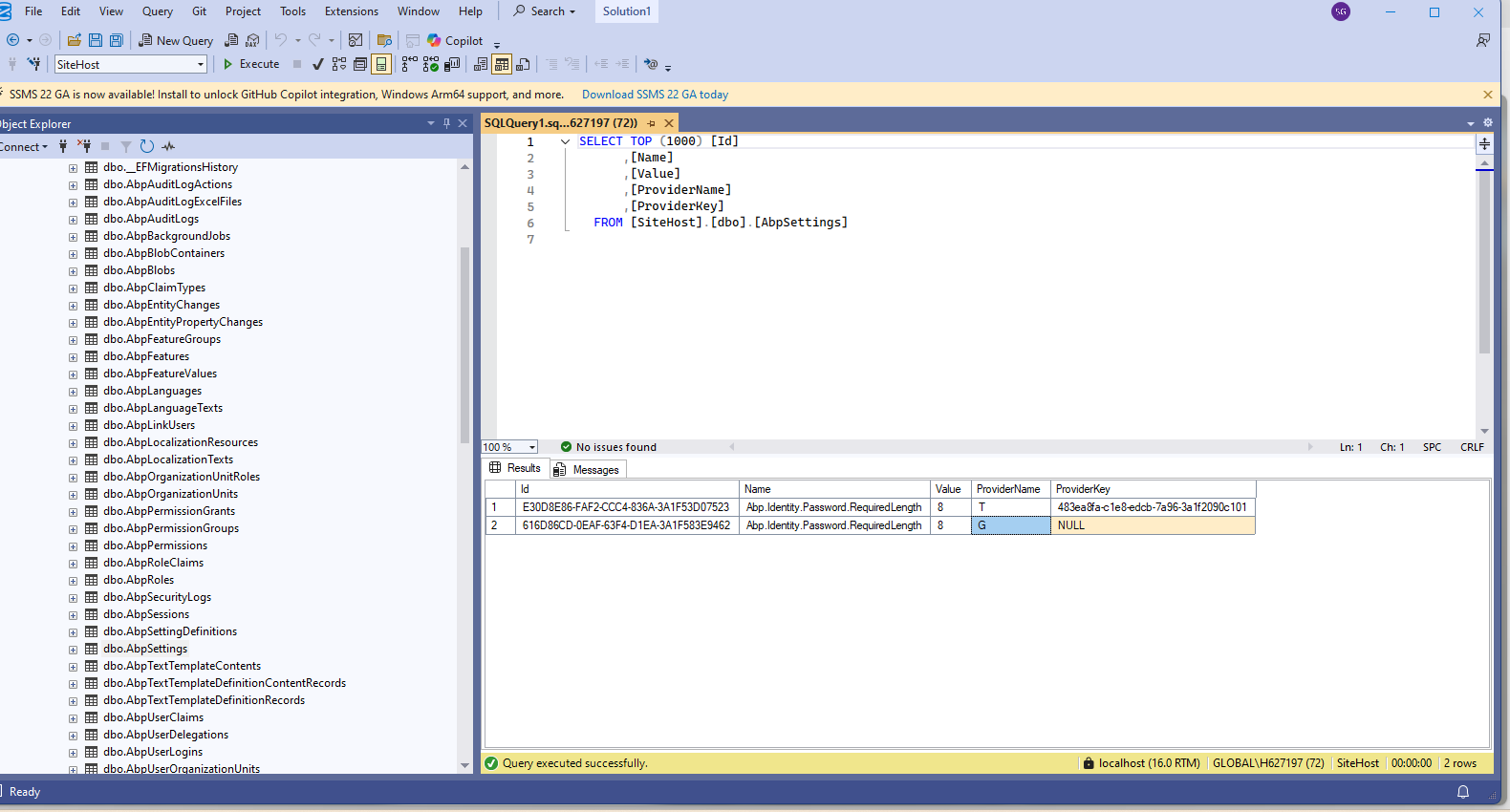
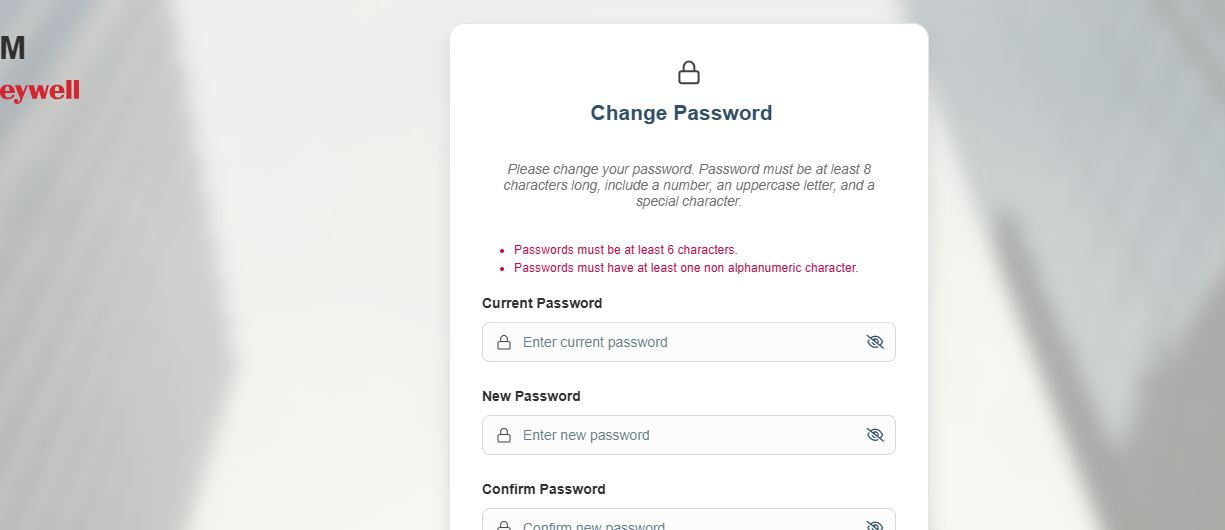 I have changed it T to G still It is showing 6 digits
 -
0
hi
Do you use Redis? If so, please clear the cache.
And using
TwithNULLis no problem. You can test again| Id | Name | Value | ProviderName | ProviderKey | |--------------------------------------|----------------------------------------|------|--------------|----------------------------------------| | ED02A171-57B5-1022-232C-3A1F587E0589 | Abp.Identity.Password.RequiredLength | 8 | T | 483ea8fa-cle8-edcb-7a96-3a1f2090c101 | | ED02A171-57B5-1022-232C-3A1F587E0589 | Abp.Identity.Password.RequiredLength | 8 | T | Null |
Thanks.
-
0
Even clearing the cache, it not working I have added this piece of configuration in Host module class it working. is it ok add
// Configure password requirements Configure<IdentityOptions>(options => { options.Password.RequiredLength = 8; }); -
0
hi
Can you reproduce this in a new template project?
I will check and fix it.
Thanks



