






On the Identity users page, the list of users is not sorted. How do I sort the list?
8 Answer(s)
-
0
- In ABP Blazor (including Blazor Web App) the Identity Users page is a server-side paged list. The order is determined by the
Sortingfield sent in theGetListAsyncrequest (aPagedAndSortedResultRequestDto/GetIdentityUsersInput-like DTO). - To sort the list, set a default sorting value (and/or make the grid send the current sorting) by overriding the Identity UserManagement page/component and assigning
GetListInput.Sorting.
Option A) Set a default sort (e.g., by UserName)
- Create a new page/component that replaces the built-in one (same technique used for overriding built-in Identity pages):
@* YourProject.Blazor/Pages/Identity/UserManagement.razor *@ @using Volo.Abp.Identity.Blazor.Pages.Identity @using Volo.Abp.DependencyInjection @attribute [ExposeServices(typeof(UserManagement))] @attribute [Dependency(ReplaceServices = true)] @inherits UserManagement- In the code-behind, set
Sortingbefore loading:
// YourProject.Blazor/Pages/Identity/UserManagement.razor.cs
using System.Threading.Tasks;

namespace YourProject.Blazor.Pages.Identity;

public partial class UserManagement
{
    protected override async Task UpdateGetListInputAsync()
    {
        await base.UpdateGetListInputAsync();

        if (string.IsNullOrWhiteSpace(GetListInput.Sorting))
        {
            // Pick any valid field exposed by the backend DTO:
            // e.g. "UserName", "Name", "Email", etc.
            GetListInput.Sorting = "UserName asc";
        }
    }
}
Now the page will always request users sorted by
UserName ascunless the UI sets another sorting.Option B) Sort based on the grid’s current sorting
If you want clicking column headers to sort, ensure the page sets:
GetListInput.Sorting = CurrentSorting;(where
CurrentSortingis the value produced by the ABP CRUD/grid base page logic). This is the same pattern used in ABP Blazor CRUD pages to pass sorting to the backend.
(light) references
- https://abp.io/docs/latest/UI/Blazor/Customization-Overriding-Components
- https://abp.io/support/questions/5811
This response was generated by AI. If it didn’t solve your problem, feel free to post a new answer — our support team will jump in to help you soon.
- In ABP Blazor (including Blazor Web App) the Identity Users page is a server-side paged list. The order is determined by the
-
0
hi
You can sort by clicking the column.
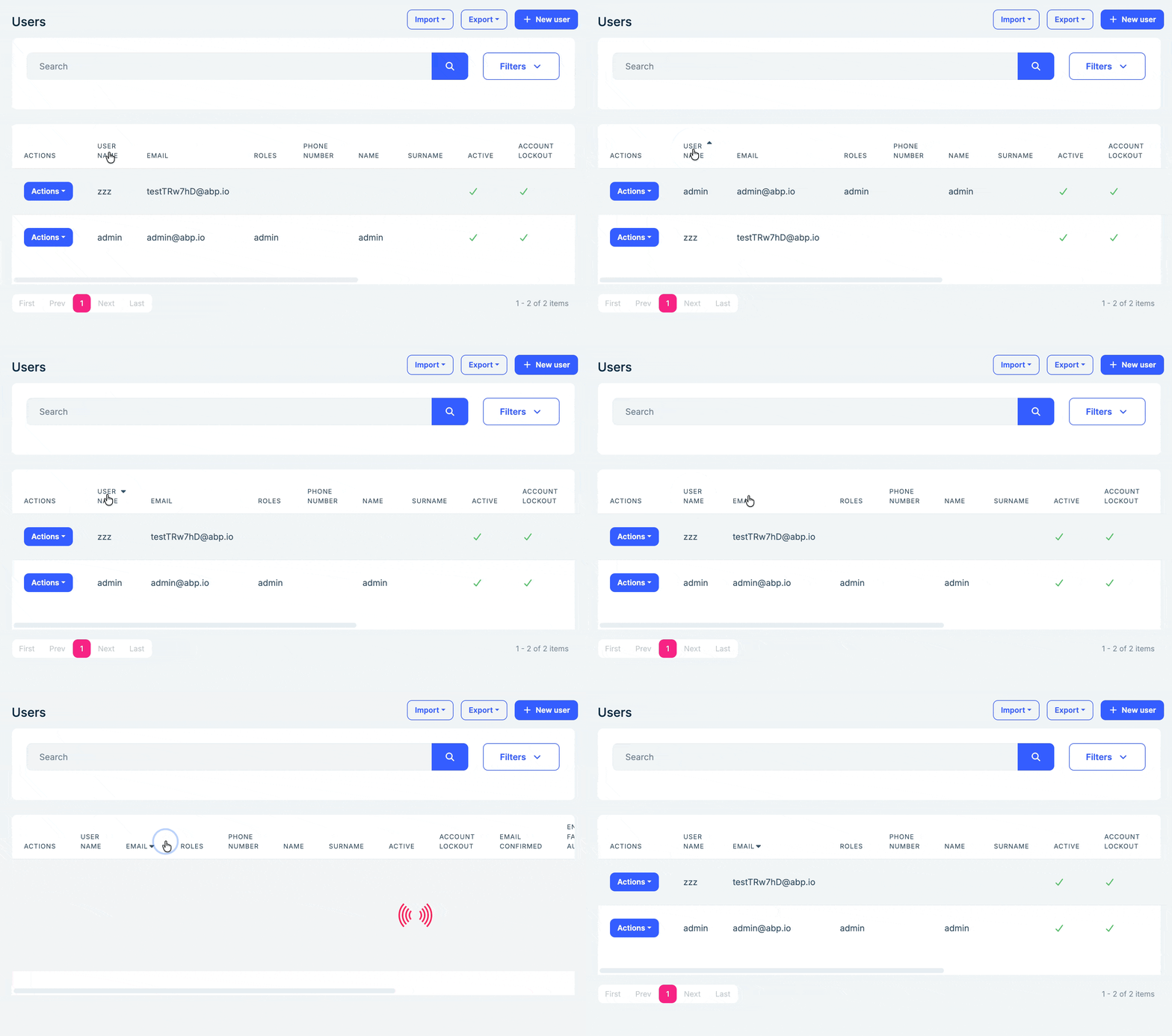
Thanks
-
0
Yes, aware of that. But that is not what I want. The list should be sorted by default. It has been raised by a customer.
-
0
hi
The default sort way is
order by CreationTime descDo you want to change it?
Thanks.
-
0
Yes, for me, UserName makes more sense than CreationTime
-
0
hi
You can replace the
EfCoreIdentityUserRepositoryto change the default sorting:[Dependency(ReplaceServices = true)] [ExposeServices(typeof(IIdentityUserRepository), typeof(EfCoreIdentityUserRepository), typeof(MyEfCoreIdentityUserRepository))] public class MyEfCoreIdentityUserRepository : EfCoreIdentityUserRepository { public MyEfCoreIdentityUserRepository(IDbContextProvider<IIdentityDbContext> dbContextProvider) : base(dbContextProvider) { } public override async Task<List<IdentityUser>> GetListAsync( string sorting = null, int maxResultCount = int.MaxValue, int skipCount = 0, string filter = null, bool includeDetails = false, Guid? roleId = null, Guid? organizationUnitId = null, Guid? id = null, string userName = null, string phoneNumber = null, string emailAddress = null, string name = null, string surname = null, bool? isLockedOut = null, bool? notActive = null, bool? emailConfirmed = null, bool? isExternal = null, DateTime? maxCreationTime = null, DateTime? minCreationTime = null, DateTime? maxModifitionTime = null, DateTime? minModifitionTime = null, CancellationToken cancellationToken = default) { if (sorting.IsNullOrWhiteSpace()) { sorting = nameof(IdentityUser.UserName); } return await base.GetListAsync( sorting, maxResultCount, skipCount, filter, includeDetails, roleId, organizationUnitId, id, userName, phoneNumber, emailAddress, name, surname, isLockedOut, notActive, emailConfirmed, isExternal, maxCreationTime, minCreationTime, maxModifitionTime, minModifitionTime, cancellationToken ); } }Thanks
-
0
Thank you. That works.
-
0
Great



