






0
jackmcelhinney created
When only 1 language is enabled, the page titles on MVC login/reset password/etc do not show.
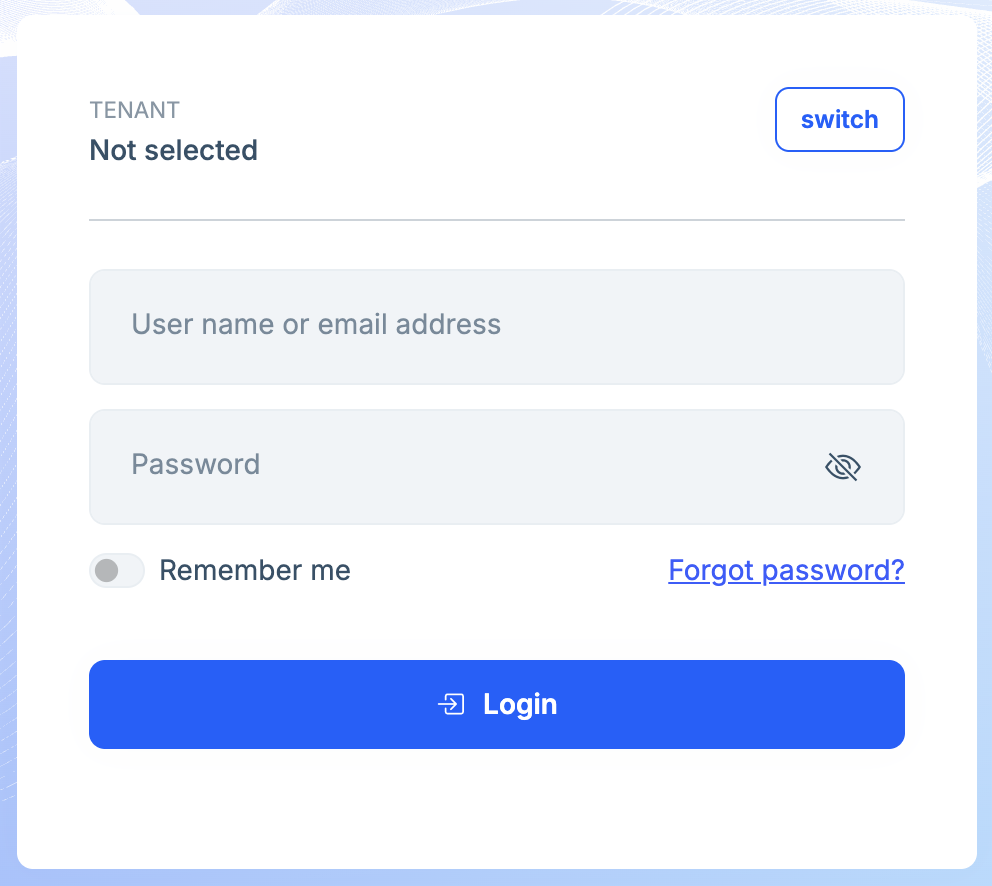
In the default layout code, the title is wrapped up with the check if there is more than 1 language:
@{
    var hasLanguageSwitch = languageInfo.Languages.Count > 1;
    ...
}

<div class="card mx-auto" style="max-width: 30rem;">
    <div class="card-body p-3 p-sm-4">
        @if (hasLanguageSwitch)
        {
            <div class="align-items-start d-flex justify-content-between mb-2">
                <h2 class="lpx-main-title lpx-login-title m-0 me-auto"> @PageLayout.Content.Title </h2>
                <div class="dropdown btn-group ms-auto" aria-labelledby="languageDropdown">
                    <button class="btn btn-sm btn-light dropdown-toggle" type="button" data-bs-toggle="dropdown" aria-expanded="false">
                        <i class="bi bi-translate me-1"></i> @languageInfo.CurrentLanguage.DisplayName
                    </button>
            ...
        }
    </div>
</div>
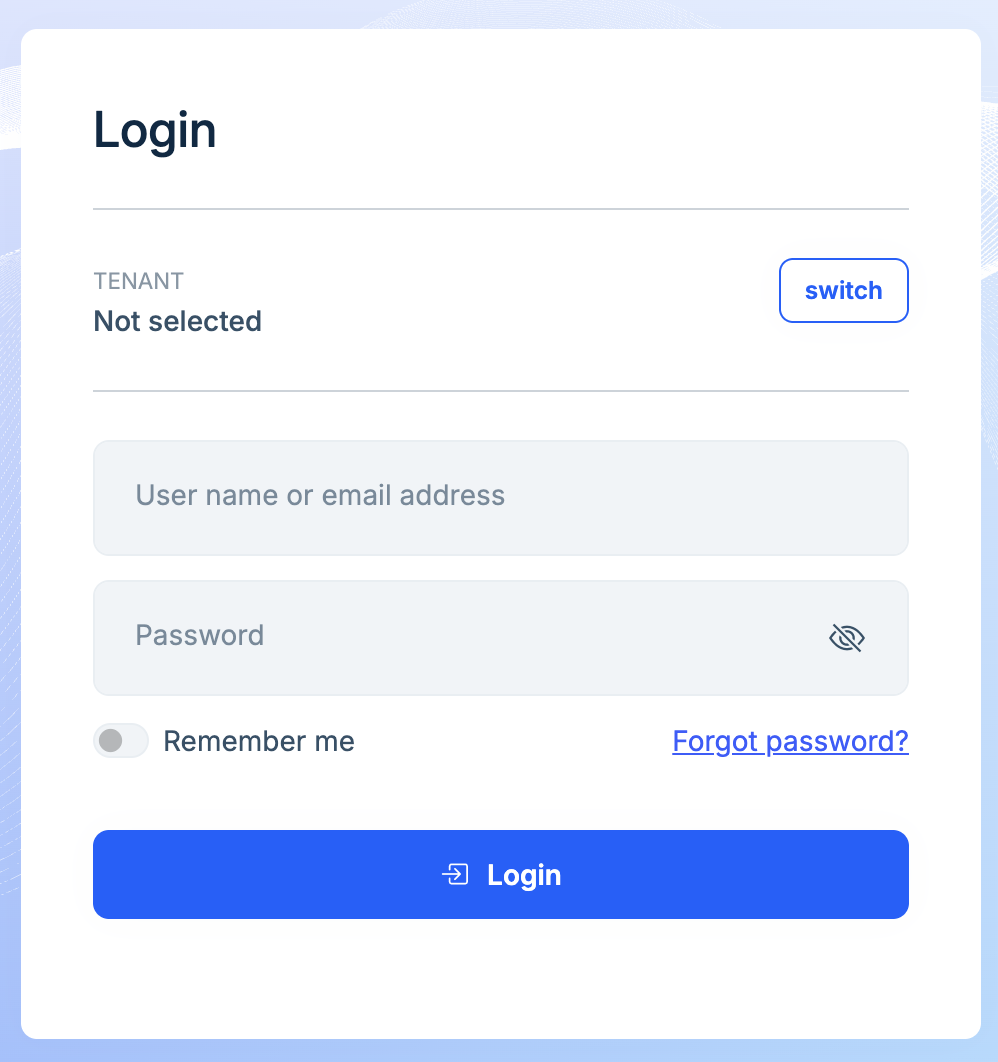
I've fixed this by overriding the layout, moving the @if block to not include the page title, but I would prefer this be fixed in the source so I don't need to override if not necessary. Fix:
@{
    var hasLanguageSwitch = languageInfo.Languages.Count > 1;
    ...
}

<div class="card mx-auto" style="max-width: 30rem;">
    <div class="card-body p-3 p-sm-4">

        <div class="align-items-start d-flex justify-content-between mb-2">
            <h2 class="lpx-main-title lpx-login-title m-0 me-auto"> @PageLayout.Content.Title </h2>

            @if (hasLanguageSwitch)
            {
                <div class="dropdown btn-group ms-auto" aria-labelledby="languageDropdown">
                    <button class="btn btn-sm btn-light dropdown-toggle" type="button" data-bs-toggle="dropdown" aria-expanded="false">
                        <i class="bi bi-translate me-1"></i> @languageInfo.CurrentLanguage.DisplayName
                    </button>
                ...
            }
        </div>
    </div>
</div>
Markdown supported.
Copy, paste, or drag & drop images and files (max 100 MB per file, 100 MB total per post)
2 Answer(s)
-
0
- This is a theme layout bug in the MVC Account layout of LeptonX (your screenshots match it). In ABP v10.0.2, the layout renders the login “header row” (including
@PageLayout.Content.Title) only when the language switch is shown (i.e., whenlanguageInfo.Languages.Count > 1). So, with a single enabled language, the title disappears exactly as you observed. - Your fix is correct: render the title unconditionally and only conditionally render the language dropdown.
What you should do (until it’s fixed upstream)
- Override the LeptonX account layout in your host project:
- Create:
Themes/LeptonX/Layouts/Account/Default.cshtml - Copy the original layout content into it (from the theme package source) and apply your change: move
@PageLayout.Content.Titleout of theif (hasLanguageSwitch)block.
- Create:
- Keep the conditional only around the dropdown.
This is the intended/standard way to patch theme layout issues without modifying NuGet package files directly.
- https://abp.io/docs/latest/framework/ui/mvc-razor-pages/basic-theme (reachable)
- https://abp.io/docs/latest/ui/aspnetcore/customization-user-interface#overriding-a-razor-page-cshtml (reachable)
This response was generated by AI. If it didn’t solve your problem, feel free to post a new answer — our support team will jump in to help you soon.
Markdown supported.Copy, paste, or drag & drop images and files (max 100 MB per file, 100 MB total per post) - This is a theme layout bug in the MVC Account layout of LeptonX (your screenshots match it). In ABP v10.0.2, the layout renders the login “header row” (including



