






Hi ABP Team,
I’m currently working on a branch where we are integrating DevExpress components into our ABP-based Blazor application.
We’ve encountered an issue related to the admin/user menu in the top bar. After logging in successfully, the admin/user icon (which normally appears in the header and allows actions like Logout) is not being displayed.
In other branches (without the DevExpress integration), the user menu appears correctly after authentication.
So I’d like to understand:
- How is the admin/user icon (login/profile/logout dropdown) rendered internally in ABP Blazor?
- Is it tied specifically to a layout component (e.g., MainLayout, TopBar, AccountLayout, etc.)?
- Are there specific services, components, or required layout sections that must be preserved for the user menu to render?
- Could replacing or customizing the layout (for example, when integrating DevExpress templates) prevent the user menu from appearing?
- Is the visibility of this component dependent on a specific permission, theme (LeptonX), or injected service?
We suspect that something in the layout structure may have been overridden or removed when integrating DevExpress UI components.
Any guidance on how the login/profile/logout UI is internally wired in ABP would be very helpful.
Thank you in advance.
6 Answer(s)
-
0
In ABP Blazor, the login/profile/logout dropdown is not “automatic”; it is rendered by the active UI theme’s layout components (e.g., LeptonX/Basic theme). Concretely, the theme’s
MainLayout(or header/topbar component used by that layout) includes a user menu/login display component in the header toolbar. If you replace the layout/topbar and don’t include that component (or an equivalent), the icon/menu will not show.So yes: it is tied to the layout structure (MainLayout/TopBar/toolbar region). When integrating DevExpress templates, it’s very common to accidentally remove the theme’s header toolbar (or replace it with a new one) and therefore lose the user menu.
It is not primarily permission-based. The usual visibility logic is based on authentication state (e.g., rendered inside
<AuthorizeView>: show user dropdown when authenticated, otherwise show Login link/button). Theme (LeptonX vs Basic) changes which component renders it, but the concept is the same.What you must preserve (or re-add in your custom DevExpress layout):
- A header/topbar area that renders the theme’s “toolbar” content (where the user menu component lives).
- The ABP/theming infrastructure used by that theme (i.e., don’t remove the theme’s layout composition points).
- If you fully replace the header, explicitly render your own user menu using Blazor auth primitives (e.g.,
<AuthorizeView>) and ABP services for user/tenant/menu if needed.
If you are using LeptonX (Blazor), the official LeptonX Blazor UI docs list the layout and “Top Menu Components” involved. When you replace a LeptonX layout with a DevExpress layout, you typically need to carry over the topbar components (including the user menu component) into your new layout.
Links (validated):
- https://abp.io/docs/latest/ui-themes/lepton-x/blazor
This response was generated by AI. If it didn’t solve your problem, feel free to post a new answer — our support team will jump in to help you soon.
-
0
Hello ABP Support Team,
We are experiencing an issue in our ABP Blazor application after copying the default LeptonX layout to create a custom layout.
Description of the issue
We created a custom layout (MDI Layout) by copying the original LeptonX side menu layout source code line by line. Initially, the content is identical to the original layout — no structural changes were introduced.
After:
- Registering the new layout in the Blazor Client Module
- Updating the application to use the new layout instead of the default one
The application runs correctly, authentication works properly, and the user is successfully logged in.
However:
The user icon / user dropdown menu (top-right corner) is no longer displayed after authentication.
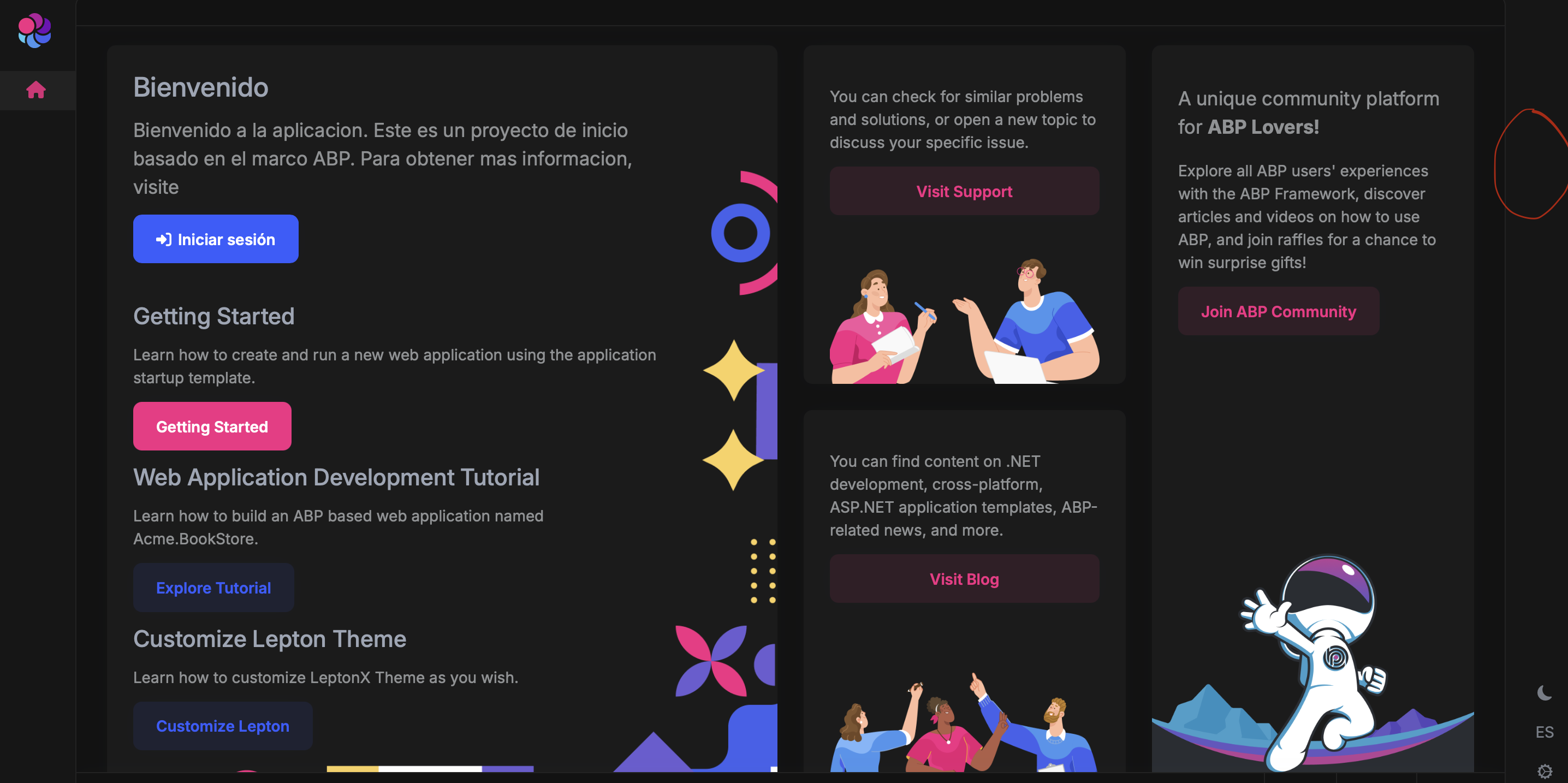
There are:
- No console errors
- No authentication issues
- No authorization failures
- The user is fully authenticated and session is valid
The only difference is that the layout is now our copied version instead of the original theme layout.
What we want to understand
We would like clarification on:
- Is the User Menu tied to a specific internal layout composition point that must be preserved?
- Does the LeptonX theme inject toolbar components dynamically in a way that breaks when the layout is locally copied?
- Are there required components (e.g., toolbar, topbar, user menu component, IToolbarManager usage, etc.) that must be explicitly preserved or registered?
- Is there a recommended approach for customizing a layout without breaking the user menu?
We would appreciate guidance on the correct way to extend or replace the layout without losing the user menu component.
Thank you very much for your support.
-
0
hi
Can you share a test app to reproduce the problem?
liming.ma@volosoft.com
Thanks.
-
0
Yesterday, I sent the reproduction case, on the email you attached to the message, and I re-sent it today.
-
0
hi
I have downloaded the
OPUSNova.sln, I will check it.Thanks.
-
0
hi
You can add a
MyLeptonXThemeToolbarContributorto fix that.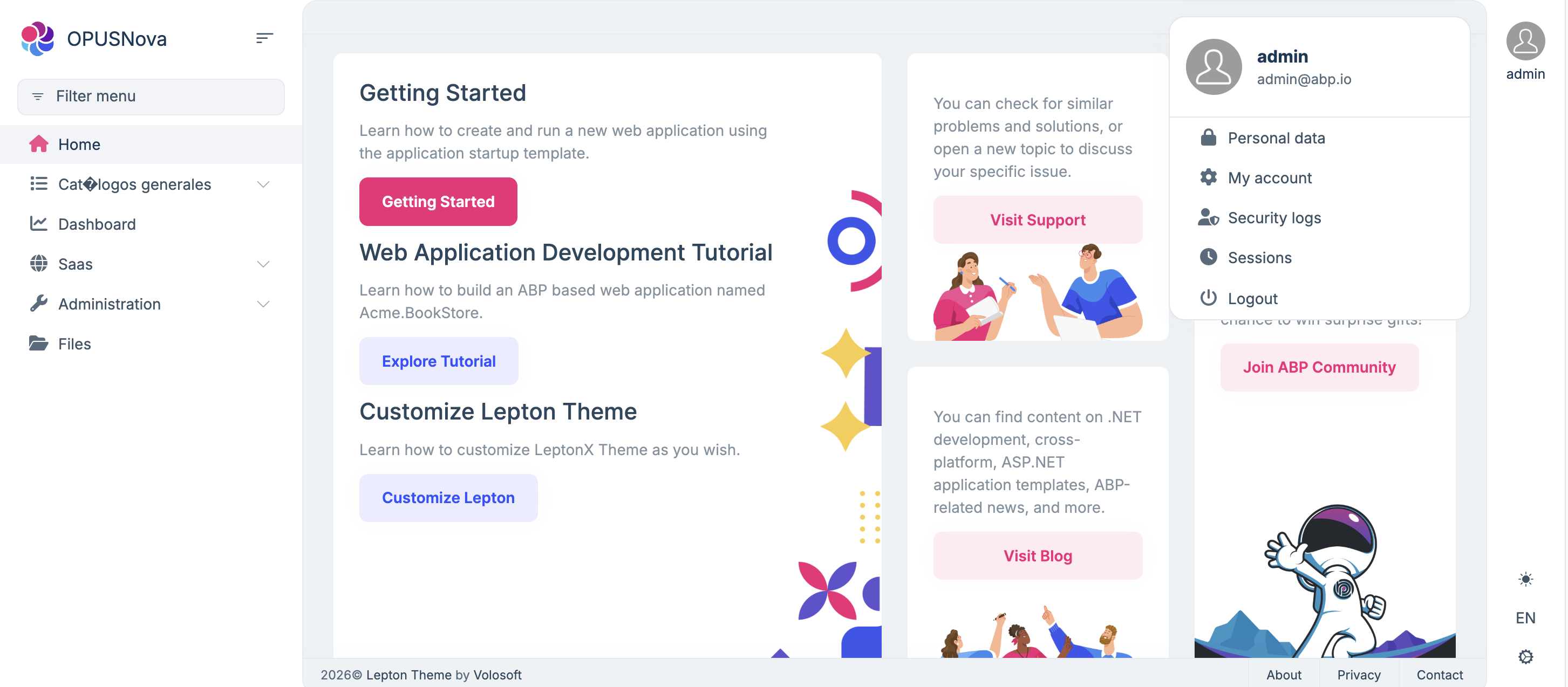
private void ConfigureTheme()
{
    Configure<LeptonXThemeOptions>(options =>
    {
        options.DefaultStyle = LeptonXStyleNames.System;
    });

    Configure<LeptonXThemeBlazorOptions>(options =>
    {
        // When Layout is changed, the `options.Parameters["LeptonXTheme.Layout"]` in OPUSNovaBlazorModule.cs should be updated accordingly.
        //options.Layout = LeptonXBlazorLayouts.SideMenu;
        options.Layout = typeof(MdiLayout);
    });

    Configure<AbpToolbarOptions>(options =>
    {
        options.Contributors.Add(new MyLeptonXThemeToolbarContributor());
    });
}
using System.Threading.Tasks; using Microsoft.Extensions.DependencyInjection; using Microsoft.Extensions.Options; using OPUSNova.Blazor.Client.Components.Layout; using Volo.Abp.AspNetCore.Components.Web.LeptonXTheme; using Volo.Abp.AspNetCore.Components.Web.Theming.Toolbars; using Volo.Abp.AspNetCore.Components.WebAssembly.LeptonXTheme.Components.ApplicationLayout.SideMenu.MainHeader; using Volo.Abp.LeptonX.Shared; namespace OPUSNova.Blazor.Client.Navigation; public class MyLeptonXThemeToolbarContributor : IToolbarContributor { public async Task ConfigureToolbarAsync(IToolbarConfigurationContext context) { if (context.Toolbar.Name == LeptonXToolbars.Main) { var options = context.ServiceProvider.GetRequiredService<IOptions<LeptonXThemeBlazorOptions>>(); await options.SetAsync(); if (options.Value.Layout == typeof(MdiLayout)) { context.Toolbar.Items.Insert(0, new ToolbarItem(typeof(MainHeaderToolbarUserMenu), order: -1)); } } } }



