11 Answer(s)
-
0
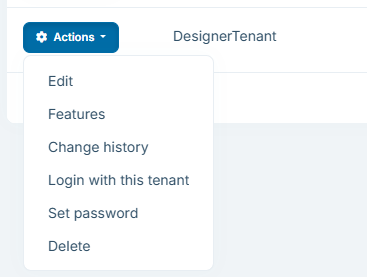
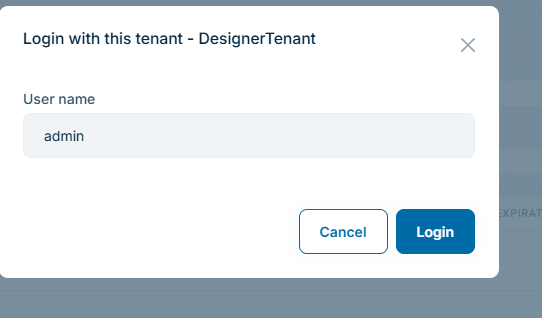
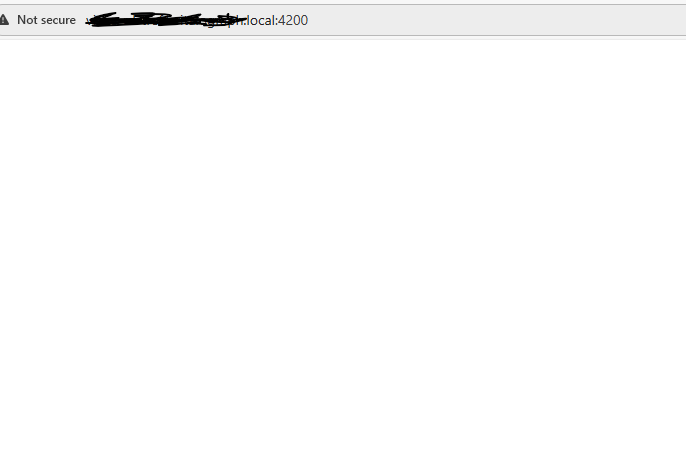
- In ABP, the “Login as tenant / Switch tenant” UI is shown only if multi-tenancy is enabled AND a tenant resolver (cookie/querystring/header/domain) is active. If the page/button does nothing and you see no error, most commonly the UI can’t determine/resolve the tenant context, so it doesn’t open the tenant switch dialog/page.
- Ensure multi-tenancy is enabled
- Check your
appsettings.json(Host and AuthServer if you have separated auth):
{ "MultiTenancy": { "IsEnabled": true } }- Ensure you didn’t remove/clear tenant resolvers
- Verify you didn’t customize
AbpTenantResolveOptionsand accidentally clear resolvers (this is a common reason tenant switching disappears/breaks). - If you have such configuration, make sure you keep the standard resolvers you need (cookie/querystring/header/domain). For example, don’t do this unless you really mean it:
Configure<AbpTenantResolveOptions>(options => { options.TenantResolvers.Clear(); // <- this can break tenant switching });- Angular UI: confirm the tenant switch is loaded and tenant header is sent
- Angular gets the selected tenant from the
application-configurationresponse and then sends it as the__tenantheader on requests. Ifapplication-configurationis failing or not reachable, tenant switching won’t work correctly. - Open browser DevTools → Network and check that
GET /api/abp/application-configurationreturns 200.
- If you use separated AuthServer / multiple apps: align the cache key prefix across apps
- If tenant resolution works in one service but not the other (e.g., host works, but “login as tenant” fails or silently doesn’t proceed), a known cause is different cache key prefixes between projects/services. Make sure your apps use the same cache prefix / shared cache configuration (especially if using Redis / distributed cache across AuthServer + HttpApi.Host).
- If you intentionally customized the login layout/theme
- If you edited/replaced the Account layout (theme) you might have removed/hidden the tenant switch link (
AbpTenantSwitchLink) from the login page. Re-check your Account layout customizations.
Links (verified)
- https://abp.io/docs/latest/framework/ui/angular/multi-tenancy
- https://abp.io/community/articles/4foaup7p
This response was generated by AI. If it didn’t solve your problem, feel free to post a new answer — our support team will jump in to help you soon.
Markdown supported.Copy, paste, or drag & drop images and files (max 100 MB per file, 100 MB total per post) -
0
hi
What is your abp version?
Can you share the logs.txt of the authserver and api? Can you share a demo project to reproduce?
liming.ma@volosoft.com
Thanks.
Markdown supported.Copy, paste, or drag & drop images and files (max 100 MB per file, 100 MB total per post) -
0
hi
The logs show the
Impersonationsuccess. So this may be a problem with Angular.Can you share the all HTTP requests
HARfile in your Angular?see https://abp.io/support/questions/8622/How-to-enable-Debug-logs-for-troubleshoot-problems#answer-3a1f7c9e-eb0b-eb9c-3535-1beae8e8ba43
Of course, you can also share a project, then we can download and check it locally.
Thanks.
Markdown supported.Copy, paste, or drag & drop images and files (max 100 MB per file, 100 MB total per post) -
0
hi
I have checked the har file. But it has no problem.
Are there any errors in the browser console?
Can you share a demo app to reproduce?
Thanks.
Markdown supported.Copy, paste, or drag & drop images and files (max 100 MB per file, 100 MB total per post)