






At least with Angular (not tried anything else), it seem like the generated code breaks if you name your property something that ends with Id, like ExportedAssignmentId will end up like this ("Id" missing) which is why it did not work with languages files as those had the correct name with Id for keys.
    <ngx-datatable-column
      name="{{ '::ExportedAssignment' | abpLocalization }}"
      prop="Assignment.exportedAssignmentId"
3 Answer(s)
-
0
Hello,
This behavior was implemented intentionally for the file property type. However, we’ve identified a minor bug that will be addressed in the next patch release. In the meantime, you can either update the templates or apply a manual fix to the generated code.
If you choose to modify the templates, please follow the steps below: https://abp.io/docs/latest/suite/editing-templates
// Frontend.Angular.__name@kebab__.component.html.template
name="{{ '<%= resourceName %>::<%= prop.formControl === 'file' ? removePostfix(prop.name, 'Id') : prop.name %>' | abpLocalization }}"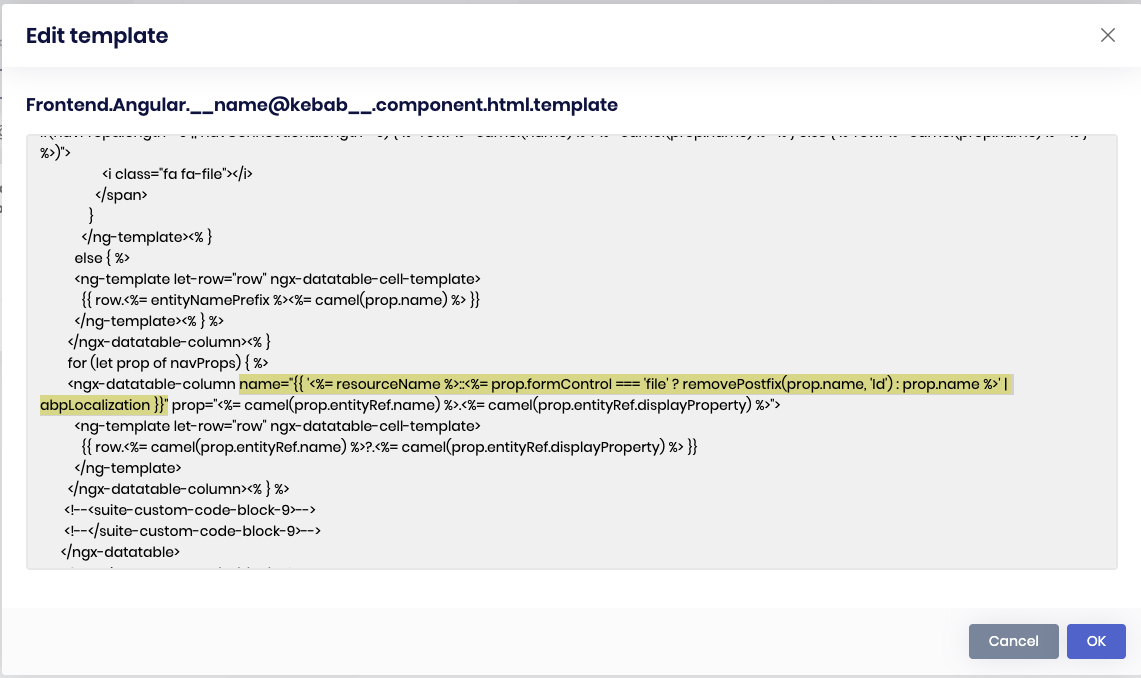
// Frontend.Angular.__name@kebab__-child.component.html.template
name="{{ '<%= resourceName %>::<%= prop.formControl === 'file' ? removePostfix(prop.name, 'Id') : prop.name %>' | abpLocalization }}"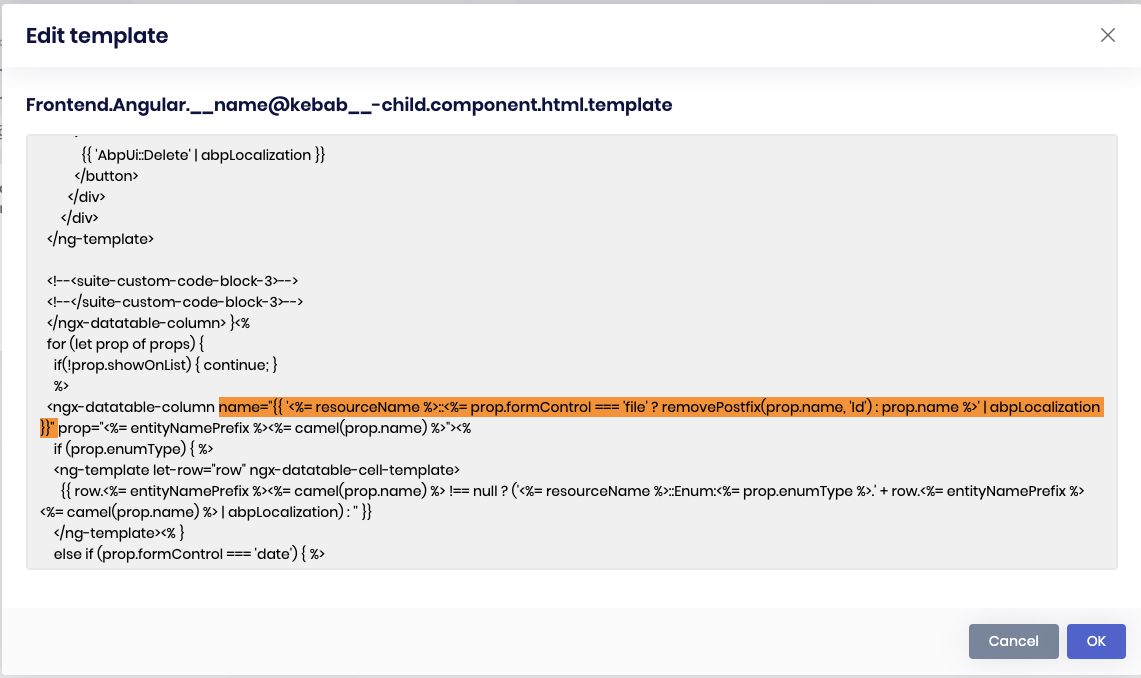
I will also process a refund for this ticket. Thank you for your cooperation.
Markdown supported.Copy, paste, or drag & drop images and files (max 100 MB per file, 100 MB total per post)



