






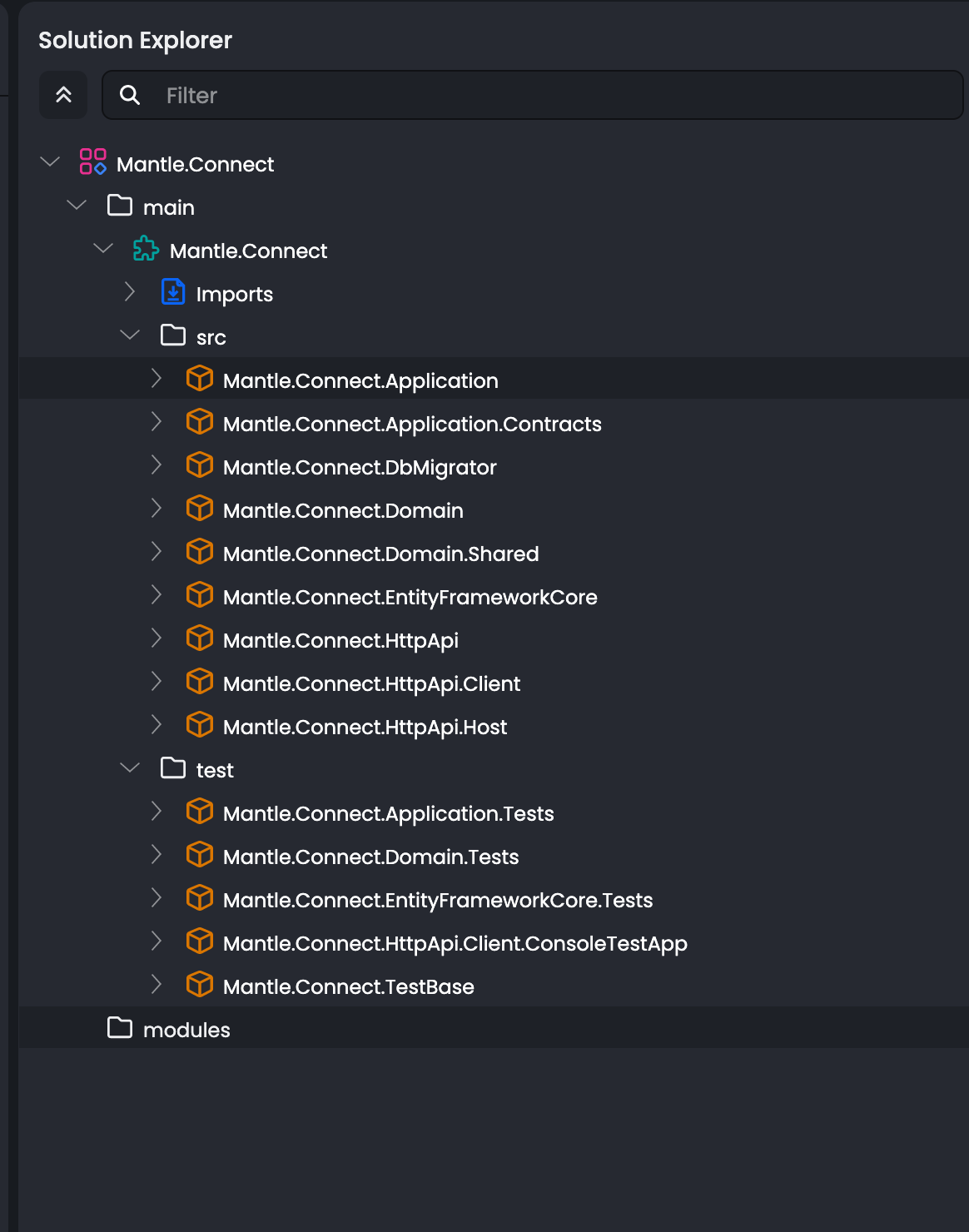
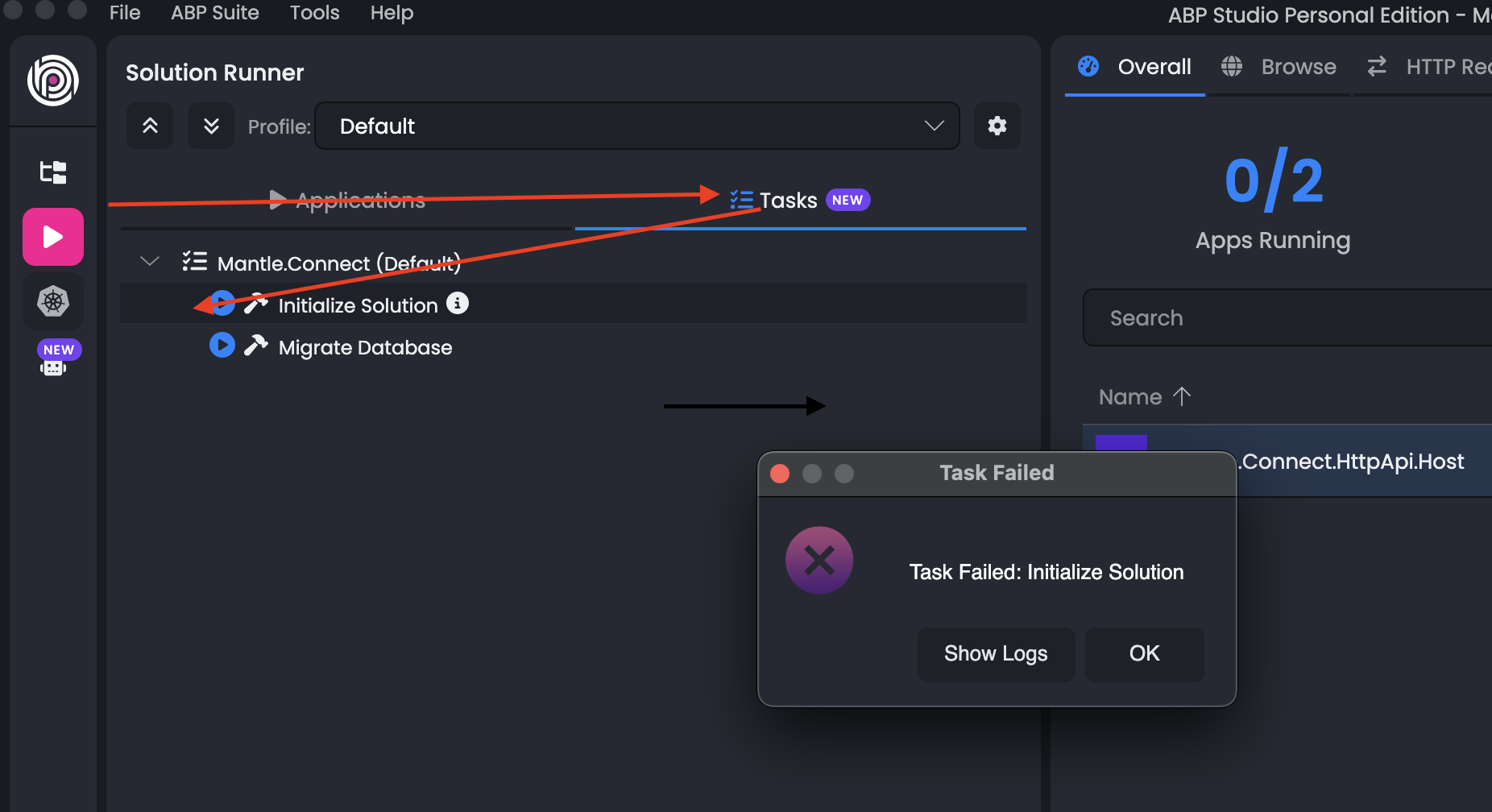
I am a new custoner with Personal Licenses, I get error when i try to initialise task
3/9/2026 2:57:02 PM    [Information] Checking extensions...
3/9/2026 2:57:02 PM    [Information] [14:56:57 WRN] NPM is not installed, visit https://nodejs.org/en/download/ and install NPM
3/9/2026 2:57:02 PM    [Information] [14:56:57 INF] Started database migrations...
3/9/2026 2:57:02 PM    [Information] [14:56:57 INF] Migrating schema for host database...
3/9/2026 2:57:02 PM    [Information] [14:56:58 INF] Executing host database seed...
3/9/2026 2:57:02 PM    [Information] [14:56:59 INF] Successfully completed host database migrations.
3/9/2026 2:57:02 PM    [Information] [14:56:59 INF] Successfully completed all database migrations.
3/9/2026 2:57:02 PM    [Information] [14:56:59 INF] You can safely end this process...
3/9/2026 2:57:02 PM    [Information] [14:57:00 INF] Started database migrations...
3/9/2026 2:57:02 PM    [Information] [14:57:00 INF] Migrating schema for host database...
3/9/2026 2:57:02 PM    [Information] [14:57:01 INF] Executing host database seed...
3/9/2026 2:57:02 PM    [Information] [14:57:02 INF] Successfully completed host database migrations.
3/9/2026 2:57:02 PM    [Information] [14:57:02 INF] Successfully completed all database migrations.
3/9/2026 2:57:02 PM    [Information] [14:57:02 INF] You can safely end this process...
3/9/2026 2:57:02 PM    [Information] [1] Listing certificates from CurrentUser\My
3/9/2026 2:57:02 PM    [Information] [2] Found certificates: 1 certificate
3/9/2026 2:57:02 PM    [Information]     1) CE998F610C94A58A218706FDC83F5750F411BAD7 - CN=localhost - Valid from 2026-01-28 16:16:13Z to 2027-01-28 16:16:13Z - IsHttpsDevelopmentCertificate: true - IsExportable: true
3/9/2026 2:57:02 PM    [Information] [3] Checking certificates validity
3/9/2026 2:57:02 PM    [Information] [4] Valid certificates: 1 certificate
3/9/2026 2:57:02 PM    [Information]     1) CE998F610C94A58A218706FDC83F5750F411BAD7 - CN=localhost - Valid from 2026-01-28 16:16:13Z to 2027-01-28 16:16:13Z - IsHttpsDevelopmentCertificate: true - IsExportable: true
3/9/2026 2:57:02 PM    [Information] [5] Invalid certificates: no certificates
3/9/2026 2:57:02 PM    [Information] [6] Finished listing certificates.
3/9/2026 2:57:02 PM    [Information] [1] Listing certificates from CurrentUser\My
3/9/2026 2:57:02 PM    [Information] [2] Found certificates: 1 certificate
3/9/2026 2:57:02 PM    [Information]     1) CE998F610C94A58A218706FDC83F5750F411BAD7 - CN=localhost - Valid from 2026-01-28 16:16:13Z to 2027-01-28 16:16:13Z - IsHttpsDevelopmentCertificate: true - IsExportable: true
3/9/2026 2:57:02 PM    [Information] [3] Checking certificates validity
3/9/2026 2:57:02 PM    [Information] [4] Valid certificates: 1 certificate
3/9/2026 2:57:02 PM    [Information]     1) CE998F610C94A58A218706FDC83F5750F411BAD7 - CN=localhost - Valid from 2026-01-28 16:16:13Z to 2027-01-28 16:16:13Z - IsHttpsDevelopmentCertificate: true - IsExportable: true
3/9/2026 2:57:02 PM    [Information] [5] Invalid certificates: no certificates
3/9/2026 2:57:02 PM    [Information] [6] Finished listing certificates.
3/9/2026 2:57:02 PM    [Information] [1] Listing certificates from LocalMachine\My
3/9/2026 2:57:02 PM    [Information] [2] Found certificates: no certificates
3/9/2026 2:57:02 PM    [Information] [3] Checking certificates validity
3/9/2026 2:57:02 PM    [Information] [4] Valid certificates: no certificates
3/9/2026 2:57:02 PM    [Information] [5] Invalid certificates: no certificates
3/9/2026 2:57:02 PM    [Information] [6] Finished listing certificates.
3/9/2026 2:57:02 PM    [Information] [8] Filtered certificates: 1 certificate
3/9/2026 2:57:02 PM    [Information]     1) CE998F610C94A58A218706FDC83F5750F411BAD7 - CN=localhost - Valid from 2026-01-28 16:16:13Z to 2027-01-28 16:16:13Z - IsHttpsDevelopmentCertificate: true - IsExportable: true
3/9/2026 2:57:02 PM    [Information] [9] Excluded certificates: no certificates
3/9/2026 2:57:02 PM    [Information] [14] Valid certificates: 1 certificate
3/9/2026 2:57:02 PM    [Information]     1) CE998F610C94A58A218706FDC83F5750F411BAD7 - CN=localhost - Valid from 2026-01-28 16:16:13Z to 2027-01-28 16:16:13Z - IsHttpsDevelopmentCertificate: true - IsExportable: true
3/9/2026 2:57:02 PM    [Information] [15] Selected certificate: CE998F610C94A58A218706FDC83F5750F411BAD7 - CN=localhost - Valid from 2026-01-28 16:16:13Z to 2027-01-28 16:16:13Z - IsHttpsDevelopmentCertificate: true - IsExportable: true
3/9/2026 2:57:02 PM    [Information] [23] Saving certificate 'CE998F610C94A58A218706FDC83F5750F411BAD7 - CN=localhost - Valid from 2026-01-28 16:16:13Z to 2027-01-28 16:16:13Z - IsHttpsDevelopmentCertificate: true - IsExportable: true' to openiddict.pfx with private key.
3/9/2026 2:57:02 PM    [Information] [27] Writing the certificate to: openiddict.pfx.
3/9/2026 2:57:02 PM    [Information] A valid HTTPS certificate is already present.
3/9/2026 2:57:02 PM    [Information] The certificate was exported to /Volumes/Projects/MantleInternational/abpio/mCm/Connect/src/Mantle.Connect.HttpApi.Host/openiddict.pfx
3/9/2026 2:57:02 PM    [Information] OperationStopped: abp install-libs exited with code 127
3/9/2026 2:57:02 PM    [Information] Job 'InstallLibs' FAILED
3/9/2026 2:57:02 PM    [Information] ./initialize-solution.ps1 exited with code: 1
5 Answer(s)
-
0
- Your log shows the root cause clearly:
NPM is not installedand thenabp install-libs exited with code 127. Exit code 127 typically means the command (npm) can’t be found in the environment/path. - ABP Suite’s Initialize Solution task runs
abp install-libs, which requires Node.js + npm (and it’s recommended to use Yarn v1).
Do the following on your machine (macOS):
- Install Node.js (includes npm)
- Install from the official Node.js installer, then reopen ABP Suite / your terminal.
- Verify:
node -v npm -v- Install Yarn (v1) globally
npm install -g yarn yarn -v- Re-run library installation In your solution folder (where ABP Suite runs tasks), run:
abp install-libsThen run ABP Suite > Tasks > Initialize Solution again.
If you still get a libs install error, delete JS install artifacts and retry:
find . -name node_modules -type d -prune -exec rm -rf '{}' +
find . -name package-lock.json -delete
abp install-libs
Links (validated):
- https://nodejs.org/en/download/
- https://abp.io/docs/latest/tutorials/book-store/part-01
- https://abp.io/support/questions/2932
This response was generated by AI. If it didn’t solve your problem, feel free to post a new answer — our support team will jump in to help you soon.
Markdown supported.Copy, paste, or drag & drop images and files (max 100 MB per file, 100 MB total per post) - Your log shows the root cause clearly:
-
0
I have nvm installed in my system and node is installed via nvm,,
Connect|⇒ pwd
/Volumes/Projects/MantleInternational/abpio/mCm/Connect
Connect|⇒ tree -L 1
.
├── angular
├── common.props
├── Directory.DotSettings
├── etc
├── Mantle.Connect.abpmdl
├── Mantle.Connect.abpsln
├── Mantle.Connect.slnx
├── NuGet.Config
├── README.md
├── src
└── test

5 directories, 7 files
Connect|⇒ node -v
v22.22.0
Connect|⇒ npm -v
10.9.4
Connect|⇒ yarn -v
1.22.22
Connect|⇒
Markdown supported.Copy, paste, or drag & drop images and files (max 100 MB per file, 100 MB total per post) -
0
- Since
node,npm, andyarnwork in your terminal, but ABP Suite logs say “NPM is not installed” and thenabp install-libs exited with code 127, this is almost always a PATH/environment mismatch: ABP Suite is launching the task in a non-interactive shell that does not loadnvm, sonpmis not on PATH for the ABP Suite process.
Do this fix (macOS + nvm):
Make Node/NPM available to GUI apps (ABP Suite)
- Install Node with a system-level installer (so
/usr/local/bin/nodeor/opt/homebrew/bin/nodeis always available), or ensure ABP Suite is started from a terminal session wherenvmis initialized. - Fastest/most reliable approach for ABP Suite: install Node.js from the official installer (it includes npm), then restart ABP Suite.
- Install Node with a system-level installer (so
Workaround (no reinstall): start ABP Suite from Terminal so it inherits nvm PATH
- Close ABP Suite completely.
- Open Terminal (where
node -vworks) and start ABP Suite from that same Terminal session (so it inherits the environment). - Then re-run Tasks → Initialize Solution.
Verify by running the same command ABP Suite runs From your solution root:
abp install-libsIf this succeeds in Terminal but fails only in ABP Suite, it confirms the issue is ABP Suite’s environment/PATH.
- Important note about Node version You’re on Node v22. If you hit any front-end dependency issues later, try switching to an LTS Node version via nvm (commonly works best for Angular toolchains), then rerun:
abp install-libsRelevant docs (validated):
- https://abp.io/docs/latest/tutorials/book-store/part-01
- https://nodejs.org/en/download/
- https://classic.yarnpkg.com/en/docs/install
This response was generated by AI. If it didn’t solve your problem, feel free to post a new answer — our support team will jump in to help you soon.
Markdown supported.Copy, paste, or drag & drop images and files (max 100 MB per file, 100 MB total per post) - Since
-
0
Issue : Instead of direct node installation i used nvm
Node and npm are available in a basic non-interactive shell
so i followed the below on my Mac m3
> which node
/Users/princepark/.nvm/versions/node/v22.22.0/bin/node
> which npm
/Users/princepark/.nvm/versions/node/v22.22.0/bin/npm
> sudo ln -s ~/.nvm/versions/node/v22.22.0/bin/node /usr/local/bin/node
> sudo ln -s ~/.nvm/versions/node/v22.22.0/bin/npm /usr/local/bin/npm
> sudo ln -s ~/.nvm/versions/node/v22.22.0/bin/npx /usr/local/bin/npx
One I have done this, then i have restarted abpstudio, and everthing is owrking now as expected
Markdown supported.Copy, paste, or drag & drop images and files (max 100 MB per file, 100 MB total per post) -
0
Thank you very much for the information you provided.
Markdown supported.Copy, paste, or drag & drop images and files (max 100 MB per file, 100 MB total per post)



