






Hi Team,
We previously connected for an overview of the AI Management Module, and I've been following the same setup steps since then.
With OpenAI (embedding + vector database setup), everything works as expected — I can upload and manage data sources and get responses from the playground without any issues.
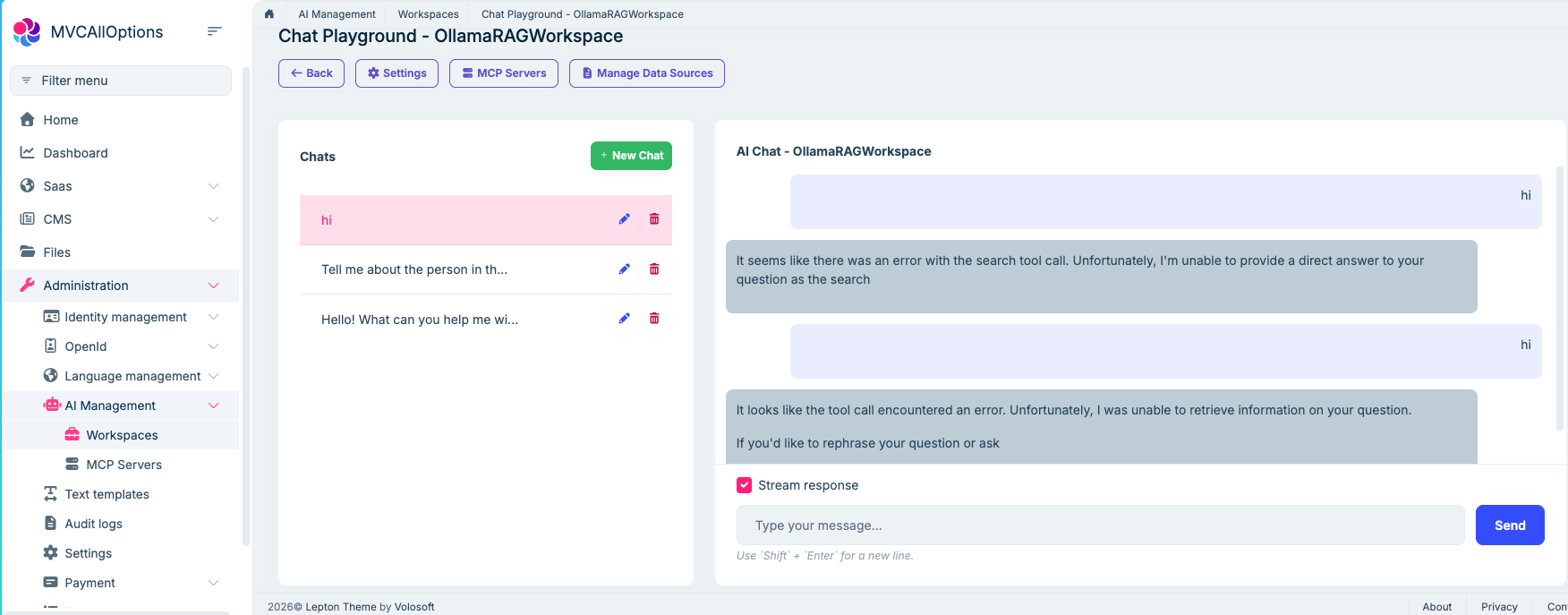
However, when switching to Ollama, I'm getting the following error in the playground:
"Error with tool" or "Unable to retrieve information"
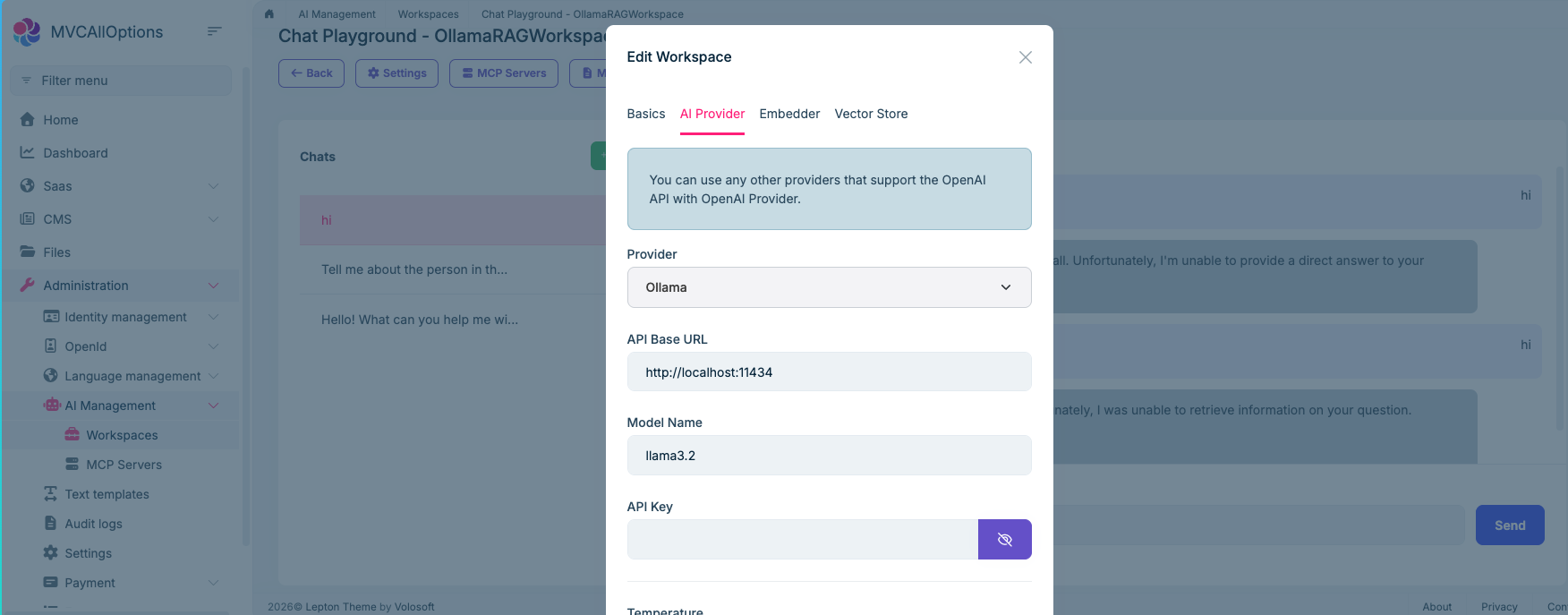
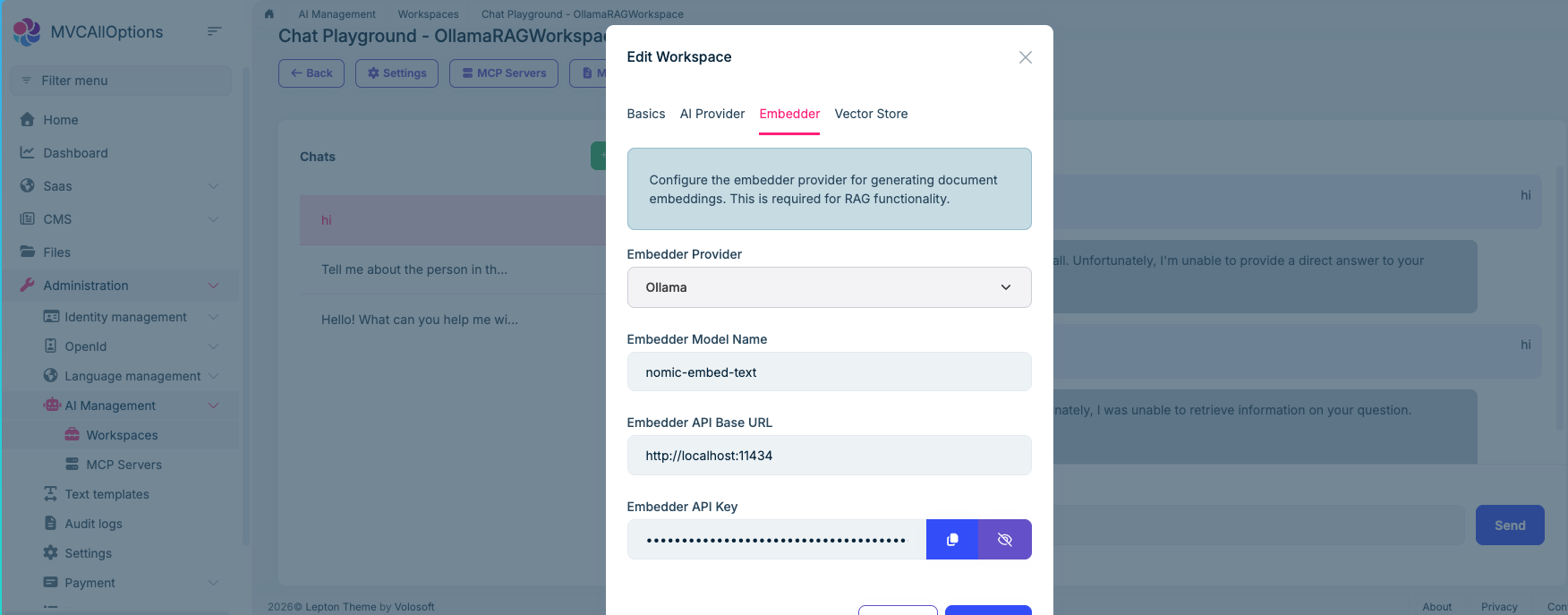
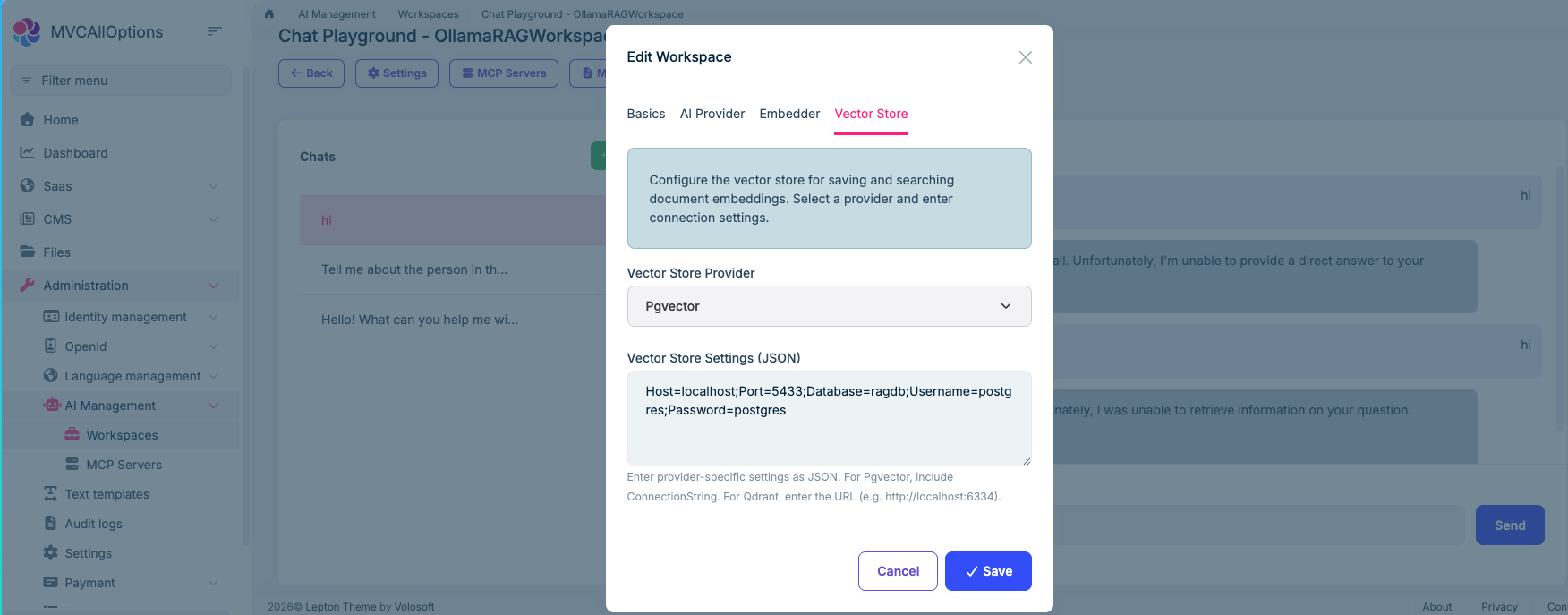
I've attached screenshots covering the full setup and the error for your reference. Please let me know if any additional configuration is needed for Ollama or if there's a known compatibility issue.
Looking forward to your guidance!
3 Answer(s)
-
0
- In the AI Management Module, the Playground/RAG “search tool” (the thing that retrieves chunks from your vector store and feeds them to the model) relies on the underlying chat provider supporting the kind of “tool/function calling” flow used by the module.
- With OpenAI, this works, so you see grounded answers.
- With Ollama, the UI-side configuration alone is not always sufficient because tool calling / OpenAI-compatible behavior is provider- and model-dependent. When the model/provider can’t execute that tool-call flow correctly, the playground typically falls back to messages like “Error with tool” / “Unable to retrieve information” (as in your screenshot).
What to do (verified, non-speculative steps you can apply immediately):
Use Ollama via an OpenAI-compatible endpoint (preferred path in ABP)
- In the workspace AI Provider tab, the hint already says: “You can use any other providers that support the OpenAI API with OpenAI Provider.”
- So instead of selecting Ollama as the provider, configure the workspace as OpenAI provider and point the API Base URL to your OpenAI-compatible endpoint (your Ollama OpenAI-compatible gateway, if you have one).
- This aligns with how the module is designed to support “other providers”.
If you keep “Ollama” provider: pick a model that supports the needed capabilities
- Some Ollama models (or specific variants) won’t support the tool/function calling patterns needed for RAG/tool usage.
- In that case, the chat may still answer simple prompts, but the retrieval/tool step fails and you get exactly the error you’re seeing.
Validate that the Ollama endpoint is reachable from the server host
- Your Base URL is
http://localhost:11434. This only works if Ollama is running on the same machine as the ABP application host. - If Ollama is in Docker / another machine,
localhostwill point to the ABP host, not the Ollama host. Update the Base URL accordingly.
- Your Base URL is
No verified source is available that lists which exact Ollama models are compatible with the AI Management playground tool-calling flow, so I can’t give a definitive model list.
Links (validated):
- https://abp.io/docs/latest/modules/ai-management
- https://abp.io/docs/latest/framework/infrastructure/artificial-intelligence
- https://abp.io/community/articles/nz9404a9
This response was generated by AI. If it didn’t solve your problem, feel free to post a new answer — our support team will jump in to help you soon.
Markdown supported.Copy, paste, or drag & drop images and files (max 100 MB per file, 100 MB total per post) -
0
Hi, thanks for reporting.
It's clearly embedding or vectordb problem.
Diagnostics for Ollama
I need more information to understand the problem.
- Do you have a specific exception with stacktrace in your application logs?
- How you host ollama? By using docker container or standalone installation?
- Did you pulled required models in ollama?
ollama pull llama3.2
ollama pull nomic-embed-text
Diagnostics for PgVector
- Can you connect your Postgres instance by using any database client, is it accessible?
- Can you check if
PgVectorextension is properly installed on your posstgres instance?
If you can access detailed logs, that will really help
Markdown supported.Copy, paste, or drag & drop images and files (max 100 MB per file, 100 MB total per post)



