






- Template: app-nolayers
- Template Type: Modern
- Created ABP Studio Version: 3.1.1
- Current ABP Studio Version: 3.1.4
- Multi-Tenancy: Yes
- UI Framework: react
- Theme: leptonx
- Theme Style: system
- Database Provider: ef
- Database Management System: sqlserver
- Public Website: Yes
- Social Login: Yes
- Include Tests: Yes
- Use Local References: No
- Optional Modules:
- GDPR
- TextTemplateManagement
- AuditLogging
- OpenIddictAdmin
- LowCode
- Elsa
- Selected Languages: Italian, English
- AI Management Enabled: Yes
- Selected AI Providers: OpenAI
- Default Language: Italian
- Create Command: abp new Nicma.Idp -t app-nolayers --modern --modular --ui-framework react --database-provider ef --database-management-system sqlserver --theme leptonx --tests --public-website --without-cms-kit --dont-run-install-libs --dont-run-bundling -no-file-management -no-language-management -low-code --elsa
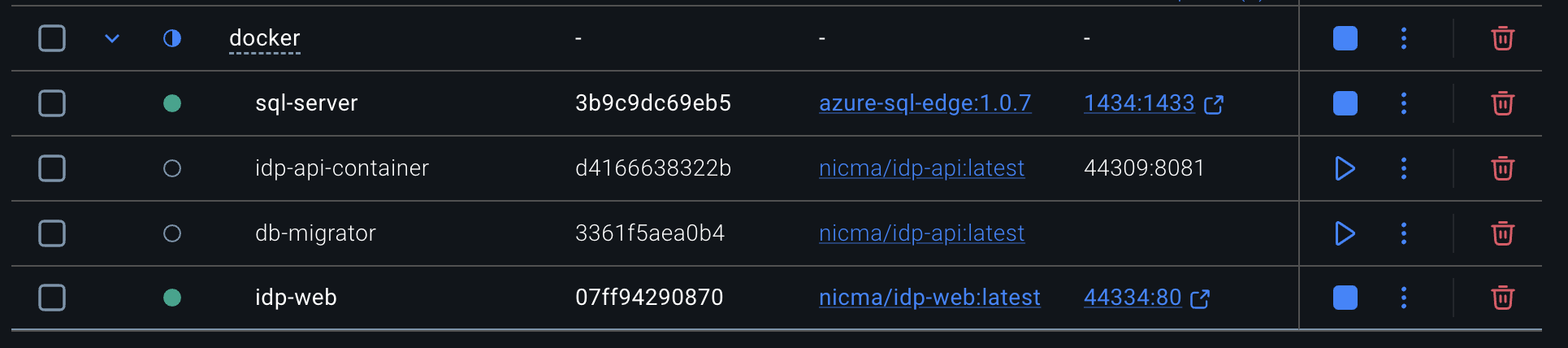
This is a standard solution created by template, i'm trying to deploy the app on Docker. I used the build-images-locally.ps1 to create every images. When i run run-docker.ps1 i've an error in the api-container (attached abp-api-container.log). I'm running the docker on Apple Macbook Pro M4.
abp-api-container.log
build-images-locally.txt
docker-compose.txt
run-docker.txt
Dockerfile.local.txt
4 Answer(s)
-
0
On Apple Silicon (M4/arm64), the most common reason an ABP API container crashes right after
run-docker.ps1is that the image was built for linux/amd64 but Docker is trying to run it as linux/arm64 (or the opposite). In that case the container typically fails immediately with an “exec format” / wrong-architecture type of startup error.Fix: force the API (and DbMigrator) images to build for arm64, or run them explicitly as amd64 with emulation. Pick one approach and apply it consistently to all your .NET containers.
Option A (recommended on M4): build arm64 images
- Rebuild images for arm64 (use buildx):
docker buildx create --use --name abp
   docker buildx inspect --bootstrap
Update your build script (or run manual builds) to include:
--platform linux/arm64
Example manual build:
docker buildx build --platform linux/arm64 -f Dockerfile.local -t nicma/idp-api:latest .- Then re-run
run-docker.ps1.
Option B: run amd64 images under emulation
If you must use amd64 images, set the platform in
docker-compose.ymlfor each .NET service:services: idp-api-container: platform: linux/amd64 db-migrator: platform: linux/amd64Then run again.
Notes for ABP’s provided scripts
- ABP’s docs recommend using:
etc/build/build-images-locally.ps1to build imagesetc/docker/run-docker.ps1to run them (and generate dev HTTPS certs)
If the scripts currently build amd64 by default on your machine, you’ll need to adjust them (or the compose) using one of the platform approaches above.
Sources
- https://abp.io/docs/10.7/suite/solution-structure
- https://abp.io/docs/10.7/solution-templates/layered-web-application/deployment/deployment-docker-compose?UI=Blazor&DB=EF&Tiered=Yes
This response was generated by AI. If it didn’t solve your problem, feel free to post a new answer — our support team will jump in to help you soon.
Markdown supported.Copy, paste, or drag & drop images and files (max 100 MB per file, 100 MB total per post) -
0
The error i've in the log is the following:
[00:07:40 FTL] Nicma.Idp terminated unexpectedly!
Volo.Abp.AbpInitializationException: An error occurred during ConfigureServicesAsync phase of the module Volo.Abp.OpenIddict.AbpOpenIddictAspNetCoreModule, Volo.Abp.OpenIddict.AspNetCore, Version=10.7.0.0, Culture=neutral, PublicKeyToken=null. See the inner exception for details.
---> System.Security.Cryptography.CryptographicException: Error occurred during a cryptographic operation.
---> System.UnauthorizedAccessException: Access to the path '/app/openiddict.pfx' is denied.
---> System.IO.IOException: Permission denied
Markdown supported.Copy, paste, or drag & drop images and files (max 100 MB per file, 100 MB total per post) -
0
Hi,
The template's
Dockerfile.localcopiesopeniddict.pfxinto the image as root, but the app runs as a non-root user and can't read it.Use this
Nicma.Idp/Dockerfile.local:FROM mcr.microsoft.com/dotnet/sdk:10.0 USER $APP_UID EXPOSE 8080 EXPOSE 8081 COPY --chown=$APP_UID bin/Release/net10.0/publish/ app/ WORKDIR /app ENTRYPOINT ["dotnet", "Nicma.Idp.dll"]Then build the images again with
etc/build/build-images-locally.ps1and runetc/docker/run-docker.ps1.Your attached file uses
USER root. That also works, but only after the image is rebuilt, and it's better to keep the non-root user.If the error is still there after the rebuild, please share the output of these commands:
docker inspect idp-api-container --format 'User={{.Config.User}} Image={{.Image}}'
docker image inspect nicma/idp-api:latest --format 'User={{.Config.User}} Id={{.Id}}'
We will fix this in the template. Your ticket has been refunded.
Thanks
Markdown supported.Copy, paste, or drag & drop images and files (max 100 MB per file, 100 MB total per post) -
0
It worked like a charm! Thanks a lot!
Markdown supported.Copy, paste, or drag & drop images and files (max 100 MB per file, 100 MB total per post)



