






- Template: app-nolayers
- Template Type: Modern
- Created ABP Studio Version: 3.1.1
- Current ABP Studio Version: 3.1.5
- Multi-Tenancy: Yes
- UI Framework: react
- Theme: leptonx
- Theme Style: system
- Database Provider: ef
- Database Management System: sqlserver
- Public Website: Yes
- Social Login: Yes
- Include Tests: Yes
- Use Local References: No
- Optional Modules:
- GDPR
- TextTemplateManagement
- AuditLogging
- OpenIddictAdmin
- LowCode
- Elsa
- Selected Languages: Italian, English
- AI Management Enabled: Yes
- Selected AI Providers: OpenAI
- Default Language: Italian
- Create Command: abp new Nicma.Idp -t app-nolayers --modern --modular --ui-framework react --database-provider ef --database-management-system sqlserver --theme leptonx --tests --public-website --without-cms-kit --dont-run-install-libs --dont-run-bundling -no-file-management -no-language-management -low-code --elsa
Hello, i deployed my production abp app on docker and put a reverse proxy in front of the app, when i go to the admin-console i've this error: { "error": "invalid_request", "error_description": "This server only accepts HTTPS requests.", "error_uri": "https://documentation.openiddict.com/errors/ID2083" }

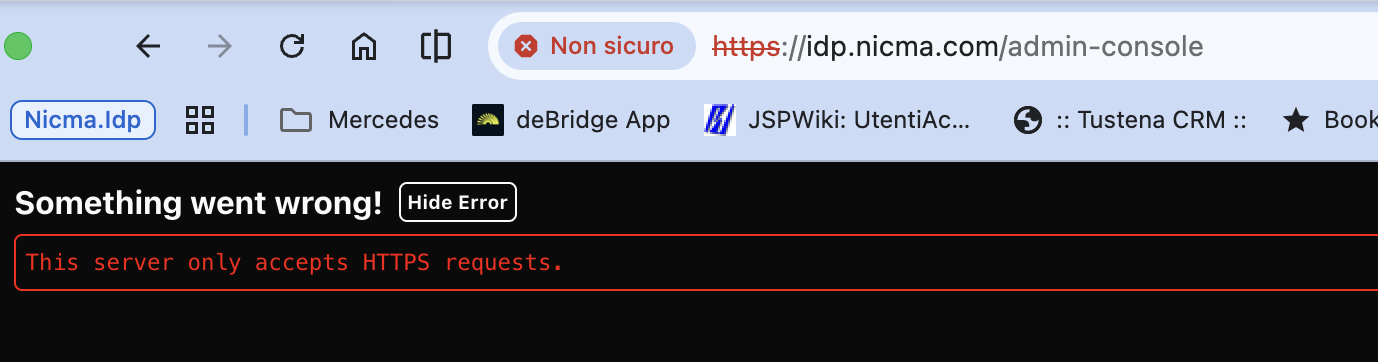
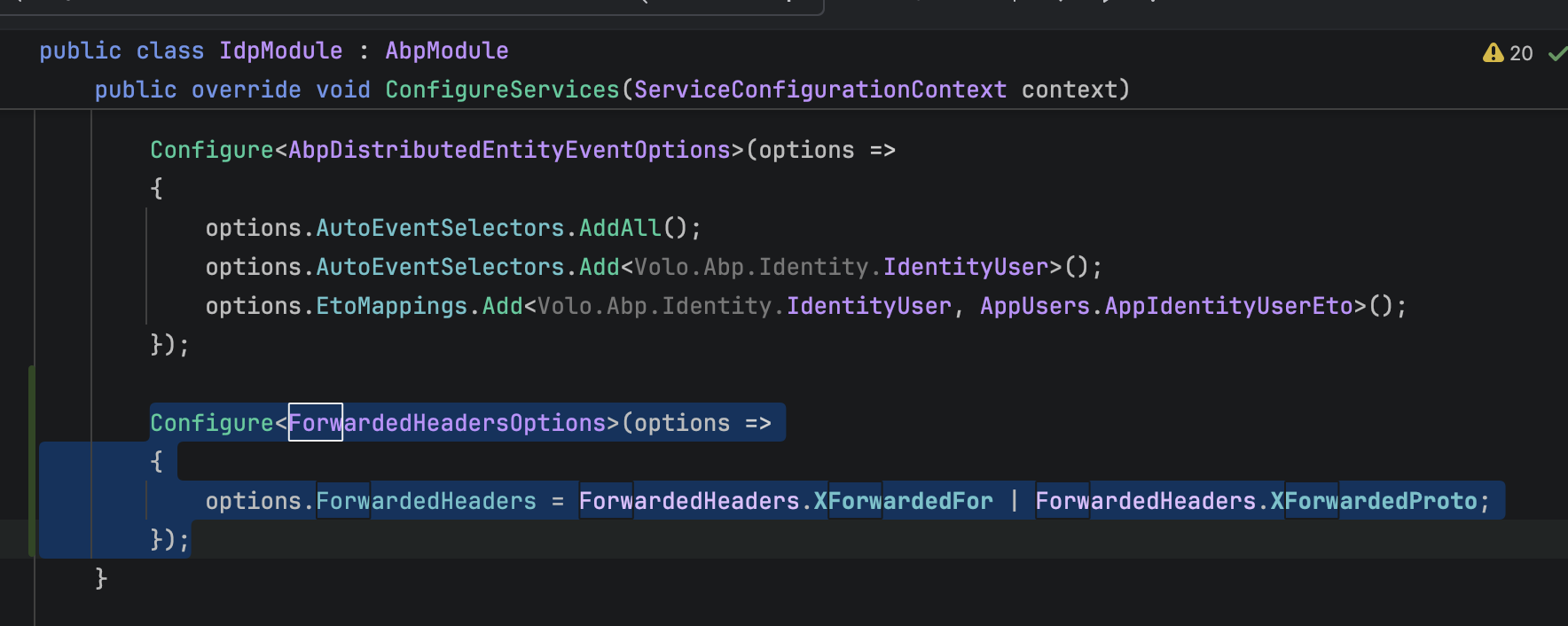
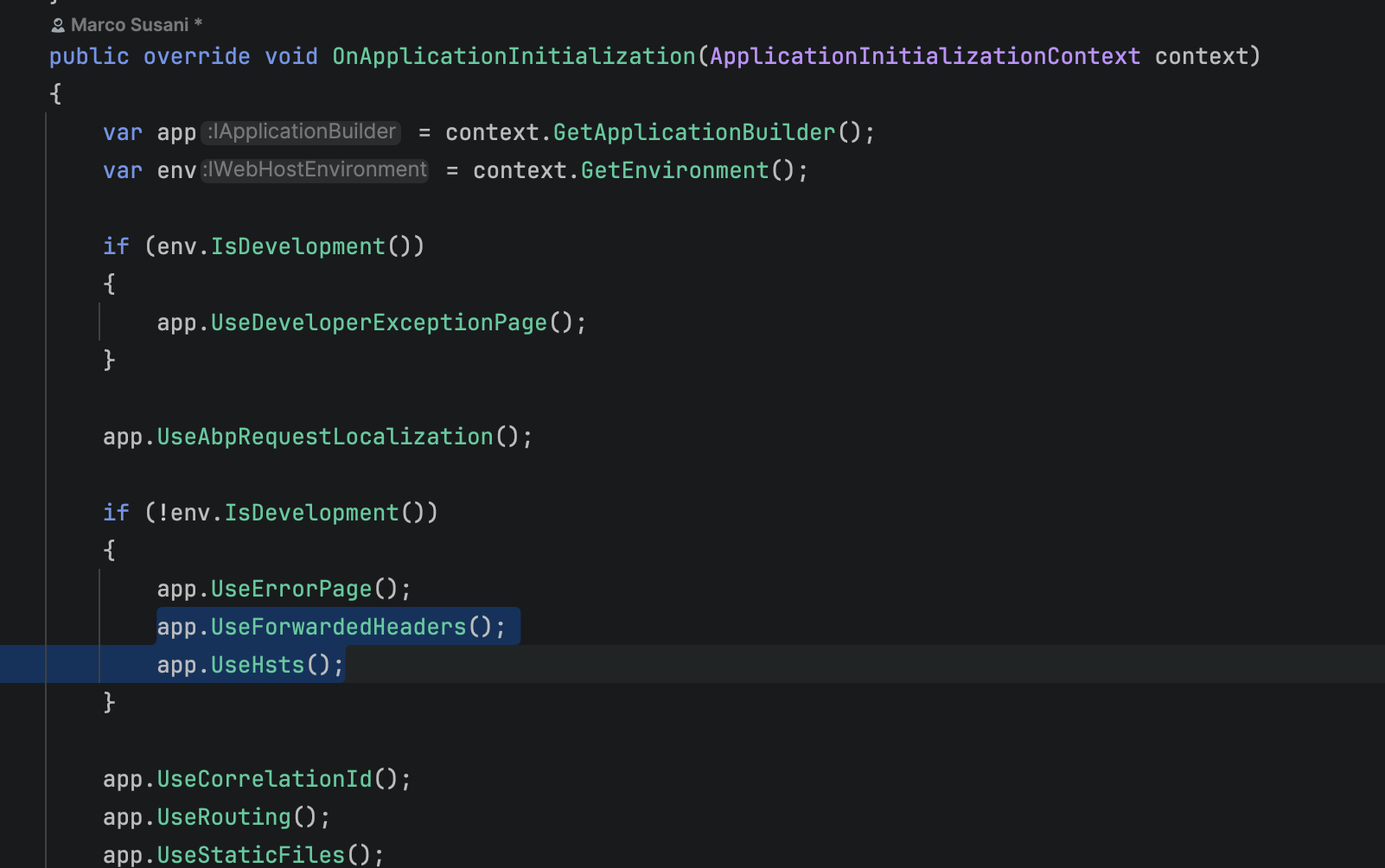
I already set in the main module the forwarded headers, like in this articlle: https://abp.io/docs/latest/deployment/forwarded-headers but i've always the same error.
12 Answer(s)
-
0
The
ID2083error means OpenIddict is seeing the incoming request as HTTP, not HTTPS. In a Docker + reverse-proxy setup (TLS terminated at the proxy), this typically happens when the proxy doesn’t forwardX-Forwarded-Proto: https(or ASP.NET Core is not allowed to trust/process it early enough).Apply the OpenIddict behind load balancer configuration exactly (note:
UseForwardedHeaders()must run before the rest of the pipeline that relies on scheme/host):
// In your IdpModule (or HttpApiHost module where OpenIddict runs) public override void ConfigureServices(ServiceConfigurationContext context) { Configure<ForwardedHeadersOptions>(options => { options.ForwardedHeaders = ForwardedHeaders.XForwardedFor | ForwardedHeaders.XForwardedProto; }); } public override void OnApplicationInitialization(ApplicationInitializationContext context) { var app = context.GetApplicationBuilder(); var env = context.GetEnvironment(); if (env.IsDevelopment()) { app.UseDeveloperExceptionPage(); } // Must be early app.UseForwardedHeaders(); // If your proxy cannot forward headers correctly, force https scheme: // (put this BEFORE OpenIddict endpoints are hit) // app.Use((httpContext, next) => // { // httpContext.Request.Scheme = "https"; // return next(); // }); // ...rest of pipeline }- Reverse proxy requirement: ensure your proxy forwards at least:
X-Forwarded-Proto: httpsX-Forwarded-For: <client-ip>- and usually
Host
Once the app correctly sees the request scheme as
https,/.well-known/openid-configurationwill stop returninginvalid_request/ID2083.Links (validated):
- https://abp.io/docs/latest/deployment/forwarded-headers
- https://abp.io/docs/latest/solution-templates/layered-web-application/deployment/openiddict-deployment
This response was generated by AI. If it didn’t solve your problem, feel free to post a new answer — our support team will jump in to help you soon.
Markdown supported.Copy, paste, or drag & drop images and files (max 100 MB per file, 100 MB total per post) -
0
I already did this steps, but still doesn't work. I'm using traefik as a proxy server and by default it forwards the Proto, For and Host header.
Markdown supported.Copy, paste, or drag & drop images and files (max 100 MB per file, 100 MB total per post) -
0
Hi,
ForwardedHeadersOptionsonly trusts loopback proxies by default. Your reverse proxy connects from a Docker network IP, so theX-Forwarded-Protoheader is ignored and OpenIddict still sees an HTTP request.Please clear the known proxy lists:
Configure<ForwardedHeadersOptions>(options =>
{
    options.ForwardedHeaders = ForwardedHeaders.XForwardedFor | ForwardedHeaders.XForwardedProto;
    options.KnownIPNetworks.Clear();
    options.KnownProxies.Clear();
});
Also make sure the proxy sends
X-Forwarded-Proto: https. If the app can be reached without going through the proxy, add the proxy IP toKnownProxiesinstead of clearing the lists.Thanks
Markdown supported.Copy, paste, or drag & drop images and files (max 100 MB per file, 100 MB total per post) -
0
Ok, i don't have anymore the openid error, but the page https://idp.nicma.com/Account/Login?ReturnUrl=%2Fconnect%2Fauthorize%3Fclient_id%3DIdp_App%26redirect_uri%3Dhttps%253A%252F%252Fidp.nicma.com%26response_type%3Dcode%26scope%3Doffline_access%2520openid%2520profile%2520email%2520phone%2520Idp%26state%3D4719aebbc15b417681ecf6799dfba9ec%26code_challenge%3D2XT5_GBC_lRQf4uBmB7aoeUB-6kACrIXy8AKwOZAwX0%26code_challenge_method%3DS256 go in a loop and continue to redirect it self!
Markdown supported.Copy, paste, or drag & drop images and files (max 100 MB per file, 100 MB total per post) -
0
Hi,
Could you share the following so we can see where the loop happens:
- The app logs from the time the loop happens, with debug level enabled. See https://abp.io/support/questions/8622/How-to-enable-Debug-logs-for-troubleshoot-problems
- The first few redirects from the browser Network tab, with the
Locationheader of each one. - Does the loop start as soon as you open the page, or after you enter the username and password?
You can also send them to liming.ma@volosoft.com if you don't want to share them here.
Thanks
Markdown supported.Copy, paste, or drag & drop images and files (max 100 MB per file, 100 MB total per post) -
0
Hi,
i sent all the informations required by mail!
Thanks a lot.
Markdown supported.Copy, paste, or drag & drop images and files (max 100 MB per file, 100 MB total per post) -
0
Hi,
Your reverse proxy sends
/Account/Loginto the React app, not to the ABP app. The React app has its own/account/loginpage, which starts the login again, so it keeps going/connect/authorize->/Account/Login-> React ->/connect/authorize.The fix depends on how you want to host the apps. Could you share:
- Do you want to keep the React app and the ABP app on the same domain, or can the React app use its own domain, for example
app.example.com? - Your Traefik config for this domain (routers, rules, priorities and services). Please remove any secrets.
- Do you also deploy the public website? If so, on which domain or path?
Thanks
Markdown supported.Copy, paste, or drag & drop images and files (max 100 MB per file, 100 MB total per post) - Do you want to keep the React app and the ABP app on the same domain, or can the React app use its own domain, for example
-
0
Hi,
i sent all the informations required by mail!
Thanks a lot.
Markdown supported.Copy, paste, or drag & drop images and files (max 100 MB per file, 100 MB total per post) -
0
Hi,
I only got the email with the logs and screenshots. They show that
/Account/Loginreturns the React page instead of the ABP login page, so the routing for this domain needs to be fixed.Could you share:
- Your Traefik version and the Traefik config for
idp.example.com(Docker labels or dynamic config files, with the routers, rules, priorities and services). Please remove any secrets. - Do you also deploy the public website? If so, on which domain or path?
Thanks
Markdown supported.Copy, paste, or drag & drop images and files (max 100 MB per file, 100 MB total per post) - Your Traefik version and the Traefik config for
-
0
Hi,
Your
idp-apirouter usesPathPrefix(`/account`), but Traefik path matching is case-sensitive, so/Account/Logindoesn't match it and goes to the React app. Changing it to/Accountis not enough either, because the login page also loads files from/libs,/__bundlesand/Abpon the backend.It's easier to do it the other way around: send everything to the backend by default, and only send the React files and pages to the React app. Please change these labels in your compose file (use your domain) and keep the other labels as they are:
idp-api: labels: - "traefik.http.routers.idp-api.rule=Host(`idp.example.com`)" - "traefik.http.routers.idp-api.priority=10" idp-web: labels: - "traefik.http.routers.idp-web.rule=Host(`idp.example.com`) && (Path(`/`) || Path(`/index.html`) || Path(`/dynamic-env.json`) || Path(`/getEnvConfig`) || Path(`/silent-renew.html`) || Path(`/favicon.png`) || PathPrefix(`/assets/`) || PathRegexp(`^/(identity|403|dynamic)(/|$)`) || Path(`/account`) || Path(`/account/`) || PathRegexp(`^/account/(login|register|forgot-password|reset-password)$`))" - "traefik.http.routers.idp-web.priority=100"dynamicis for the LowCode pages. If you add your own React pages, add their root paths to thePathRegexplist.Thanks
Markdown supported.Copy, paste, or drag & drop images and files (max 100 MB per file, 100 MB total per post) -
0
Thanks for the hint, now it works perfectly!
Markdown supported.Copy, paste, or drag & drop images and files (max 100 MB per file, 100 MB total per post)



