






- Template: app-nolayers
- Template Type: Modern
- Created ABP Studio Version: 3.1.1
- Current ABP Studio Version: 3.1.6
- Multi-Tenancy: Yes
- UI Framework: react
- Theme: leptonx
- Theme Style: system
- Database Provider: ef
- Database Management System: sqlserver
- Public Website: Yes
- Social Login: Yes
- Include Tests: Yes
- Use Local References: No
- Optional Modules:
- GDPR
- TextTemplateManagement
- AuditLogging
- OpenIddictAdmin
- LowCode
- Elsa
- Selected Languages: Italian, English
- AI Management Enabled: Yes
- Selected AI Providers: OpenAI
- Default Language: Italian
- Create Command: abp new Nicma.Idp -t app-nolayers --modern --modular --ui-framework react --database-provider ef --database-management-system sqlserver --theme leptonx --tests --public-website --without-cms-kit --dont-run-install-libs --dont-run-bundling -no-file-management -no-language-management -low-code --elsa
Hello,
if i run default abp studio unit test generated works fine in abp studio. But if i run the unit tests in terminal or in other IDEs (Visual studio, riders) give some errors.
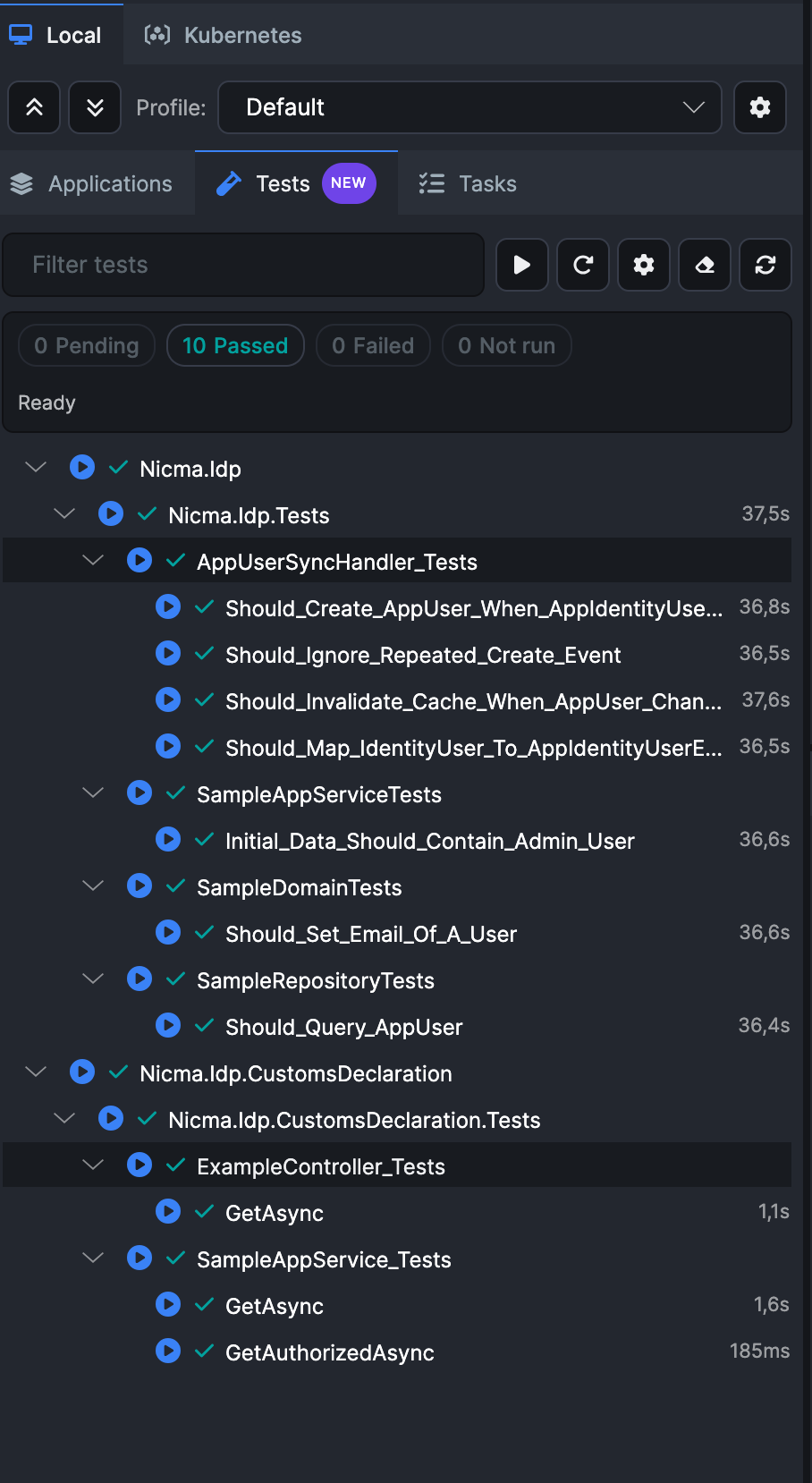
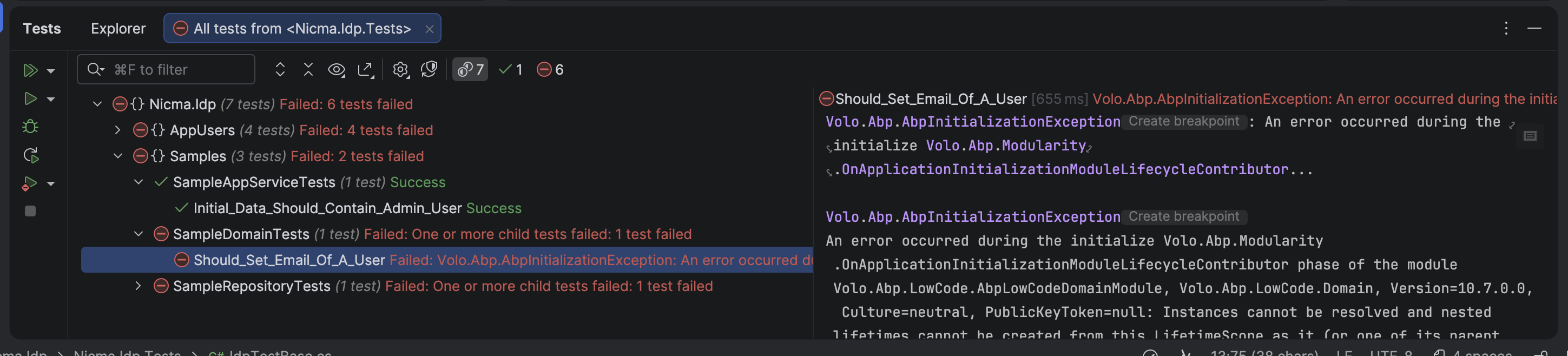
Following files are the logs: log_all_tests.log test.log
4 Answer(s)
-
0
This is not an “ABP Studio vs. CLI” problem by itself. What’s happening is: when you run tests inside ABP Studio, it sets up some environment / working-directory / configuration in a way that your test host can initialize successfully; but when you run from terminal / VS / Rider, the test host starts with different defaults and your ABP app initialization fails with:
Volo.Abp.AbpInitializationException ... OnApplicationInitializationModuleLifecycleContributor ...Instances cannot be resolved and nested lifetimes cannot be created from this lifetimeScope ...(mentions Volo.Abp.LowCode.AbpLowCodeDomainModule)
Solution
1) Run your tests from the “root” EFCore test project (not Domain/Application abstract tests)
ABP templates use abstract tests in
.Domain.Tests/.Application.Testsand concrete implementations in.EntityFrameworkCore.Tests(or.MongoDB.Tests). If you execute the abstract test projects directly (common in Rider/VS “Run all tests”), initialization can differ and you may hit DI/runtime issues.Run tests specifically from:
*.EntityFrameworkCore.Tests(and/or*.Web.Testsif you have it)
In CLI:
dotnet test test/Nicma.Idp.EntityFrameworkCore.Tests/Nicma.Idp.EntityFrameworkCore.Tests.csproj2) Disable UoW transactions and dynamic permission/feature stores for test host
The failure you show is during module initialization and often occurs in integration test environments due to transactional/UoW behavior + initialization-time DB operations (feature/permission caches, etc.). Configure your EF Core test module to disable those behaviors.
In your
NicmaIdpEntityFrameworkCoreTestModule(or equivalent EFCore test module class), add:using Volo.Abp.FeatureManagement; using Volo.Abp.PermissionManagement; using Volo.Abp.Uow; using Microsoft.Extensions.DependencyInjection; public override void ConfigureServices(ServiceConfigurationContext context) { Configure<FeatureManagementOptions>(options => { options.SaveStaticFeaturesToDatabase = false; options.IsDynamicFeatureStoreEnabled = false; }); Configure<PermissionManagementOptions>(options => { options.SaveStaticPermissionsToDatabase = false; options.IsDynamicPermissionStoreEnabled = false; }); context.Services.AddAlwaysDisableUnitOfWorkTransaction(); Configure<AbpUnitOfWorkDefaultOptions>(options => { options.TransactionBehavior = UnitOfWorkTransactionBehavior.Disabled; }); }This makes the test host much more deterministic across runners (CLI/VS/Rider/Studio).
3) Ensure the test runner uses the correct environment/appsettings
Also make sure your test project has the expected environment (many templates assume
ASPNETCORE_ENVIRONMENT=Testand loadappsettings.Test.jsonor similar). In terminal you can force it:PowerShell
$env:ASPNETCORE_ENVIRONMENT="Test"
dotnet test
bash
ASPNETCORE_ENVIRONMENT=Test dotnet test(ABP Studio may already be doing this for you.)
Sources
- https://abp.io/docs/10.7/testing/integration-tests
- https://abp.io/docs/latest/testing/unit-tests
This response was generated by AI. If it didn’t solve your problem, feel free to post a new answer — our support team will jump in to help you soon.
Markdown supported.Copy, paste, or drag & drop images and files (max 100 MB per file, 100 MB total per post) -
0
I run the "ASPNETCORE_ENVIRONMENT=Test dotnet test" command in the solution root but i've the same errors.
Markdown supported.Copy, paste, or drag & drop images and files (max 100 MB per file, 100 MB total per post) -
0
If i run every test as a single unit test in riders they works, but if i run the entire collections, the first one pass and the others no!
Markdown supported.Copy, paste, or drag & drop images and files (max 100 MB per file, 100 MB total per post) -
0
Hi,
The LowCode module keeps its model-change handlers in a static object and doesn't remove them when the application shuts down. Every test starts a new application in the same process, so from the second test on, LowCode calls the handlers of the first application, which is already disposed.
You can remove these handlers when the test application shuts down. Add this to the
IdpTestModulein your test project:using System; using System.Linq; using System.Reflection; using System.Threading.Tasks; using Volo.Abp.LowCode.Modeling; public override void OnApplicationShutdown(ApplicationShutdownContext context) { RemoveLowCodeModelChangedHandlers(); _database?.Dispose(); } private static void RemoveLowCodeModelChangedHandlers() { var manager = DynamicModelManager.Instance; var handlersField = typeof(DynamicModelManager) .GetFields(BindingFlags.Instance | BindingFlags.NonPublic) .Single(f => f.FieldType == typeof(Func<Task>)); if (handlersField.GetValue(manager) is not Func<Task> handlers) { return; } foreach (var handler in handlers.GetInvocationList().Cast<Func<Task>>()) { if (handler.Target != manager) { manager.OnModelChanged -= handler; } } }We've fixed this in the LowCode module, and the fix will be in the next 10.7.x patch release. You can remove this code after upgrading. Your ticket has been refunded.
Thanks
Markdown supported.Copy, paste, or drag & drop images and files (max 100 MB per file, 100 MB total per post)



