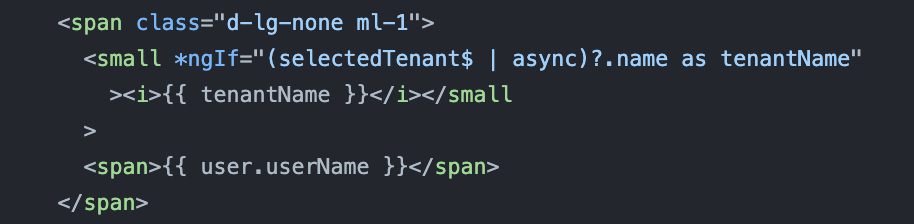
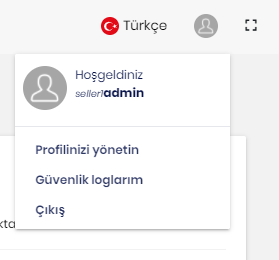
- ABP Framework version: v3.3.1
- UI type: Angular
- DB provider: EF Core
- Tiered (MVC) or Identity Server Separated (Angular): no
How can I show the tenant name when I log in with tenant? We do not want to code by ourselves. Is there a roadmap, this feature?
5 Answer(s)
-
0
Hi @Mehmet and @ademaygun, Our licence is team so we don't have angular codes
Our package.json { "name": "ProjectName", "version": "0.0.0", "scripts": { "ng": "ng", "start": "ng serve --open", "build": "ng build", "build:prod": "ng build --configuration production", "test": "ng test", "lint": "ng lint", "e2e": "ng e2e" }, "compile:ivy": "yarn ngcc --properties es2015 browser module main --first-only --create-ivy-entry-points --tsconfig './tsconfig.json' --source node_modules", "postinstall": "npm run compile:ivy", "private": true, "dependencies": { "@abp/bootstrap-datepicker": "^3.3.1", "@abp/ng.core": "~3.3.1", "@abp/ng.schematics": "~3.3.1", "@angular-material-components/datetime-picker": "^4.0.5", "@angular/animations": "~11.0.5", "@angular/common": "~11.0.5", "@angular/compiler": "~11.0.5", "@angular/core": "~11.0.5", "@angular/forms": "~11.0.5", "@angular/material": "^11.0.3", "@angular/platform-browser": "~11.0.5", "@angular/platform-browser-dynamic": "~11.0.5", "@angular/router": "~11.0.5", "@ng-select/ng-select": "^5.0.8", "@volo/abp.ng.account": "~3.3.1", "@volo/abp.ng.audit-logging": "~3.3.1", "@volo/abp.ng.chat": "~3.3.1", "@volo/abp.ng.file-management": "~3.3.1", "@volo/abp.ng.identity": "~3.3.1", "@volo/abp.ng.identity-server": "~3.3.1", "@volo/abp.ng.language-management": "~3.3.1", "@volo/abp.ng.saas": "~3.3.1", "@volo/abp.ng.text-template-management": "~3.3.1", "@volo/abp.ng.theme.lepton": "~3.3.1", "devextreme": "^20.2.3", "devextreme-angular": "^20.2.3", "devextreme-aspnet-data-nojquery": "^2.8.0", "exceljs": "^4.2.0", "file-saver": "^2.0.5", "jspdf": "^2.2.0", "jspdf-autotable": "^3.5.13", "moment": "^2.29.1", "ng2-charts": "^2.4.2", "ngx-spinner": "^10.0.1", "ngx-toastr": "^13.1.0", "rxjs": "~6.6.3", "toastr": "^2.1.4", "tslib": "^2.0.3", "zone.js": "~0.10.2" }, "devDependencies": { "@angular-devkit/build-angular": "~0.1100.5", "@angular-devkit/build-ng-packagr": "~0.1000.6", "@angular/cli": "^11.0.5", "@angular/compiler-cli": "~11.0.5", "@angular/language-service": "~11.0.5", "@types/jasmine": "~3.5.0", "@types/jasminewd2": "~2.0.3", "@types/node": "^12.12.67", "codelyzer": "^5.1.2", "jasmine-core": "~3.5.0", "jasmine-spec-reporter": "~5.0.0", "karma": "~5.1.1", "karma-chrome-launcher": "~3.1.0", "karma-coverage-istanbul-reporter": "~3.0.2", "karma-jasmine": "~3.3.0", "karma-jasmine-html-reporter": "^1.5.0", "ng-packagr": "^11.0.3", "protractor": "~7.0.0", "source-map-explorer": "^2.5.1", "ts-node": "~8.3.0", "tslint": "~6.1.0", "typescript": "~4.0.5" } }
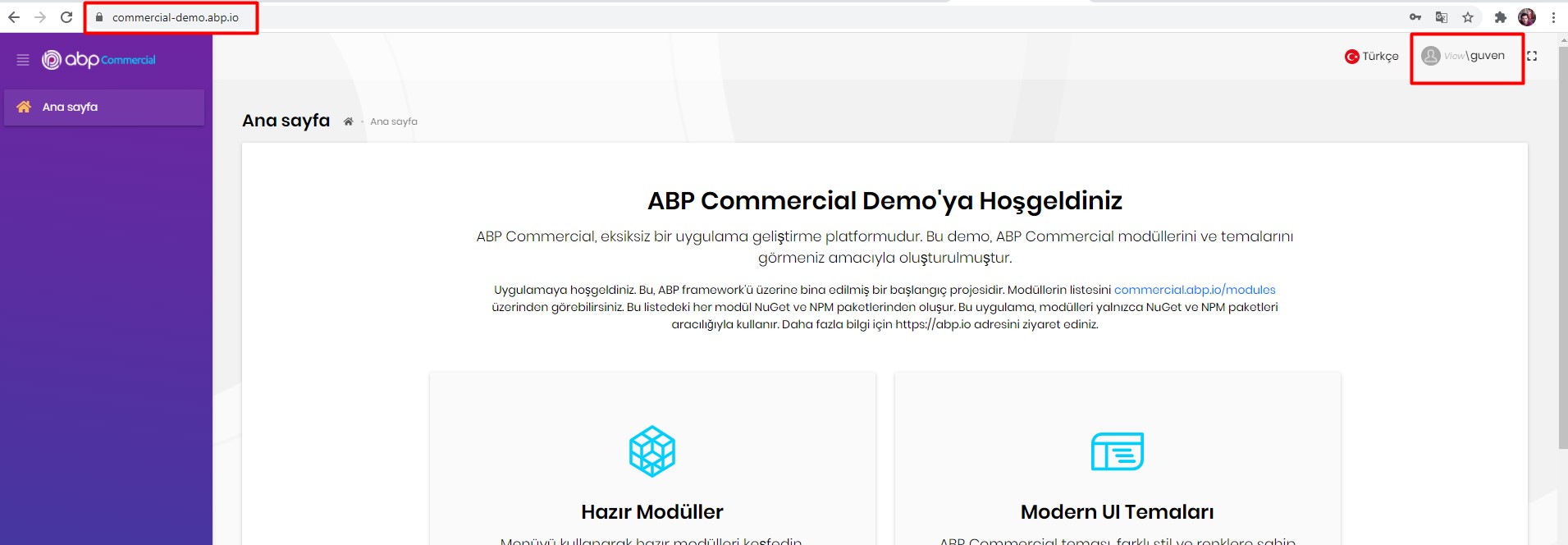
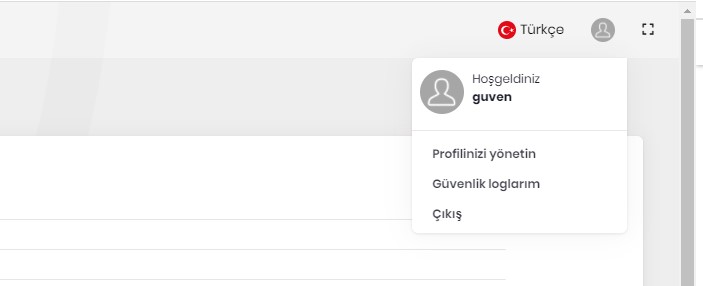
Tenant name no display.
 Markdown supported.Copy, paste, or drag & drop images and files (max 100 MB per file, 100 MB total per post)