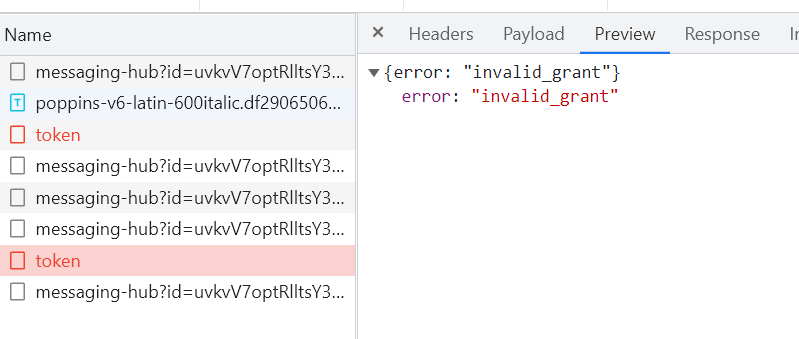
- ABP Framework version: v5.2.2
- UI type: Angular
- DB provider: EF Core
- Tiered (MVC) or Identity Server Separated (Angular): no
- Exception message and stack trace:
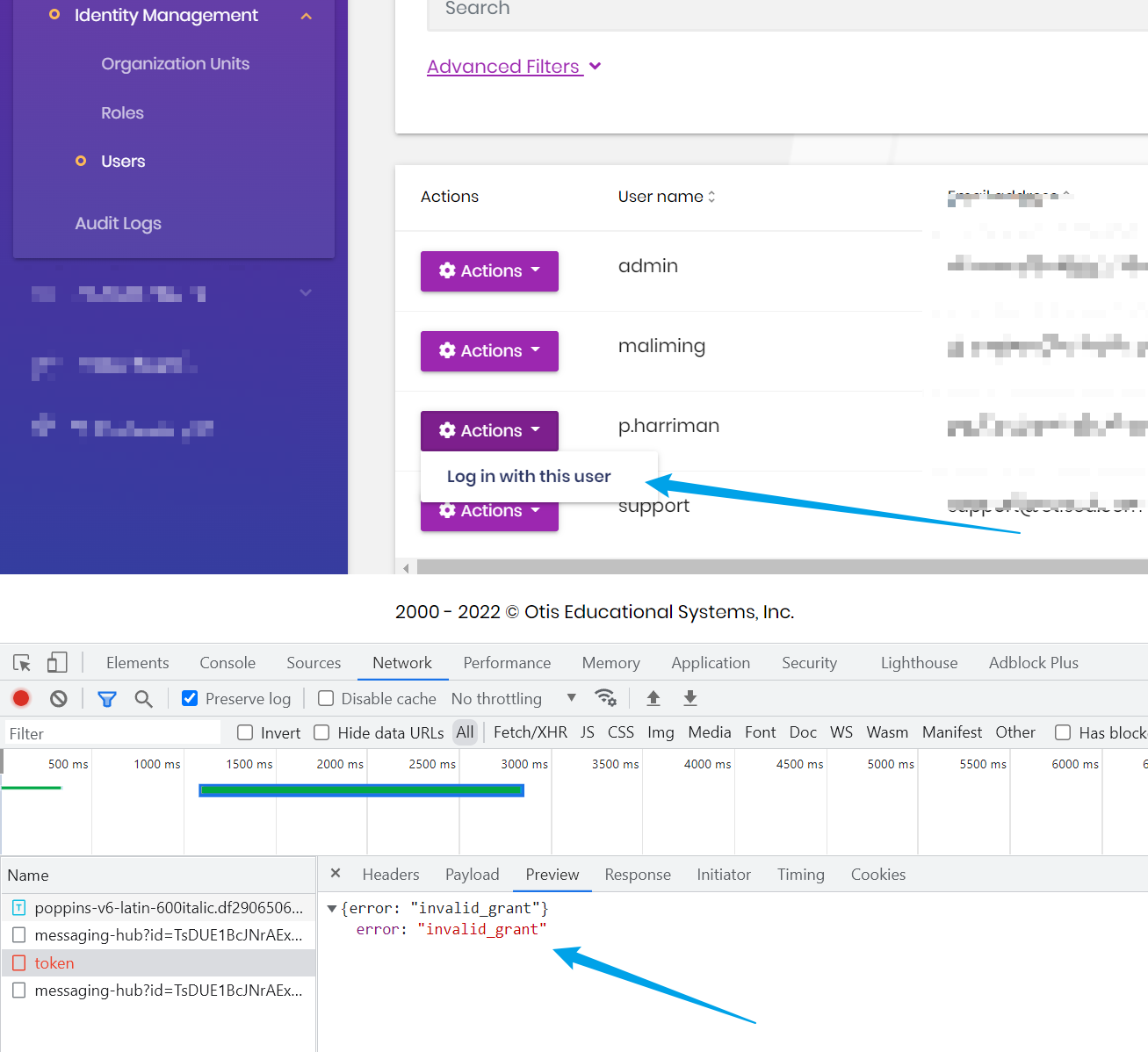
- Steps to reproduce the issue:"
The functionality to "Log in with this user" works locally when we compile and run the backend mvc app, and run the angular frontend separately. In production we publish the code to azure and use a spa redirect. This way the user just hits one ip and brings up both front and backend.
I think the spa redirect is what's stopping the "Log in with this user" from working. Can you confirm? also is there another way instead of using the spa redirect?
**SyncisHttpApiHostModule.cs **
public override void OnApplicationInitialization(ApplicationInitializationContext context)
{
...

#if RELEASE
         app.UseSpaStaticFiles(new StaticFileOptions
             {
                 FileProvider = new PhysicalFileProvider(Path.Combine(Directory.GetCurrentDirectory(), "wwwroot", "remote"))
             });
             app.Map("/remote", remote =>
             {
                 remote.UseSpa(spa =>
                 {
                     spa.Options.SourcePath = "client";
                     spa.Options.DefaultPageStaticFileOptions = new StaticFileOptions
                     {
                         FileProvider = new PhysicalFileProvider(Path.Combine(Directory.GetCurrentDirectory(), "wwwroot", "remote"))
                     };
                 });
             });
#endif
23 Answer(s)
-
0
hi
I think the spa redirect is what's stopping the "Log in with this user" from working. Can you confirm?
You can remove the
spa redirectto confirm this problem.Or you can share a website link and username & password, and I can confirm it online. liming.ma@volosoft.com
Markdown supported.Copy, paste, or drag & drop images and files (max 100 MB per file, 100 MB total per post) -
0
Yes, If i remove the spa redirect, the "Log in with this user" works. But the user cannot hit one ip and run both (this what the spa redirect accomplishes).
Markdown supported.Copy, paste, or drag & drop images and files (max 100 MB per file, 100 MB total per post) -
0
Sent an email to you
Markdown supported.Copy, paste, or drag & drop images and files (max 100 MB per file, 100 MB total per post) -
0
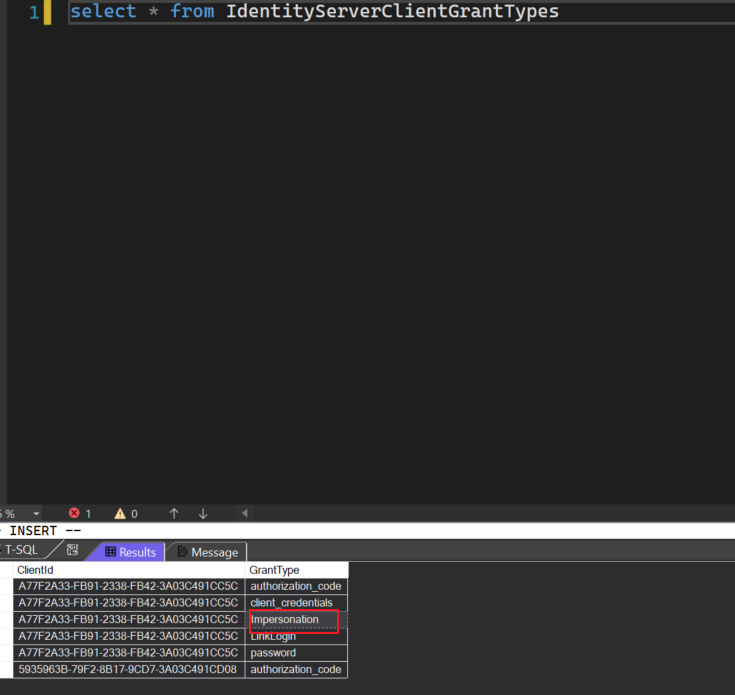
Yes all Clients have impersonation as a permission. emailed u screen shot
Markdown supported.Copy, paste, or drag & drop images and files (max 100 MB per file, 100 MB total per post) -
0
hi
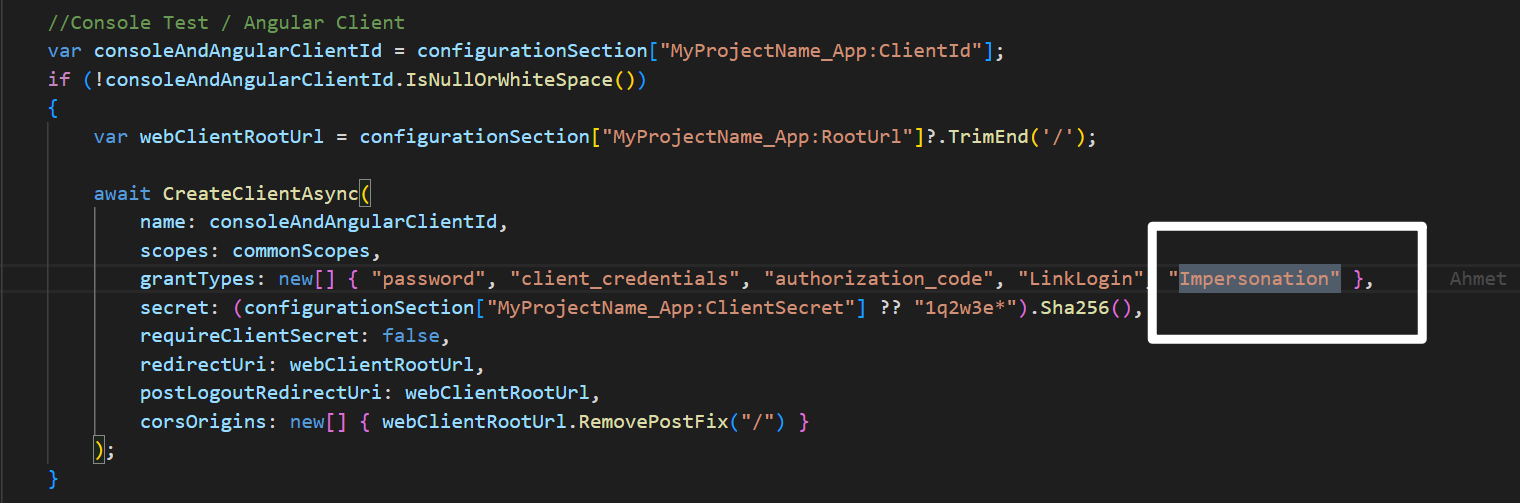
Your
Synergyz_Appclient needs theImpersonationgrant_type. Please check the code and database.https://docs.abp.io/en/commercial/latest/modules/account/impersonation#angular
 Markdown supported.Copy, paste, or drag & drop images and files (max 100 MB per file, 100 MB total per post)
 -
0
Sent you a screen shot by email
Markdown supported.Copy, paste, or drag & drop images and files (max 100 MB per file, 100 MB total per post) -
0
Emailed you logs for "Login as user" and "Login as Tenant"
Markdown supported.Copy, paste, or drag & drop images and files (max 100 MB per file, 100 MB total per post) -
0
hi
[ERR] Grant validation error: Value cannot be null. (Parameter 'value') System.ArgumentNullException: Value cannot be null. (Parameter 'value')
https://support.abp.io/QA/Questions/3022/Error---Impersonating-user-from-tenant#answer-f092137a-2fcb-adc6-f944-3a03a9727fd1
[ERR] Invalid extension grant{"error":"Nested impersonation is not allowed!"}
Can you share the URL and username password that only have some permissions so that I can see the error online?
Markdown supported.Copy, paste, or drag & drop images and files (max 100 MB per file, 100 MB total per post) -
0
hello,
sent u an email. assuming this is to look at "Login as Tenant".
for the "Login as User" are u asking us to add the code in the link above? it looks like the code out of the box is missing something when we upgraded our solution. Again both "Logon as XXX" work locally in Development mode. Only when we are in Release Mode does it fail. The difference appears to be only that we are using the spa redirect. we are just trying to make sure we are on the same page, not point fingers
Markdown supported.Copy, paste, or drag & drop images and files (max 100 MB per file, 100 MB total per post) -
0
HI
for the "Login as User" are u asking us to add the code in the link above?
Yes, add
MyImpersonationExtensionGrantValidatorto your API(Identity Server) project.I guess impersonating tenant/user is not compatible with
spa redirect.Markdown supported.Copy, paste, or drag & drop images and files (max 100 MB per file, 100 MB total per post) -
0
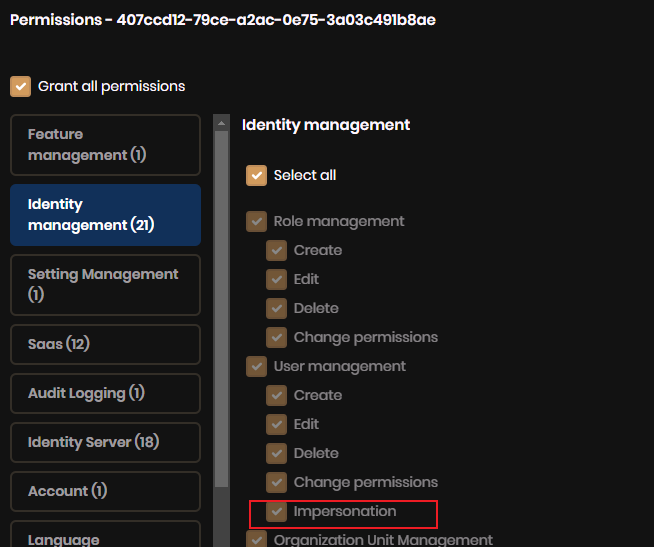
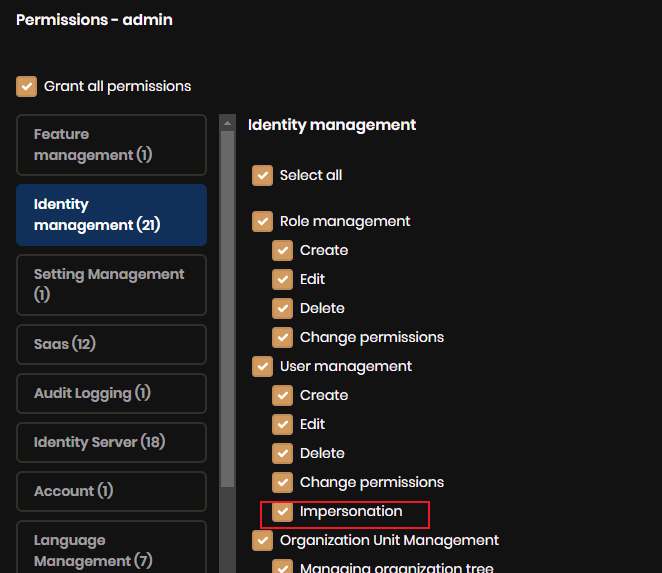
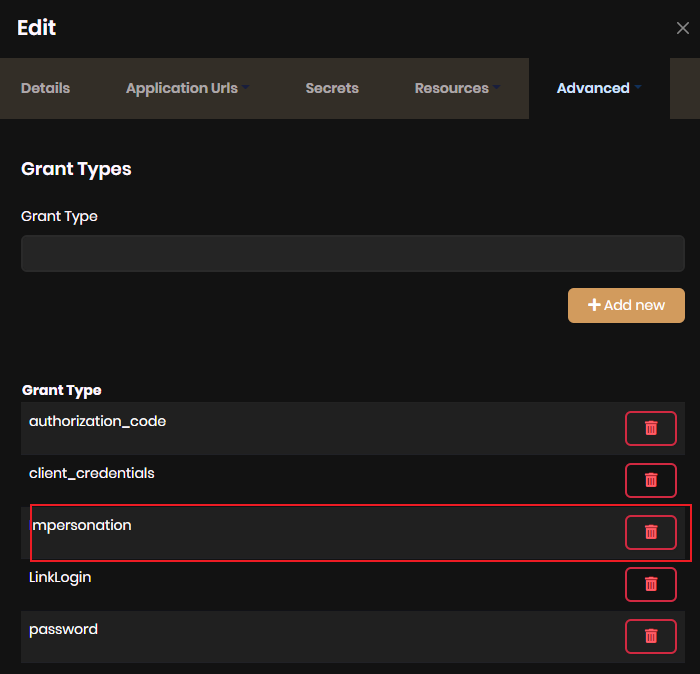
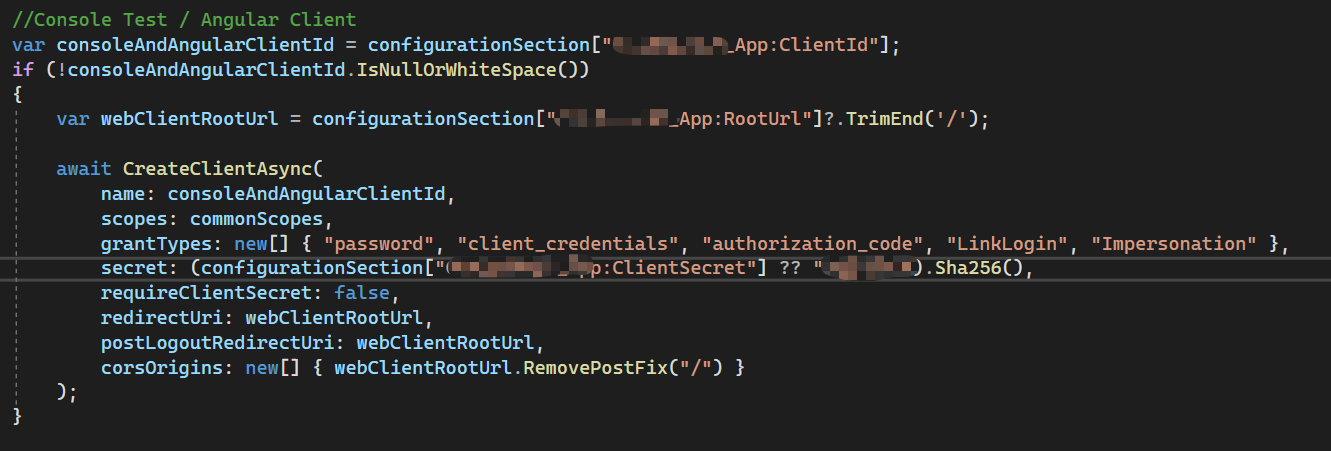
Hello, I have got similar problem, I can't see the
Login in with this userbutton in angular website. My ABP version is v5.2.1, I have check code and database, It's Ok. I don't know what happen.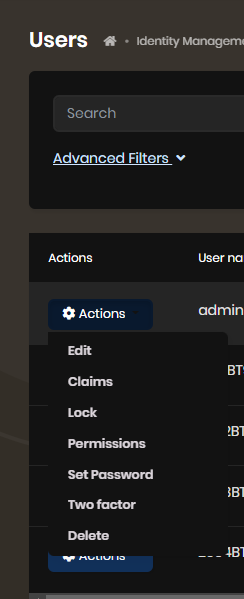
 Markdown supported.Copy, paste, or drag & drop images and files (max 100 MB per file, 100 MB total per post)
 -
0
Hello,
added ur code. "Logn as User" worked locally. pushed the code to Azure and it doesn't work. this is in the logs
[Information] Token request validation success, TokenRequestValidationLog { ClientId: "Synergyz_App", ClientName: "Synergyz_App", GrantType: "Impersonation", Scopes: "address email offline_access openid phone profile role Synergyz", AuthorizationCode: "", RefreshToken: "", UserName: null, AuthenticationContextReferenceClasses: null, Tenant: null, IdP: null, Raw: [("access_token": "eyJhbGciOiJSUzI1NiIsImtpZCI6IkIzNDU4QkI4QTJGQ0RGRkVFOTlCQkU1NEVBRkJCMzdFIiwidHlwIjoiYXQrand0In0.eyJuYmYiOjE2NTQyNjUwMzUsImV4cCI6MTY1NDI2ODYzNSwiaXNzIjoiaHR0cHM6Ly9zeW5lcmd5ei10ZXN0Lm90aXNlZC5uZXQiLCJhdWQiOiJTeW5lcmd5eiIsImNsaWVudF9pZCI6IlN5bmVyZ3l6X0FwcCIsInN1YiI6IjEwYzcyM2JkLTQxZDktNGE4OS1hMmNkLWIzOTAyNDQ2YzlmNiIsImF1dGhfdGltZSI6MTY1NDI2NTAzMSwiaWRwIjoibG9jYWwiLCJ0ZW5hbnRpZCI6IjgwM2Q1MDZhLTQzMjctNDcyMy05NzJkLTU4NzhlOTgwYzZiYiIsImh0dHA6Ly9zY2hlbWFzLnhtbHNvYXAub3JnL3dzLzIwMDUvMDUvaWRlbnRpdHkvY2xhaW1zL2dpdmVubmFtZSI6ImFkbWluIiwiaHR0cDovL3NjaGVtYXMueG1sc29hcC5vcmcvd3MvMjAwNS8wNS9pZGVudGl0eS9jbGFpbXMvc3VybmFtZSI6IlNtaXRoIiwidW5pcXVlX25hbWUiOiJhZG1pbiIsInByZWZlcnJlZF91c2VybmFtZSI6ImFkbWluIiwiZ2l2ZW5fbmFtZSI6ImFkbWluIiwiZmFtaWx5X25hbWUiOiJTbWl0aCIsInJvbGUiOiJhZG1pbiIsInBob25lX251bWJlcl92ZXJpZmllZCI6IkZhbHNlIiwiZW1haWwiOiJuby1yZXBseUBvdGlzZWQuY29tIiwiZW1haWxfdmVyaWZpZWQiOiJUcnVlIiwiZWRpdGlvbmlkIjoiZTQ2MDYyN2EtYzEyMi01ZjJmLWJjN2UtMzlmYWFmYTFhMTcxIiwibmFtZSI6ImFkbWluIiwic2lkIjoiMTU1QzI2QjEyQzRGQ0MzMEZEOEU0QzM2MzNDNjZBNjEiLCJpYXQiOjE2NTQyNjUwMzUsInNjb3BlIjpbIm9wZW5pZCIsIlN5bmVyZ3l6Iiwib2ZmbGluZV9hY2Nlc3MiXSwiYW1yIjpbInB3ZCJdfQ.nycRra-FJa0XFEIf0wMkPY-3egFN1O-OPGzPstB5PSjyXX29xBTLM0fNQqX-x7OIaCPtnXpKQ7_EJyLzI7Xdj2jDuda4F_soCs8TiqtnuUkZmcBez4AJnk5m3DC7tEs8NQMedA1nh6yo-C4kBO_5M5csiS64Affz6Qea8LNQEoRl9owAmUe4s8l8ZA5RGg8ijsHNFvlbg2YjxD9E-0TIiURMbSXeZS1fIkHEX-YcpLyWlViz4Sv0JqHgAFPZrSqqPkGuM0ML4UaSi8TpVa8t1MwzXyxQaf8GyVAORq9_4NjOe-8i2R5R27zZI2GvxTcRsJSn6eK-1NGHwzRmej_BxQ"), ("grant_type": "Impersonation"), ("Client_Id": "Synergyz_App"), ("Client_Secret": "REDACTED"), ("TenantId": "803d506a-4327-4723-972d-5878e980c6bb"), ("UserId": "ed79e37a-50cf-a647-7ddd-3a03a7df8368")] }
We will leave the code as is (w/ ur code fix) so u can look at the website
Markdown supported.Copy, paste, or drag & drop images and files (max 100 MB per file, 100 MB total per post) -
0
hi @ldacnfinit
https://docs.abp.io/en/commercial/latest/modules/account/impersonation
I find
Login in with this userbutton is missing because the selected user is current login user. So It's solved. Thanks!Markdown supported.Copy, paste, or drag & drop images and files (max 100 MB per file, 100 MB total per post) -
0
sent u an email
Markdown supported.Copy, paste, or drag & drop images and files (max 100 MB per file, 100 MB total per post) -
0
hi
Can you try to add
ConfigureApplicationCookiebelow theAddJwtBearer?private void ConfigureAuthentication(IServiceCollection services, IConfiguration configuration) { services.AddAuthentication() .AddJwtBearer(JwtBearerDefaults.AuthenticationScheme, options => { options.Authority = configuration["AuthServer:Authority"]; options.RequireHttpsMetadata = Convert.ToBoolean(configuration["AuthServer:RequireHttpsMetadata"]); options.Audience = "MyProjectName"; }); services.ConfigureApplicationCookie(options => { // Forward any requests that start with /api to the JWT scheme. options.ForwardDefaultSelector = ctx => { //You can also check request info or current identity(ctx.User.Identity.AuthenticationType) return ctx.Request.Path.StartsWithSegments("/api") ? JwtBearerDefaults.AuthenticationScheme : null; }; }); }Markdown supported.Copy, paste, or drag & drop images and files (max 100 MB per file, 100 MB total per post) -
0
that worked w/ both Tenant and User. :)
Markdown supported.Copy, paste, or drag & drop images and files (max 100 MB per file, 100 MB total per post)