






ABP Framework version: v6.0.0-rc.4
UI type: Blazor
DB provider: EF Core
Tiered (MVC) or Identity Server Separated (Angular): no
Steps to reproduce the issue:"
- Select menu item (e.g. Users page) -> page is loaded correctly.
- Click a second time on the same menu item -> now the breadcrumbs and the create button are not displayed.
- Only with a refresh (F5) the page is then displayed correctly again.
12 Answer(s)
-
0
Hi again, we could not reproduce the problem that you stated. Can you provide more information or retry again to ensure it was not a temporary problem?
Markdown supported.Copy, paste, or drag & drop images and files (max 100 MB per file, 100 MB total per post) -
0
Hi, I have now created a new app with the latest template (Blazor Server 6.0.0-rc.4), run it and the problem occurs immediately. To illustrate it I made a screencast: AbpBug3705.mp4
Edited on 16.11.2022: Unfortunately, I can no longer reply here because the ticket is locked. But I think the problem is not solved yet and I would like to know for which version the bugfix is planned (currently I have version 6.0.1).
Markdown supported.Copy, paste, or drag & drop images and files (max 100 MB per file, 100 MB total per post) -
0
Hi,
I have now created a new app with the latest template (Blazor Server 6.0.0-rc.4), run it and the problem occurs immediately. To illustrate it I made a screencast: AbpBug3705.mp4Thanks for the video, I was tested on Blazor WASM not Blazor Server so I did not see this problem. I'll create an issue for the problem.
Markdown supported.Copy, paste, or drag & drop images and files (max 100 MB per file, 100 MB total per post) -
0
@ageiter, this problem is fixed with LeptonX v1.0. So you can update the LeptonX package version. Thanks for reporting the problem again. Best Regards.
Markdown supported.Copy, paste, or drag & drop images and files (max 100 MB per file, 100 MB total per post) -
0
@EngincanV, hm... i have now ABP 6.0.1 and LeptonX 1.0.1 and the problem still occurs...
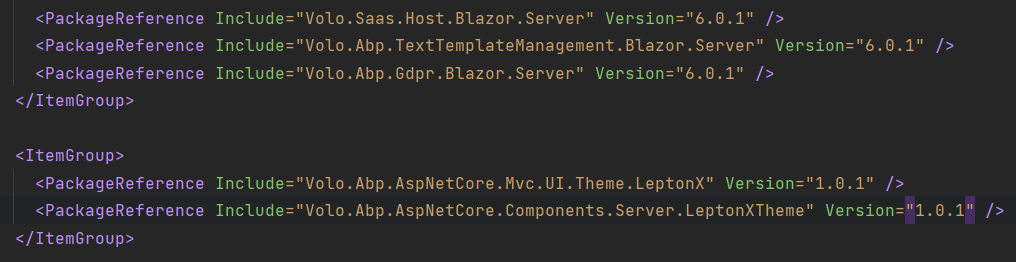
Volo.Abp.AspNetCore.Components.Server.LeptonXTheme: Version="1.0.1" Volo.Abp.AspNetCore.Mvc.UI.Theme.LeptonX: Version="1.0.1"
Markdown supported.Copy, paste, or drag & drop images and files (max 100 MB per file, 100 MB total per post) -
0
@EngincanV, hm... i have now ABP 6.0.1 and LeptonX 1.0.1 and the problem still occurs...
Volo.Abp.AspNetCore.Components.Server.LeptonXTheme: Version="1.0.1" Volo.Abp.AspNetCore.Mvc.UI.Theme.LeptonX: Version="1.0.1"
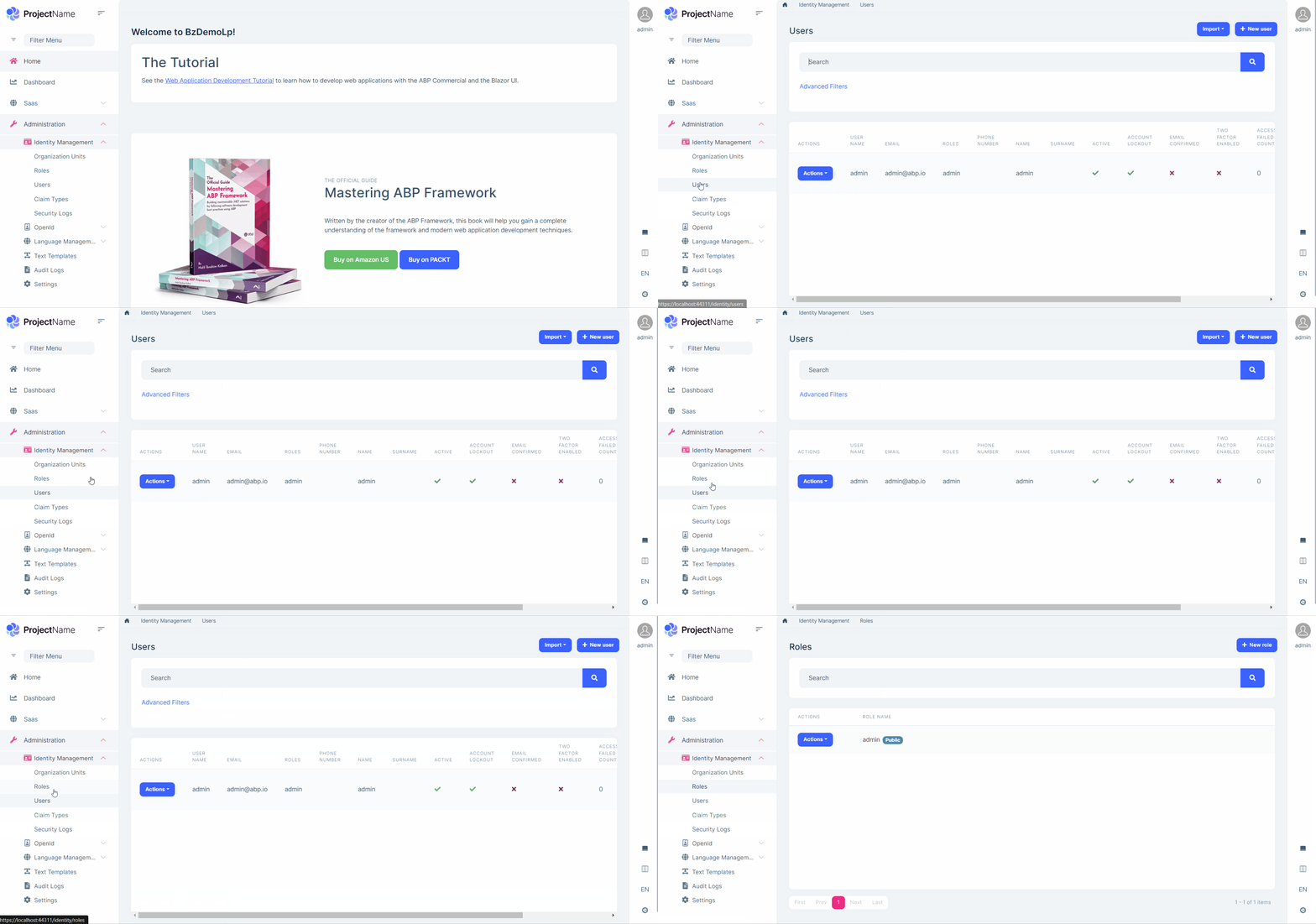
Please delete the bin and obj folders in your blazor-server project and restore the packages. Probably, your application still uses the previous version of the LeptonX Theme.
I've just tried and it's working as expected.
 Markdown supported.Copy, paste, or drag & drop images and files (max 100 MB per file, 100 MB total per post)
 -
0
I see changes to version 1.0, so version 1.0.1 is being displayed.
But I use the top menu layout. Can you check it with that?
I've tried just before and reproduced the problem. It seems the problem was fixed for the SideMenu layout but not the TopMenu layout. I've created an internal issue for this problem (#945). I'll inform you when it's fixed.
Markdown supported.Copy, paste, or drag & drop images and files (max 100 MB per file, 100 MB total per post) -
0
Thank you Engincan.
Another problem that occurs with the top menu is the following: When I restart the application, the dropdown menu is not at the front level. I always have to refresh the page once first (F5) for the menu to appear fully. I have made a screencast about this:
Maybe you guys can fix that too. Thanks.
Markdown supported.Copy, paste, or drag & drop images and files (max 100 MB per file, 100 MB total per post) -
0
Thank you Engincan.
Another problem that occurs with the top menu is the following: When I restart the application, the dropdown menu is not at the front level. I always have to refresh the page once first (F5) for the menu to appear fully. I have made a screencast about this:
Maybe you guys can fix that too. Thanks.
Thanks, I've also reproduced this once and I'll create an issue for it.
Markdown supported.Copy, paste, or drag & drop images and files (max 100 MB per file, 100 MB total per post)


