






- ABP Framework version: v6.0.0
- UI type: MVC
- DB provider: EF Core
- Tiered (MVC) or Identity Server Separated (Angular): no
- Exception message and stack trace: System.InvalidOperationException
Message=Error loading discovery document: Error connecting to https://localhost:44330/.well-known/openid-configuration. Failed to connect to localhost/127.0.0.1:44330.
- Steps to reproduce the issue:"
- Create Maui template using abp suite
appsetting.json in Maui project
{
  "Oidc": {
    "Options": {
      "Authority": "https://localhost:44330",
      "ClientId": "Mobile_Maui",
      "RedirectUri": "mobile://",
      "PostLogoutRedirectUri": "mobile://",
      "Scope": "offline_access Mobile"
    }
  },
  "RemoteServices": {
    "Default": {
      "BaseUrl": "https://localhost:44330"
    }
  }
}
appsettings.json in Web project
{
  "App": {
    "SelfUrl": "https://localhost:44381"
  },
  "Redis": {
    "Configuration": "127.0.0.1"
  },
  "ConnectionStrings": {
    "Default": "Server=localhost;Database=AmazingSoftwareMobile;Trusted_Connection=True"
  },
  "AuthServer": {
    "Authority": "https://localhost:44381",
    "RequireHttpsMetadata": "false"
  },
  "StringEncryption": {
    "DefaultPassPhrase": "<omitted>"
  }
}
even if I change https://localhost:44330 to https://localhost:44381 it doesn't work
10 Answer(s)
-
0
Hi,
even if I change https://localhost:44330 to https://localhost:44381 it doesn't work
This is a problem and we fixed it: https://github.com/abpframework/abp/pull/14248
To run the MAUI project, you need some extra steps:
You can see the document: https://docs.abp.io/en/commercial/latest/getting-started-maui#run-the-server-application
Markdown supported.Copy, paste, or drag & drop images and files (max 100 MB per file, 100 MB total per post) -
0
I have followed all the documentation and the application successfully runs but when I click on the login button i get the following error
I am even using ngrok so the backend is available on the web
System.InvalidOperationException Message=Error loading discovery document: Error connecting to https://<omited>.au.ngrok.io/.well-known/openid-configuration. An error occurred while sending the request..When i go to that URL in browser I do get a response with off the openid-configuration
Markdown supported.Copy, paste, or drag & drop images and files (max 100 MB per file, 100 MB total per post) -
0
https://<omited>.au.ngrok.io/.well-known/openid-configuration
Actually, you don't need to use
ngrok.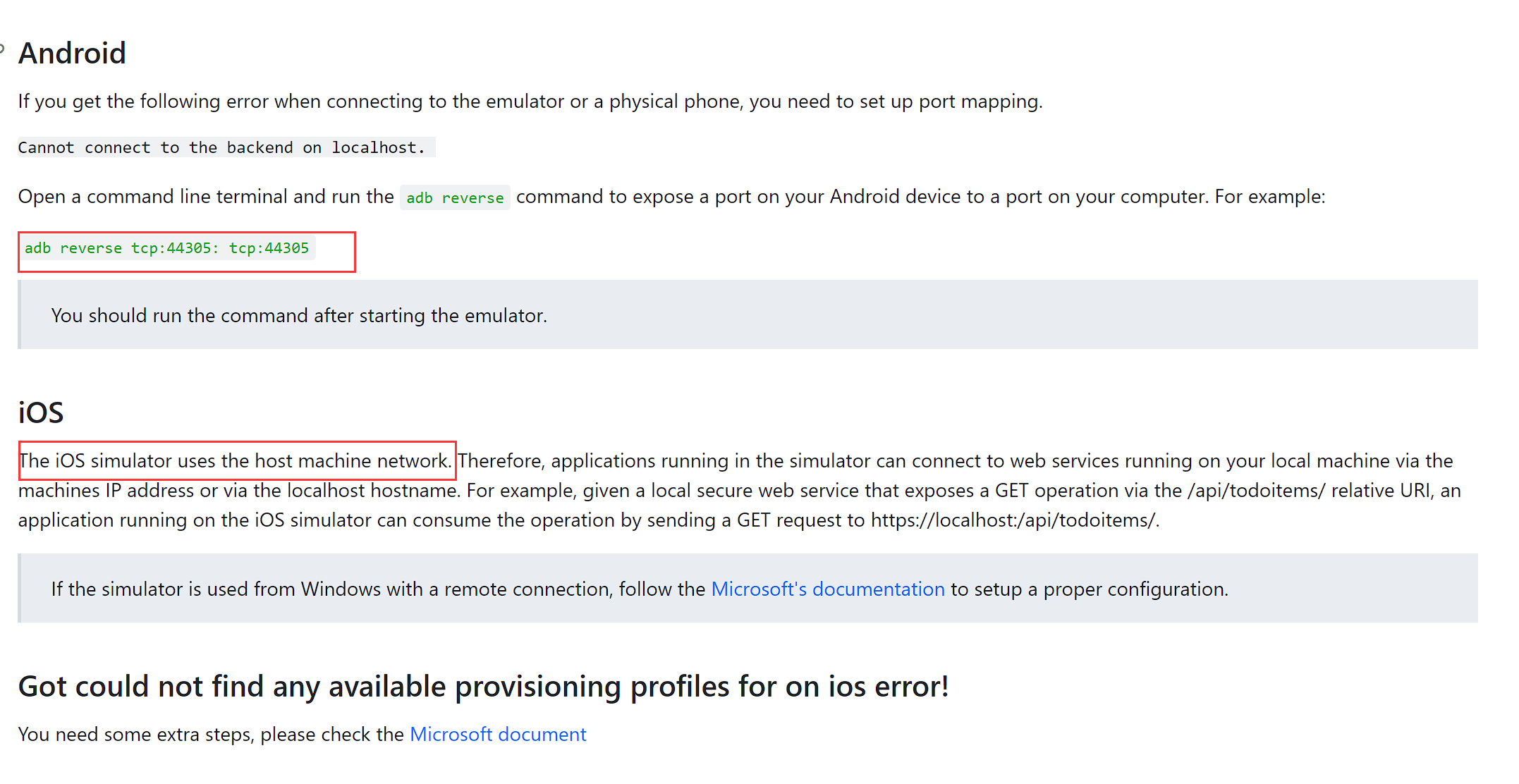
If you are using Android, you can use
adb reverseto forward the port, then you can use the localhost in the emulator.Markdown supported.Copy, paste, or drag & drop images and files (max 100 MB per file, 100 MB total per post) -
0
Yeah but I am using remote iOS simulator on my mac and the backend app is running on my windows so is the Maui project so to see it I have used pair to Mac and need the Mac to be able to browse to the back end so easiest way was to use ngrok and modify the handler
Markdown supported.Copy, paste, or drag & drop images and files (max 100 MB per file, 100 MB total per post) -
0
Hi ,
Yes, you may need to use
ngrokfor your case.When i go to that URL in browser I do get a response with off the openid-configuration
Will it work if you use the iOS simulator's safari browser?
BTW, I will check it.
Markdown supported.Copy, paste, or drag & drop images and files (max 100 MB per file, 100 MB total per post) -
0
If you are using the Remote iOS simulator from your Mac even in the safari it will not work because the Remote iOS simulator looks at the Mac as localhost be the backend is running on windows
However if I run the backend on the Mac then it will work on windows Remote iOS Simulator
Markdown supported.Copy, paste, or drag & drop images and files (max 100 MB per file, 100 MB total per post) -
0
I have followed all the documentation and the application successfully runs but when I click on the login button i get the following error
I am even using ngrok so the backend is available on the web
System.InvalidOperationException Message=Error loading discovery document: Error connecting to https://<omited>.au.ngrok.io/.well-known/openid-configuration. An error occurred while sending the request..When i go to that URL in browser I do get a response with off the openid-configuration
I recall that I had some similar problems when I by mistake used HTTP instead of HTTPS with Ngrok, but don't remember the details now. Also please note that VS 2022 Preview now has port tunnelling as well, closed beta though so you have to sign up to use it. That said, I recently had a discussion with some of the developers working on that and we agreed that they needed to make some improvements regarding OpenID in particular so might not be the best bet as of now.
Markdown supported.Copy, paste, or drag & drop images and files (max 100 MB per file, 100 MB total per post) -
0
You can see the document: https://docs.abp.io/en/commercial/latest/getting-started-maui#run-the-server-application
I believe these instructions wont work when using Blazor Server as there is no .Host project as it runs as part of the Blazor project AFAIK.
BTW, you are still recommending Node v12 even though that version has now been depreciated
https://github.com/abpframework/abp/issues/13550
Markdown supported.Copy, paste, or drag & drop images and files (max 100 MB per file, 100 MB total per post) -
0
Hi, @improwise
I will update the document.
Markdown supported.Copy, paste, or drag & drop images and files (max 100 MB per file, 100 MB total per post) -
0
If you are using the Remote iOS simulator from your Mac even in the safari it will not work because the Remote iOS simulator looks at the Mac as localhost be the backend is running on windows However if I run the backend on the Mac then it will work on windows Remote iOS Simulator
Yes, run MAUI on remote ios simulator, it can't access the backend service run on windows, even if you are using the
ngrokI think this is a limit of MAUI. since this has nothing to do with ABP, I'm closing this question.
Markdown supported.Copy, paste, or drag & drop images and files (max 100 MB per file, 100 MB total per post)



