Open Closed

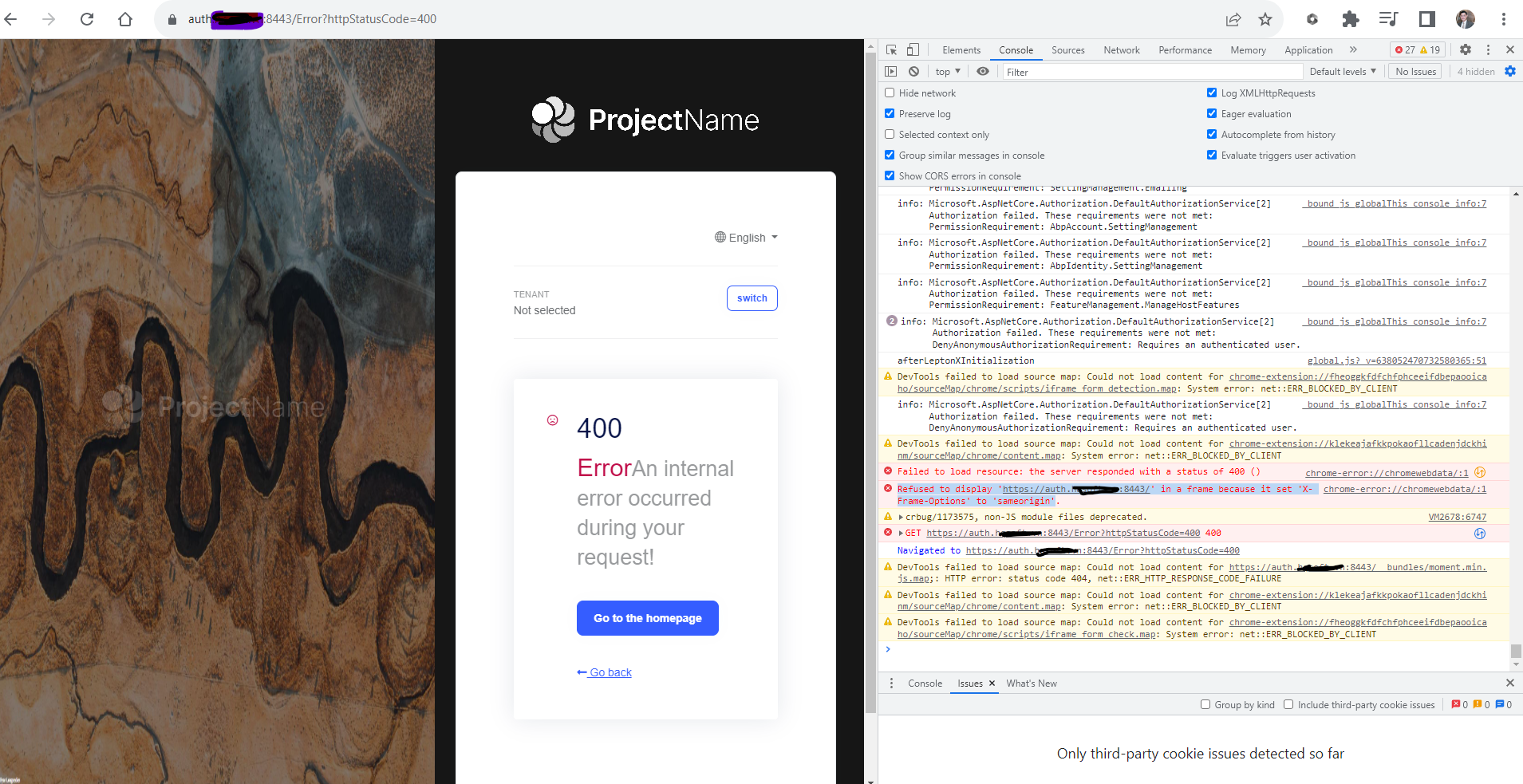
Refused to display 'https://auth.abc.com:8443/' in a frame because it set 'X-Frame-Options' to 'sameorigin' #4439


User avatar
0
hanntd created
  • ABP Framework version: v7.0.1
  • UI type: Blazor
  • DB provider: EF Core
  • Tiered (MVC) or Identity Server Separated (Angular): yes
  • Exception message and stack trace:
  • Steps to reproduce the issue:"
  1. Used ABP Suite to generate project template for Blazor Assembly
  2. Migrated and run in development mode: OK
  3. Deploy to IIS:
    1. Auth Server: OK
    2. API Swagger: OK
    3. Blazor Web: Show error for login frame as picture above
Markdown supported.
Copy, paste, or drag & drop images and files (max 100 MB per file, 100 MB total per post)


3 Answer(s)
  • User Avatar
    0
    hanntd created

    I fixed this issue, I forgot to change Uris in database when I deploy to production. May I reclaim this ticket? Thanks Dharma

    Markdown supported.
    Copy, paste, or drag & drop images and files (max 100 MB per file, 100 MB total per post)

  • User Avatar
    -1
    maliming created
    Support Team Fullstack Developer

    Refunded

    Markdown supported.
    Copy, paste, or drag & drop images and files (max 100 MB per file, 100 MB total per post)
  • User Avatar
    0
    hanntd created

    Thanks

    Markdown supported.
    Copy, paste, or drag & drop images and files (max 100 MB per file, 100 MB total per post)
Boost Your Development
ABP Live Training
Packages
See Trainings
Mastering ABP Framework Book
The Official Guide
Mastering
ABP Framework
Learn More
Mastering ABP Framework Book
Made with ❤️ on ABP v10.8.0-preview. Updated on September 16, 2026, 14:50
1
ABP Assistant
🔐 You need to be logged in to use the chatbot. Please log in first.