






- ABP Framework version: v7.0.0
- UI type: Angular
- DB provider: EF Core
- Tiered (MVC) or Identity Server Separated (Angular): yes
- Exception message and stack trace:
- Steps to reproduce the issue:"
Requirement: Need to Integrate Azure AD with Angular & Dotnet Core Microservice Solution, for this I have done below things (trying with Sample template).
I have created sample project with below command, Project successfully created and DbMigrations also done.
abp new Tasconnect.AzureAD -csf --tiered -dbms PostgreSQL --ui angular --separate-auth-server --version 7.0.0
I followed the below guide - https://community.abp.io/posts/how-to-setup-azure-active-directory-and-integrate-abp-angular-application-lyk87w5l?_ga=2.190040555.1947306436.1679285896-1009902313.1678032354
Application registered in Azure portal and done below code changes:
Auth Server: AzureADAuthServerModule.cs
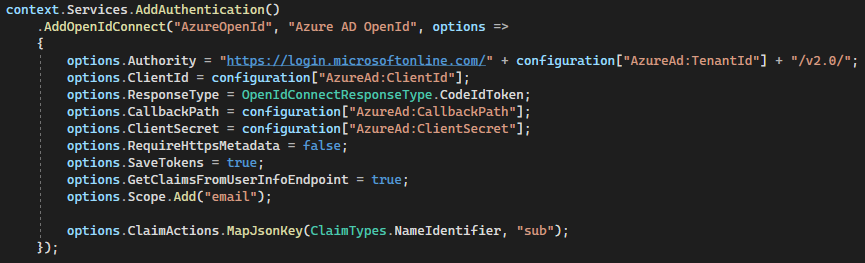 Auth Server AppSettings.json
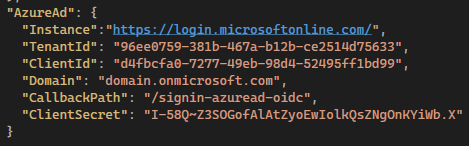
then running both Dotnet Core and Angular Application but Angular is giving "404" error.
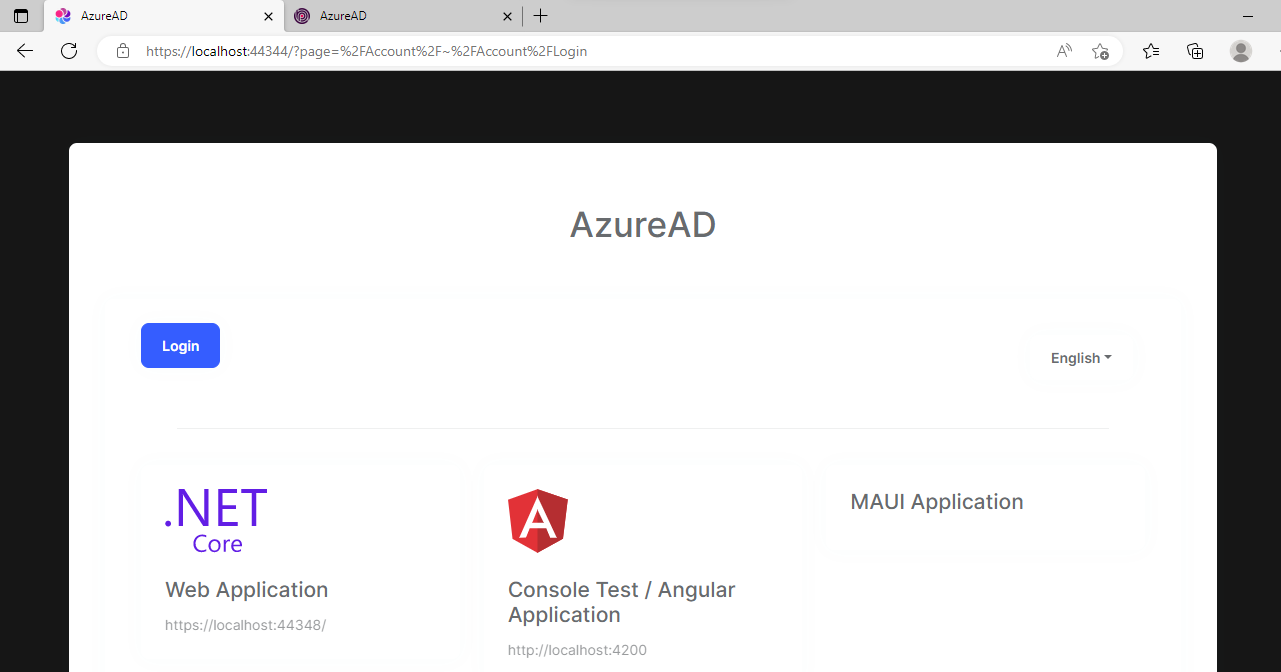
Dotnet Core:
https://localhost:44344/
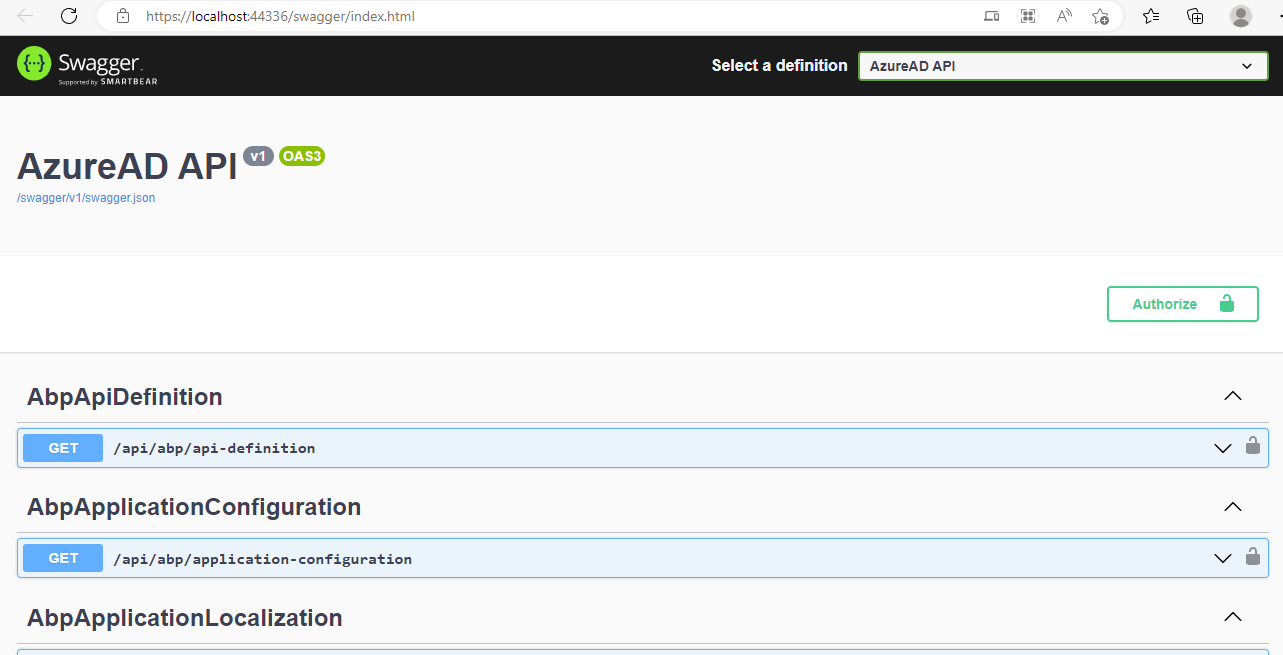
https://localhost:44336/
Angular: Error showing the as resource not available, but its running
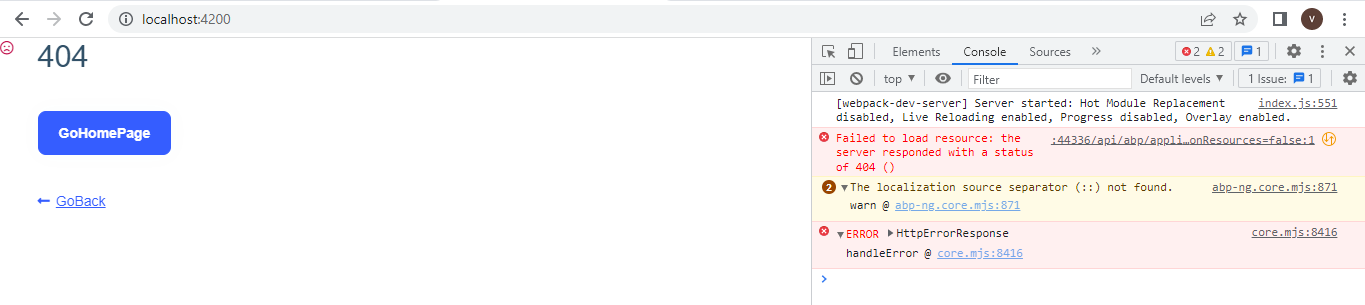
URL is returning some data.
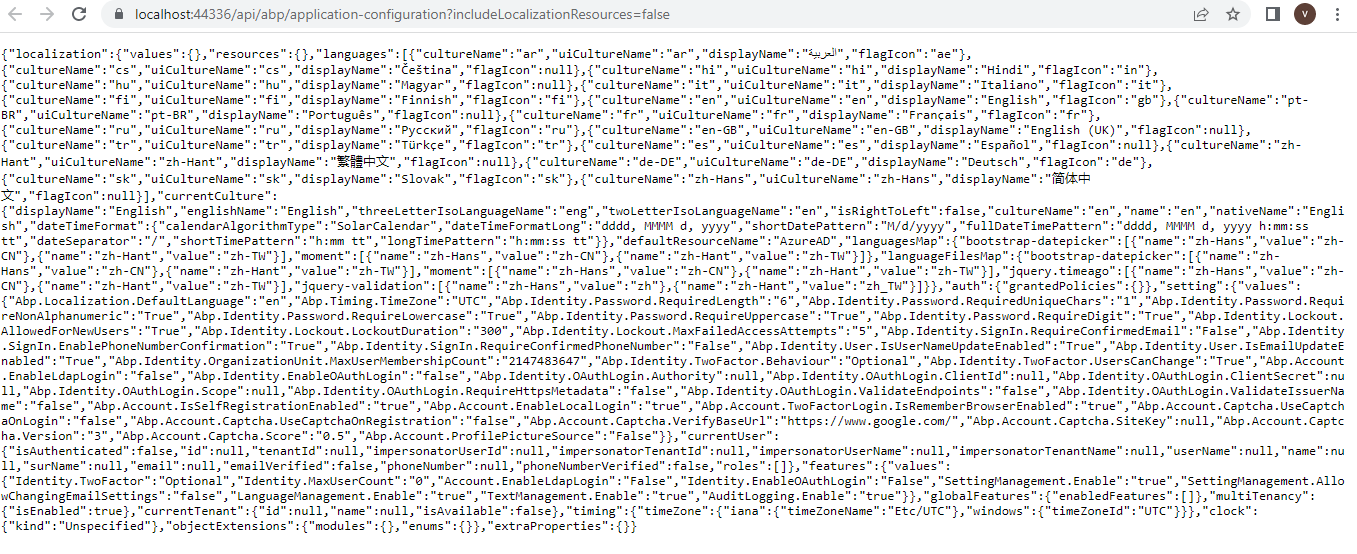
- Why Angular Application is showing "404" error, Could you please provide the resolution for this?
- is Azure AD Integration works with ABP 4.3.1 Framework (Separate Identity Server/)?
- Could you please provide the steps, which are working?
- is there any changes/configurations required in Angular App?
Thank & Regards, Venkat Bandaru
33 Answer(s)
-
0
Hi,
I'd like to check it remotely, can we make an appointment for tomorrow? please email me shiwei.liang@volosoft.com
Markdown supported.Copy, paste, or drag & drop images and files (max 100 MB per file, 100 MB total per post) -
0
Hi,
I'd like to check it remotely, can we make an appointment for tomorrow? please email me shiwei.liang@volosoft.com
Hi, Can we connect now? I have sent an email.
Markdown supported.Copy, paste, or drag & drop images and files (max 100 MB per file, 100 MB total per post) -
0
Hi,
I'd like to check it remotely, can we make an appointment for tomorrow? please email me shiwei.liang@volosoft.com
Hi, Can we connect now? I have sent an email.
Hi Can we connect now on zoom, if yes please send me invite to my email (I have already sent an email to you)?
Now I am getting Invalid grant type error, please guide me on how to resolve this issue?
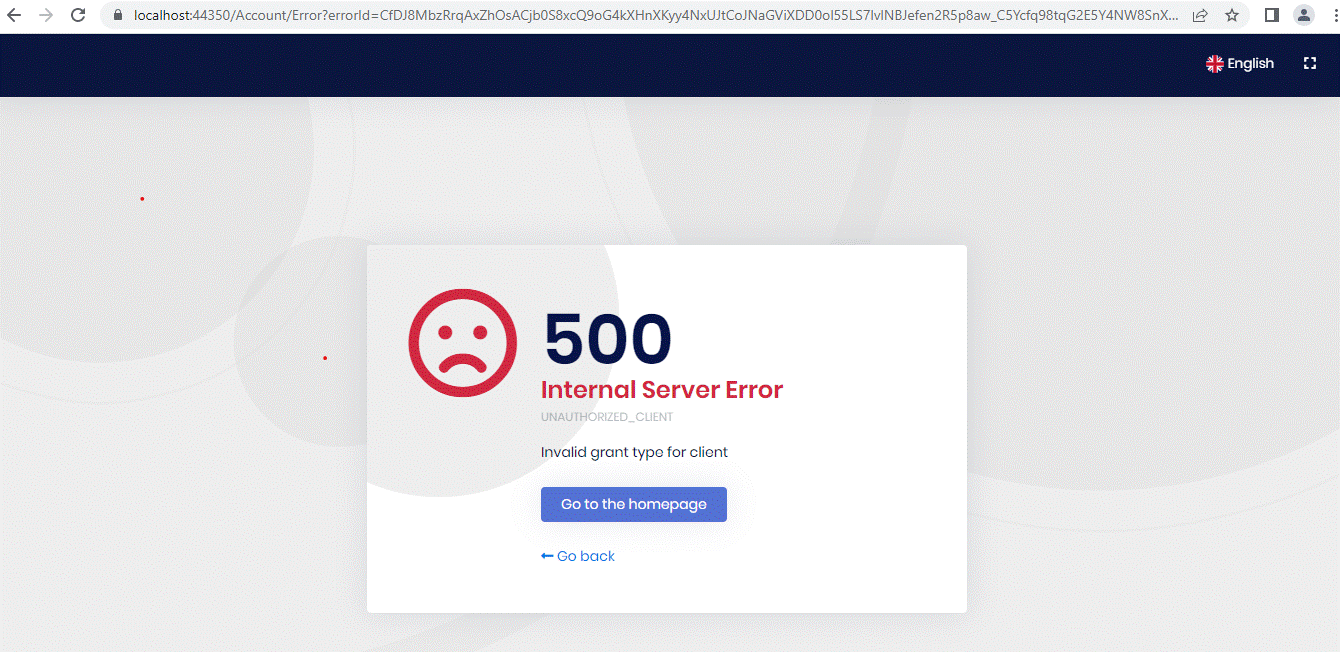
When Angular Application is launching, its redirecting to Identity Server URL and showing the above message.
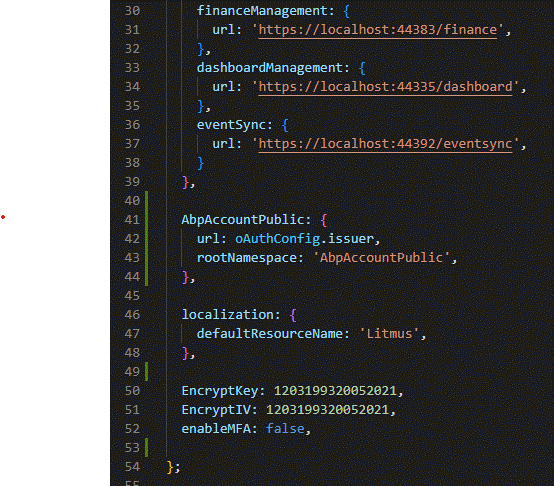
Below are the application code/configuration changes: Angular Environment.ts file (Code Flow)
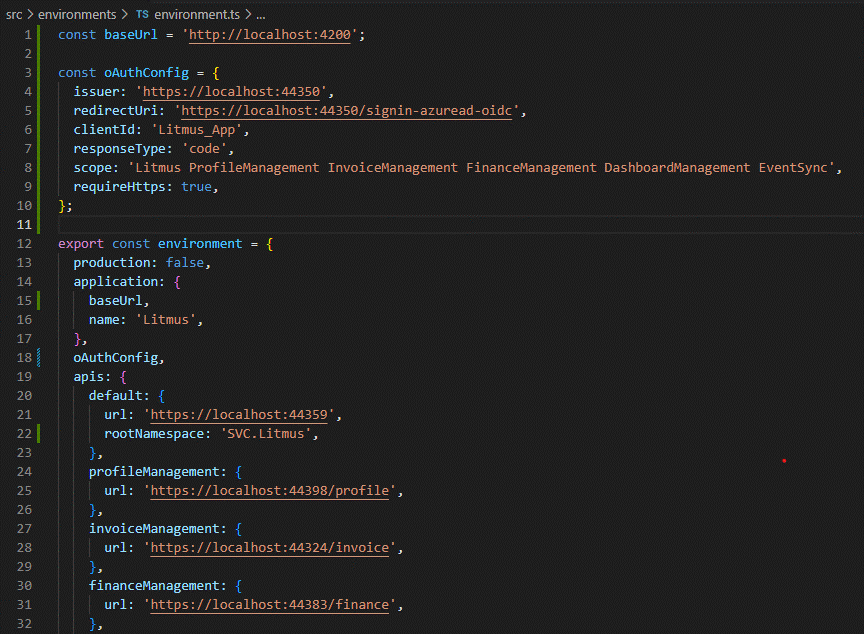
Dotnet - Identity Server AppSettings.cs
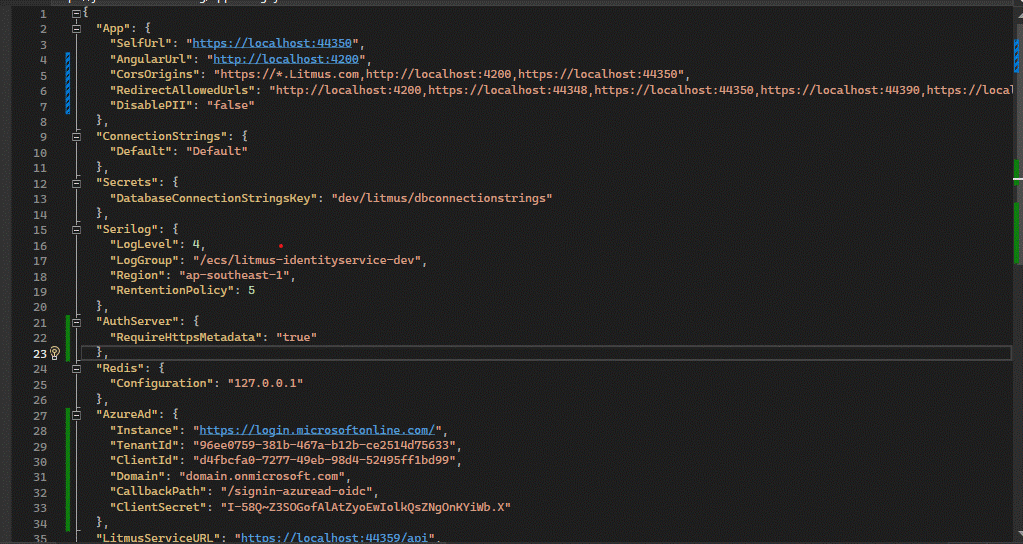
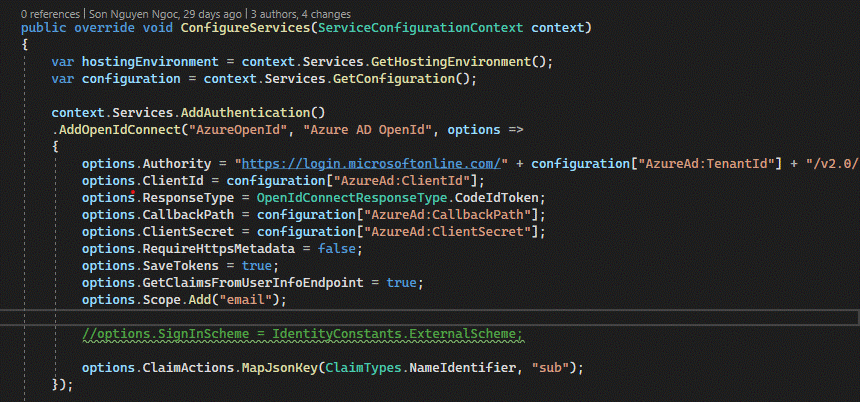
Dotnet - Identity Server - Azure AD Configuration
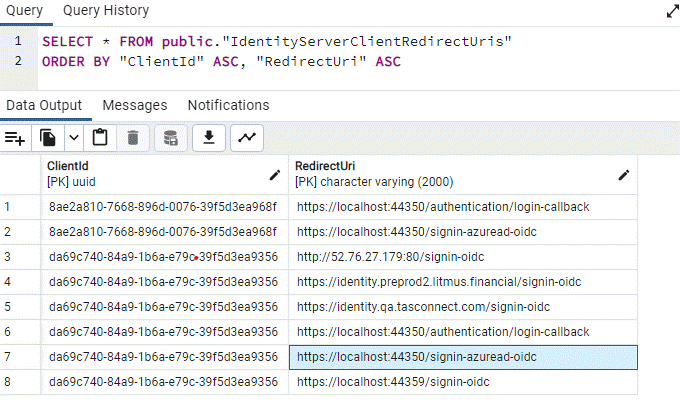
Database table entries - IdentityServerClientRedirectUris
 Markdown supported.Copy, paste, or drag & drop images and files (max 100 MB per file, 100 MB total per post)
 -
0
https://us05web.zoom.us/j/81240656843?pwd=NC85MkZlekF0ZUtYY2g2VEpFbG5IQT09
Markdown supported.Copy, paste, or drag & drop images and files (max 100 MB per file, 100 MB total per post) -
0
The meeting has expired. I will check this problem and get back to you.
Markdown supported.Copy, paste, or drag & drop images and files (max 100 MB per file, 100 MB total per post) -
0
The meeting has expired. I will check this problem and get back to you.
Okay, Please provide resolution as soon as possible.
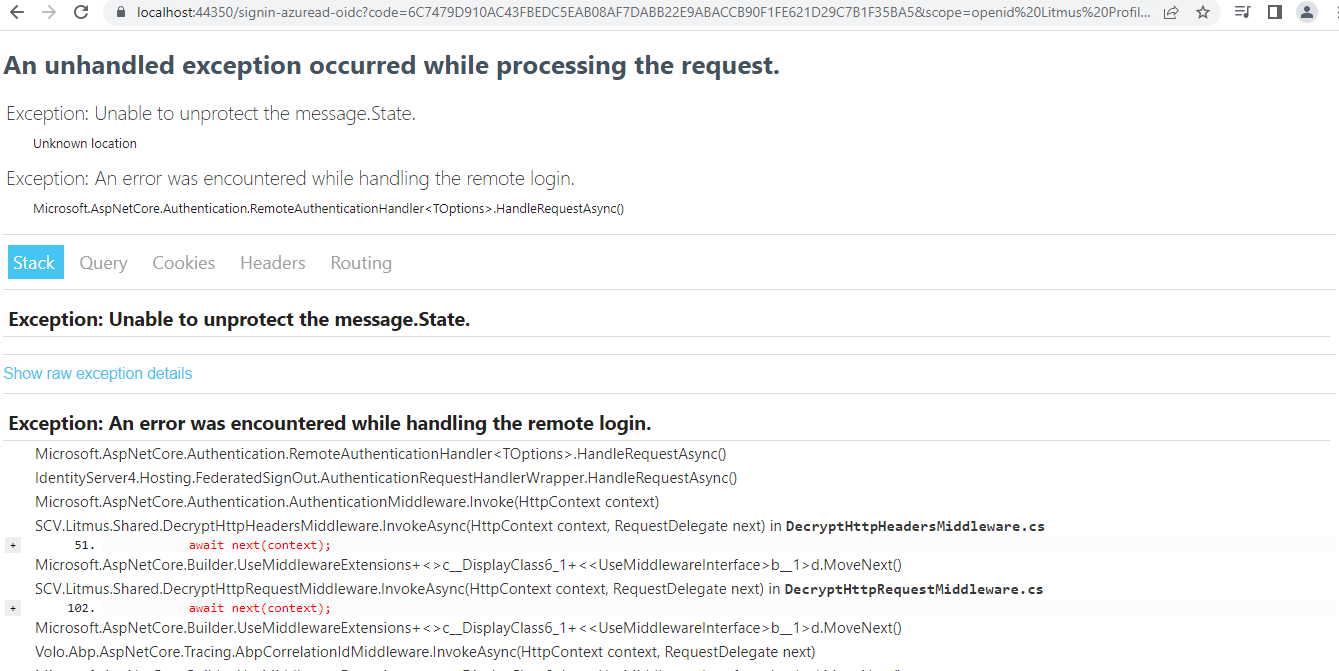
below is the error screen shot for your reference.
 Markdown supported.Copy, paste, or drag & drop images and files (max 100 MB per file, 100 MB total per post)
 -
0
https://us05web.zoom.us/j/83932283381?pwd=Q0kvSXV2L3YvdTB1bDdBUkZhcWJ2Zz09
Markdown supported.Copy, paste, or drag & drop images and files (max 100 MB per file, 100 MB total per post) -
0
The reason is that you are using the wrong redirect URL.
Should be
http://localhost:4200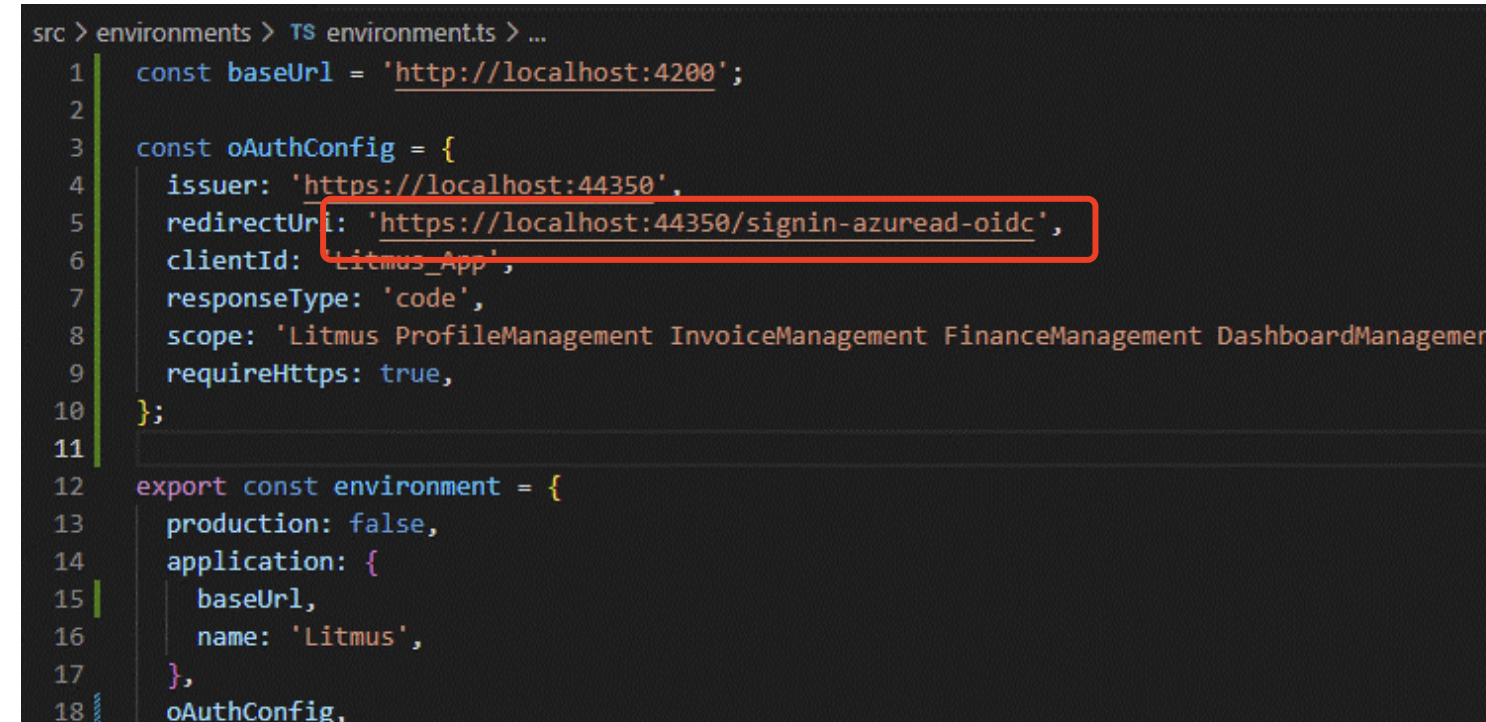 Markdown supported.Copy, paste, or drag & drop images and files (max 100 MB per file, 100 MB total per post)


