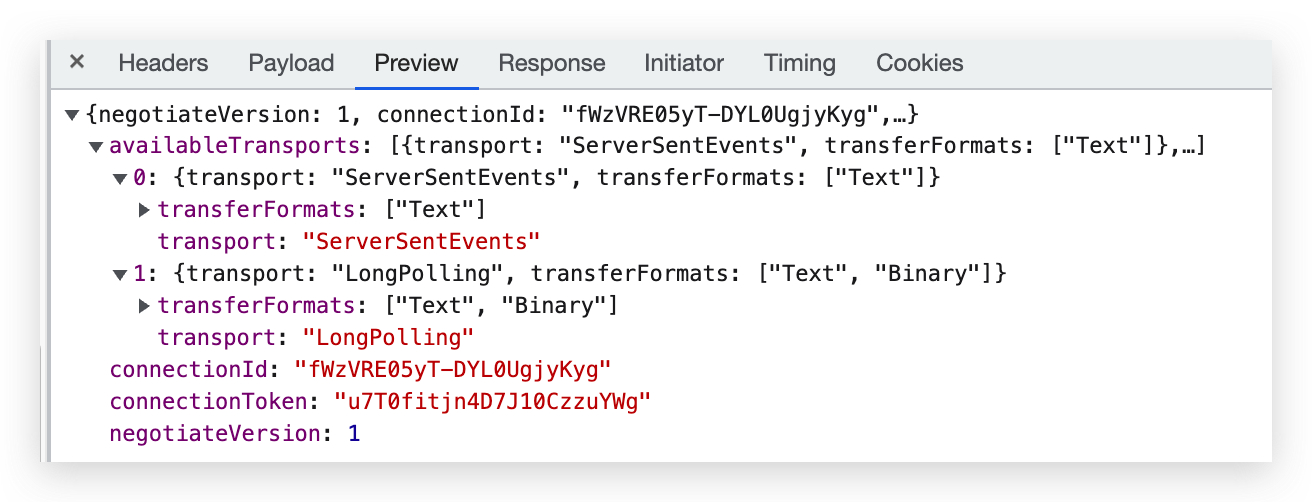
We are setting up ABP commercial projects using Azure WebApps and administration menu is not visible. Administration menu item is visible in local but missing when deploying it in Azure web apps service. Both from local and Azure web app database being used is same.
- ABP Framework version: v7.2.2
- UI type: Blazor
- DB provider: EF Core
- Tiered (MVC)): yes
- Exception message and stack trace: Administration menu item is visible in local but missing when deploying it in Azure web apps service. Both from local and Azure web app database being used is same.
- Steps to reproduce the issue:" Run application in azure, login with admin user credentials. Administration menu item is not visible.
12 Answer(s)
-
0
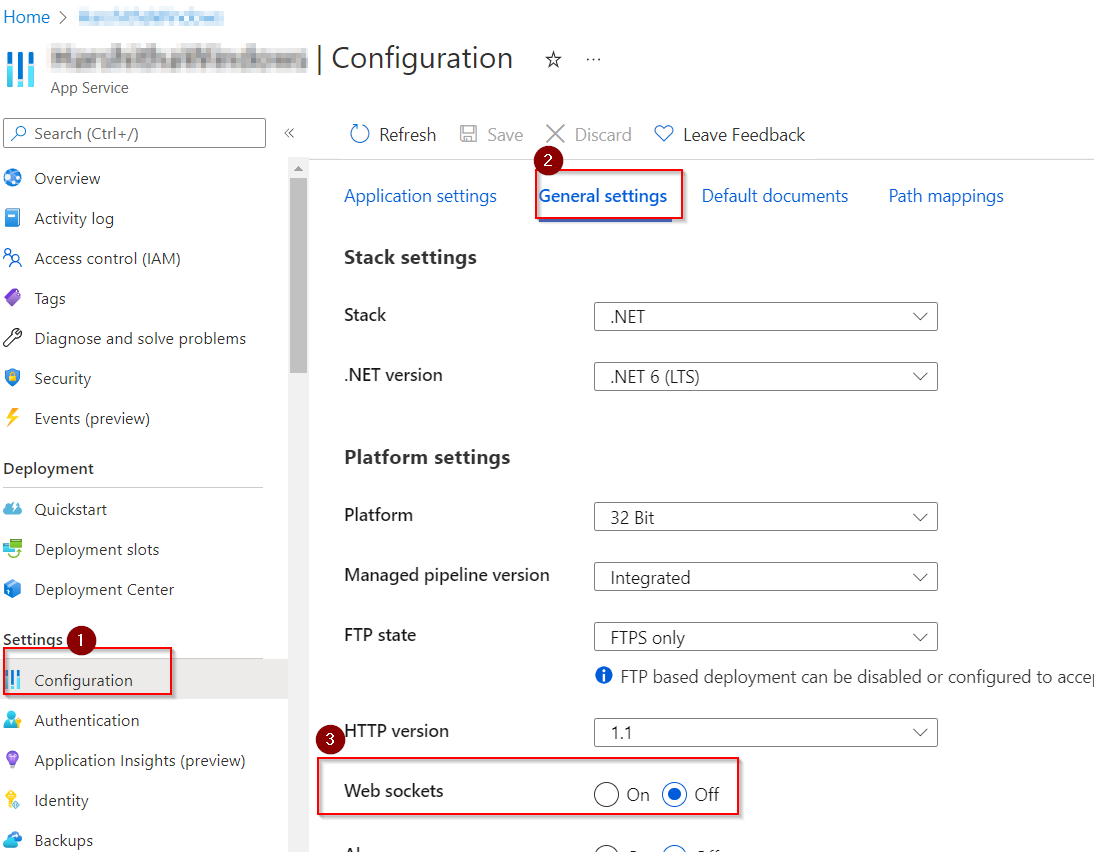
Do I need to enable websocket only on blazor webapp or also in Authserver and HTTPAPI host webapps?
Markdown supported.Copy, paste, or drag & drop images and files (max 100 MB per file, 100 MB total per post) -
0
Enabled web socket but now the azure site is not loading throwing 500 error. Please check email have shared logs.
Markdown supported.Copy, paste, or drag & drop images and files (max 100 MB per file, 100 MB total per post) -
0
hi
Your API website is try to reach
https://localhost:44339/.well-known/openid-configurationPlease check your configuration.
2023-05-26 08:48:44.755 +00:00 [ERR] Exception occurred while processing message.
System.InvalidOperationException: IDX20803: Unable to obtain configuration from: 'https://localhost:44339/.well-known/openid-configuration'.
Markdown supported.Copy, paste, or drag & drop images and files (max 100 MB per file, 100 MB total per post) -
0
Thanks, updated configuration and its working now
Markdown supported.Copy, paste, or drag & drop images and files (max 100 MB per file, 100 MB total per post) -
0
On click of logout getting below error message: [400] Error! An internal error occurred during your request!
Shall send the corresponding logs.
Markdown supported.Copy, paste, or drag & drop images and files (max 100 MB per file, 100 MB total per post) -
0
hi
The logout request was rejected because the specified post_logout_redirect_uri was invalid: https://xxx-v2-xxx-ui.azurewebsites.net/signout-callback-oidc.
The
PostLogoutRedirectUrisofRISE_BlazorServerTieredis["https://xxx-v2-xxx-api.azurewebsites.net/signout-callback-oidc"]Markdown supported.Copy, paste, or drag & drop images and files (max 100 MB per file, 100 MB total per post) -
0
hi
PostLogoutRedirectUris: The logout callback URLs associated with the current application.
You have to add
https://xxx-v2-xxx-ui.azurewebsites.net/signout-callback-oidctoPostLogoutRedirectUrisMarkdown supported.Copy, paste, or drag & drop images and files (max 100 MB per file, 100 MB total per post)