






- ABP Framework version: v7.2.2
- UI type: Blazor
- DB provider: Postgres
- Tiered (MVC) or Identity Server Separated (Angular): yes Hi, How to disable case sensitive filter when searching as we are using Postgres. Thanks Dharma Han Nguyen
10 Answer(s)
-
0
hi
I think this is the setting of the database.
https://docs.aws.amazon.com/dms/latest/sql-server-to-aurora-postgresql-migration-playbook/chap-sql-server-aurora-pg.sql.casesensitivity.html
Markdown supported.Copy, paste, or drag & drop images and files (max 100 MB per file, 100 MB total per post) -
0
hi
I think this is the setting of the database.
https://docs.aws.amazon.com/dms/latest/sql-server-to-aurora-postgresql-migration-playbook/chap-sql-server-aurora-pg.sql.casesensitivity.html
I don't mean for table name but I mean for the content/data we input to search, for example we have the original data as below:
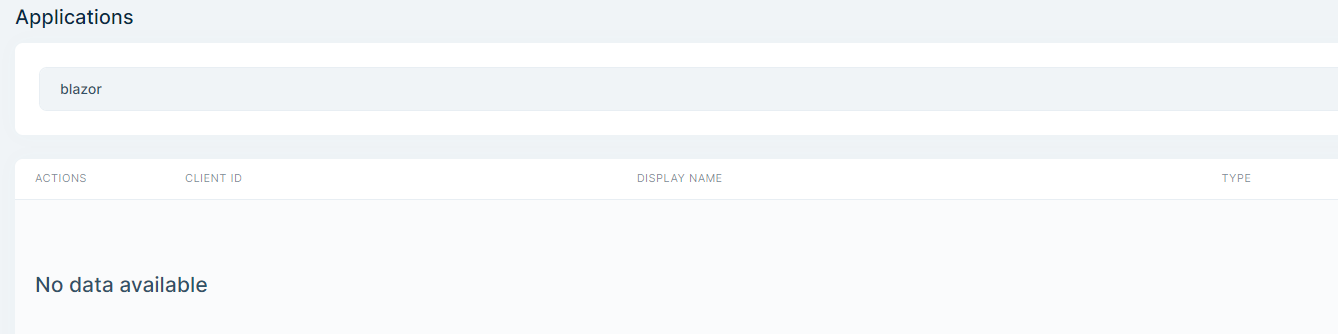
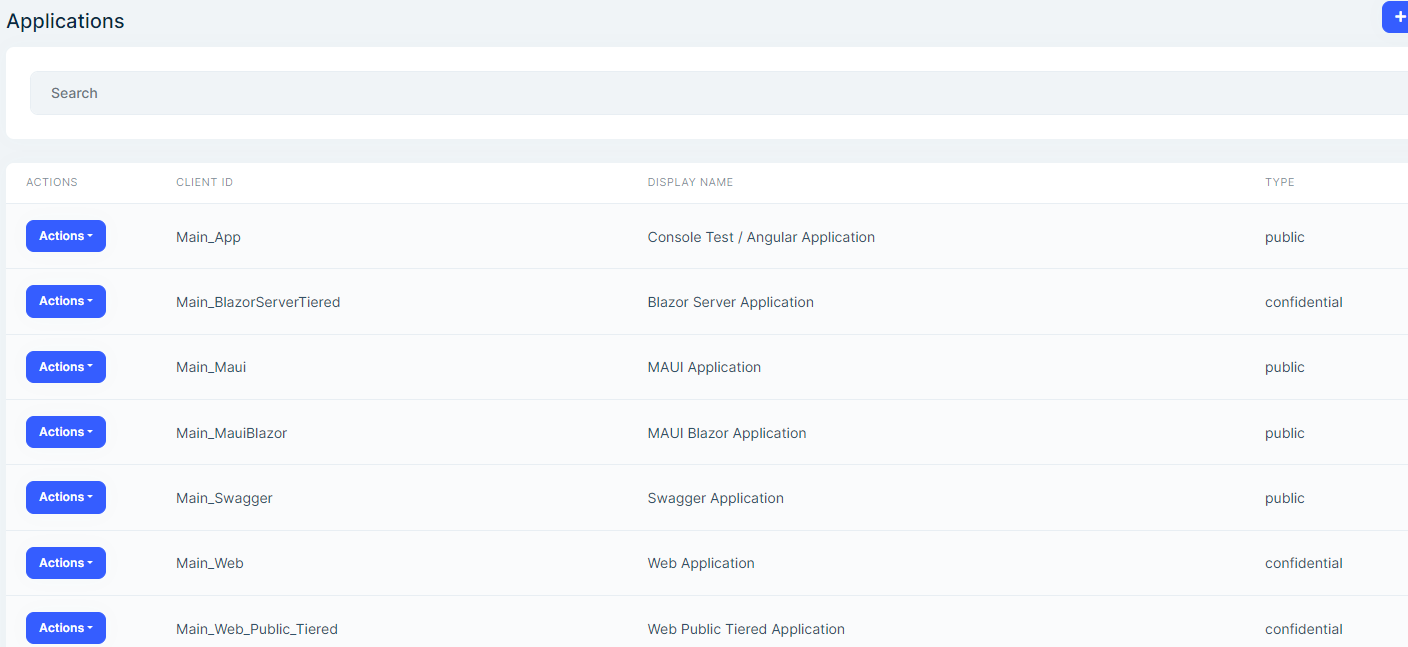 Then I input "blazor" to filter data and nothing can be fitlered:
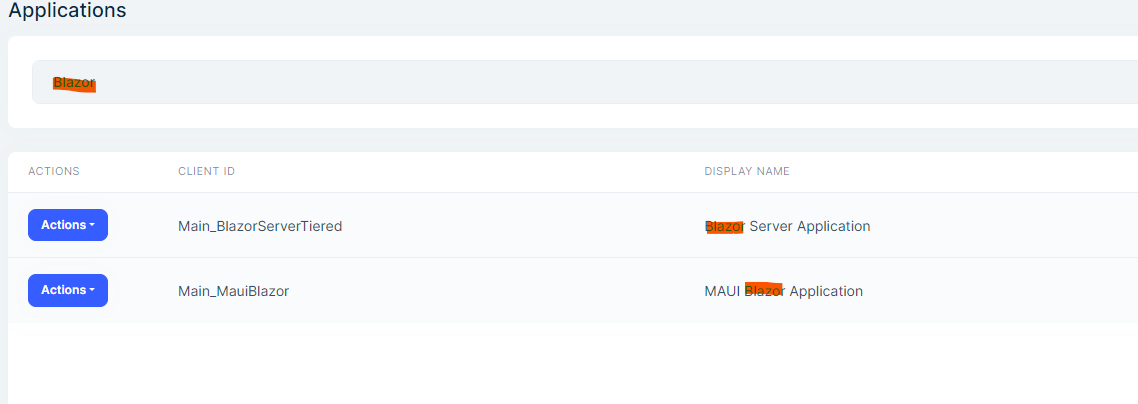
 But if I input exactly as data stored in the database "Blazor", the result is ok and can be filtered:
 Markdown supported.Copy, paste, or drag & drop images and files (max 100 MB per file, 100 MB total per post)
 -
0
hi
The search will be a SQL query and the database will decide whether to
Case Sensitiveeg
select * from table where displayName == "%Blazor%"Markdown supported.Copy, paste, or drag & drop images and files (max 100 MB per file, 100 MB total per post) -
0
Hi, How we can fix this problem so that user can input data to search regardless of case sensitive. I'm using Abp Suite to generate UI and Service and faced with this issue for the default search on the generated UI. Thanks Dharma (Han Nguyen)
Markdown supported.Copy, paste, or drag & drop images and files (max 100 MB per file, 100 MB total per post) -
0
hi
You should change your database the code is no problem.
https://www.npgsql.org/efcore/misc/collations-and-case-sensitivity.html?tabs=data-annotations
Markdown supported.Copy, paste, or drag & drop images and files (max 100 MB per file, 100 MB total per post) -
0
Hi,
Is there any way to change in code because when creating the solution with ABP its always create postgres case sensitive db as default during run db migration. Can we apply such as ILIKE in ABP generated code for searching?
Thanks
Markdown supported.Copy, paste, or drag & drop images and files (max 100 MB per file, 100 MB total per post) -
0
hi
Is there any way to change in code because when creating the solution with ABP its always create postgres case sensitive db as default during run db migration.
Can only be changed manually
Can we apply such as ILIKE in ABP generated code for searching?
https://www.npgsql.org/efcore/misc/collations-and-case-sensitivity.html#ilike
Markdown supported.Copy, paste, or drag & drop images and files (max 100 MB per file, 100 MB total per post) -
0
Hi, I tried to create a new collation in Postgres to support case insensitive and create test table with columns associated with this new collation: CREATE COLLATION english_ci ( PROVIDER = 'icu', LOCALE = 'en-US@colStrength=secondary', DETERMINISTIC = FALSE )
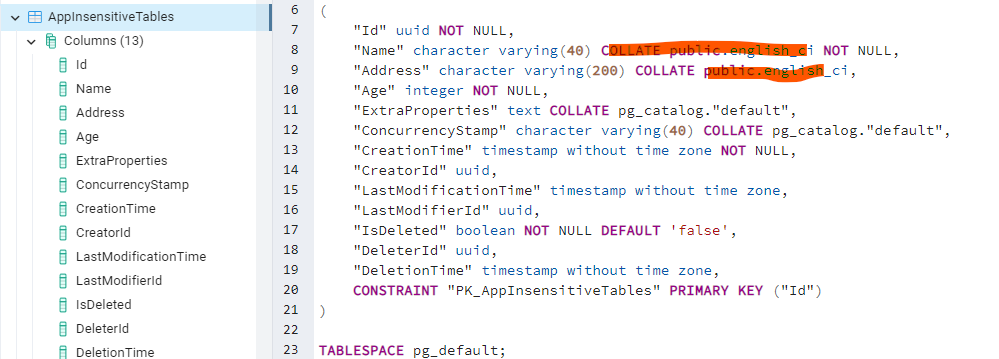
But when I search on the page generated by ABP Suite it throw the error:
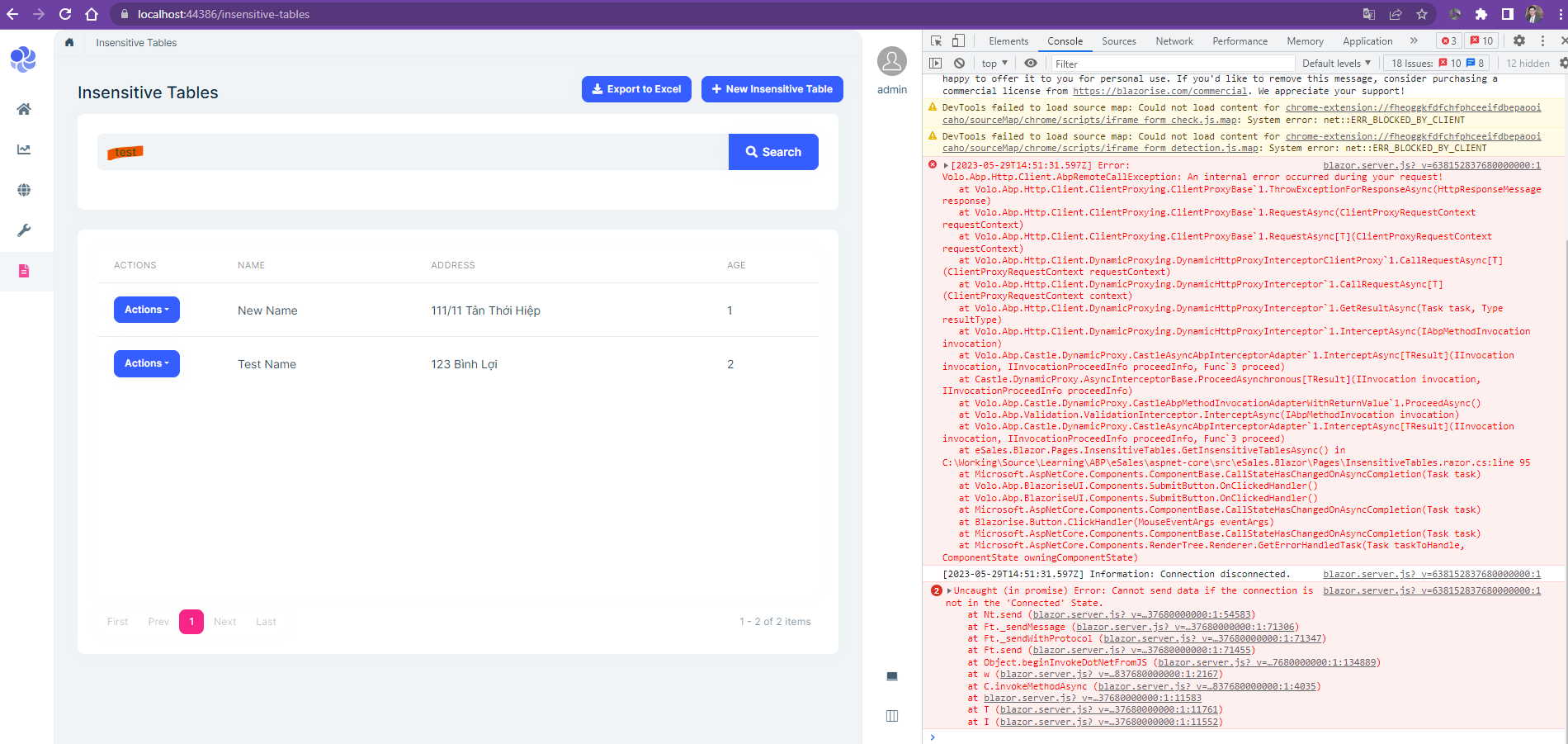
Do you have any sample to handle for this case?
Markdown supported.Copy, paste, or drag & drop images and files (max 100 MB per file, 100 MB total per post) -
0
Maybe this can help :-) In EntityFrameworkCore add ToLower()
.WhereIf(!string.IsNullOrWhiteSpace(filterText), e => e.Name.ToLower().Contains(filterText.ToLower())) .WhereIf(!string.IsNullOrWhiteSpace(name), e => e.Name.ToLower().Contains(name.ToLower()));
Markdown supported.Copy, paste, or drag & drop images and files (max 100 MB per file, 100 MB total per post) -
0
Maybe this can help :-) In EntityFrameworkCore add ToLower()
.WhereIf(!string.IsNullOrWhiteSpace(filterText), e => e.Name.ToLower().Contains(filterText.ToLower())) .WhereIf(!string.IsNullOrWhiteSpace(name), e => e.Name.ToLower().Contains(name.ToLower()));
Thanks Buckoge
Markdown supported.Copy, paste, or drag & drop images and files (max 100 MB per file, 100 MB total per post)



