






- ABP Framework version: v7.2.2
- UI type: MVC
- DB provider: EF Core
- Tiered (MVC) or Identity Server Separated (Angular): no
hello support :
icon chat appears here :
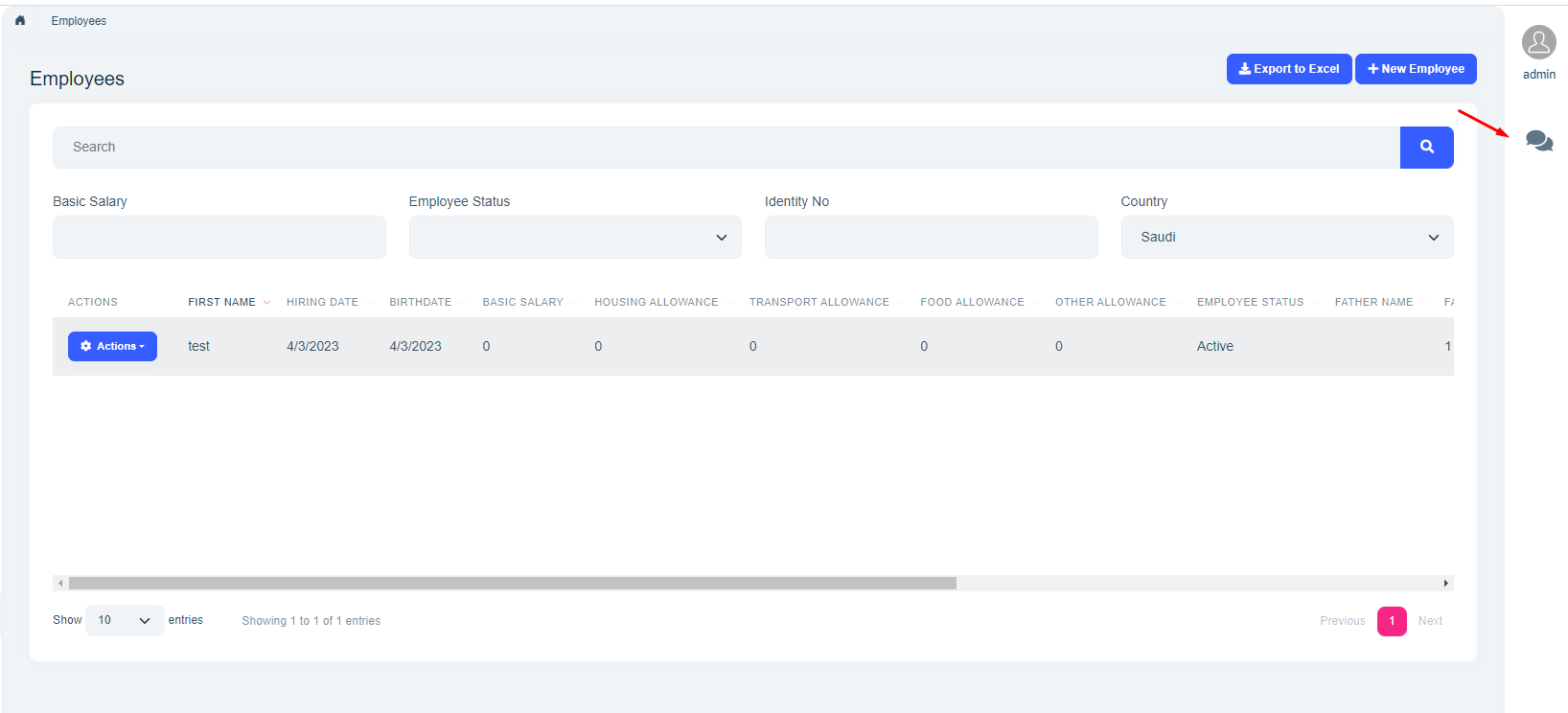
but does not appear in mobile state :
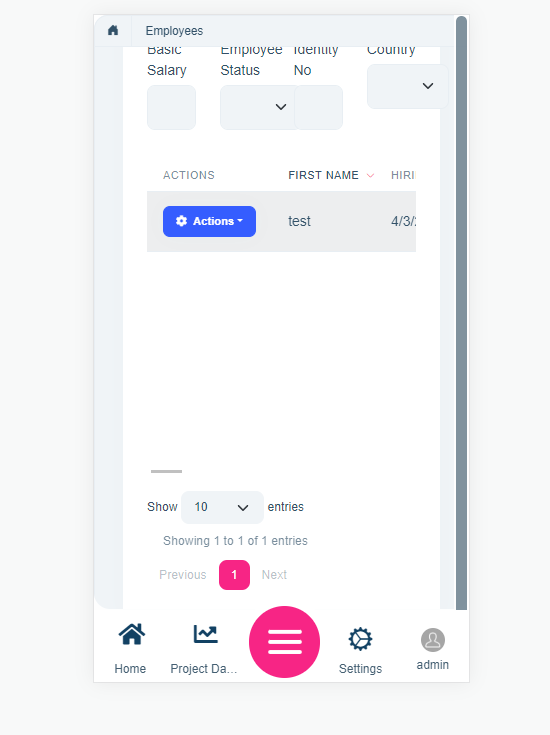
<br> what can I do to apeare in mobile state please :)
2 Answer(s)
-
0
Hi,
it depends on where you want it to appear.
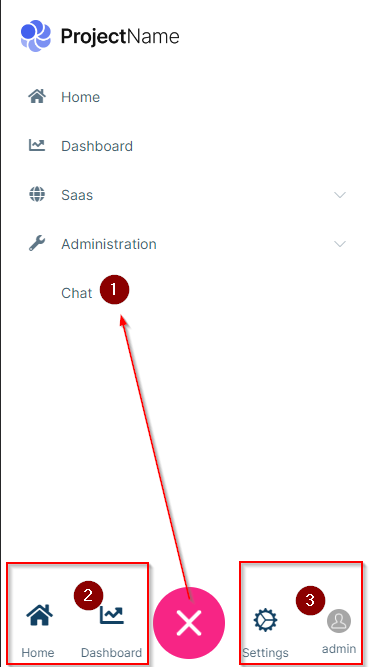
Option 1 - inside the menu
Add something like this to your menu contributor
context.Menu.AddItem(new ApplicationMenuItem(
            name: "Chat",
            displayName: "Chat",
            url: "~/Chat",
            requiredPermissionName: Volo.Chat.Authorization.ChatPermissions.Messaging
            ));
Option 2
Do option 1 and in addition, add this inside the ConfigureService-Method of your web project:
Configure<LeptonXThemeMvcOptions>(options =>
        {
            options.MobileMenuSelector = items =>
            items.Where(x => x.MenuItem.Name == "Home" || x.MenuItem.Name == "Chat");
        });
Here's the documentation for that: https://docs.abp.io/en/commercial/6.0/themes/lepton-x/commercial/mvc#leptonxthememvcoptions
Option 3
The right side of the mobile menu is not configurable via code. You would need to override this file here and do the adjustments to get your desired outcome:
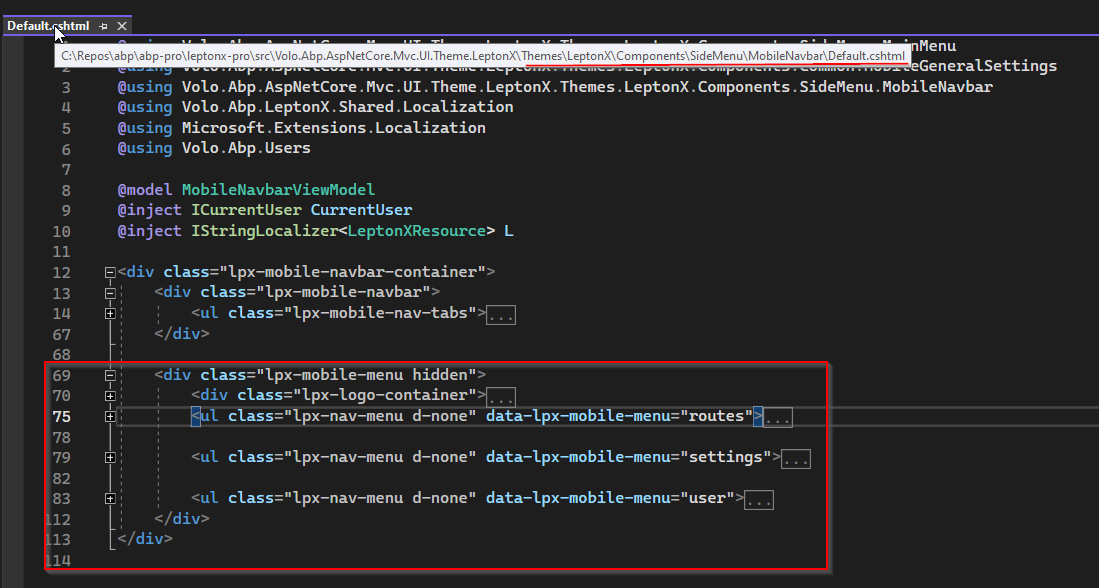
Here's the documentation on how to do something like that: https://docs.abp.io/en/abp/latest/UI/AspNetCore/Customization-User-Interface
I hope this helps. If not, please let me know.
Kind regards Jack
Markdown supported.Copy, paste, or drag & drop images and files (max 100 MB per file, 100 MB total per post) -
0
thanks bro :)
Markdown supported.Copy, paste, or drag & drop images and files (max 100 MB per file, 100 MB total per post)


