






- ABP Framework version: v7.2.2
- UI type: Blazor
- DB provider: EF Core
- Tiered (MVC) or Identity Server Separated (Angular): yes
ABP Suite reports an error when generating a project with the following options
Template type: Application Template UI framework: Blazor Web Assembly Theme: Lapton-X Database Provider: EF Core Database Management System: PostgreSQL Separate Tenant Schema - Check Separate Auth Server - Check
C:>abp suite ABP CLI 7.2.2 Starting Suite v7.2.2 ... Opening http://localhost:3000 Press Ctrl+C to shut down. Cannot change the connection string in /aspnet-core/etc/docker/appsettings.json. Error: After parsing a value an unexpected character was encountered: ". Path 'RemoteServices.AbpAccountPublic.BaseUrl', line 24, position 6. yarn install v1.22.19 info No lockfile found. [1/4] Resolving packages... warning @volo/abp.aspnetcore.mvc.ui.theme.leptonx > @volo/abp.aspnetcore.mvc.ui.theme.commercial > @abp/aspnetcore.mvc.ui.theme.shared > @abp/aspnetcore.mvc.ui > gulp > glob-watcher > chokidar@2.1.8: Chokidar 2 does not receive security updates since 2019. Upgrade to chokidar 3 with 15x fewer dependencies warning @volo/abp.aspnetcore.mvc.ui.theme.leptonx > @volo/abp.aspnetcore.mvc.ui.theme.commercial > @abp/aspnetcore.mvc.ui.theme.shared > @abp/aspnetcore.mvc.ui > gulp > glob-watcher > chokidar > fsevents@1.2.13: The v1 package contains DANGEROUS / INSECURE binaries. Upgrade to safe fsevents v2 warning @volo/abp.aspnetcore.mvc.ui.theme.leptonx > @volo/abp.aspnetcore.mvc.ui.theme.commercial > @abp/aspnetcore.mvc.ui.theme.shared > @abp/aspnetcore.mvc.ui > gulp > glob-watcher > anymatch > micromatch > snapdragon > source-map-resolve@0.5.3: See https://github.com/lydell/source-map-resolve#deprecated warning @volo/abp.aspnetcore.mvc.ui.theme.leptonx > @volo/abp.aspnetcore.mvc.ui.theme.commercial > @abp/aspnetcore.mvc.ui.theme.shared > @abp/aspnetcore.mvc.ui > gulp > glob-watcher > anymatch > micromatch > snapdragon > source-map-resolve > resolve-url@0.2.1: https://github.com/lydell/resolve-url#deprecated warning @volo/abp.aspnetcore.mvc.ui.theme.leptonx > @volo/abp.aspnetcore.mvc.ui.theme.commercial > @abp/aspnetcore.mvc.ui.theme.shared > @abp/aspnetcore.mvc.ui > gulp > glob-watcher > anymatch > micromatch > snapdragon > source-map-resolve > urix@0.1.0: Please see https://github.com/lydell/urix#deprecated warning @volo/abp.aspnetcore.mvc.ui.theme.leptonx > @volo/abp.aspnetcore.mvc.ui.theme.commercial > @abp/aspnetcore.mvc.ui.theme.shared > @abp/aspnetcore.mvc.ui > gulp > glob-watcher > anymatch > micromatch > snapdragon > source-map-resolve > source-map-url@0.4.1: See https://github.com/lydell/source-map-url#deprecated warning @volo/account > @abp/uppy > uppy > @uppy/aws-s3 > cuid@2.1.8: Cuid and other k-sortable and non-cryptographic ids (Ulid, ObjectId, KSUID, all UUIDs) are all insecure. Use @paralleldrive/cuid2 instead. warning @volo/account > @abp/uppy > uppy > @uppy/dashboard > cuid@2.1.8: Cuid and other k-sortable and non-cryptographic ids (Ulid, ObjectId, KSUID, all UUIDs) are all insecure. Use @paralleldrive/cuid2 instead. warning @volo/account > @abp/uppy > uppy > @uppy/core > cuid@2.1.8: Cuid and other k-sortable and non-cryptographic ids (Ulid, ObjectId, KSUID, all UUIDs) are all insecure. Use @paralleldrive/cuid2 instead. warning @volo/account > @abp/uppy > uppy > @uppy/store-redux > cuid@2.1.8: Cuid and other k-sortable and non-cryptographic ids (Ulid, ObjectId, KSUID, all UUIDs) are all insecure. Use @paralleldrive/cuid2 instead. warning @volo/account > @abp/uppy > uppy > @uppy/xhr-upload > cuid@2.1.8: Cuid and other k-sortable and non-cryptographic ids (Ulid, ObjectId, KSUID, all UUIDs) are all insecure. Use @paralleldrive/cuid2 instead. [2/4] Fetching packages... [3/4] Linking dependencies... warning "@volo/abp.aspnetcore.mvc.ui.theme.leptonx > @volo/abp.aspnetcore.mvc.ui.theme.commercial > @abp/aspnetcore.mvc.ui.theme.shared > @abp/bootstrap > bootstrap@5.3.0" has unmet peer dependency "@popperjs/core@^2.11.7". [4/4] Building fresh packages... success Saved lockfile. Done in 19.15s. [12:34:15 ERR] ---------- RemoteServiceErrorInfo ---------- { "code": null, "message": "An internal error occurred during your request!", "details": null, "data": {}, "validationErrors": null }
[12:34:15 ERR] Access to the path 'C:\Documents and Settings' is denied.
System.UnauthorizedAccessException: Access to the path 'C:\Documents and Settings' is denied.
at System.IO.Enumeration.FileSystemEnumerator1.CreateRelativeDirectoryHandle(ReadOnlySpan1 relativePath, String fullPath)
at System.IO.Enumeration.FileSystemEnumerator1.MoveNext() at System.Collections.Generic.List1..ctor(IEnumerable1 collection) at System.IO.Directory.GetFiles(String path, String searchPattern, EnumerationOptions enumerationOptions) at Volo.Abp.Suite.Areas.AbpSuite.CrudPageGenerator.Services.SolutionService.RunBundleForBlazorWasmTemplateAsync(String outputFolder) at Volo.Abp.Suite.Areas.AbpSuite.CrudPageGenerator.Services.SolutionService.CreateSolutionAsync(CreateSolutionModel input) at lambda_method1682(Closure, Object) at Microsoft.AspNetCore.Mvc.Infrastructure.ActionMethodExecutor.AwaitableObjectResultExecutor.Execute(ActionContext actionContext, IActionResultTypeMapper mapper, ObjectMethodExecutor executor, Object controller, Object[] arguments) at Microsoft.AspNetCore.Mvc.Infrastructure.ControllerActionInvoker.<InvokeActionMethodAsync>g__Awaited|12_0(ControllerActionInvoker invoker, ValueTask1 actionResultValueTask)
at Microsoft.AspNetCore.Mvc.Infrastructure.ControllerActionInvoker.<InvokeNextActionFilterAsync>g__Awaited|10_0(ControllerActionInvoker invoker, Task lastTask, State next, Scope scope, Object state, Boolean isCompleted)
at Microsoft.AspNetCore.Mvc.Infrastructure.ControllerActionInvoker.Rethrow(ActionExecutedContextSealed context)
at Microsoft.AspNetCore.Mvc.Infrastructure.ControllerActionInvoker.Next(State& next, Scope& scope, Object& state, Boolean& isCompleted)
at Microsoft.AspNetCore.Mvc.Infrastructure.ControllerActionInvoker.<InvokeInnerFilterAsync>g__Awaited|13_0(ControllerActionInvoker invoker, Task lastTask, State next, Scope scope, Object state, Boolean isCompleted)
at Microsoft.AspNetCore.Mvc.Infrastructure.ResourceInvoker.<InvokeNextExceptionFilterAsync>g__Awaited|26_0(ResourceInvoker invoker, Task lastTask, State next, Scope scope, Object state, Boolean isCompleted)
3 Answer(s)
-
0
Access to the path 'C:\Documents and Settings' is denied.
It seems the ABP Suite doesn't have permission to access this directory. you can try other directory creation solutions
Markdown supported.Copy, paste, or drag & drop images and files (max 100 MB per file, 100 MB total per post) -
0
Hi,
I could not reproduce the problem. I think this is a folder access problem.
You can try to give permissions to the folder ( for current user) or try
D:\test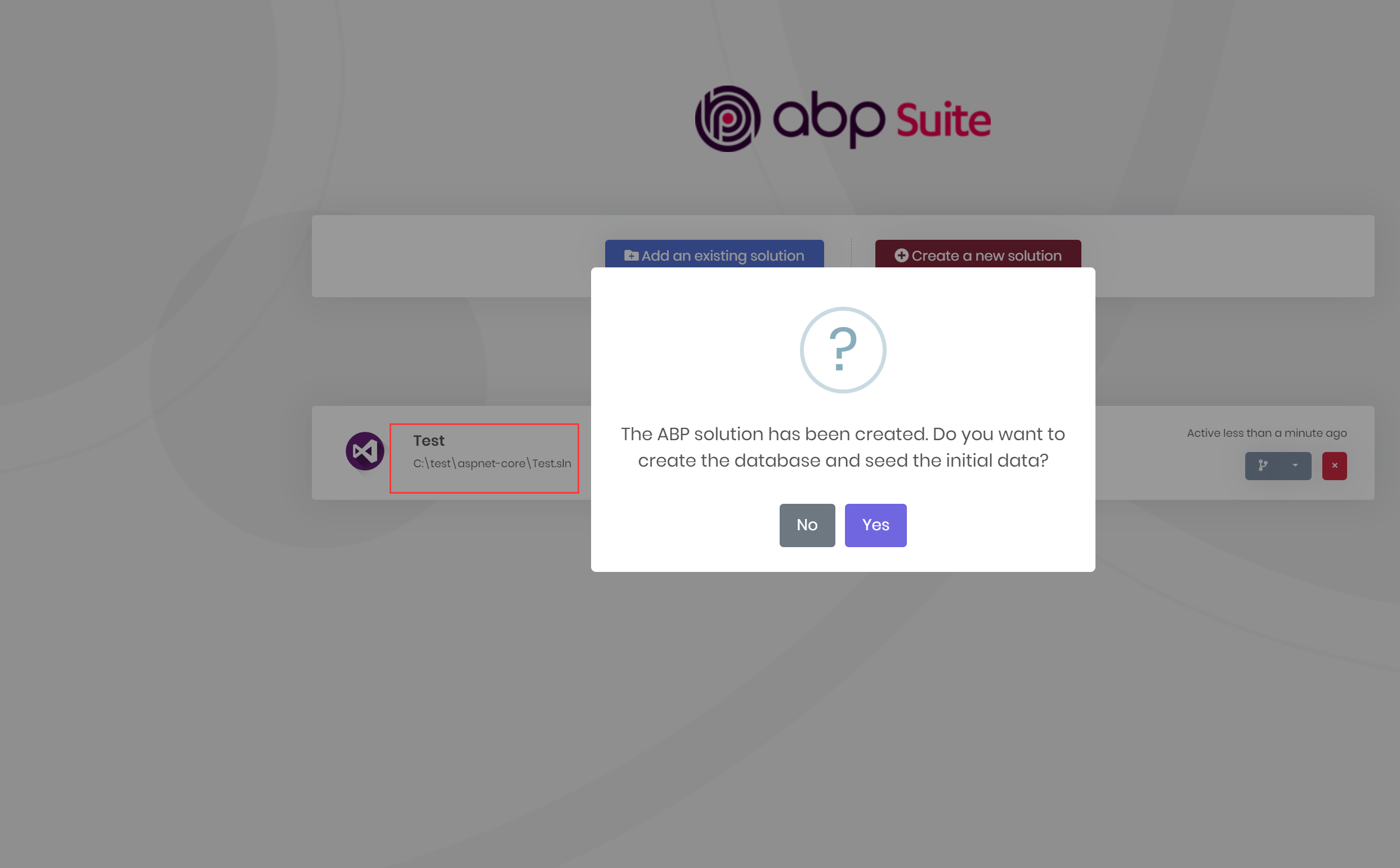 Markdown supported.Copy, paste, or drag & drop images and files (max 100 MB per file, 100 MB total per post)


