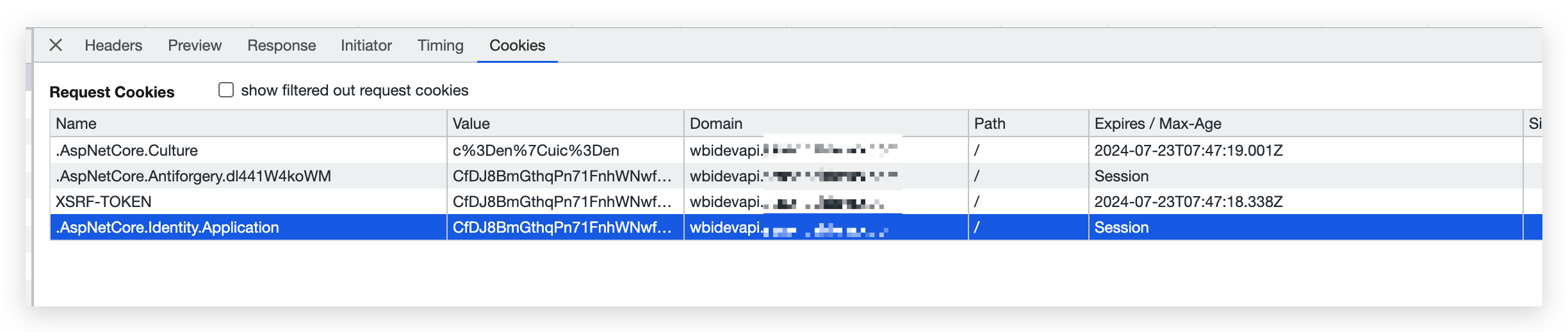
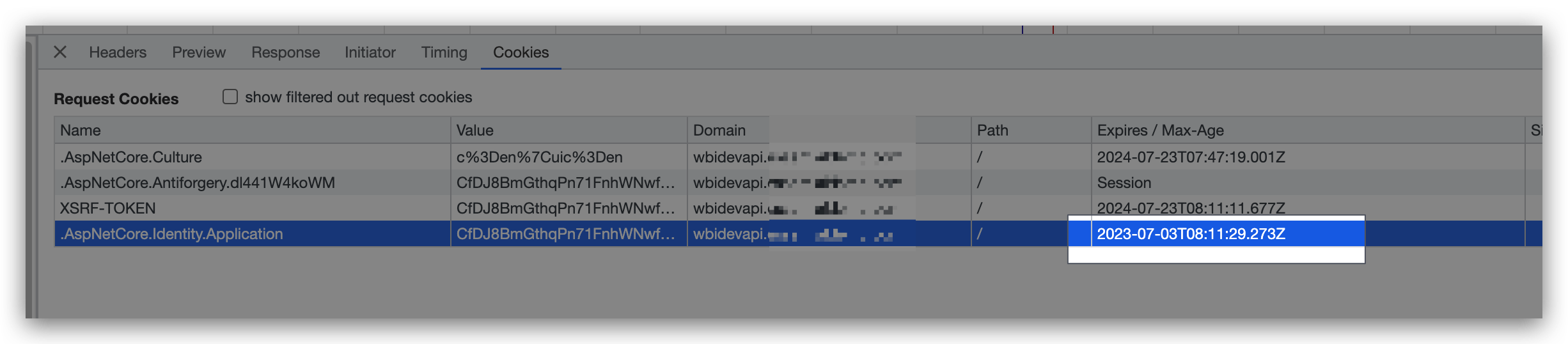
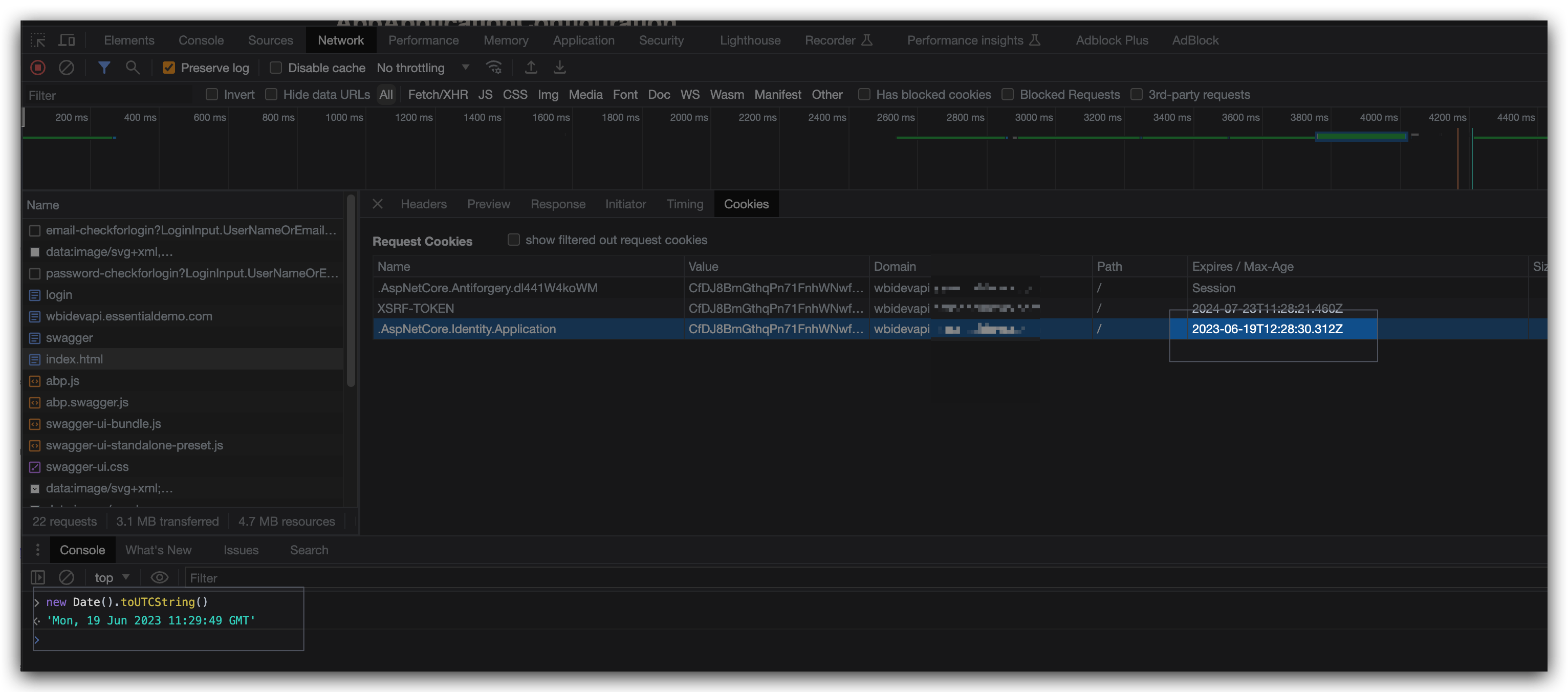
Hello, I am trying to reduce duration for which website remembers a user. Currently its set for ever we want to limit it to 1 hour, how can we do it. We tried this approach but didn't work. We tried to configure the authentication cookie in our host module. context.Services.ConfigureApplicationCookie(options => { options.ExpireTimeSpan = TimeSpan.FromSeconds(120); // Set the expiration time to 5 minutes options.SlidingExpiration = false; }); Can you please help me with this.
30 Answer(s)
-
0
Hello maliming, We have angular integration on frontend. but as ABP, provides the login functionality in backend for that we are using MVC. Can you help us to reduce the remember time to 1hour. After 1Hour if the user revisits the page then he/she will be asked to login again.
Thank you.
Markdown supported.Copy, paste, or drag & drop images and files (max 100 MB per file, 100 MB total per post) -
0
hi
After 1Hour if the user revisits the page then he/she will be asked to login again.
What's this UI?
Does the user revisit on MVC or angular page?
Markdown supported.Copy, paste, or drag & drop images and files (max 100 MB per file, 100 MB total per post) -
0
User revisit on Login Screen to get authenticated again. And Login Page is mvc. And Can you tell us whether our login/logout is coming from Swagger API (backend) is it the right way or the login should be in the frontend only? Thanks
Markdown supported.Copy, paste, or drag & drop images and files (max 100 MB per file, 100 MB total per post) -
0
hi, No, After 5mins i revisit the page but i was not asked to login. And my Abp version is 7.0.2. Thanks
Markdown supported.Copy, paste, or drag & drop images and files (max 100 MB per file, 100 MB total per post) -
0
Hello can you please help me with this?
Markdown supported.Copy, paste, or drag & drop images and files (max 100 MB per file, 100 MB total per post) -
0
hi
Please try this
PreConfigure<OpenIddictServerBuilder>(builder =>
{
    builder
        .SetAccessTokenLifetime(TimeSpan.FromSeconds(120))
        .SetIdentityTokenLifetime(TimeSpan.FromSeconds(365));
});
You can share an online website. I will test it
liming.ma@volosoft.com
Markdown supported.Copy, paste, or drag & drop images and files (max 100 MB per file, 100 MB total per post) -
0
hi
Hello, I don’t get the point for remember me, the functionality works like this if the user checks the remember me then he/she don’t need to authenticate for every time he/she revisits the page for default time it was set. And if he/she don’t check then, the user needs to authenticate again. This is what I am doing but its not happening. Any suggestions from your side. Thank you.
If you didn't select the
remember methe login state issessionif will be invalid after you close the browser.https://www.cookiepro.com/knowledge/what-is-a-session-cookie/
Select the
remember methe cookies will be valid inExpireTimeSpaneven if you close the browser.Markdown supported.Copy, paste, or drag & drop images and files (max 100 MB per file, 100 MB total per post) -
0
Hello, Thanks for the information.
But I have tested without checking the remember me, I have logged in and close the browser. Then again I reopen the browser and open the URL. Its coming as logged in.
Why this is happening. Thanks.
Markdown supported.Copy, paste, or drag & drop images and files (max 100 MB per file, 100 MB total per post) -
0
hi
I have logged in and close the browser.
Please check the cookies on the browser and make sure its
session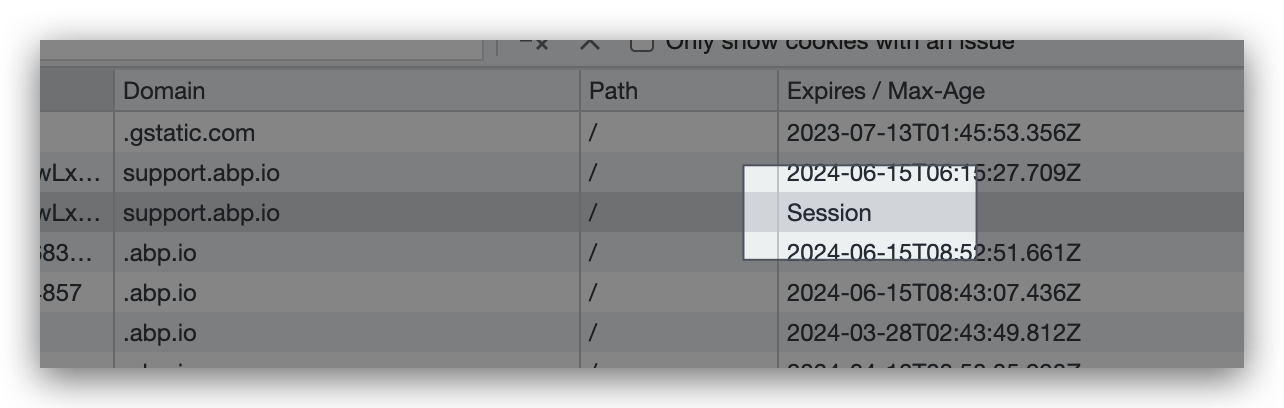
You may need to end the browser process instead of close tabs.
Markdown supported.Copy, paste, or drag & drop images and files (max 100 MB per file, 100 MB total per post) -
0
https://prnt.sc/0sl-3ktv93vZ I have checked its session, but everytime I open the browser, same value is coming, That's why I am getting logged in.
Any idea or any way to end this session everytime I close the tab or browser.
Thank you.
Markdown supported.Copy, paste, or drag & drop images and files (max 100 MB per file, 100 MB total per post) -
0
Hi maliming
can you please share a sample application where Remember me functionality is working, An angular front end and .net core webapi backend sample with only login and remember me functionality will do. We will check how its working in the sample. Again reiterating our requirement 1 If user checks Remember me checkbox then he should not be asked for Login till he logs out. 2 he will be automatically logged in in case he hasn't logged out and closes browser tab. 3 We should be able to configure the time to remember the logged in user from any backend or frontend.
Thanks
Markdown supported.Copy, paste, or drag & drop images and files (max 100 MB per file, 100 MB total per post) -
0
The identity cookie's name is
Identity.Application. If this cookie doesn't exist. Your login state will be invalid.hi @ed_developer3
You have API and angular websites.
API use cookies and angular use access token.
You can control the cookies by
ConfigureApplicationCookie.- Set
remember methe cookies will be valid for 14 days by default. You can change the time byConfigureApplicationCookie - UnSet
remember methe cookies issessionwill be invalid after close the browser. The behavior is different in different browsers.
https://learn.microsoft.com/en-us/aspnet/core/security/authentication/identity-configuration?view=aspnetcore-7.0#cookie-settings
The access token lifetime control by
PreConfigure<OpenIddictServerBuilder>(builder =>
{
    builder
        .SetAccessTokenLifetime(TimeSpan.FromSeconds(120))
        .SetIdentityTokenLifetime(TimeSpan.FromSeconds(365));
});
It will get a new access token after invalid. You can remove the
offline_accessscope fromoAuthConfigto disable the refresh token feature.Markdown supported.Copy, paste, or drag & drop images and files (max 100 MB per file, 100 MB total per post) - Set
-
0
hi maliming
we were able to reduce the time for Remember me duration to what ever we configured but the problem is that its default behaviour and is like this no matter we check the checkbox for remember me on login page. Also when we close the browser within configured timeout user is still logged in but it should be logged out as its session cookie as stated by you.
Can you let us know why Remember checkbox is not working or do we have to manually do it if yes how.
Markdown supported.Copy, paste, or drag & drop images and files (max 100 MB per file, 100 MB total per post) -
0
hi
https://support.abp.io/QA/Questions/5231#answer-3a0bd55f-37b2-1f28-914f-7b52bbf16f87
If you publish your site with custom lifetime configuration, I will check it online.
Markdown supported.Copy, paste, or drag & drop images and files (max 100 MB per file, 100 MB total per post) -
0
Hello, I have added all the custom configuration.
Can you check once what's the issue in remember me checkbox default behavior.
Thank you.
Markdown supported.Copy, paste, or drag & drop images and files (max 100 MB per file, 100 MB total per post) -
0
But why I am able to revisit the page if I have not selected the checkbox. I have tried everything, I have quit the chrome browser. still able to revisit.
Markdown supported.Copy, paste, or drag & drop images and files (max 100 MB per file, 100 MB total per post)