






- ABP Framework version: v7.2.2
- UI Type: Blazor WASM
- Database System: EF Core/PostgreSQL
- Tiered (for MVC) or Auth Server Separated (for Angular): Tiered/Separate Auth Server
Hi,
Can you please provide me with a working sample of calling an application service from within a IMenuContributor implemented class from within a Blazor WebAssembly project? All attempts to do so does not work for me. Please do not ask me for a sample project that reproduces the issue I am having OR refer me to a link of your existing documentation. I want a working sample of a simple abp generated solution for a Blazor WASM project that successfully calls a application service from within the ConfigureMenuAsync method of a class implementing the IMenuContributor interface.
Thanks.
9 Answer(s)
-
0
Hi,
It's easy to do, you just need to inject the app service.
public class MyappMenuContributor : IMenuContributor { private readonly IConfiguration _configuration; private readonly IIdentityUserAppService _userAppService; public MyappMenuContributor(IConfiguration configuration, IIdentityUserAppService userAppService) { _configuration = configuration; _userAppService = userAppService; } public async Task ConfigureMenuAsync(MenuConfigurationContext context) { var users = await _userAppService.GetListAsync(new GetIdentityUsersInput { MaxResultCount = 1000 }); } } Configure<AbpNavigationOptions>(options => { options.MenuContributors.Add(new MyappMenuContributor(context.Services.GetConfiguration(), context.Services.GetRequiredService<IIdentityUserAppService>())); });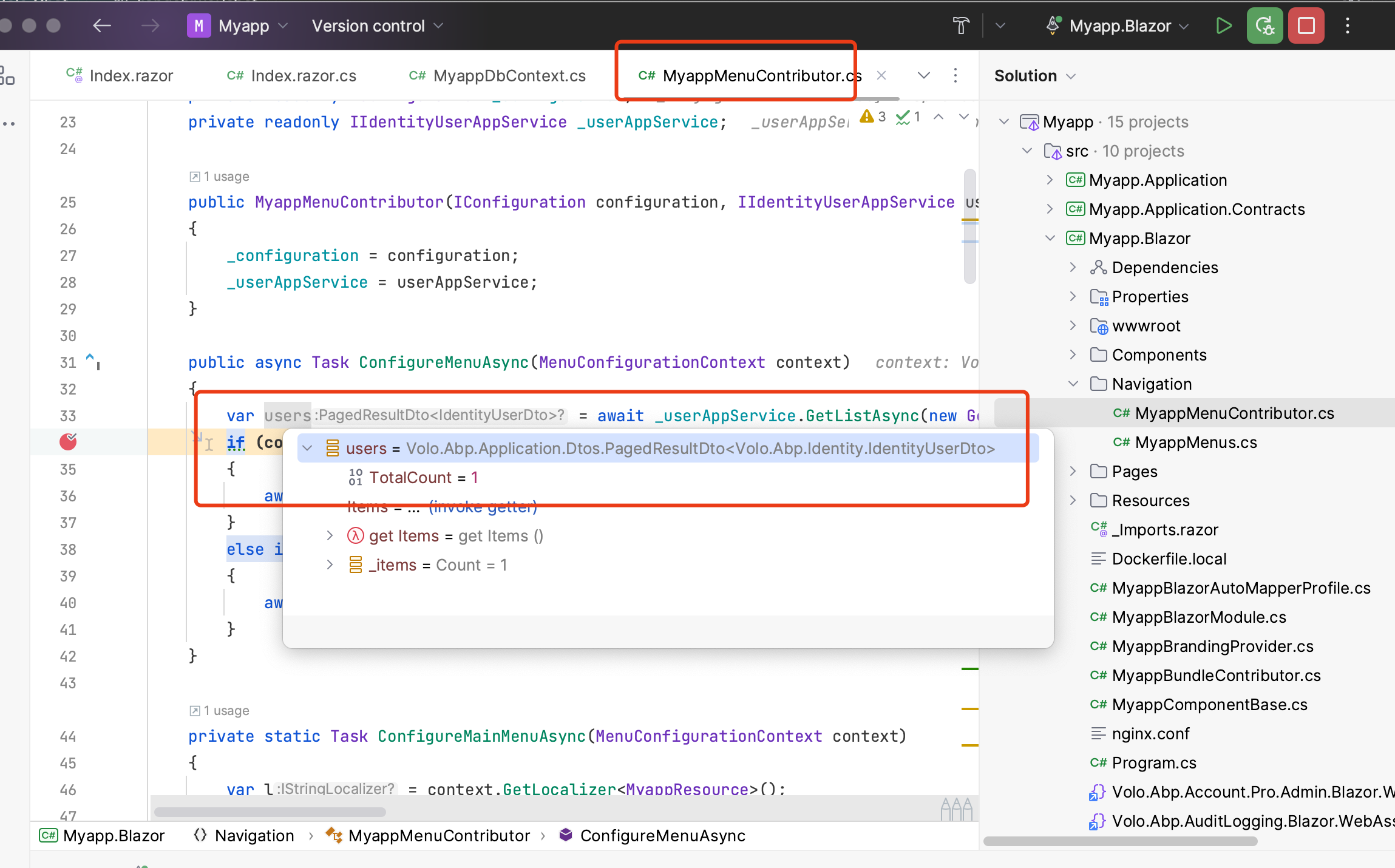 Markdown supported.Copy, paste, or drag & drop images and files (max 100 MB per file, 100 MB total per post)
 -
0
Can you provide to me this sample project so I can verify you matched the exact scenario I described above? That is what I asked for and not just a screenshot of code
Thank you
Markdown supported.Copy, paste, or drag & drop images and files (max 100 MB per file, 100 MB total per post) -
0
What's your email?
Markdown supported.Copy, paste, or drag & drop images and files (max 100 MB per file, 100 MB total per post) -
0
Shared
Markdown supported.Copy, paste, or drag & drop images and files (max 100 MB per file, 100 MB total per post) -
0
Hi,
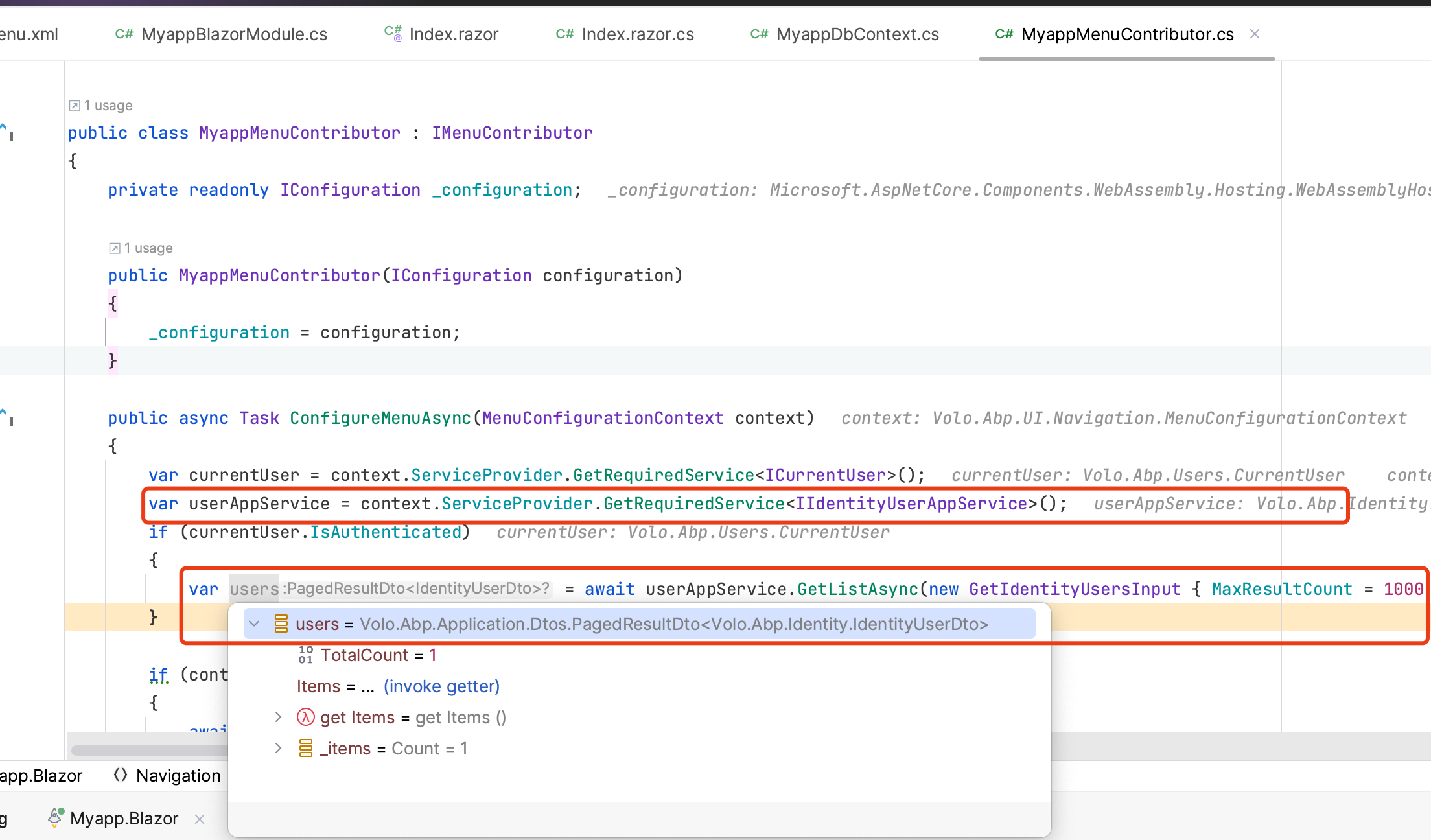
Thank you that worked! However I'm a little confused as to why a similar ticket created by a user with a similar issue as myself did not resolve my issue. If you look at this ticket https://support.abp.io/QA/Questions/2808/how-to-user-service-injection-for-IMenuContributor you can see the suggestion is to use the context.ServiceProvider.GetRequiredService<> method do accomplish this, which is they way I was doing it (and working when my project was a MVC UI vs a Blazor Web Assembly).
What is the difference between the two ways of achieving this and in what circumstance would I use one method of resolving over the other?
Thanks.
Markdown supported.Copy, paste, or drag & drop images and files (max 100 MB per file, 100 MB total per post) -
0
Hi,
They make no difference and should both work
Markdown supported.Copy, paste, or drag & drop images and files (max 100 MB per file, 100 MB total per post) -
0
Clearly it did make a difference as with your way it worked for me and the other way it didn't. Spent most of the day yesterday trying to figure out why it wasn't working for me as the previous ticket created indicated.
Markdown supported.Copy, paste, or drag & drop images and files (max 100 MB per file, 100 MB total per post) -
0
I don't know what's your code, but they really don't make any difference
 Markdown supported.Copy, paste, or drag & drop images and files (max 100 MB per file, 100 MB total per post)


