






- ABP Framework version: v7.0.3
- UI Type: Blazor Server
- Database System: EF Core SQL Server
- Exception message and full stack trace:
- Steps to reproduce the issue:
- I'm trying to upgrade my project from 7.0.3 to 7.3.2 (latest stable version) but when I run command "abp update" or update project from ABP Suite site (localhost:3000). It always show error when I try to build or restore MyProject.Blazor. How can I fix it?
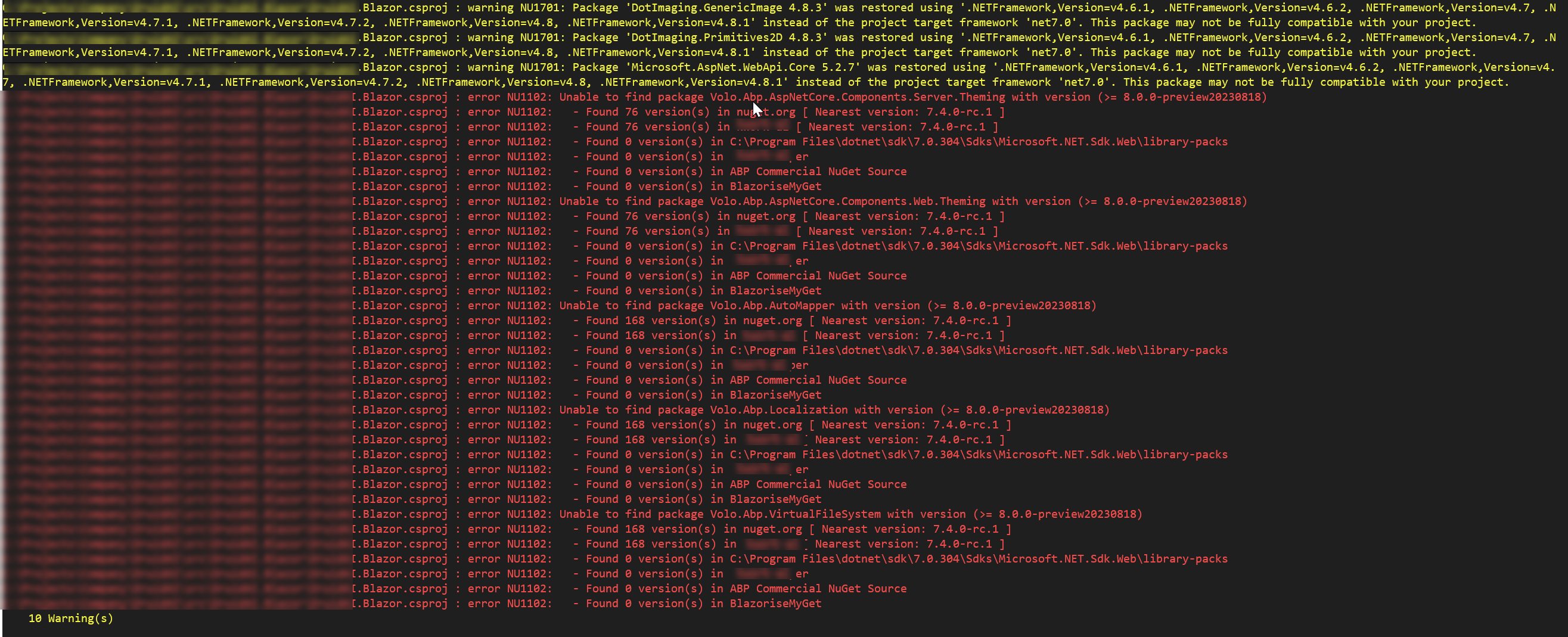
- I'm trying to upgrade my project from 7.0.3 to 7.3.2 (latest stable version) but when I run command "abp update" or update project from ABP Suite site (localhost:3000). It always show error when I try to build or restore MyProject.Blazor. How can I fix it?
12 Answer(s)
-
0
Hi,
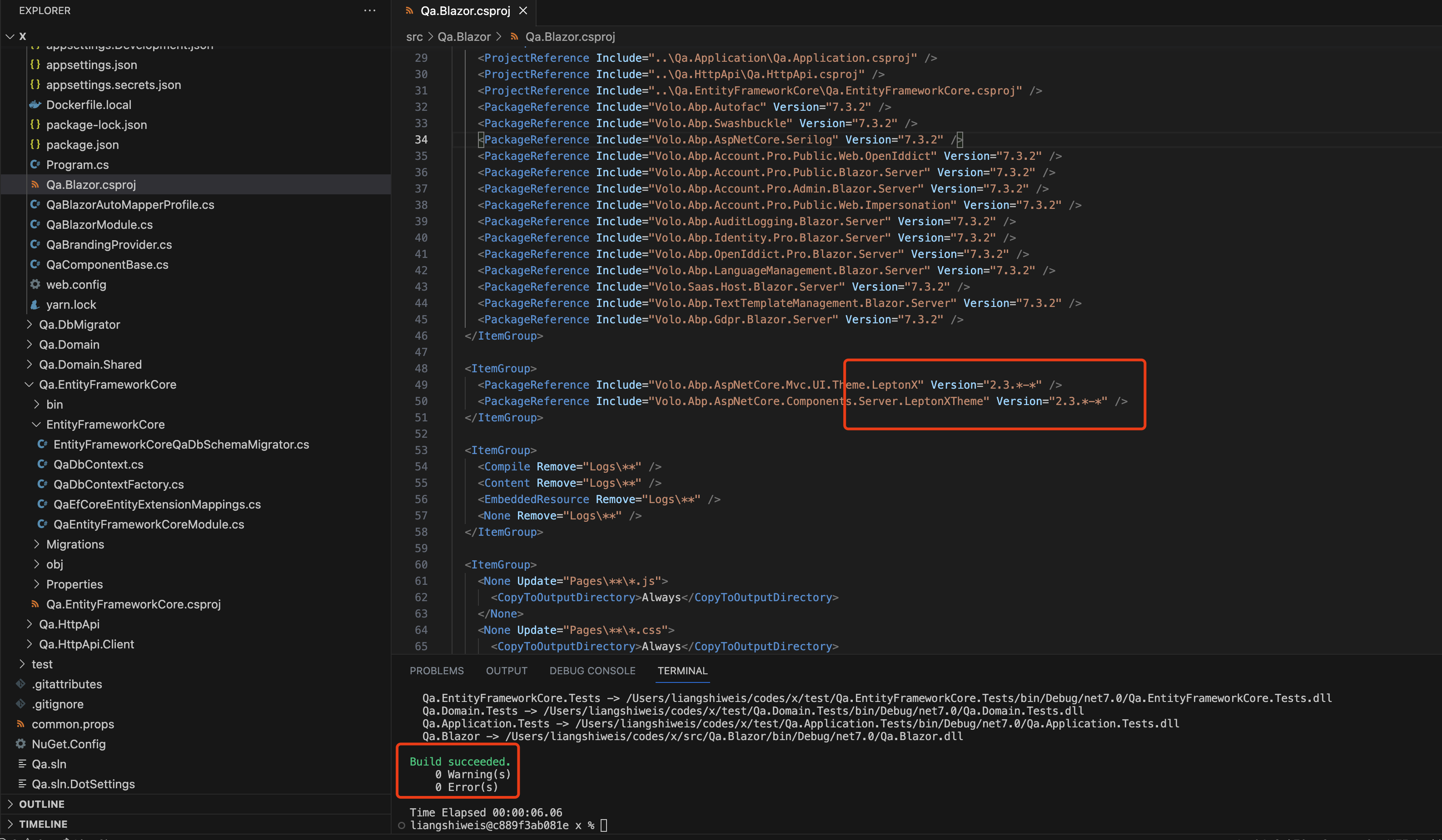
You can manually change the leptonx package theme version to
2.3.*-*Markdown supported.Copy, paste, or drag & drop images and files (max 100 MB per file, 100 MB total per post) -
0
Hi,
Could you
dotnet cleananddotnet build /graphBuildcommand?Markdown supported.Copy, paste, or drag & drop images and files (max 100 MB per file, 100 MB total per post) -
0
Hi,
Could you share the full steps to reproduce the problem? I will check it.
BTW, What version of ABP CLI are you using?
Markdown supported.Copy, paste, or drag & drop images and files (max 100 MB per file, 100 MB total per post) -
0
Or you can share a new project that can reproduce the problem with me, I can check it. shiwei.liang@volosoft.com
Markdown supported.Copy, paste, or drag & drop images and files (max 100 MB per file, 100 MB total per post) -
0
I create project (Blazor Server and MS SQL Server) from version 7.0.3 and add a new module to project by Abp Suite (localhost:3000 -> Module -> Create new module)
Now I upgrade Abp suite to 7.3.2 and upgrade my project from 7.0.3 to 7.3.2 (by Abp suite site) and try to build / restore it and it show error
Version of ABP CLI is 7.3.2 now
Markdown supported.Copy, paste, or drag & drop images and files (max 100 MB per file, 100 MB total per post) -
0
I can't reproduce the problem. could you share a new project that can reproduce the problem with me, I can check it. shiwei.liang@volosoft.com
 Markdown supported.Copy, paste, or drag & drop images and files (max 100 MB per file, 100 MB total per post)
 -
0
I fixed it already, there is a module project didn't upgrade version follow main project and it caused the errors. Just need to update every related reference to 7.3.2.
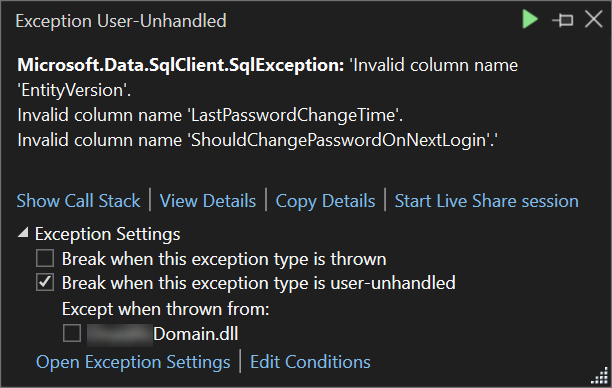
But there is an other issue when I try to login or run DbMigration project. There are some columns missed. What should I do in this case?
 Markdown supported.Copy, paste, or drag & drop images and files (max 100 MB per file, 100 MB total per post)
 -
0
Hi,
Please add a new migration file and apply database migration.
- https://docs.abp.io/en/commercial/latest/migration-guides/index
- https://docs.abp.io/en/abp/latest/Migration-Guides/Index
Markdown supported.Copy, paste, or drag & drop images and files (max 100 MB per file, 100 MB total per post) -
0
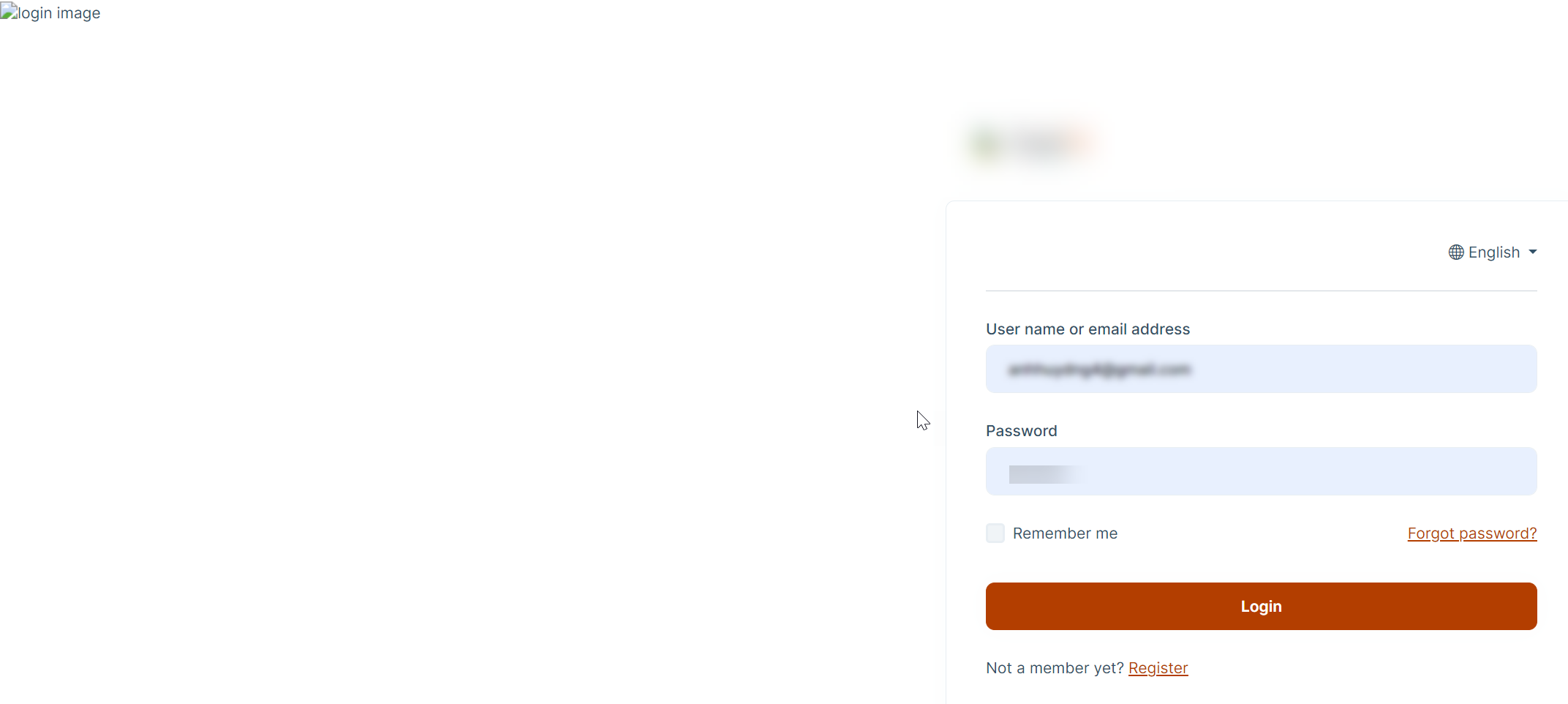
Thanks you, I can restore and build and run project. There is a problem with background login image, I think this is on nuget package. How can we check it or change it? I cannot find it on project
 Markdown supported.Copy, paste, or drag & drop images and files (max 100 MB per file, 100 MB total per post)
 -
0
Hey, the logic for that comes from the leptonx package which source you can download via abp suite.
I would assume that the packages are not up to date. Ensure that your
package.jsonlooks something like this:{ "version": "1.0.0", "name": "my-app", "private": true, "dependencies": { "@volo/abp.aspnetcore.mvc.ui.theme.leptonx": "~2.3.2", "@volo/aspnetcore.components.server.leptonxtheme": "~2.3.2", "@volo/cms-kit-pro.admin": "~7.3.2", "@volo/account": "~7.3.2", "@volo/language-management": "~7.3.2" } }If you changed something, run
abp install-libs. after that, everything should be normal again.Let me know I guessed correctly and if the solution helped :)
Kind regards Jack
Markdown supported.Copy, paste, or drag & drop images and files (max 100 MB per file, 100 MB total per post)





