- ABP Framework version: v7.3.0
- UI Type: MVC
- Database System: EF Core (SQL Server, Oracle, MySQL, PostgreSQL, etc..)
- Tiered (for MVC) or Auth Server Separated (for Angular): yes
- Exception message and full stack trace:
- Steps to reproduce the issue:
Hi,
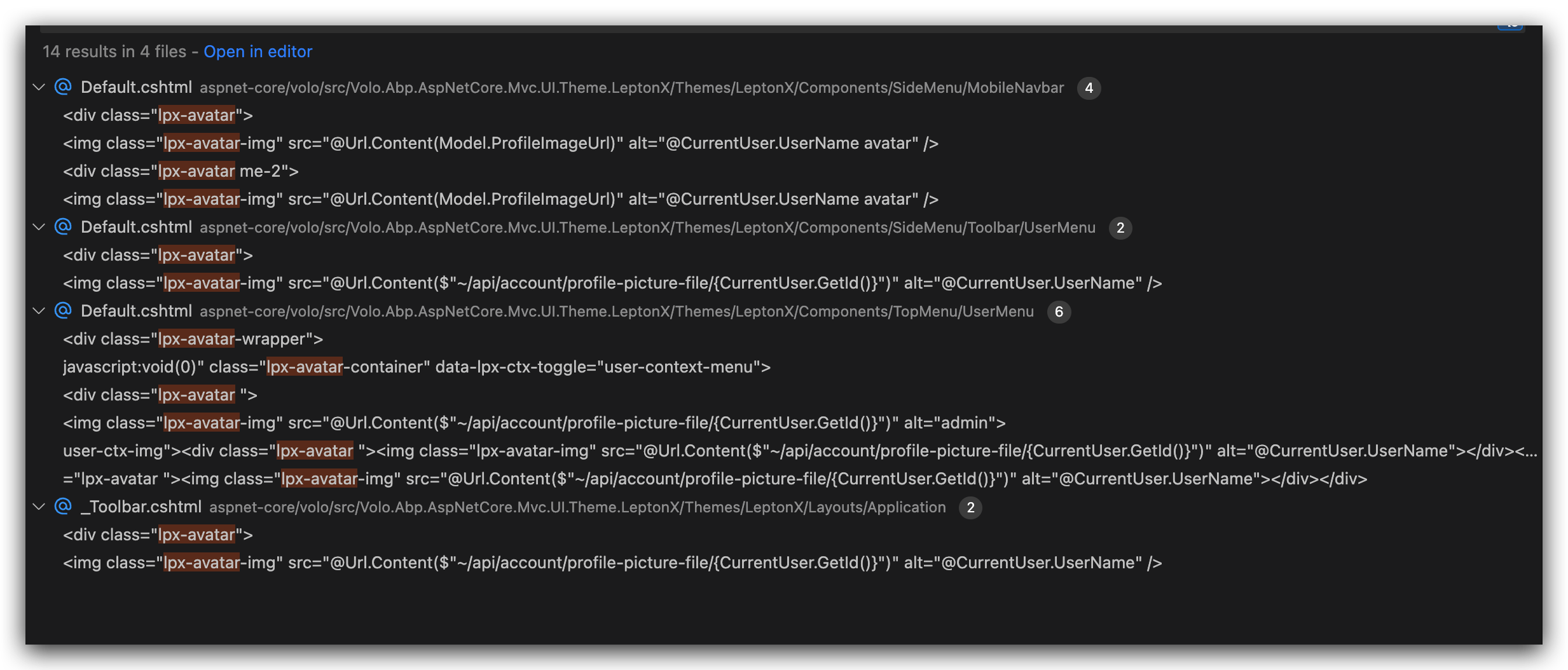
I would like to create my custom page with empty layout, and i need to import the user menu
 I want that only without any toolbar menu.
27 Answer(s)
-
0
I believe the fastest way if I can get the component code that i can insert in the ToolBarContributor.cs If I can get this as soon as possible, that would be great.
Regards,
Markdown supported.Copy, paste, or drag & drop images and files (max 100 MB per file, 100 MB total per post) -
0
OK I will share the source code of the layout with you. You can tell me which source code you need.
liming.ma@volosoft.com
Please send a mail to me, Thanks
Markdown supported.Copy, paste, or drag & drop images and files (max 100 MB per file, 100 MB total per post) -
0
Hi,
Sorry I don't understand. I just use the code that you sent then on the page that I want to implement the component i used.
@await Component.InvokeAsync(typeof(Components.UserMenu.UserMenuViewComponent))
Markdown supported.Copy, paste, or drag & drop images and files (max 100 MB per file, 100 MB total per post) -
0
Hi,
Sorry I am not allowed to create a sample project. But I copied the page I am working now but removed the sensitive information.
There are few things I wanted to add:
- Footer at the bottom
- After it got rendered, it is wrapped with div with class “m-5 card mb-3” and I want to remove that.
Hope you can help.
Thanks
@page
@using Volo.Abp.AspNetCore.Mvc.UI.Theming;
@using Microsoft.AspNetCore.Mvc.Localization
@using test.Localization
@inject IThemeManager ThemeManager
@inject IHtmlLocalizer L
@model test.Web.Pages.IndexModel
@{
Layout = ThemeManager.CurrentTheme.GetEmptyLayout();
}
@section scripts
{

<br>
<br>
}
@await Component.InvokeAsync(typeof(Components.Toolbar.UserMenu.UserMenuViewComponent))
<div>
	<div class="text-center">
		<abp-card>
			<abp-card-body>
				<h1>test</h1>
			</abp-card-body>
		</abp-card>
	</div>
</div>

<div class="">
	<div class="">
		<abp-card>
			<abp-card-body>
				<abp-row class="mb-3">
					<abp-column size-md="_12">
						<form id="SearchForm" action="/search" autocomplete="off">
							<div id="search-container" class="input-group container">
								<div class="form-control px-0 bg-white">
									<input class="border-0 bg-white form-control page-search-filter-text" id="FilterText" name="query" placeholder="@L["Search"]" />
								</div>
								<abp-button button-type="Primary" type="submit">Search</abp-button>
							</div>
						</form>
					</abp-column>
				</abp-row>
			</abp-card-body>
		</abp-card>
	</div>
</div>

<abp-modal-footer></abp-modal-footer>
<footer class="text-center row">
	@Html.Partial("~/Themes/LeptonX/Layouts/Application/_Footer.cshtml")
</footer>
I also notice this Add PageContent layout hook. https://github.com/abpframework/abp/pull/4573/files
Is there a way to add a custom page content layout hook for a specific page? I believe that can help solve my problem.
Regards,
Markdown supported.Copy, paste, or drag & drop images and files (max 100 MB per file, 100 MB total per post) -
0
hi
Is there a way to add a custom page content layout hook for a specific page?
This feature works on layout pages, for specific pages you should replace it with a custom page.
Markdown supported.Copy, paste, or drag & drop images and files (max 100 MB per file, 100 MB total per post) -
0
There are few things I wanted to add:
- Footer at the bottom
- After it got rendered, it is wrapped with div with class “m-5 card mb-3” and I want to remove that.
You can use pure html code instead of abp's taghelper in the page
Markdown supported.Copy, paste, or drag & drop images and files (max 100 MB per file, 100 MB total per post) -
0
hi
Is there a way to add a custom page content layout hook for a specific page?
This feature works on layout pages, for specific pages you should replace it with a custom page.
Sorry can you clarify it further? im using this
Layout = ThemeManager.CurrentTheme.GetEmptyLayout();then how do i add
LayoutHook.PageContent.Firstbecause whatever i put in my cshtml will be under@RenderPage()right?Markdown supported.Copy, paste, or drag & drop images and files (max 100 MB per file, 100 MB total per post) -
0
There are few things I wanted to add:
- Footer at the bottom
- After it got rendered, it is wrapped with div with class “m-5 card mb-3” and I want to remove that.
You can use pure html code instead of abp's taghelper in the page
the <div> i mentioned above was built in from using the empty layout from the abp.
would be great if i can get the code for the empty layout cshtml as well so i can customise it as i still need some built in code such as the lpx-wrapper, or css & js imports, etc.
Markdown supported.Copy, paste, or drag & drop images and files (max 100 MB per file, 100 MB total per post)