






Check the docs before asking a question: https://docs.abp.io/en/commercial/latest/ Check the samples to see the basic tasks: https://docs.abp.io/en/commercial/latest/samples/index The exact solution to your question may have been answered before, and please first use the search on the homepage. Provide us with the following info:
- ABP Framework version: v7.4.0
- UI Type: Blazor WASM
- Database System: EF Core (SQL Server)
- Tiered (for MVC) or Auth Server Separated (for Angular): microservices
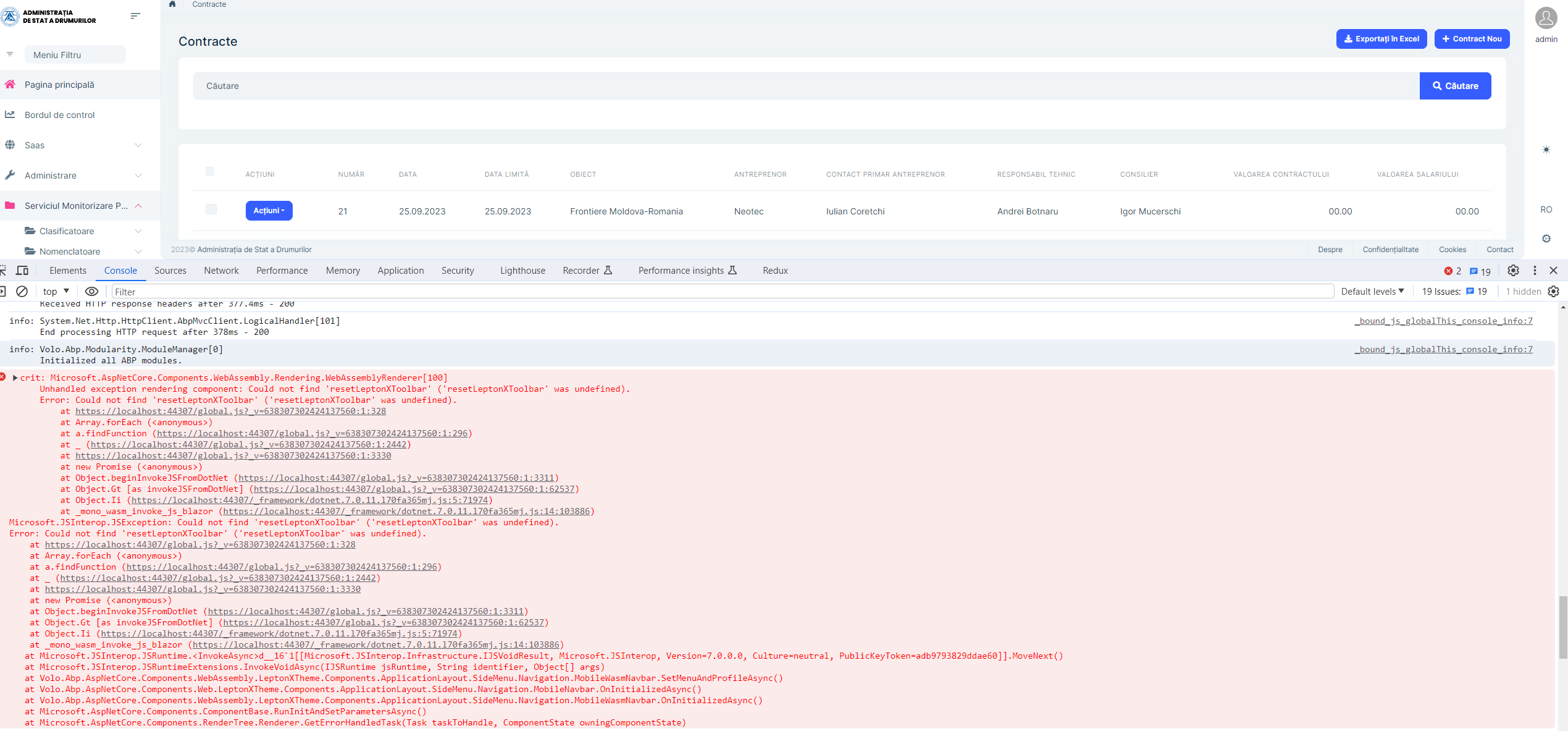
- Exception message and full stack trace:
- Steps to reproduce the issue:
I've migrated the project from 7.3.3 to 7.4.0 and received the following error:
6 Answer(s)
-
0
Hello icoretchi,
Can you please run
abp install-libscommand in your project foldercheck this https://support.abp.io/QA/Questions/5874
please do let me know if it helps
Thanks, Anjali
Markdown supported.Copy, paste, or drag & drop images and files (max 100 MB per file, 100 MB total per post) -
0
Hi Anjali,
It's not working as well. Actually the same error appier if you will generate a new project based on a microservice template with Blazor WASM by abp suite v7.4.0.
Cheers, Iulian
Markdown supported.Copy, paste, or drag & drop images and files (max 100 MB per file, 100 MB total per post) -
0
Hi Anjali,
It's not working as well. Actually the same error appier if you will generate a new project based on a microservice template with Blazor WASM by abp suite v7.4.0.
Cheers, Iulian
let me check and get back to you
Markdown supported.Copy, paste, or drag & drop images and files (max 100 MB per file, 100 MB total per post) -
0
Hello icoretchi ,
This issue will be fixed in next release.
Your ticket will be refunded.
Thank you for reporting the issue.
Regards, Anjali
Markdown supported.Copy, paste, or drag & drop images and files (max 100 MB per file, 100 MB total per post) -
0
After we publish please try and run
abp clean&dotnet restoreorbuildorrunthen it will work.
best,
Markdown supported.Copy, paste, or drag & drop images and files (max 100 MB per file, 100 MB total per post) -
0
Hi,
We have released a patch release for
LeptonXToolBarissue. To fix the error in your current project, first performabp cleanordotnet cleanon your current project. Then you need to run theabp bundlecommand in the Blazor project. please check now its working fine.Thanks, Anjali
Markdown supported.Copy, paste, or drag & drop images and files (max 100 MB per file, 100 MB total per post)


