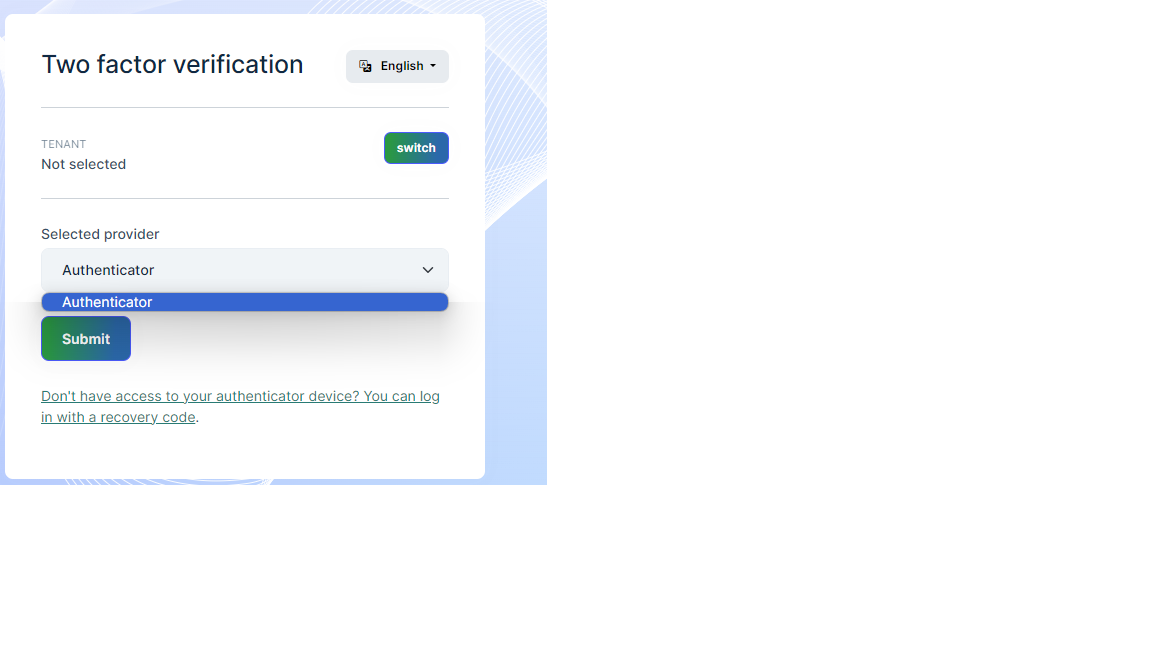
- ABP Framework version: v7.3.3
- UI Type: Angular
- Database System: EF Core (SQL Server)
- ** Auth Server Separated (for Angular)**:
- Exception message and full stack trace:
- Steps to reproduce the issue:
Hello Support team , How we can disable the authenticator apps(provider) in Two Factor Authentication ? Is there any settings for host to disable it , or do we need to override any service ?
Thanks
7 Answer(s)
-
0
Hello aqudah81,
please check this documentation https://docs.abp.io/en/commercial/latest/modules/identity/two-factor-authentication#tenant-admin-side
Regards, Anjali
Markdown supported.Copy, paste, or drag & drop images and files (max 100 MB per file, 100 MB total per post) -
0
Hello Anjali , Yes I checked this documentation , but what I want is to disable or hide Authenticator TOTP(Time-based One-time Password Algorithm) provider . So When we enable Two factor authentication from host just Email provider will appear .
Thanks
Markdown supported.Copy, paste, or drag & drop images and files (max 100 MB per file, 100 MB total per post) -
0
Hello aqudah81,
sorry but I am not getting your case exactly Do you want to hide two factor authentication? for that you may try this
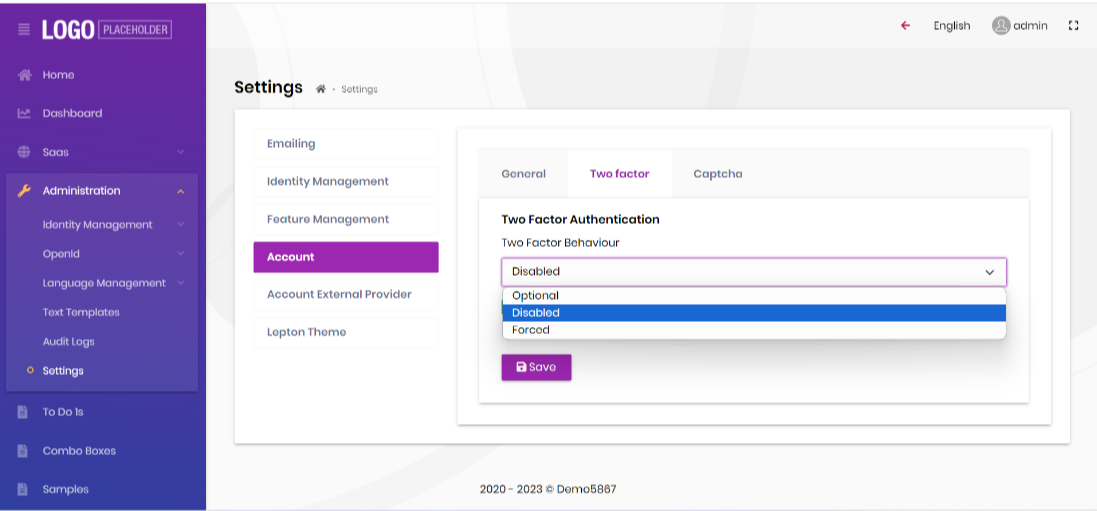
Please let me know if anything else needed
Regards, Anjali
Markdown supported.Copy, paste, or drag & drop images and files (max 100 MB per file, 100 MB total per post) -
0
Hello aqudah81,
Please check https://support.abp.io/QA/Questions/5836#answer-3a0ddee9-7973-c06a-13e2-ebbaed1781c4
Maybe this is what you're looking for, kindly confirm.
Markdown supported.Copy, paste, or drag & drop images and files (max 100 MB per file, 100 MB total per post) -
0
Hi Anjali , Thanks for your help , but still not that what I want .
Based on documentation There are 3 verification providers available for 2FA out of the box: 1- Authenticator TOTP(Time-based One-time Password Algorithm) 2- Email Verification 3- SMS Verification
I need only to use Email Verification and SMS Verification . Is there anyway to disabled Authenticator TOTP option ?
Thanks
Markdown supported.Copy, paste, or drag & drop images and files (max 100 MB per file, 100 MB total per post) -
0
Hi,
please check this https://support.abp.io/QA/Questions/4444/Only-SMS-as-2FA-provider---disable-email-provider#
you need to override
AccountAppServiceby referring https://docs.abp.io/en/abp/latest/Customizing-Application-Modules-Overriding-ServicesMarkdown supported.Copy, paste, or drag & drop images and files (max 100 MB per file, 100 MB total per post)