






- ABP Framework version: v7.3
- UI Type: Blazor WASM
- Database System: EF Core (PostgreSQL)
- Tiered (for MVC) or Auth Server Separated (for Angular): yes
How can I override the LeptonX styles for the UI elements within the theme? I'm not just referring to the the top/side menu, but the content area itself of the theme. The documentation links on ABP's site are very confusing in terms of step by step how to do this.
7 Answer(s)
-
0
Hi,
Did you check this? https://docs.abp.io/en/commercial/latest/themes/lepton-x/blazor?UI=Blazor#customization
Markdown supported.Copy, paste, or drag & drop images and files (max 100 MB per file, 100 MB total per post) -
0
Hi,
Of course I've seen that, but like my original question stated I'm specifically referring to the content section of the LeptonX theme. The link you provided seems to only address side and top menu only. I'd like full control over all styling both LeptonX and Bootstrap related elements.
Markdown supported.Copy, paste, or drag & drop images and files (max 100 MB per file, 100 MB total per post) -
0
Hi,
Have you given it a try? You can see the color of the content has been changed.
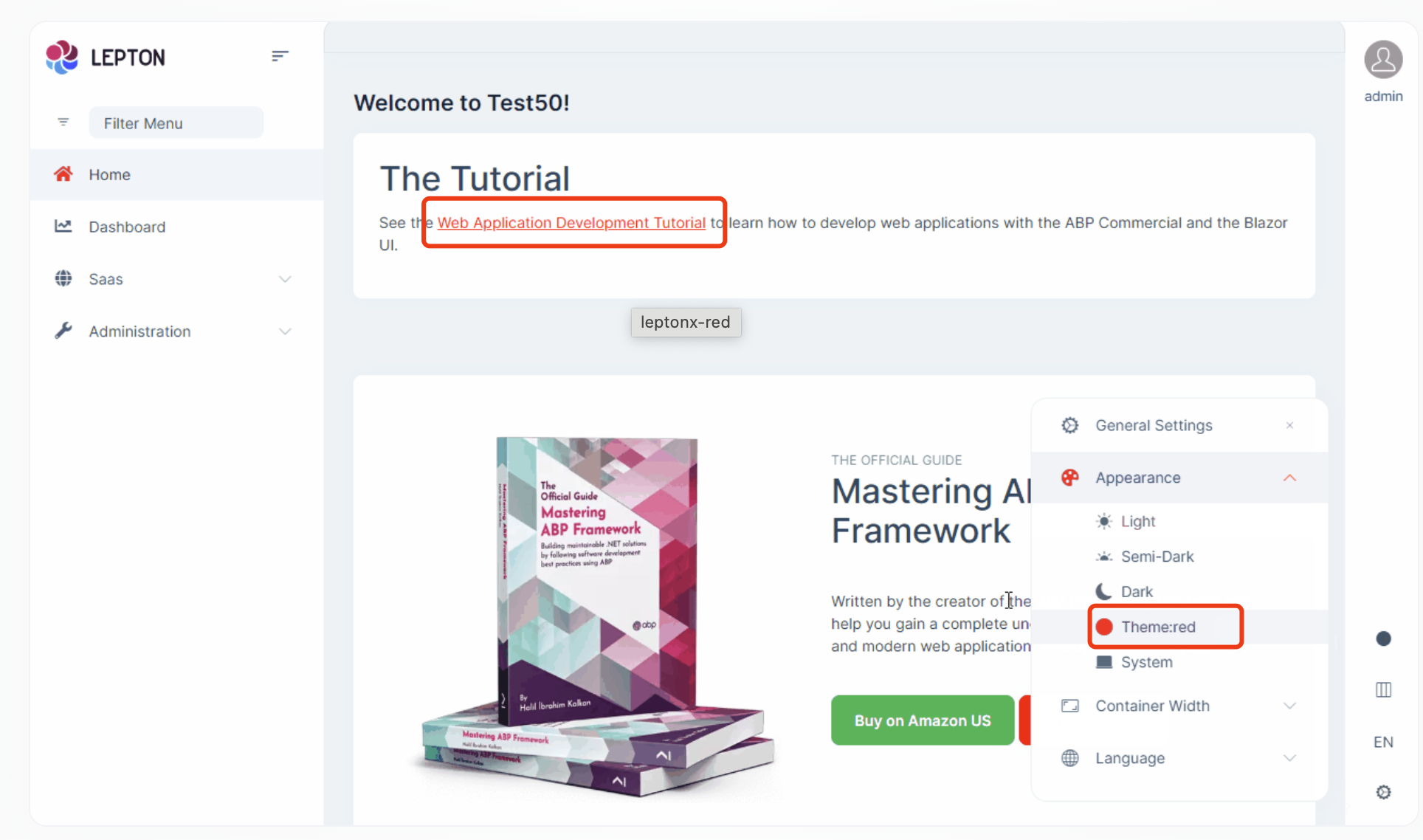
If you face any problems during the customization process, please let me know.
Markdown supported.Copy, paste, or drag & drop images and files (max 100 MB per file, 100 MB total per post) -
1
Yes,I have tried it....and it sort of works. Can you be more specific in terms of exactly what in the red.css and bootstrap-red.css files need to change to make the button red like you show?
Also, once I get this figured out, I want to make this new theme the default theme. How is that accomplished via the Configure<LeptonXThemeOptions> code block?
Configure<LeptonXThemeOptions>(options =>
{
    // Removing existing themes
    options.Styles.Remove(LeptonXStyleNames.Light);

    // Adding a new theme
    options.Styles.Add("red",
        new LeptonXThemeStyle(
        LocalizableString.Create<YourResource>("Theme:Red"),
        "bi bi-circle-fill"));
});
Markdown supported.Copy, paste, or drag & drop images and files (max 100 MB per file, 100 MB total per post) -
0
Can you be more specific in terms of exactly what in the red.css and bootstrap-red.css files need to change to make the button red like you show?
You can copy the
light.cssand bootstrap-light.css towwwroot/_content/Volo.Abp.AspNetCore.Components.Web.LeptonXTheme/side-menu/css/folder and rename them.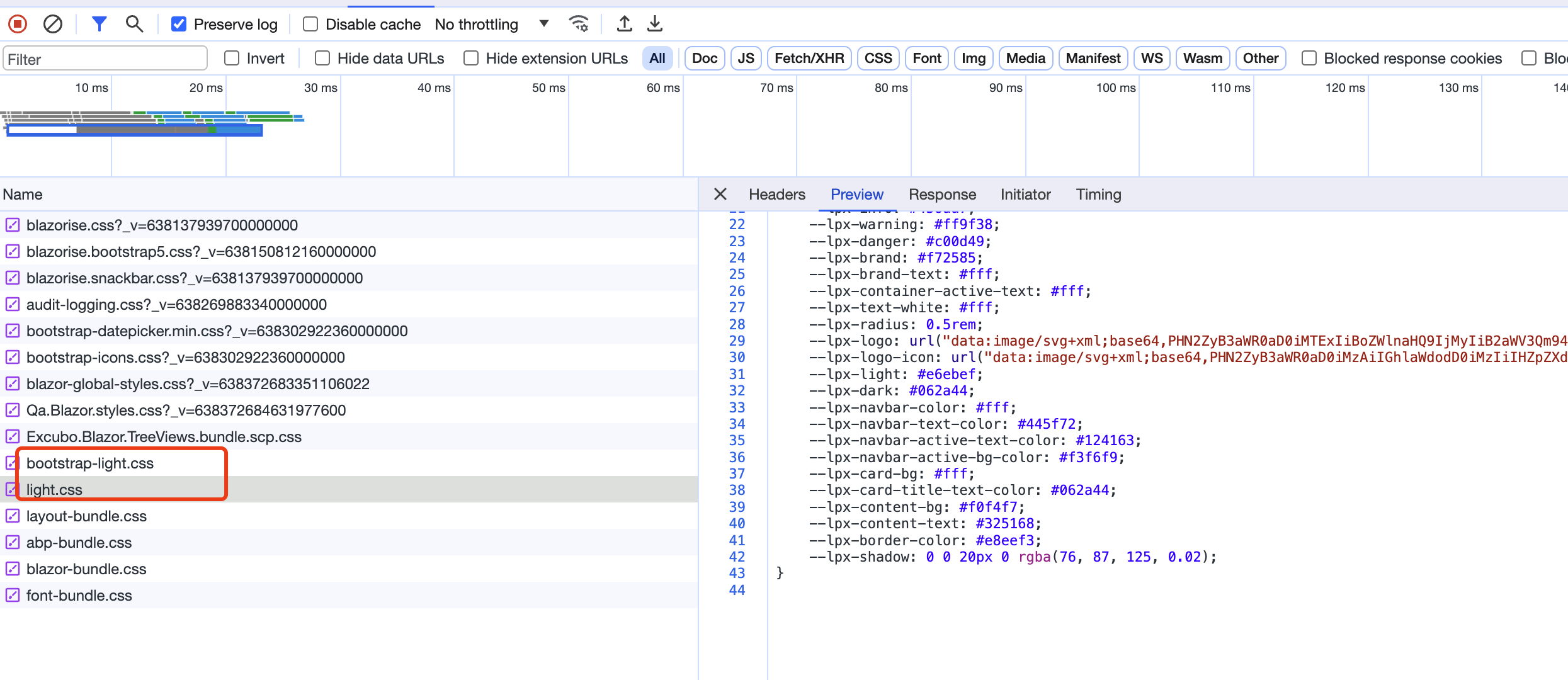
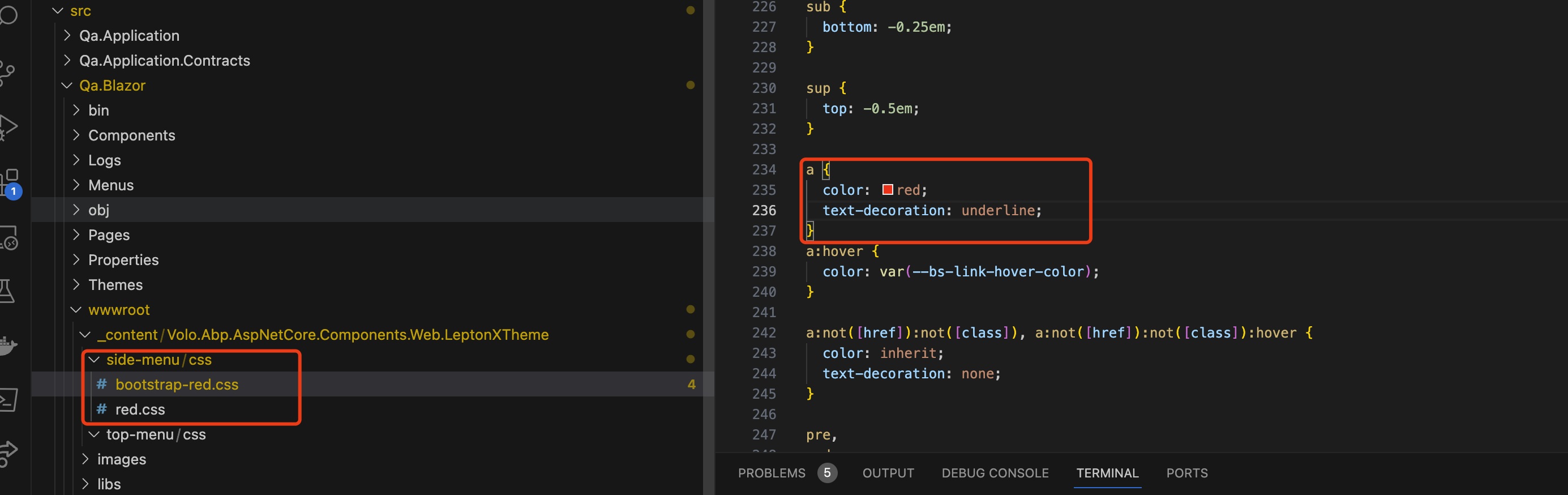
Now you can see all the style source code and you can change it according to your needs, for example; I changed the color of a tag here
Also, once I get this figured out, I want to make this new theme the default theme. How is that accomplished via the
You can try this:
Configure<LeptonXThemeOptions>(options =>
{
    options.Styles.Add("red",
        new LeptonXThemeStyle(
        LocalizableString.Create("Theme:Red"),
        "bi bi-circle-fill"));

    options.DefaultStyle = "red";

});
Markdown supported.Copy, paste, or drag & drop images and files (max 100 MB per file, 100 MB total per post) -
0
Thanks for that, however it's still not working. I believe you are looking at my other ticket (https://support.abp.io/QA/Questions/6277#answer-3a0f5070-19dd-0a22-eeaf-6756523de1ed) that reproduces the issue I'm having with my custom theme not being applied properly.
Markdown supported.Copy, paste, or drag & drop images and files (max 100 MB per file, 100 MB total per post)


