






ABP Framework version: v7.2.3
UI Type: Blazor Server
Database System: EF Core
Tiered (for MVC) or Auth Server Separated (for Angular): yes
Exception message and full stack trace:
Steps to reproduce the issue: seems to be related to resource release.
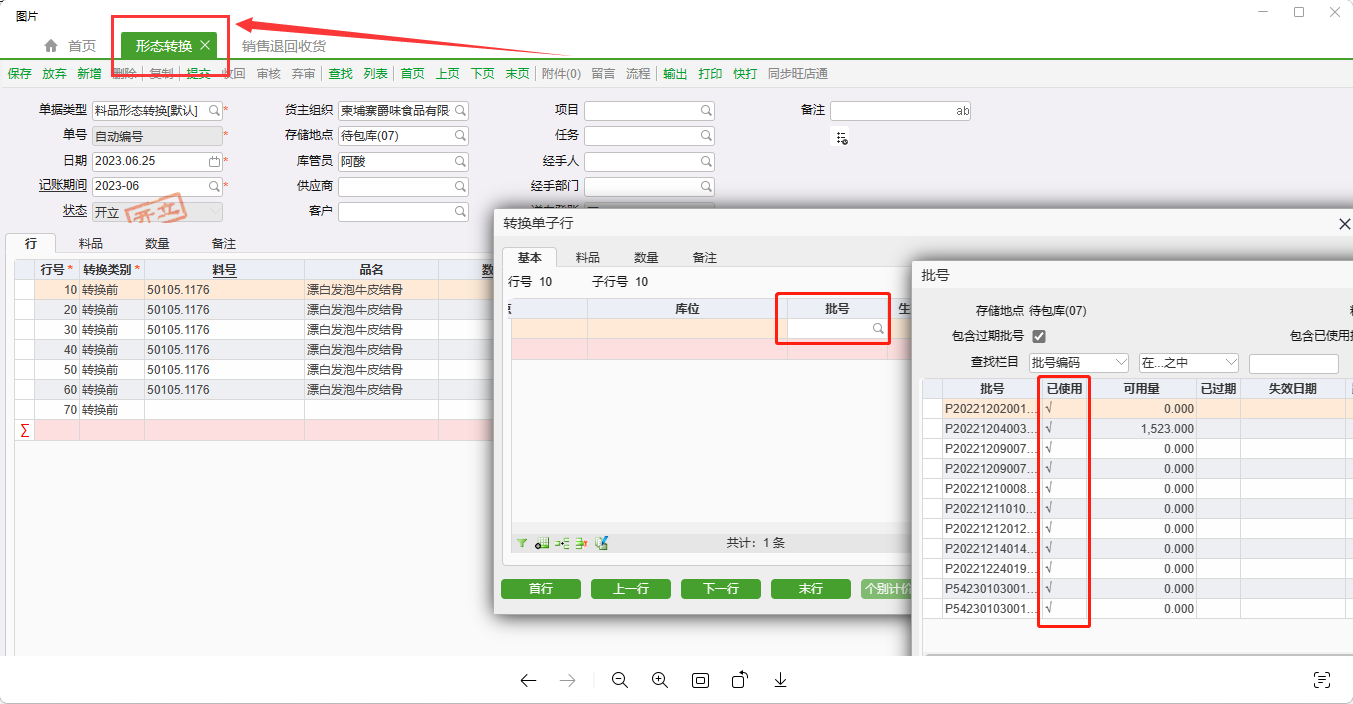 Hello I am using LeptonXTheme UI. I want to be able to see which pages have been opened like the picture above. Display all open tabs at the top and click on the tab above to achieve the effect of switching pages. This is what I have here. A usage habit, does LeptonXTheme UI support this function? In addition, every time I open the page and return to the previous page, the page status will not be retained. Is it possible to maintain the page status like vue keep-alive or do A short-lived storage; now I cannot use LeptonXTheme UI to achieve the above functions. Can you give me some methods or suggestions to achieve these functions?
42 Answer(s)
-
0
Hi,
It's possible, But need to customize the theme.
I will investigate and give you some sample code.
Markdown supported.Copy, paste, or drag & drop images and files (max 100 MB per file, 100 MB total per post) -
0
Hi,
It's possible, But need to customize the theme.
I will investigate and give you some sample code.
ok thank you
Markdown supported.Copy, paste, or drag & drop images and files (max 100 MB per file, 100 MB total per post) -
0
Hi,
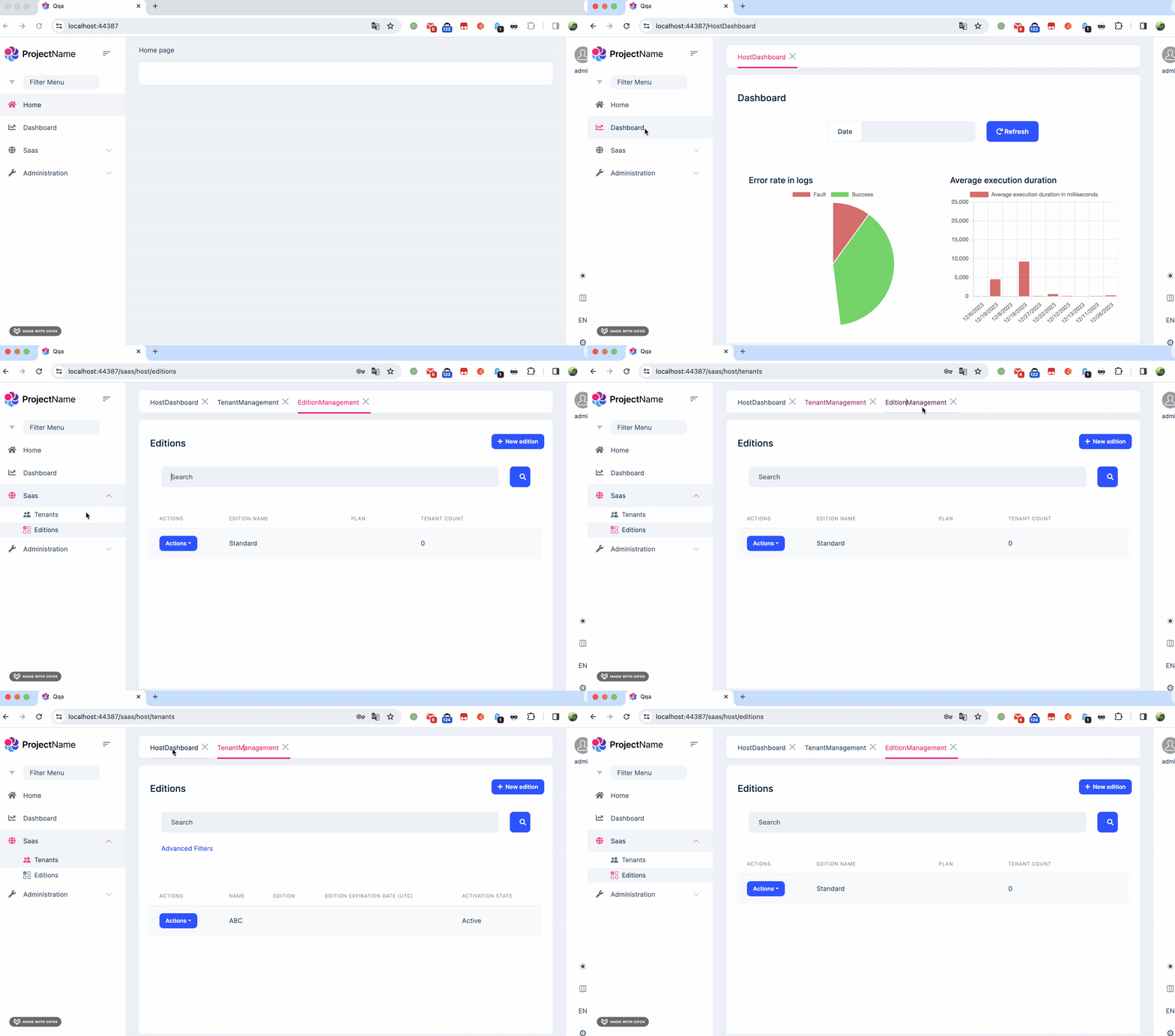
Here are the code files: https://gist.github.com/realLiangshiwei/a71887cb41b679739599ce52b30ec151
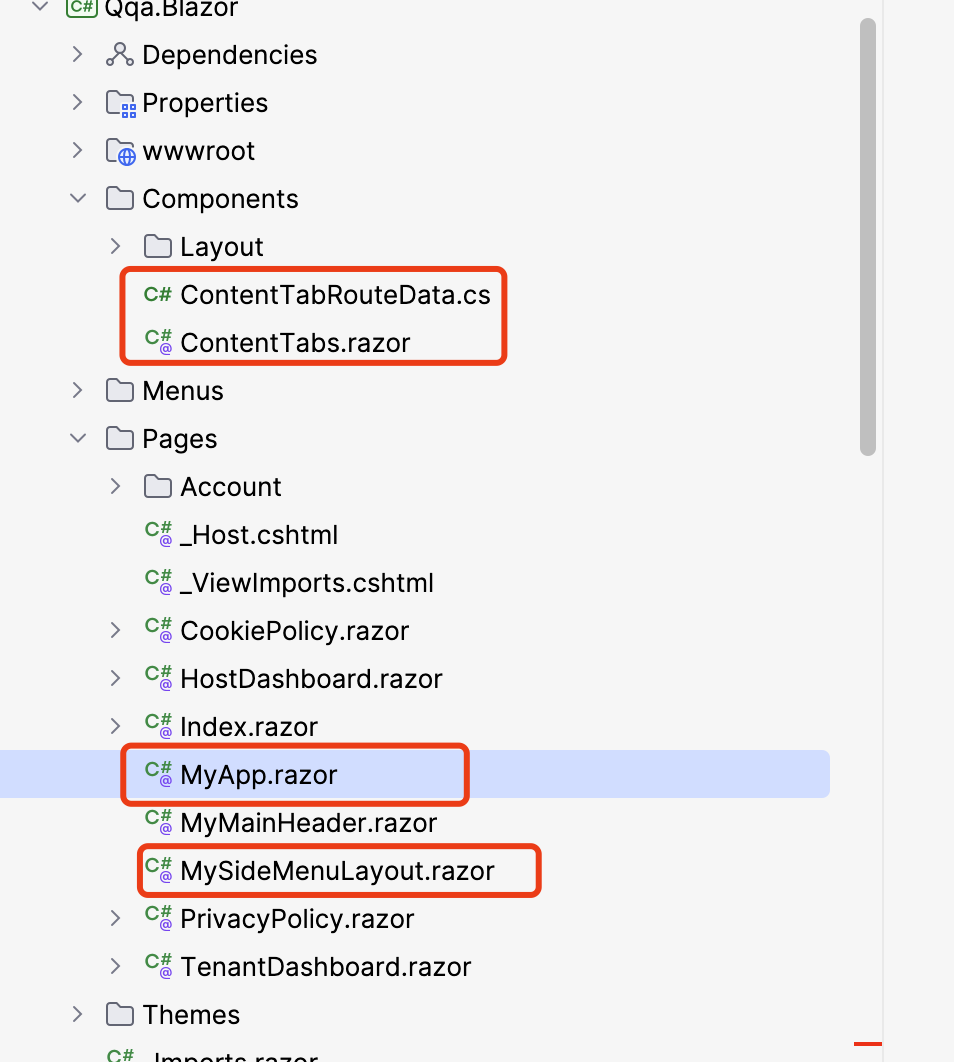
Update your
_Host.cshtml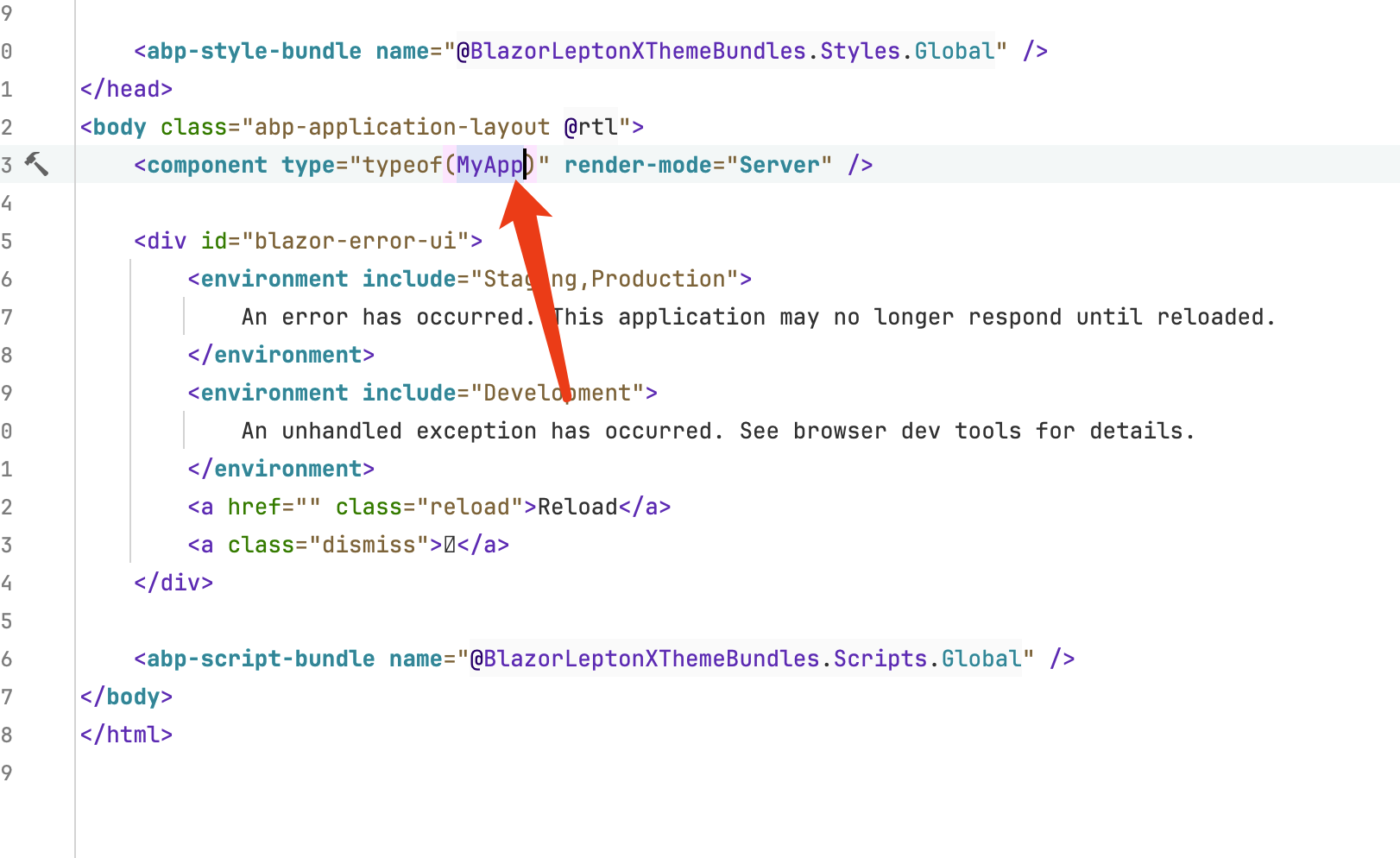
 Markdown supported.Copy, paste, or drag & drop images and files (max 100 MB per file, 100 MB total per post)
 -
0
This is just an idea and simple code.
There are still many imperfections in it, You should improve it based on it
Markdown supported.Copy, paste, or drag & drop images and files (max 100 MB per file, 100 MB total per post) -
0
This is just an idea and simple code.
There are still many imperfections in it, You should improve it based on it
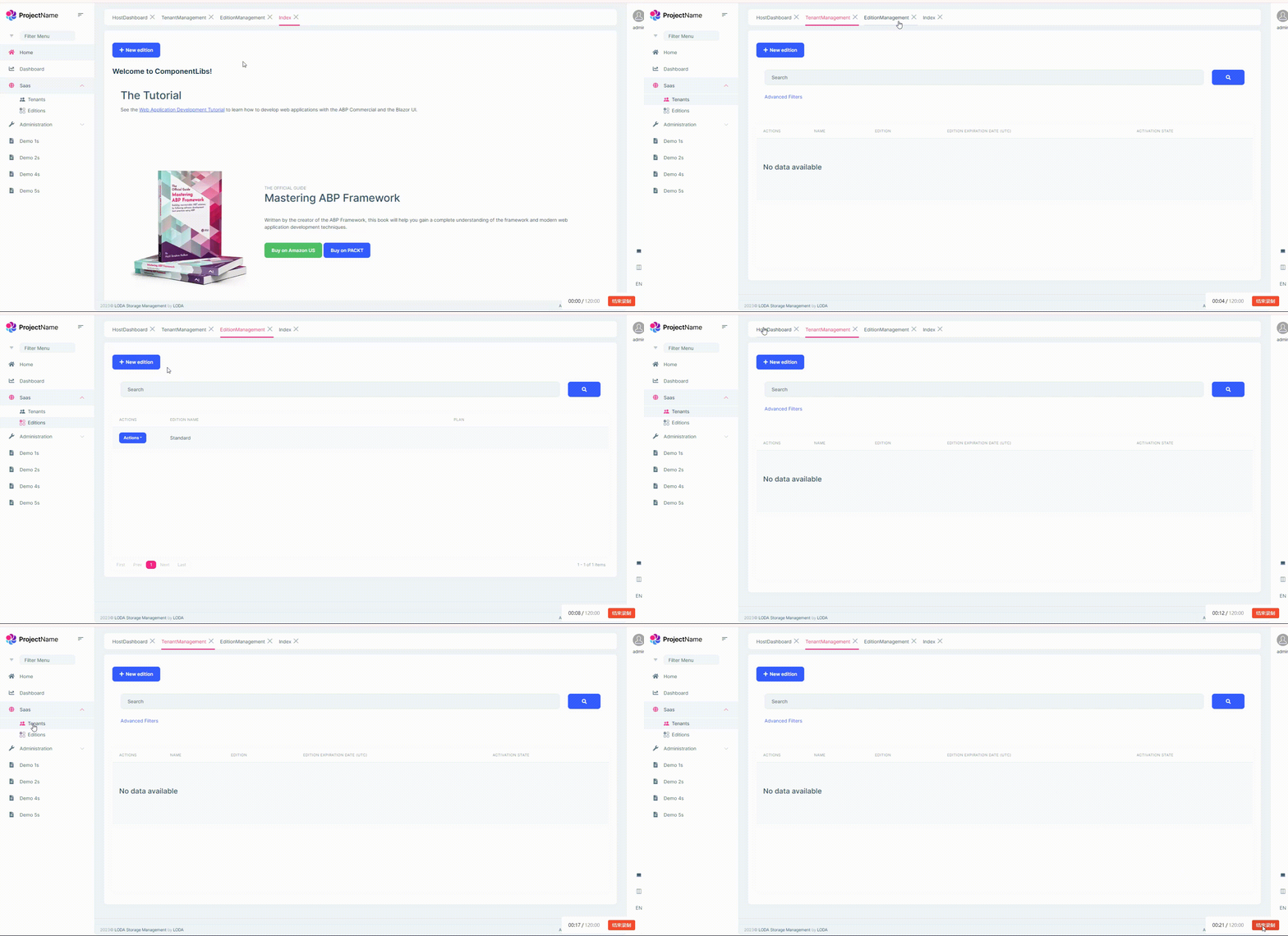 Thank you very much, but if you switch the tab at the top, the toolbar of the page will not change.Markdown supported.Copy, paste, or drag & drop images and files (max 100 MB per file, 100 MB total per post)
 -
0
Hi,
Yes, that's why I said it's imperfection.
I will keep investigating it.
Markdown supported.Copy, paste, or drag & drop images and files (max 100 MB per file, 100 MB total per post) -
0
Hi,
I updated the code: https://gist.github.com/realLiangshiwei/a71887cb41b679739599ce52b30ec151
Now it basically works, maybe there may be some minor problems, but not a big problem. This is a big work, and I can't make it perfect in a short time : )
You can change it according to your needs.
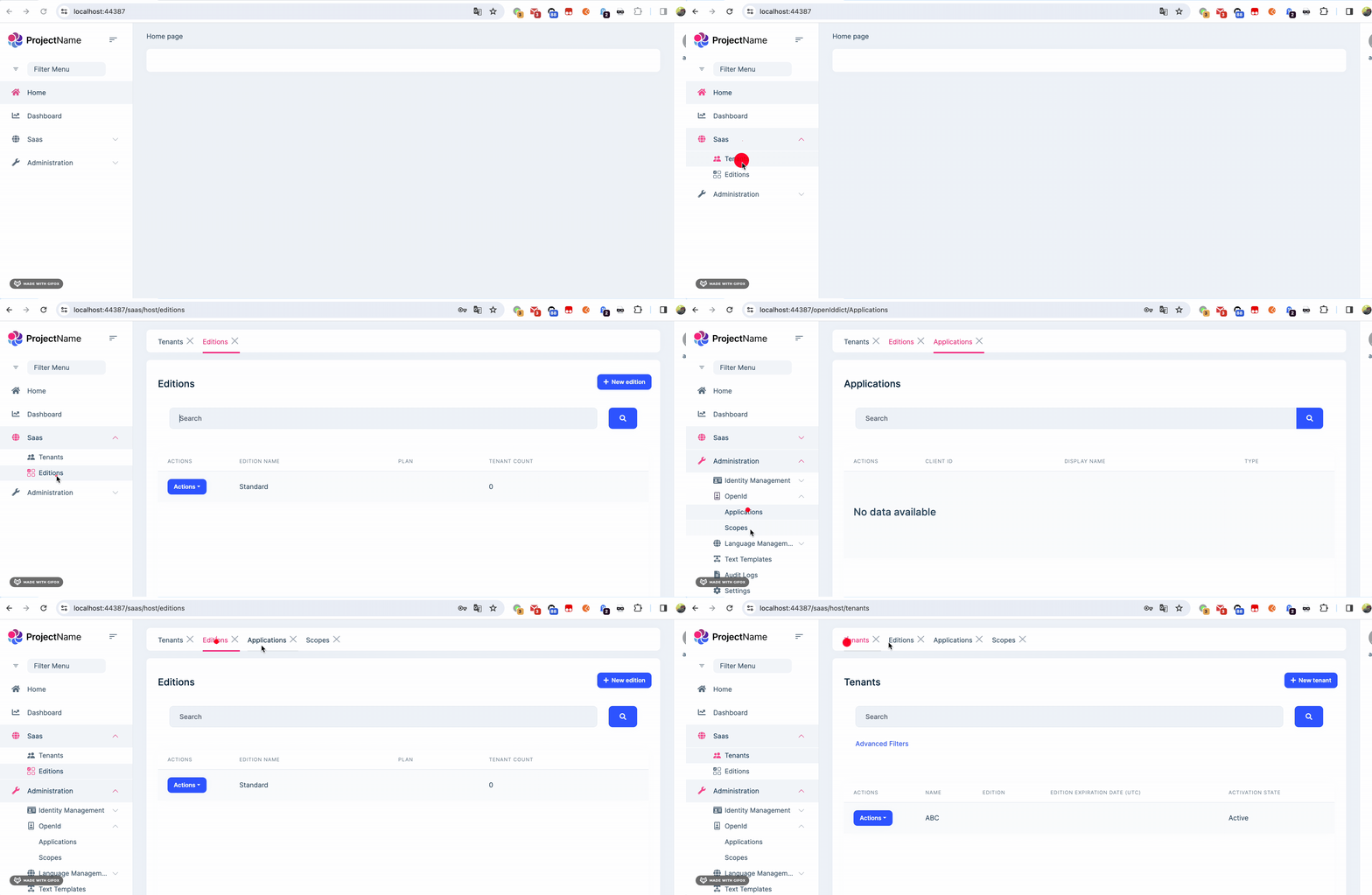 Markdown supported.Copy, paste, or drag & drop images and files (max 100 MB per file, 100 MB total per post)
 -
0
Hi,
I updated the code: https://gist.github.com/realLiangshiwei/a71887cb41b679739599ce52b30ec151
Now it basically works, maybe there may be some minor problems, but not a big problem.
This is a big work, and I can't make it perfect in a short time : )You can change it according to your needs.
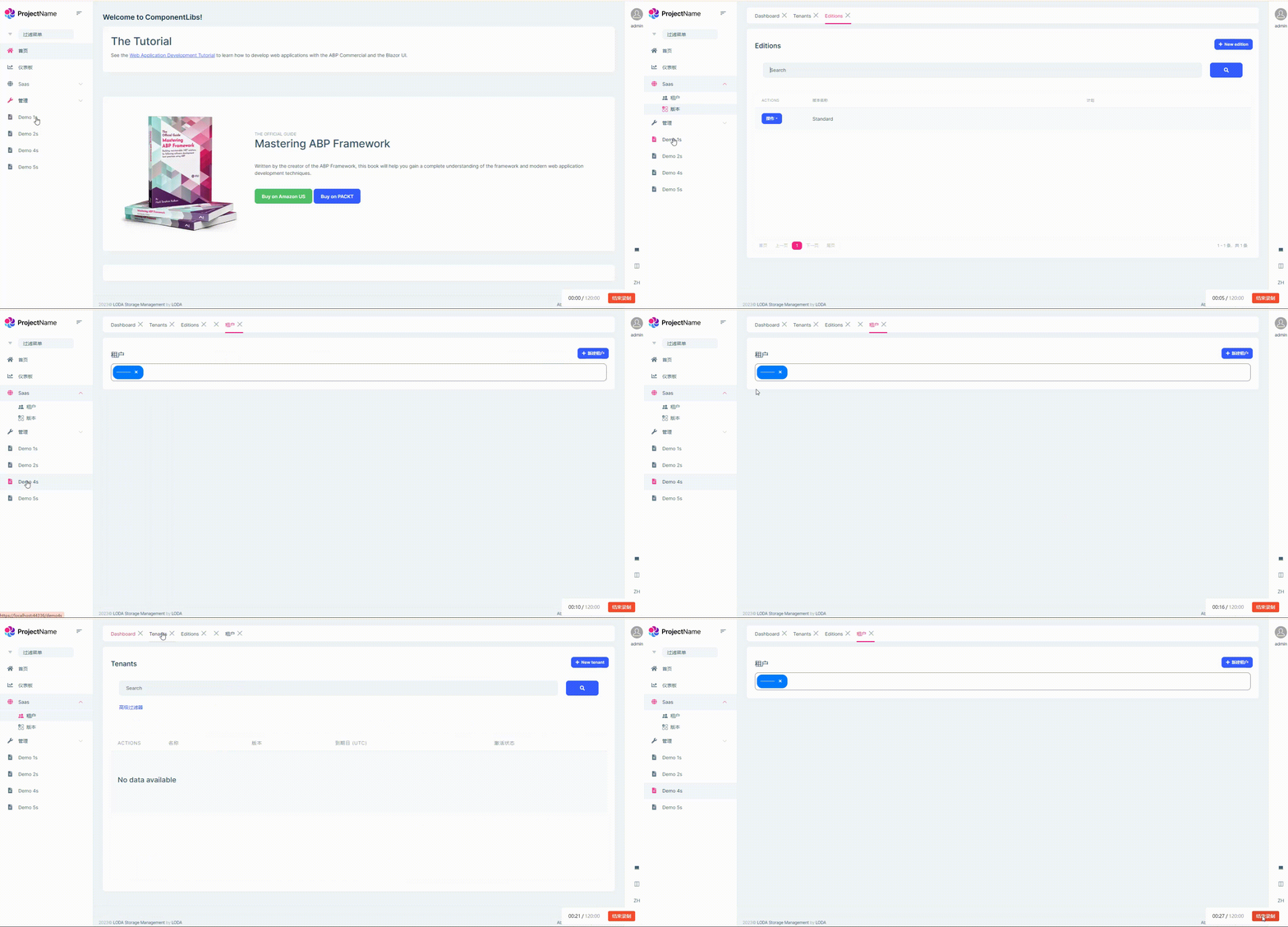
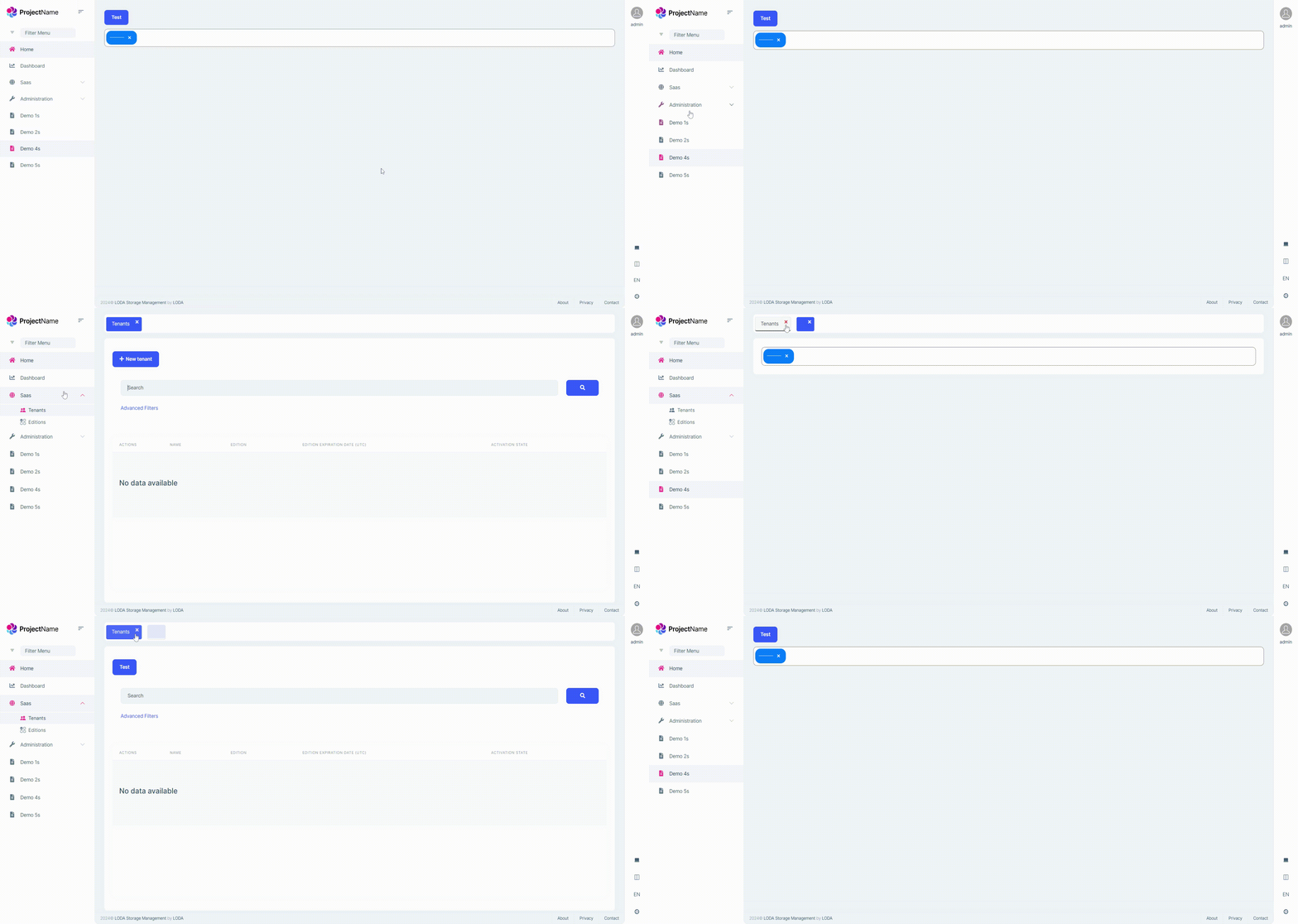
Hello, there is a big problem here, that is, after I clicked on the menu page created using abp suite, the tab above was blank and wrong, and the create button of the tenant page also appeared in the demo4 page, and the top The tab has no translation
Markdown supported.Copy, paste, or drag & drop images and files (max 100 MB per file, 100 MB total per post) -
0
Hi,
I have improved the logic to get the page title from the menu item.
https://gist.github.com/realLiangshiwei/a71887cb41b679739599ce52b30ec151
Markdown supported.Copy, paste, or drag & drop images and files (max 100 MB per file, 100 MB total per post) -
0
Hi,
I have improved the logic to get the page title from the menu item.
https://gist.github.com/realLiangshiwei/a71887cb41b679739599ce52b30ec151
Something seems wrong with the code
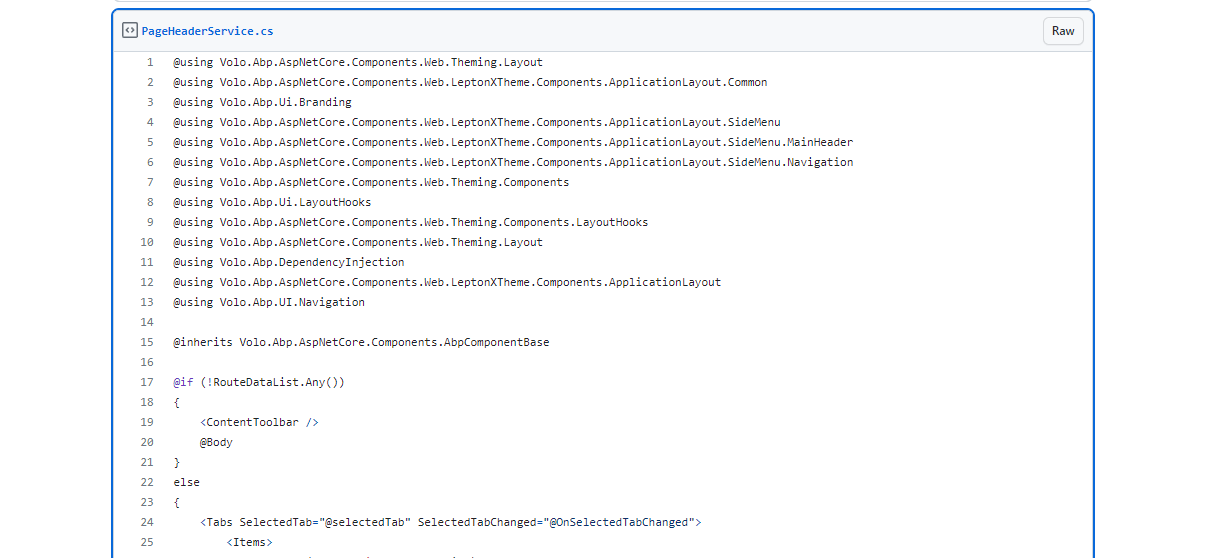 Markdown supported.Copy, paste, or drag & drop images and files (max 100 MB per file, 100 MB total per post)
 -
0
Updated
Markdown supported.Copy, paste, or drag & drop images and files (max 100 MB per file, 100 MB total per post) -
0
Updated
Hi I just discovered a fatal bug. The Toolbar and breadcrumbItems in the PageHeader in the code generated by abp suite will not be displayed, and the tab content will be blank. <Volo.Abp.AspNetCore.Components.Web.Theming.Layout.PageHeader BreadcrumbItems="breadcrumbItems" Toolbar="toolbar"></Volo.Abp.AspNetCore.Components.Web.Theming.Layout.PageHeader>
 Markdown supported.Copy, paste, or drag & drop images and files (max 100 MB per file, 100 MB total per post)
 -
0
Toolbar
The Toolbar will rendered by
ContentTabToolbar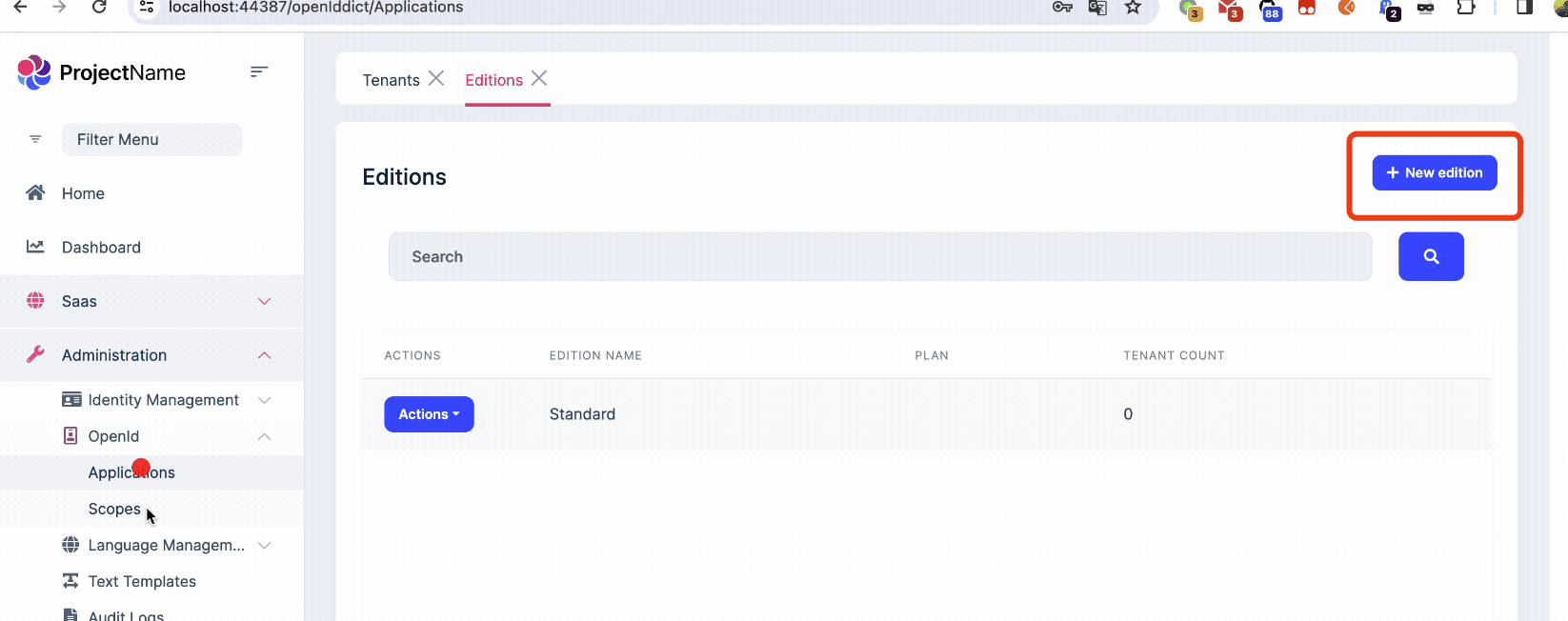
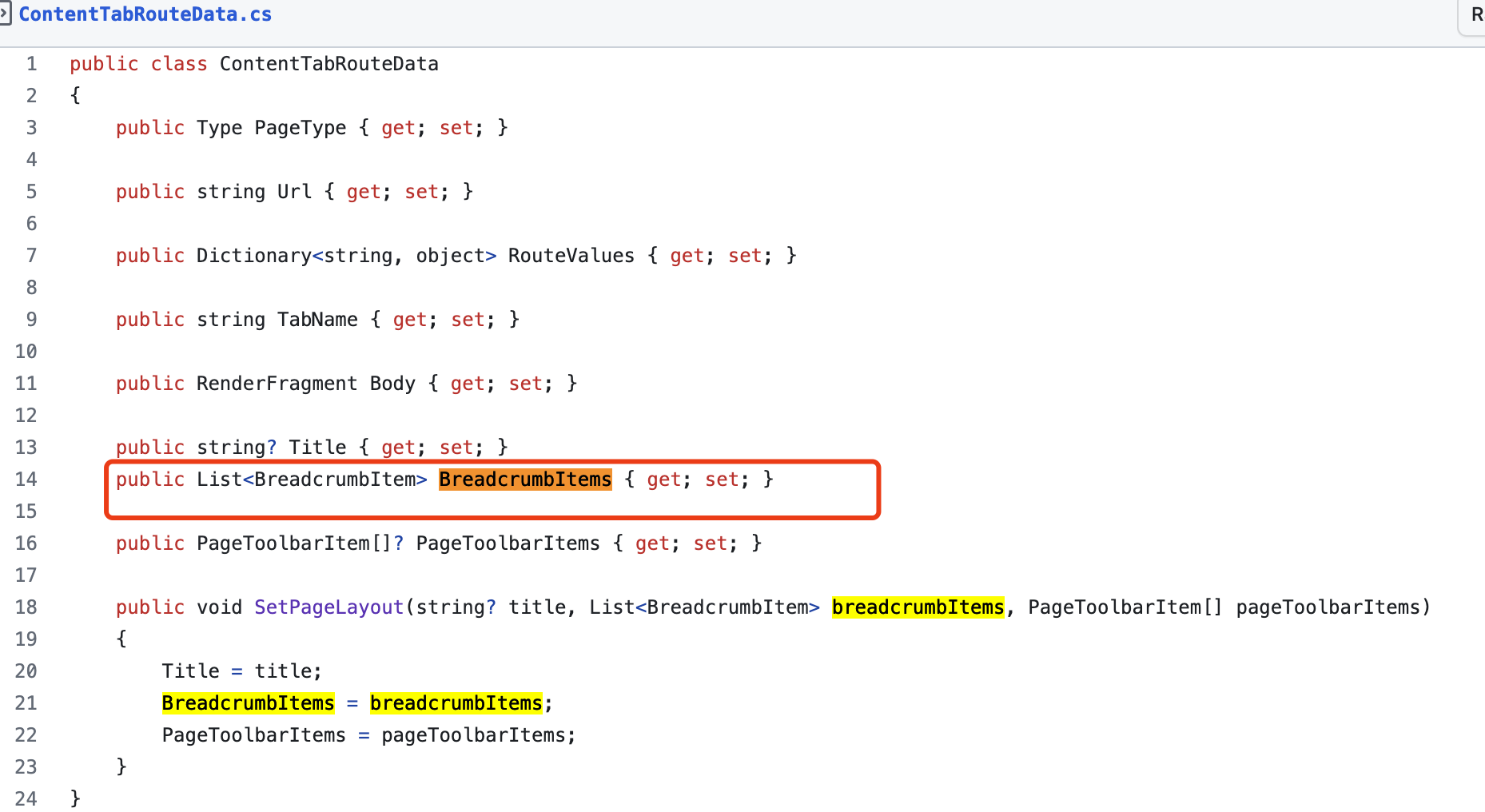
breadcrumbItems
Yes, I removed the breadcrumbItems from layout, It is in the storage of routing data, you can show it if you need.
 Markdown supported.Copy, paste, or drag & drop images and files (max 100 MB per file, 100 MB total per post)
 -
0
Have you applied the latest code? you can check it.
Markdown supported.Copy, paste, or drag & drop images and files (max 100 MB per file, 100 MB total per post) -
0
Have you applied the latest code? you can check it.
this is my code
@* ************************* PAGE HEADER ************************* *@
<Volo.Abp.AspNetCore.Components.Web.Theming.Layout.PageHeader BreadcrumbItems="breadcrumbItems" Toolbar="toolbar"></Volo.Abp.AspNetCore.Components.Web.Theming.Layout.PageHeader>
@* ************************* DATA GRID ************************* *@
<LDMutiSelect TValue="Guid" GetData="GetData"></LDMutiSelect>`
`private List<Volo.Abp.BlazoriseUI.BreadcrumbItem> breadcrumbItems = new List<Volo.Abp.BlazoriseUI.BreadcrumbItem>() { new Volo.Abp.BlazoriseUI.BreadcrumbItem("demo1", "/aaa", "aaa") };
private PageToolbar toolbar = new();
protected override void OnInitialized()
{
    toolbar.AddButton("Test", () => Task.CompletedTask);
    //父组件TableOption初始化之后再初始化子组件
    base.OnInitialized();
}
I know that BreadcrumbItems have been deleted, but the toolbar button is no longer on my page. The tenant page is but the newly created page is not.
Markdown supported.Copy, paste, or drag & drop images and files (max 100 MB per file, 100 MB total per post) -
0
Have you applied the latest code? you can check it.
yes,is the latest
Markdown supported.Copy, paste, or drag & drop images and files (max 100 MB per file, 100 MB total per post) -
0
Hi,
Please add
Titleto pageHeader compoent:<PageHeader Title="PageName..." BreadcrumbItems="breadcrumbItems" Toolbar="toolbar"></PageHeader>Markdown supported.Copy, paste, or drag & drop images and files (max 100 MB per file, 100 MB total per post) -
0
Hi,
Please add
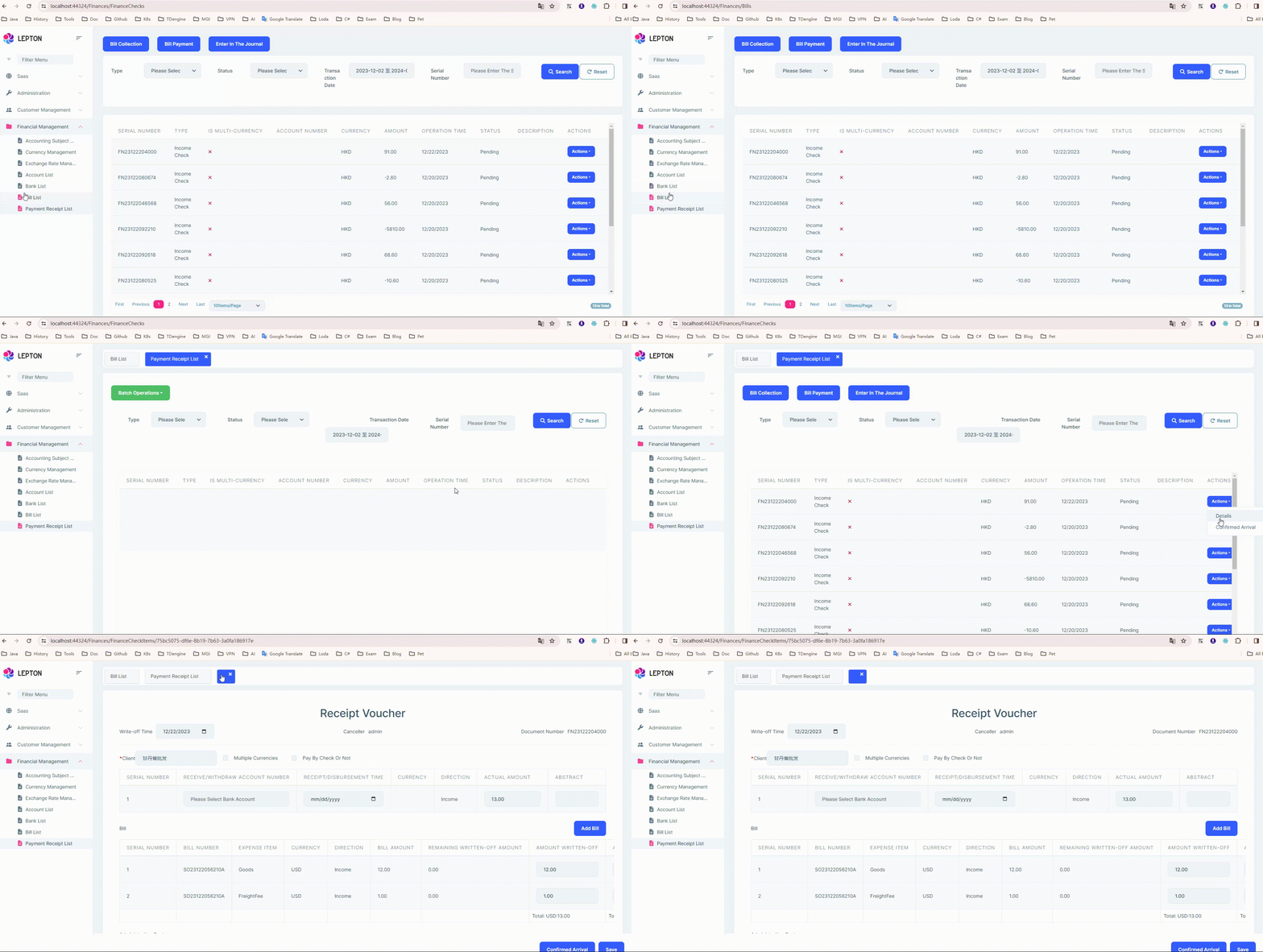
Titleto pageHeader compoent:<PageHeader Title="PageName..." BreadcrumbItems="breadcrumbItems" Toolbar="toolbar"></PageHeader>Another problem is that when I click the button to enter the details page, the url will have a corresponding id. At this time, the top tab is blank NavigationManager.NavigateTo("/Finances/ExchangeRates/HistoricalExchangeRateRecords/" + Id);
 Markdown supported.Copy, paste, or drag & drop images and files (max 100 MB per file, 100 MB total per post)
 -
0
Hi,
You can try add <PageHeader> to the detail page.
<PageHeader Title="Detail...."></PageHeader>Markdown supported.Copy, paste, or drag & drop images and files (max 100 MB per file, 100 MB total per post) -
0
The content tab component try get
Titlefrom PageHeader and Menu item.But the detail page didn't have PageHeader and menuItem.
You can also implement your own logic to get the page title from other places. The https://gist.github.com/realLiangshiwei/a71887cb41b679739599ce52b30ec151#file-contenttabs-razor-L210
Markdown supported.Copy, paste, or drag & drop images and files (max 100 MB per file, 100 MB total per post) -
0
The content tab component try get
Titlefrom PageHeader and Menu item.But the detail page didn't have PageHeader and menuItem.
You can also implement your own logic to get the page title from other places. The https://gist.github.com/realLiangshiwei/a71887cb41b679739599ce52b30ec151#file-contenttabs-razor-L210
 When too many tabs are selected, the line will break. I want to change it to the above form and replace it with a UI framework (https://www.blazor.zone/tab), but the page cannot jump after clicking after menu bar
 Markdown supported.Copy, paste, or drag & drop images and files (max 100 MB per file, 100 MB total per post)
 -
0
Hi,
I don't know much about blalzor.zone
Can you share a test project? thanks. shiwei.liang@volosoft.com
Markdown supported.Copy, paste, or drag & drop images and files (max 100 MB per file, 100 MB total per post) -
0
Hi,
I don't know much about blalzor.zone
Can you share a test project? thanks. shiwei.liang@volosoft.com
https://github.com/He-Wu/BootstrapDemo1 Please help me take a look
Markdown supported.Copy, paste, or drag & drop images and files (max 100 MB per file, 100 MB total per post) -
0
Hi,
I got it.
Please make the repository private.
Because it includes your license code, you don't want to leak it.
Markdown supported.Copy, paste, or drag & drop images and files (max 100 MB per file, 100 MB total per post) -
0
Hi,
I got it.
Please make the repository private.
Because it includes your license code, you don't want to leak it.
ok
Markdown supported.Copy, paste, or drag & drop images and files (max 100 MB per file, 100 MB total per post)


